
PixelZoomer
Captures website screenshots and provides a ruler, zoom, and eye dropper for pixel analysis.
What it does
Permissions and access
Taken from the extension's own manifest file inside the package. The store listing does not spell this out, so it is worth reading before you install.
| Permission | What it allows |
|---|---|
contextMenus | Add items to the right-click menu |
storage | Store its own settings and data |
tabs | See the addresses and titles of your open tabs |
Requests 3 permissions — extensions doing the same job average 4.2.
Technical details
Show all 2 languages
Keyboard shortcuts
| Shortcut | Action |
|---|---|
| Alt+Shift+Q | __MSG_settingsStartApp__ |
Description
PixelZoomer captures a screenshot of the current webpage and equips you with a suite of pixel-level analysis tools. It is designed for designers, developers, and quality assurance professionals who need to inspect fine details, measure elements, or extract colors from any website. The extension works on any open page, providing an overlay that lets you interact with the captured image without altering the original site.
Features
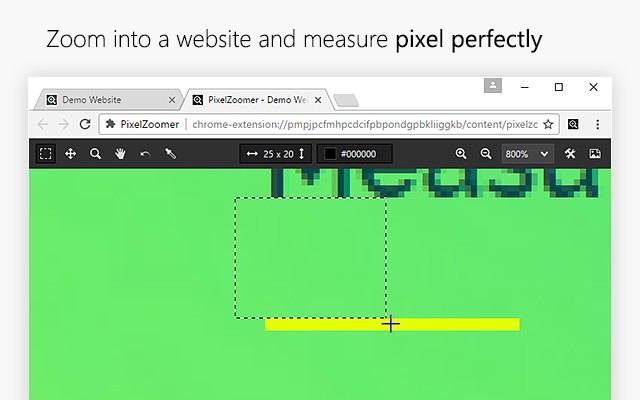
- Pixel-perfect ruler: Measure distances between any two points on the screenshot with precision down to single pixels. Useful for verifying layout alignment, element spacing, or image dimensions during front-end development or design review.
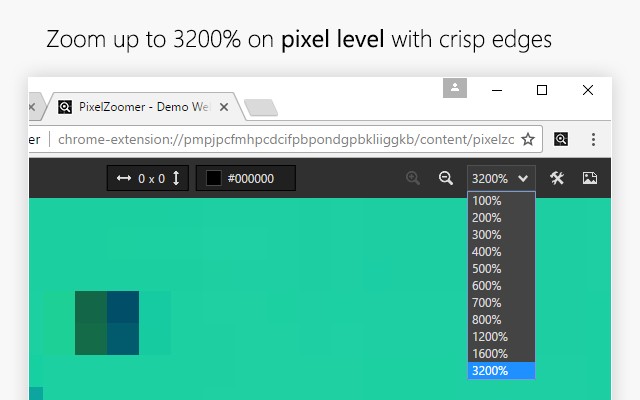
- Zoom and pan tool: Magnify the screenshot from 100% up to 3200% to examine tiny details, such as anti-aliasing effects, icon edges, or pixel art. Pan across the enlarged image to navigate to different areas without losing context.
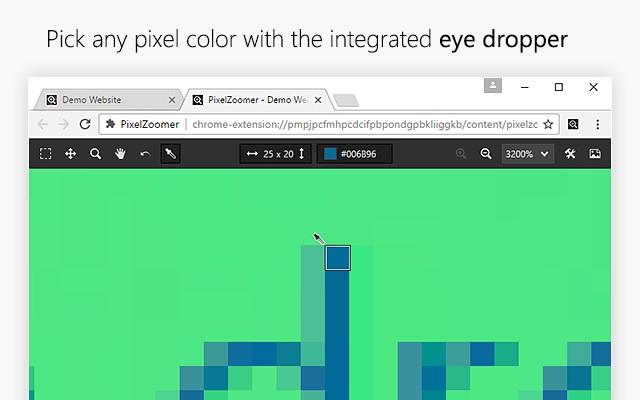
- Eye dropper: Click on any pixel to instantly get its color in both HEX and RGB formats. Ideal for matching brand colors, extracting palette references, or checking color consistency across a design.
- Undo and redo: Revert or reapply your last action when using the ruler or other tools, providing flexibility during measurement or color picking without restarting.
- Open screenshot in a new tab: Export the captured screenshot as an image file that opens in a separate browser tab, allowing you to save, edit, or share it with other applications.
Whether you are debugging CSS pixel discrepancies, verifying responsive design, or collecting color samples for a project, PixelZoomer streamlines these tasks directly within your browser without needing external software.
Extensions that do the same job
Matched by what these extensions actually do, not by store category, and sorted so the ones asking for the least access come first.
| Extension | Site access | Permissions | Users | Rating |
|---|---|---|---|---|
| PixelZoomer — this page | All sites | 3 | 30K | 4.5★ |
| Figma | Limited | 4 | 200K | 4.2★ |
| Site Palette | All sites | 3 | 80K | 3.6★ |
| Screen Ruler - Measure and Inspect the Web | Limited | 8 | 50K | 4.4★ |
| BlazeMeter | The Continuous Testing Platform | All sites | 10 | 100K | 4.1★ |
| Axiom Browser Automation & Web Scraping | All sites | 8 | 100K | 4.5★ |
| GitZip for github | Limited | 2 | 100K | 4.1★ |
Want the same thing with less access? Figma, GitZip for github, IP Address and Domain Information ask for fewer permissions than this one.
Store data last checked August 14, 2026.