
Save image as PDF
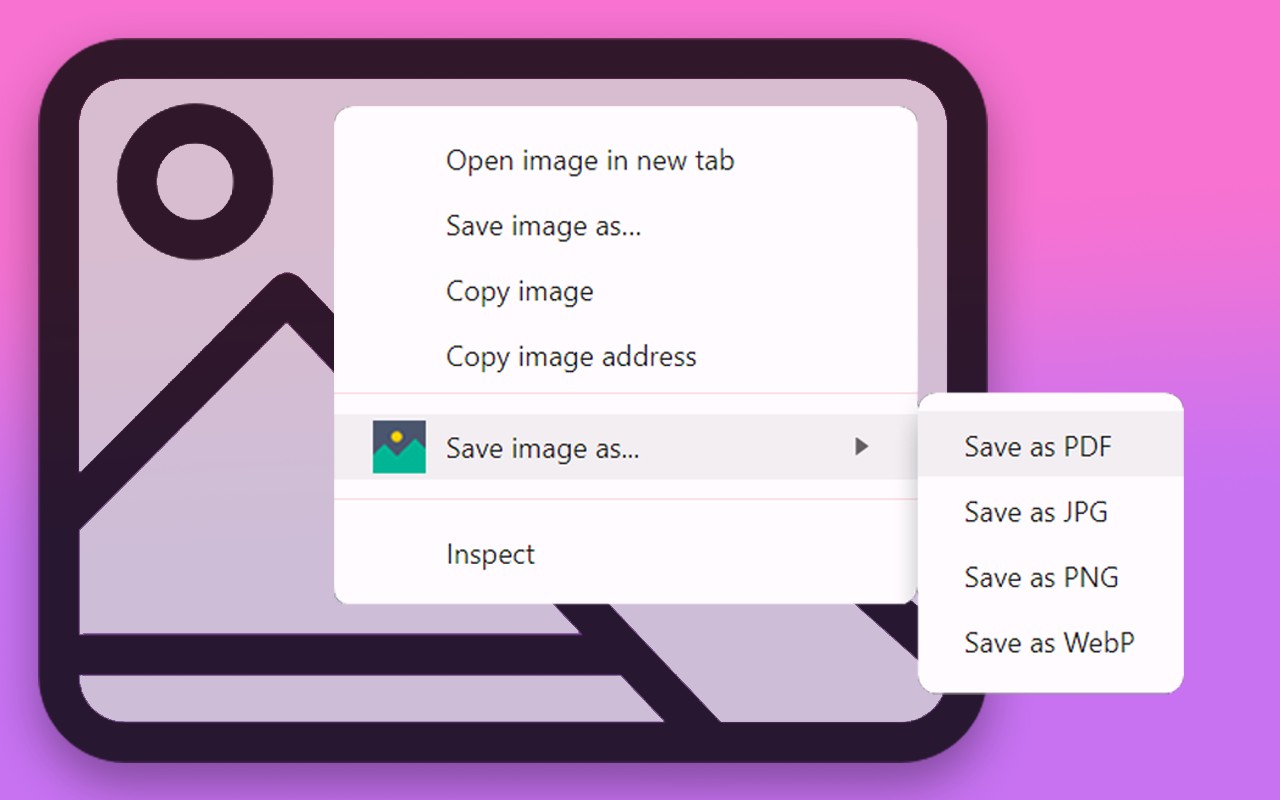
Right-click any image to save as PDF, JPG, PNG, or WebP directly from your browser.
What it does
Permissions and access
Taken from the extension's own manifest file inside the package. The store listing does not spell this out, so it is worth reading before you install.
| Permission | What it allows |
|---|---|
contextMenus | Add items to the right-click menu |
downloads | Manage your downloads |
offscreen | Run hidden pages for background work |
scripting | Run its own code on pages |
storage | Store its own settings and data |
Requests 5 permissions — extensions doing the same job average 5.2.
Technical details
Show all 52 languages
Description
Save Image as PDF is a Chrome extension that adds a right-click context menu option for saving images from any webpage directly in your preferred format: PDF, JPG, PNG, or WebP. It eliminates the need for external converters or websites, allowing you to download images with just a few clicks. The extension works on any image element on a page, converting and downloading it in the chosen format instantly.
How to Use
- Install the extension from the Chrome Web Store by clicking "Add to Chrome" and following the prompts.
- Navigate to any webpage containing images. Right-click on the image you want to save.
- Hover over the new "Save image as..." option in the context menu to see sub-options for each format: Save as PDF, Save as PNG, Save as JPG, and Save as WebP.
- Click the desired format to convert and download the image automatically.
Customizable Settings
- Ask where to save before downloading: When enabled, this option prompts you to choose the download location and filename each time you save an image. This helps organize files and prevents accidental overwrites.
- Enable a floating element on every page: When enabled, a small icon appears on the right edge of every webpage. Clicking it highlights all images on the page for easy identification; clicking again removes the highlights. Hovering over the 'x' next to the icon disables the floating element across all pages.
Key Features
- Built on Manifest V3, ensuring optimal performance and security with automatic updates for a consistently reliable experience.
- No third-party scripts or trackers, keeping the extension lightweight and fast.
- Supports multiple languages for global accessibility.
- No login or registration required-ready to use immediately after installation.
- Swift and responsive downloads, even for large images.
Use Cases
- SEO professionals can quickly save and analyze images for optimization without switching tools.
- Graphic designers and content creators can download images in various formats for projects.
- Researchers can collect and organize visual references from the web efficiently.
- Document managers can convert images to PDF for reports or archives.
- Web developers can save and manage images during site development without leaving the browser.
- Casual users can download pictures in their preferred format for personal use.
Save Image as PDF integrates seamlessly with Chrome, enhancing your browsing experience without clutter or complexity. It's designed for both professionals and everyday users who need a quick, reliable way to save images in multiple formats.
Extensions that do the same job
Matched by what these extensions actually do, not by store category, and sorted so the ones asking for the least access come first.
| Extension | Site access | Permissions | Users | Rating |
|---|---|---|---|---|
| Save image as PDF — this page | All sites | 5 | 100K | 4.3★ |
| CocoShot: Screenshot & Screen Recorder | Limited | 4 | 70K | 4.9★ |
| Snippet Highlighter - Web & PDF | All sites | 4 | 10K | 4.2★ |
| NCapture | All sites | 6 | 400K | 3.1★ |
| Table Capture | All sites | 4 | 200K | 4.3★ |
| Photo Math Solver | All sites | 5 | 2K | 4.4★ |
| Docusign eSignature for Chrome | Limited | 2 | 300K | 4.3★ |
Want the same thing with less access? CocoShot: Screenshot & Screen Recorder, Snippet Highlighter - Web & PDF, Docusign eSignature for Chrome ask for fewer permissions than this one.
Store data last checked August 14, 2026.