
BlazeMeter | The Continuous Testing Platform
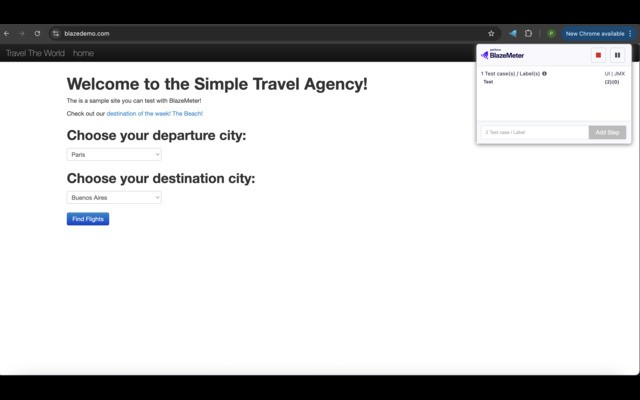
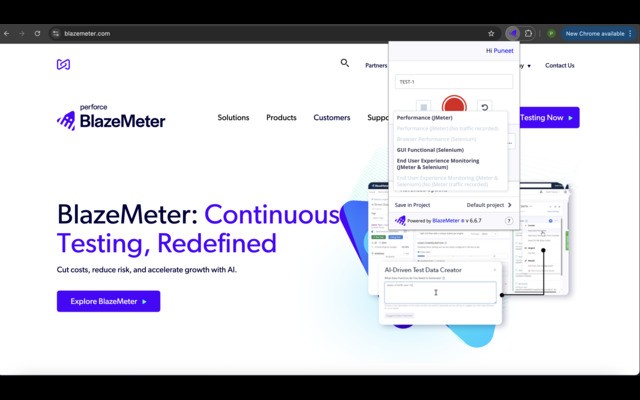
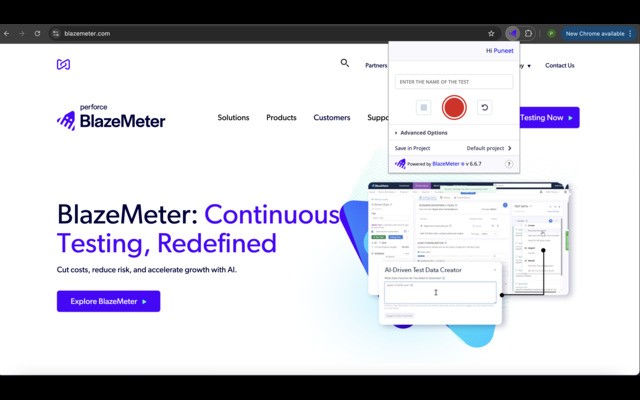
Records HTTP/S traffic and user interactions to create JMeter and Selenium scripts for load and functional testing,
What it does
Permissions and access
Taken from the extension's own manifest file inside the package. The store listing does not spell this out, so it is worth reading before you install.
| Permission | What it allows |
|---|---|
activeTab | Access the current tab when you click the extension |
browsingData | Clear your browsing data |
contextMenus | Add items to the right-click menu |
notifications | Show desktop notifications |
scripting | Run its own code on pages |
storage | Store its own settings and data |
tabs | See the addresses and titles of your open tabs |
unlimitedStorage | Store unlimited data on your computer |
webNavigation | See which pages you navigate to |
webRequest | Watch your network requests |
Requests 10 permissions — extensions doing the same job average 4.1.
Technical details
Description
The BlazeMeter Chrome extension captures all HTTP/S traffic and user interactions in your browser, converting them into JMeter (.jmx) or Taurus Selenium (.yaml) scripts automatically. This enables you to create load tests, API functional tests, and GUI functional tests without installing JMeter or Selenium locally. Recorded scripts can be uploaded to BlazeMeter.com with a single click, where you can run performance tests for up to 3,000,000 concurrent users or functional tests. The extension also supports debugging Selenium sessions on your local Chrome browser and enhancing JMX files using a local JMeter installation.
Key Features
- No scripting required: Record test scenarios by simply browsing, without writing code. Useful for non-developers or rapid test creation.
- Full HTTP/S capture: Records all requests made by the browser, ensuring complete coverage for performance and functional testing.
- GUI action recording: Captures user interface interactions like clicks and form submissions for Selenium-based functional tests.
- Assertions during recording: Add verification points to Selenium steps to validate expected behavior, such as element presence or text content.
- Transaction labels: Insert markers during recording to group requests into logical transactions for JMeter and Selenium, simplifying analysis and correlation.
- Shadow DOM support: Works with Lightning Web Components and other shadow DOM elements, enabling testing of modern web applications.
- Compatibility: Scripts are compatible with Apache JMeter and Taurus Selenium, allowing integration with existing test frameworks and CI/CD pipelines.
- No local installations: Run tests directly from BlazeMeter without installing JMeter or Selenium, reducing setup overhead and version conflicts.
- High-scale performance tests: Execute load tests with up to 3,000,000 concurrent users, suitable for enterprise-level applications.
- Quick test execution: Launch load tests in under ten minutes from recording to running, accelerating the testing cycle.
- API and GUI functional testing: Supports both API endpoints (via HTTP/S recording) and GUI scenarios (via Selenium), covering multiple testing needs.
- Combined JMeter and Selenium tests: Run both performance and functional tests side by side in a single test plan, providing comprehensive validation.
- Local debugging: Debug recorded Selenium sessions on your local Chrome to verify steps before uploading, reducing errors in production tests.
The extension requires Chrome version 58 or newer. A free BlazeMeter.com account is needed for certain features like script conversion to JMX and the Scriptless Scenario Editor. For the latest updates, refer to the official changelog.
Extensions that do the same job
Matched by what these extensions actually do, not by store category, and sorted so the ones asking for the least access come first.
| Extension | Site access | Permissions | Users | Rating |
|---|---|---|---|---|
| BlazeMeter | The Continuous Testing Platform — this page | All sites | 10 | 100K | 4.1★ |
| Axiom Browser Automation & Web Scraping | All sites | 8 | 100K | 4.5★ |
| Figma | Limited | 4 | 200K | 4.2★ |
| CocoShot: Screenshot & Screen Recorder | Limited | 4 | 70K | 4.9★ |
| Site Palette | All sites | 3 | 80K | 3.6★ |
| Screen Ruler - Measure and Inspect the Web | Limited | 8 | 50K | 4.4★ |
| Vidyard - Screen Recorder & Screen Capture | All sites | 10 | 300K | 4.2★ |
Want the same thing with less access? Figma, CocoShot: Screenshot & Screen Recorder, Site Palette ask for fewer permissions than this one.
Store data last checked August 14, 2026.