
IP Address and Domain Information
Displays IP, domain, and provider details for any website, including location, DNS, WHOIS, rankings, and network info.
What it does
Permissions and access
Taken from the extension's own manifest file inside the package. The store listing does not spell this out, so it is worth reading before you install.
| Permission | What it allows |
|---|---|
activeTab | Access the current tab when you click the extension |
Requests 1 permission — extensions doing the same job average 4.1.
Technical details
Show all 39 languages
Description
The IP Address and Domain Information extension provides a comprehensive set of data about any website you visit. It is designed for online investigations, SEO analysis, and network troubleshooting. When you browse a site, the extension automatically retrieves and displays detailed information about the IP address, domain, and hosting provider. This data is presented in a clear, organized panel that you can access with a single click.
Key Features
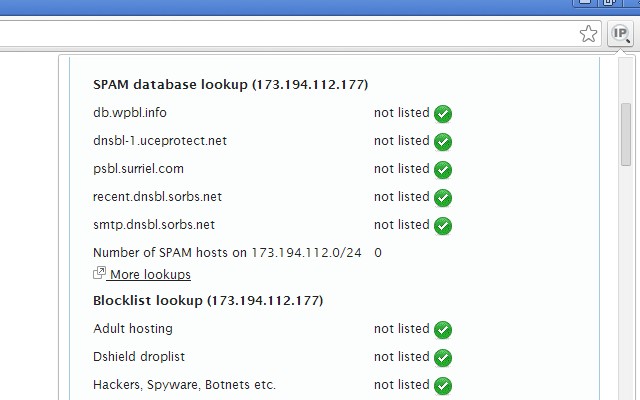
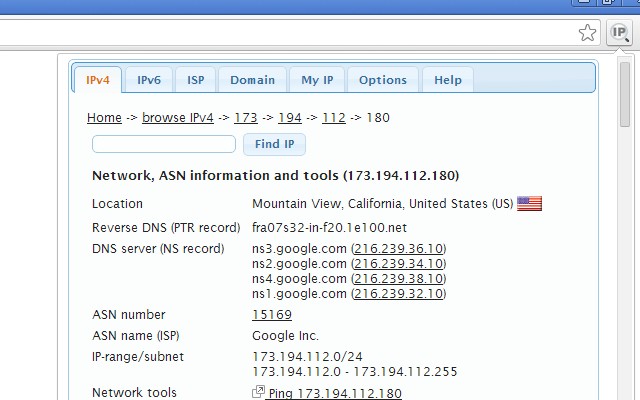
- IP Address Details: View both IPv4 and IPv6 addresses of the current website. The extension shows geographic location, DNS records, WHOIS data, routing paths, domain neighbors (other domains hosted on the same IP), blacklist status, and ASN (Autonomous System Number) information. This is useful for identifying where a server is located, checking if an IP is flagged for spam, or understanding the network structure.
- Domain Information: Access Alexa and Quantcast rankings to gauge website traffic. DMOZ category listing (if available) indicates the site's topic. Social media activity metrics show how often the domain is shared on platforms like Facebook and Twitter. WOT (Web of Trust) rating reflects user trust and safety. WHOIS data provides registrar and registration dates. PageRank (Google's legacy metric) gives an idea of link popularity. These details help evaluate a site's authority and reputation.
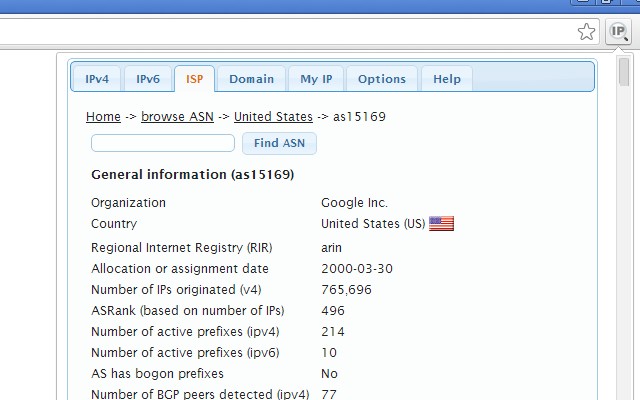
- Provider Information: For the hosting provider, see BGP (Border Gateway Protocol) routes, lists of IPv4 and IPv6 subnets they own, connected peers (other providers they exchange traffic with), hosted nameservers, hosted domains count, number of spam hosts, bogon subnets (private or reserved IPs that shouldn't appear on the public internet), and provider WHOIS data. This is valuable for network engineers or security researchers analyzing hosting infrastructure.
- Public IP Shortcut: A quick link to your own public IP address and related info (myIP info). This lets you instantly see your external IP, location, and ISP, which is handy for checking VPN status or diagnosing connectivity issues.
Whether you are conducting competitive research, verifying the legitimacy of a website, or analyzing network traffic, this extension equips you with the necessary tools. It supports multiple browsers including Firefox, Opera, and Safari, ensuring a consistent experience across platforms. All data is fetched in real time from reliable sources, so you get up-to-date information every time.
Extensions that do the same job
Matched by what these extensions actually do, not by store category, and sorted so the ones asking for the least access come first.
| Extension | Site access | Permissions | Users | Rating |
|---|---|---|---|---|
| IP Address and Domain Information — this page | Limited | 1 | 100K | 4.4★ |
| HeadingsMap | All sites | 3 | 100K | 4.5★ |
| Check My Links | All sites | 4 | 90K | 4.4★ |
| Checkbot: SEO, Web Speed & Security Tester 🚀 | All sites | 1 | 70K | 4.9★ |
| Figma | Limited | 4 | 200K | 4.2★ |
| GitZip for github | Limited | 2 | 100K | 4.1★ |
| Lightning Studio | Limited | 3 | 100K | 3.9★ |
Store data last checked August 14, 2026.