
HeadingsMap
Generates a clickable index of headings, sections, and landmarks for navigation and accessibility auditing.
What it does
Permissions and access
Taken from the extension's own manifest file inside the package. The store listing does not spell this out, so it is worth reading before you install.
| Permission | What it allows |
|---|---|
activeTab | Access the current tab when you click the extension |
storage | Store its own settings and data |
webNavigation | See which pages you navigate to |
Requests 3 permissions — extensions doing the same job average 4.0.
Technical details
Show all 5 languages
Description
HeadingsMap is a browser extension that generates a comprehensive index of the headings structure in any web document. It helps web developers, accessibility auditors, and regular users to navigate long, structured pages by providing a clickable outline. The extension also analyzes landmarks, making it a valuable tool for accessibility audits and SEO evaluations. Initially designed for professionals, it has proven useful for anyone who needs to quickly understand and navigate complex web content.
Features
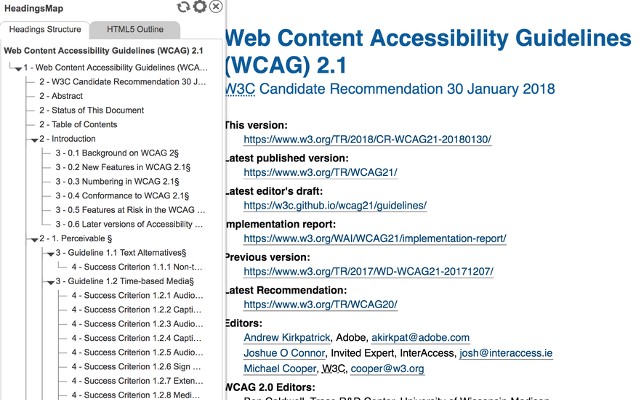
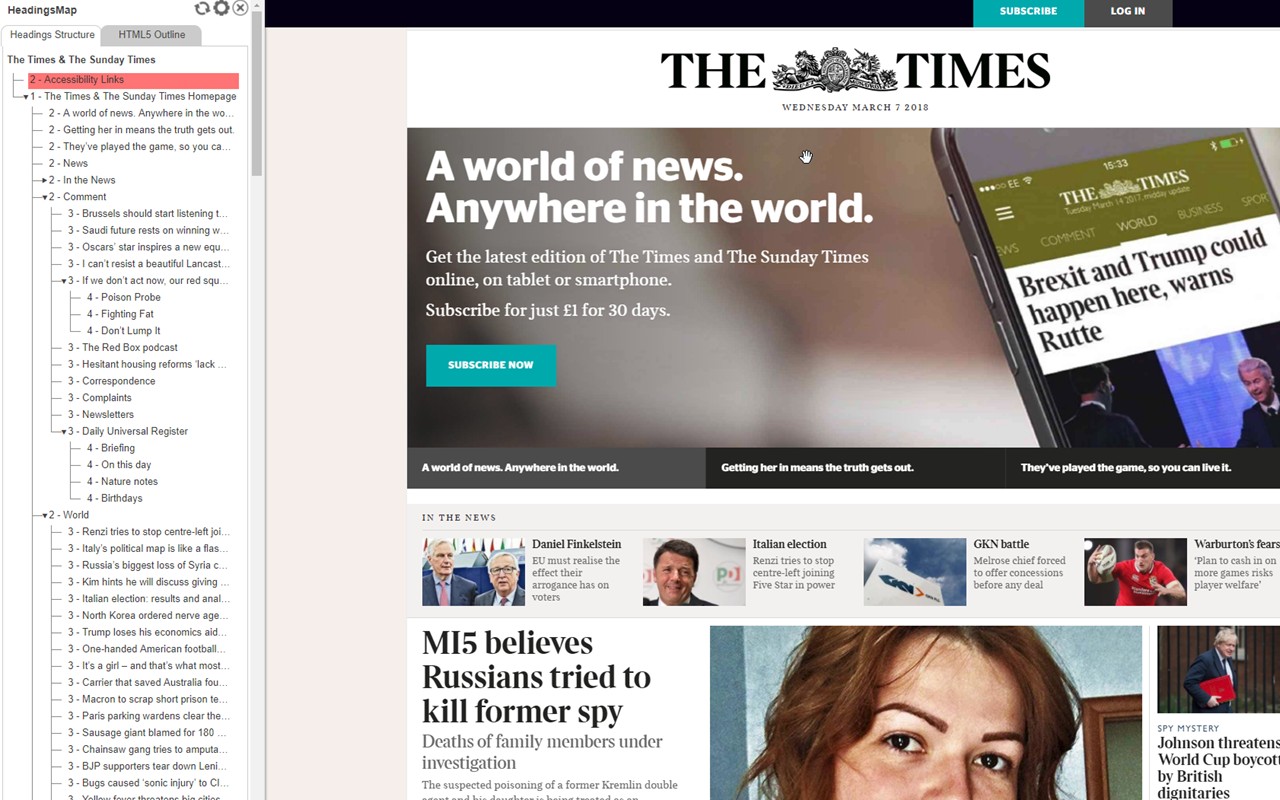
- Headings list with level and hierarchy errors: Displays all headings in the document along with their levels (e.g., H1, H2). It optionally highlights breaks in the correct hierarchical structure, such as skipping from H1 to H3 without an H2. This is particularly useful for SEO audits and accessibility checks, where proper heading hierarchy is essential.
- Sections list with header info and structural errors: Lists sections defined by headings, showing the associated header text. It can optionally report structural errors like missing headings or incorrect nesting. This helps in evaluating the logical flow of content.
- Landmarks analysis with details and errors: Identifies ARIA landmarks (e.g., banner, navigation, main) and provides details about them. It can optionally flag structural issues, such as missing or redundant landmarks, which is critical for assistive technology users.
- Support for multiple documents (including frames): When a page contains iframes or framesets, HeadingsMap extracts information from each document and provides a document selector to switch between them. This is useful for complex web applications with embedded content.
- Click-to-scroll and highlight: Clicking on any heading, section, or landmark in the tree scrolls the page to that element and briefly highlights it. This allows instant navigation to specific content without manual scrolling.
- Automatic DOM update detection: The extension monitors changes to the page's DOM (e.g., dynamic content loading) and updates the tree automatically. A manual refresh button is also available for cases where automatic detection might not trigger.
- Collapsible heading tree by levels: Users can collapse or expand the tree to show only certain heading levels, reducing visual clutter. For example, you can view only H1 and H2 to get a high-level overview.
- CSS outline on click: When you click an item in the tree, the corresponding element on the page gets a visible CSS outline. This helps identify exactly which element is selected, especially useful for debugging.
- Hidden headings and sections excluded: The extension respects elements hidden from assistive technologies (e.g., with aria-hidden="true") and does not include them in the tree. This ensures the outline reflects what screen readers actually present.
- Anchor links for copying: If a heading or section is an anchor (has an id), the tree item provides a link to that anchor. Users can right-click and copy the link address via the browser's context menu. Optionally, anchor-links can be shown that copy the URL fragment to the clipboard with a single click, facilitating sharing of specific sections.
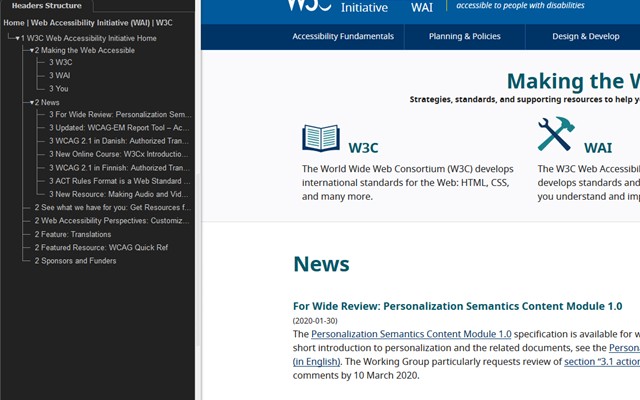
- Two themes available: Choose between a light and dark theme to suit your preference or match the developer tools style.
HeadingsMap is a practical tool for improving web accessibility and navigation, offering detailed insights into document structure without overwhelming the user. Its privacy policy is available at https://rumoroso.bitbucket.io/.
Extensions that do the same job
Matched by what these extensions actually do, not by store category, and sorted so the ones asking for the least access come first.
| Extension | Site access | Permissions | Users | Rating |
|---|---|---|---|---|
| HeadingsMap — this page | All sites | 3 | 100K | 4.5★ |
| IP Address and Domain Information | Limited | 1 | 100K | 4.4★ |
| Check My Links | All sites | 4 | 90K | 4.4★ |
| Checkbot: SEO, Web Speed & Security Tester 🚀 | All sites | 1 | 70K | 4.9★ |
| Screen Ruler - Measure and Inspect the Web | Limited | 8 | 50K | 4.4★ |
| ObservePoint Debugger | All sites | 8 | 30K | 4.2★ |
| Figma | Limited | 4 | 200K | 4.2★ |
Want the same thing with less access? IP Address and Domain Information, Figma, GitZip for github ask for fewer permissions than this one.
Store data last checked August 14, 2026.