
Checkbot: SEO, Web Speed & Security Tester 🚀
Audits websites for SEO, speed, and security issues by crawling hundreds of pages simultaneously.
What it does
Permissions and access
Taken from the extension's own manifest file inside the package. The store listing does not spell this out, so it is worth reading before you install.
| Permission | What it allows |
|---|---|
webRequest | Watch your network requests |
Requests 1 permission — extensions doing the same job average 4.1.
Technical details
Description
Checkbot is a comprehensive website auditing tool that crawls hundreds of pages simultaneously to identify over 50 common issues related to SEO, page speed, and security. It follows best practices recommended by Google and Mozilla, helping you optimize your site for better search rankings, faster load times, and stronger protection against threats. Whether you're a web developer, SEO specialist, or site owner, Checkbot provides actionable insights to improve your website's performance.
Key Features
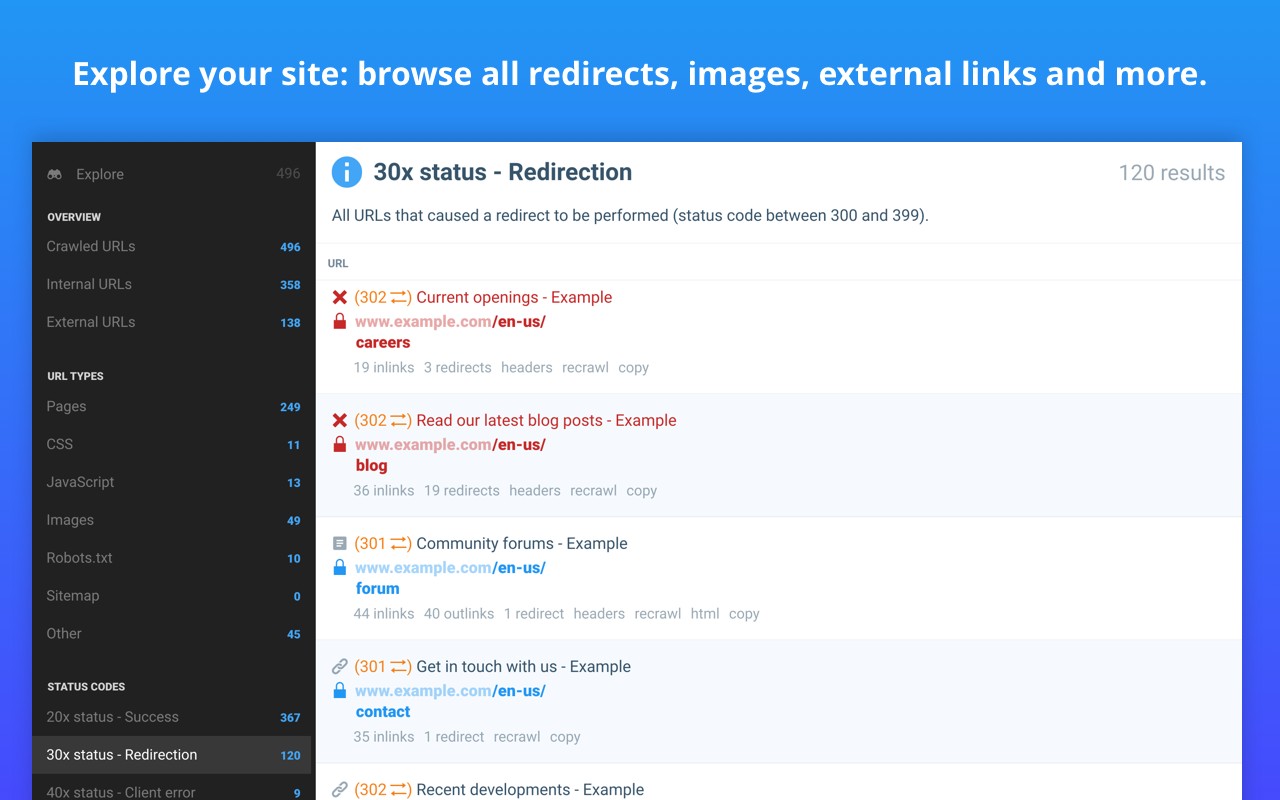
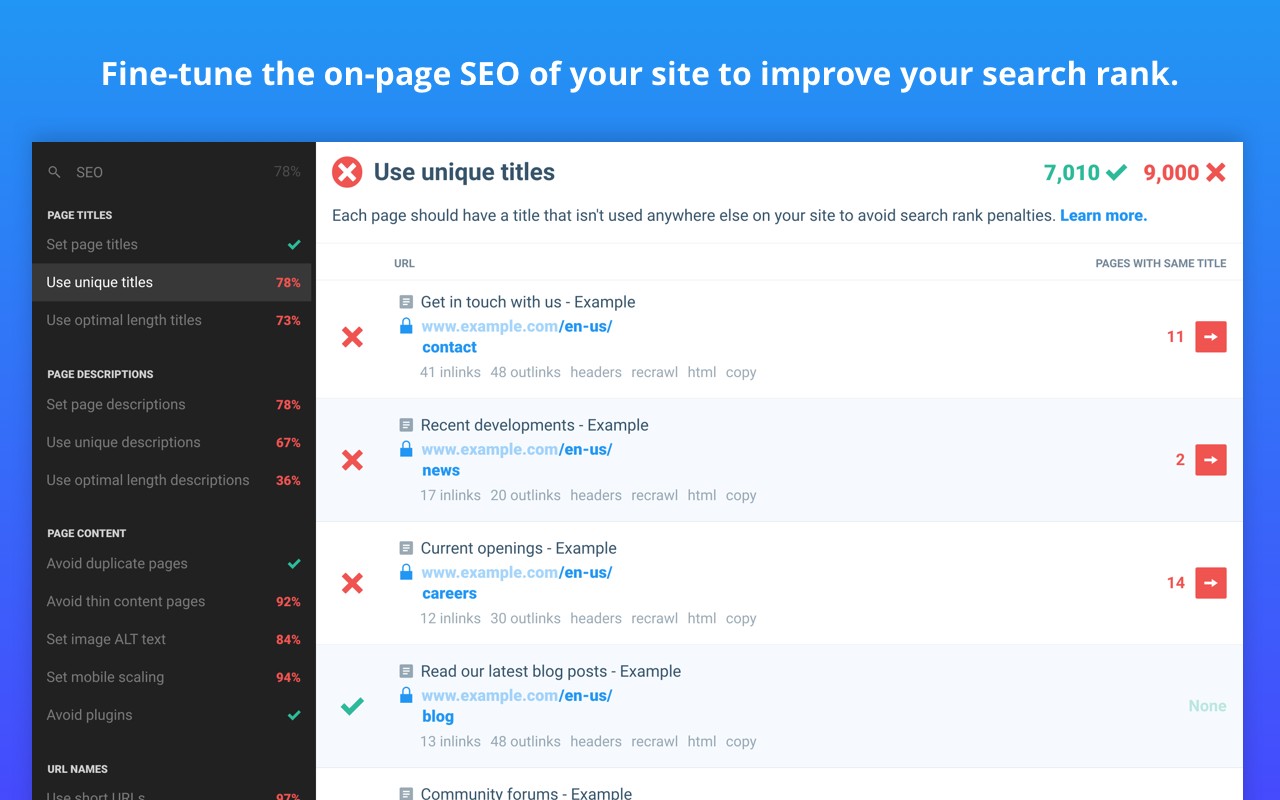
- SEO Testing: Checkbot checks for broken links, missing or overly long page titles, meta descriptions, and headings. It identifies duplicate content, validates HTML, CSS, and JavaScript, and verifies canonical URLs, image ALT tags, robots.txt configuration, and URL naming conventions. It also detects mobile-friendliness issues, deprecated web features, 404 pages, temporary and meta redirects, thin content pages, and sitemap setup problems. These checks help ensure your site is properly indexed and ranked by search engines.
- Page Speed Optimization: The tool analyzes minification of CSS, JavaScript, and HTML, network compression (e.g., Gzip), resource caching policies, and render-blocking resources. It identifies duplicate CSS/JS files, excessive inlining, and redirect chains that slow down page load times. By addressing these issues, you can improve user experience and reduce bounce rates.
- Web Security Auditing: Checkbot inspects security headers (e.g., Content-Security-Policy, X-Frame-Options), checks for HTTPS and mixed content warnings, verifies HSTS with preloading, detects content sniffing vulnerabilities, and ensures iframe restrictions are in place. It also checks that password forms are served over secure connections. These checks help protect your site from common attacks and improve trust with visitors.
- Comprehensive Crawling: The extension can crawl unlimited pages on small websites for free. For larger sites, paid upgrades allow crawling localhost sites, generating PDF audit reports, exporting crawl results to CSV, and using advanced crawl settings to exclude pages by URL pattern, type, folder, or subdomain. It also supports crawling sites behind HTTP authentication.
- Ease of Use: Simply click the Checkbot icon in your Chrome toolbar, enter a URL, and start the audit. Results are displayed in a clear, organized dashboard with prioritized recommendations. The tool is designed for both beginners and experts, with a detailed guide available at checkbot.io/guide explaining all 50+ best practices.
Checkbot has been recognized by HubSpot as one of the Best Chrome Extensions of 2021, praised by SEO professionals like Andy Drinkwater, and featured on Product Hunt as #3 Product of the Day. It respects user privacy by only accessing data when you explicitly run a crawl, and it has been reviewed by Google for permission best practices. For support and feedback, visit checkbot.io/faq.
Extensions that do the same job
Matched by what these extensions actually do, not by store category, and sorted so the ones asking for the least access come first.
| Extension | Site access | Permissions | Users | Rating |
|---|---|---|---|---|
| Checkbot: SEO, Web Speed & Security Tester 🚀 — this page | All sites | 1 | 70K | 4.9★ |
| IP Address and Domain Information | Limited | 1 | 100K | 4.4★ |
| HeadingsMap | All sites | 3 | 100K | 4.5★ |
| Check My Links | All sites | 4 | 90K | 4.4★ |
| Figma | Limited | 4 | 200K | 4.2★ |
| GitZip for github | Limited | 2 | 100K | 4.1★ |
| Lightning Studio | Limited | 3 | 100K | 3.9★ |
Want the same thing with less access? IP Address and Domain Information, Figma, GitZip for github ask for fewer permissions than this one.
Store data last checked August 14, 2026.