
Snippet Highlighter - Web & PDF
Highlight text and images on web pages and PDFs, import Kindle highlights, and sync them across devices.
What it does
Permissions and access
Taken from the extension's own manifest file inside the package. The store listing does not spell this out, so it is worth reading before you install.
| Permission | What it allows |
|---|---|
contextMenus | Add items to the right-click menu |
scripting | Run its own code on pages |
storage | Store its own settings and data |
tabs | See the addresses and titles of your open tabs |
Requests 4 permissions — extensions doing the same job average 4.8.
Technical details
Show all 21 languages
Keyboard shortcuts
| Shortcut | Action |
|---|---|
| Alt+Shift+X | Toggle Snippet Highlighter on/off |
| Alt+X | Show/Hide Snippet sidebar |
| Alt+C | Screen snip |
Description
Snippet Highlighter is a browser extension that lets you collect, organize, and access text highlights and image annotations from websites and PDFs. It also supports importing highlights from Kindle devices. All data is synced to the cloud and searchable across devices. A free account is required after installation; some advanced features require a PRO subscription.
How Highlighting Works
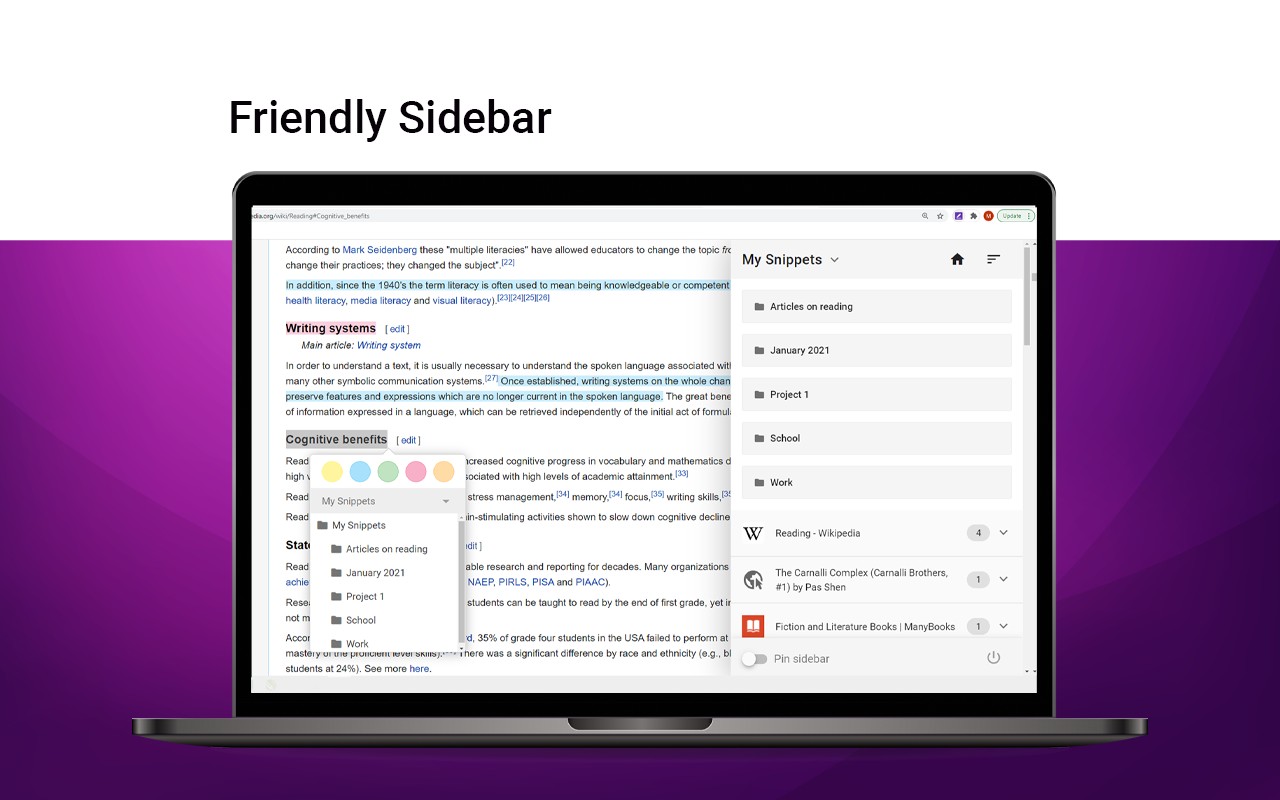
- Select any text on a webpage or PDF with your mouse to highlight it and save it to your account.
- For images such as charts or graphs, click the floating "Add" button that appears on hover to save the image as a highlight. You can disable this button in the Options page, and still add images by right-clicking and selecting "Add to Snippet".
- Capture a region of the screen using the extension's screenshot tool to highlight any visible area.
Organize, Search, and Review
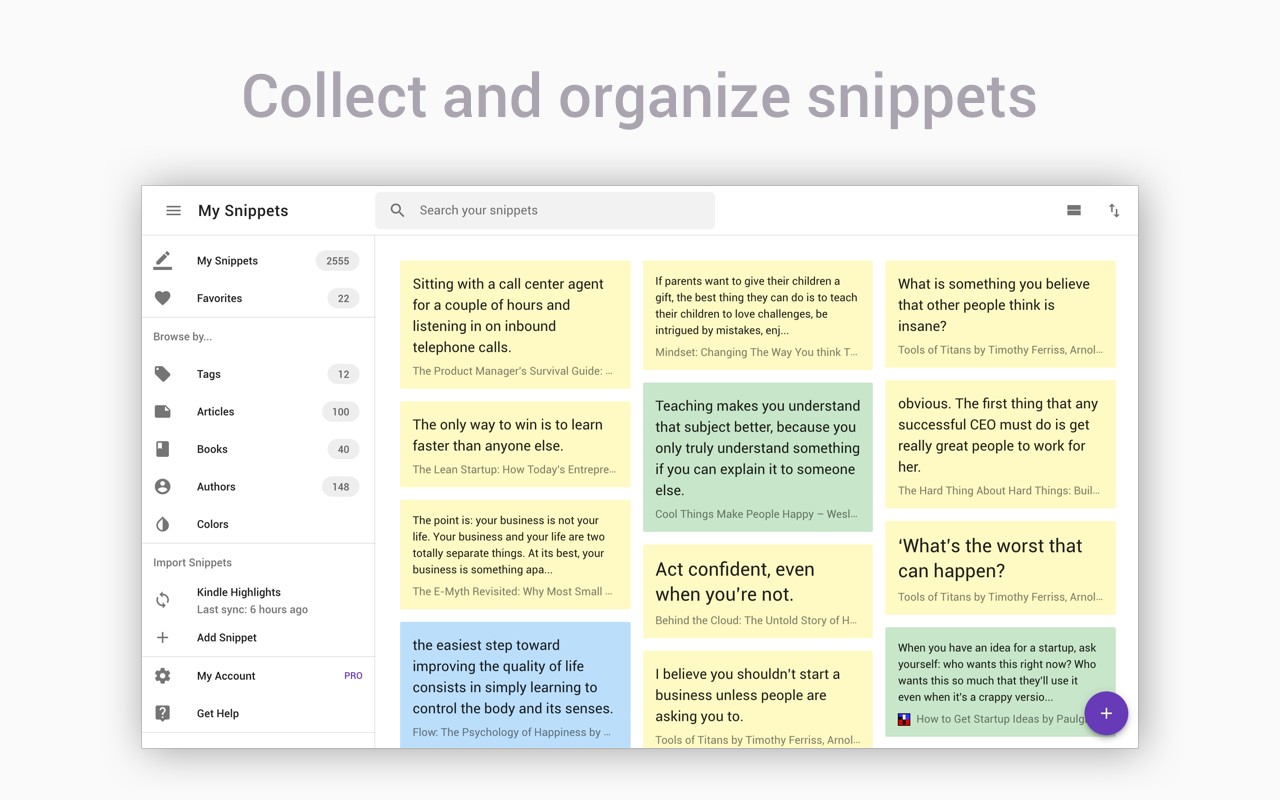
- Browse your highlights grouped by books and authors for easy navigation.
- Create folders and subfolders to keep related highlights together.
- Apply tags and color labels to categorize highlights.
- Bookmark the source article or PDF to return to it with one click.
- Add personal notes to any highlight for context or reflection.
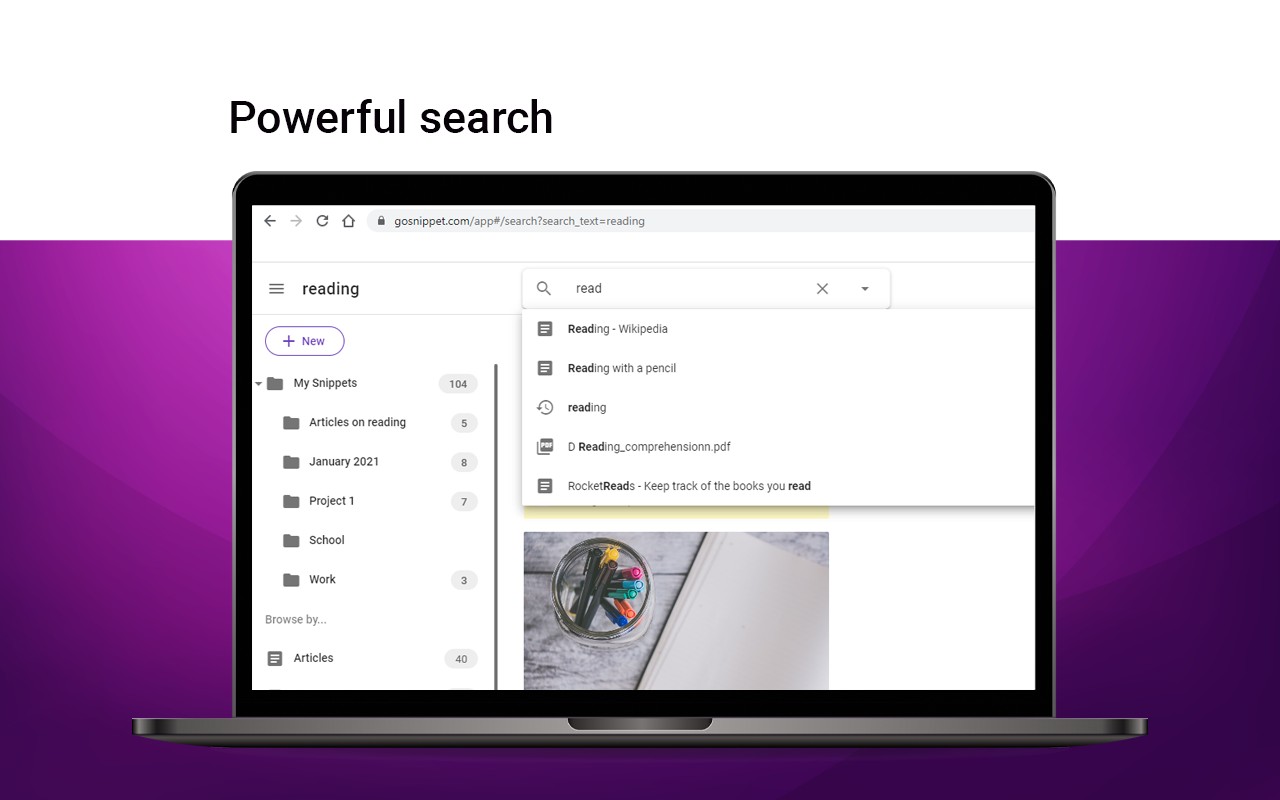
- Use the powerful text search to instantly find any highlight or note across your entire collection.
Export and Share
- Download highlights and notes as PDF or plain text files.
- Export as Word or Excel files (feature coming soon).
- Choose from various citation styles when exporting academic references.
- Share individual highlights or entire collections via email or social media (Twitter, Facebook).
- Generate slideshow presentations from your highlight collections.
- Connect to apps like Evernote and OneNote (integration coming soon).
Enhance Your Kindle Reading
- Import all highlights and notes taken on any Kindle device.
- Review and edit Kindle highlights within the extension.
- Export Kindle highlights to PDF, Word, Excel, or text files.
Snippet PRO
- Unlock unlimited folders, additional export options, PDF upload capability, and more.
- Limited-time offer: get 2 months free with the yearly plan.
For detailed guidance, visit the FAQ at https://blog.gosnippet.com/help-center/. Snippet is trusted by readers, writers, students, professionals, researchers, and quote collectors. If you like the extension, please leave a review. By installing, you agree to Snippet's Terms and Conditions and Privacy Policy. For questions, contact [email protected].
Extensions that do the same job
Matched by what these extensions actually do, not by store category, and sorted so the ones asking for the least access come first.
| Extension | Site access | Permissions | Users | Rating |
|---|---|---|---|---|
| Snippet Highlighter - Web & PDF — this page | All sites | 4 | 10K | 4.2★ |
| Evernote Web Clipper | All sites | 7 | 2M | 4.7★ |
| NCapture | All sites | 6 | 400K | 3.1★ |
| Web Highlights: PDF & Web Highlighter + Notes & AI Summary | All sites | 5 | 200K | 4.8★ |
| CocoShot: Screenshot & Screen Recorder | Limited | 4 | 70K | 4.9★ |
| QR Code Reader | Limited | 6 | 200K | 3.6★ |
| BibTeX Connect - Powered by CiteDrive | All sites | 2 | 3K | 4.0★ |
Want the same thing with less access? CocoShot: Screenshot & Screen Recorder, Fathom AI Note Taker for Google Meet, NoteGPT: YouTube Summary, Chat with AI Assistant, ChatGPT DeepSeek Claude ask for fewer permissions than this one.
Store data last checked August 14, 2026.