
NCapture
Captures web pages, PDFs, tweets, Facebook posts, and YouTube content for import into NVivo.
What it does
Permissions and access
Taken from the extension's own manifest file inside the package. The store listing does not spell this out, so it is worth reading before you install.
| Permission | What it allows |
|---|---|
downloads | Manage your downloads |
notifications | Show desktop notifications |
offscreen | Run hidden pages for background work |
scripting | Run its own code on pages |
storage | Store its own settings and data |
tabs | See the addresses and titles of your open tabs |
Requests 6 permissions — extensions doing the same job average 4.8.
Technical details
Description
NCapture is a free browser extension designed for researchers who use NVivo, a qualitative and mixed-methods data analysis tool. It enables you to collect digital content directly from the web and bring it into your NVivo project for coding, analysis, and reporting. With NCapture, you can capture web pages, online PDFs, tweets, Facebook posts, and YouTube videos or comments, and then import them as data sources or datasets into supported versions of NVivo. This streamlines the workflow for researchers who need to gather and analyze online sources without manual copying and pasting.
Key Features
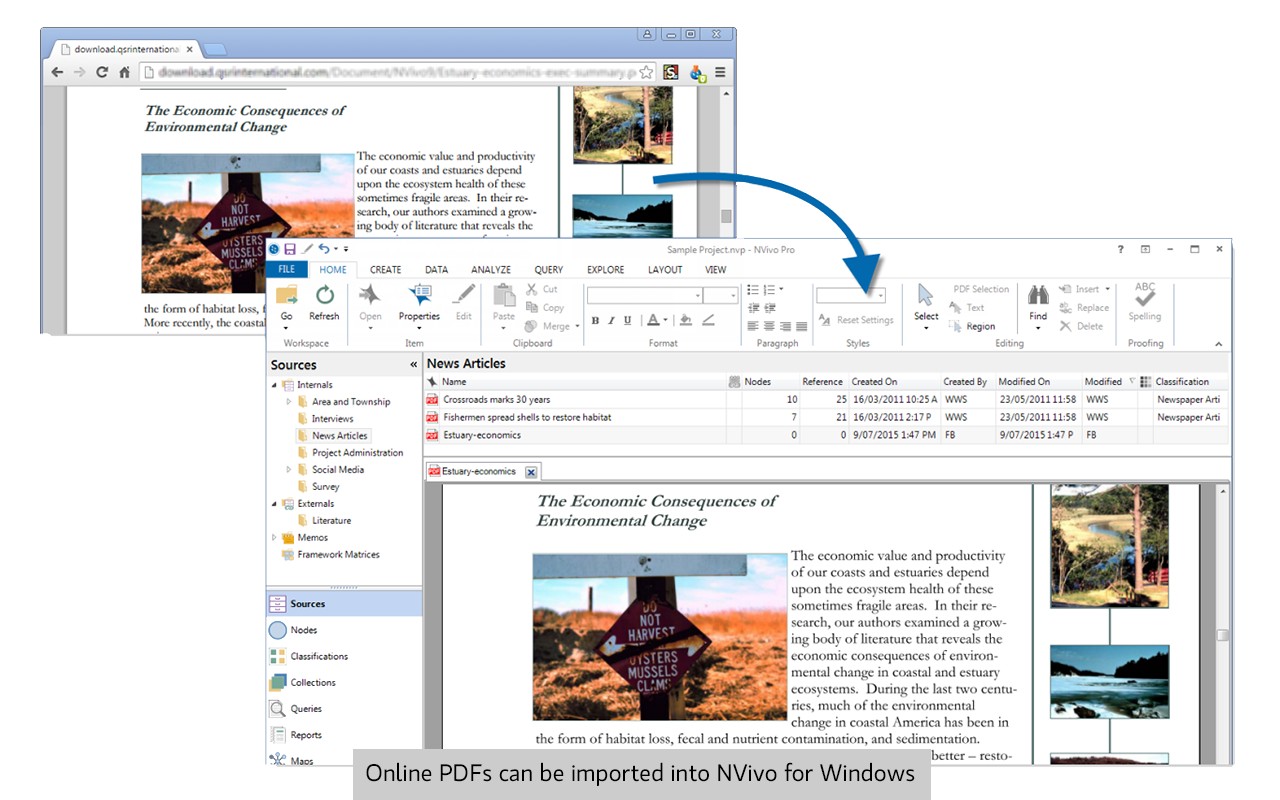
- Capture web pages and online PDFs: Save the full content of a webpage or an online PDF as a PDF file, which can be imported into NVivo as a source document. This is useful for archiving articles, reports, or other web-based materials for later analysis.
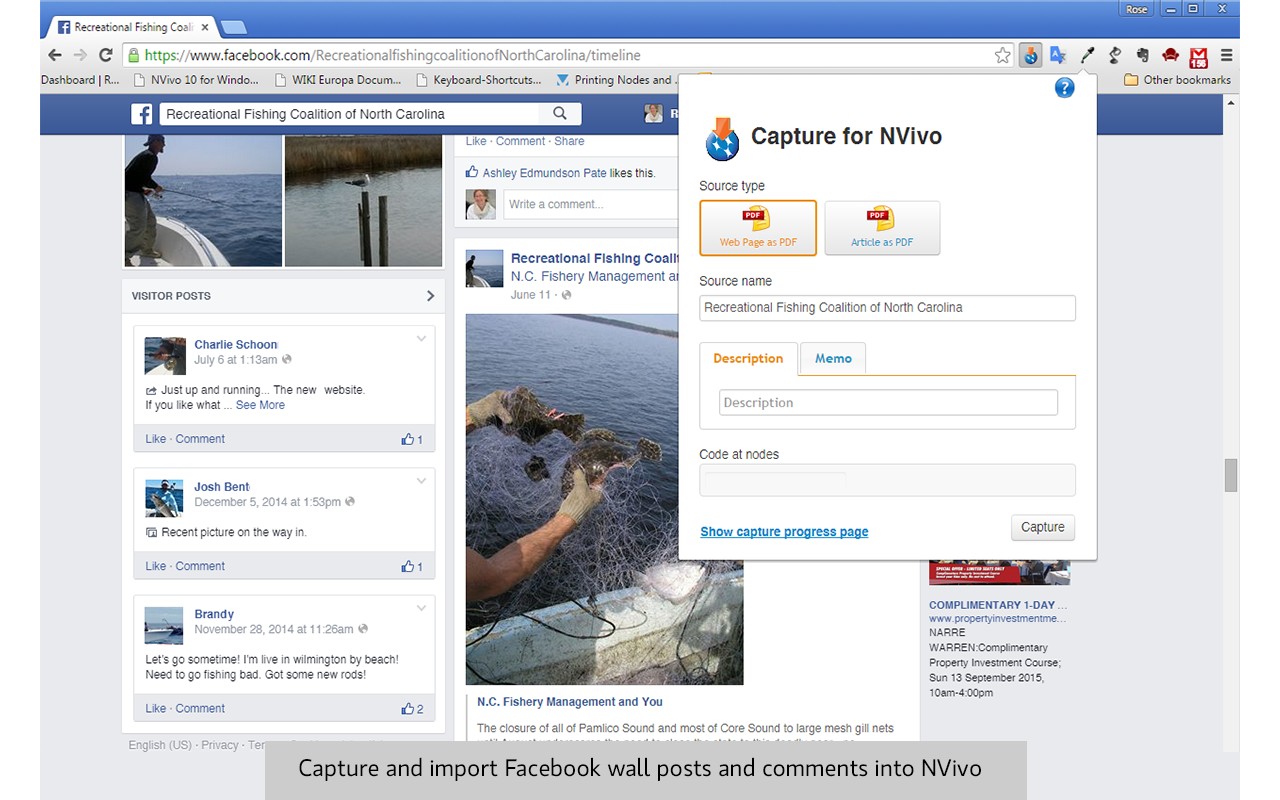
- Capture Facebook wall posts and comments: Collect posts and related comments from Facebook walls, preserving the conversation context. This is valuable for social media research, analyzing public discussions, or studying community interactions.
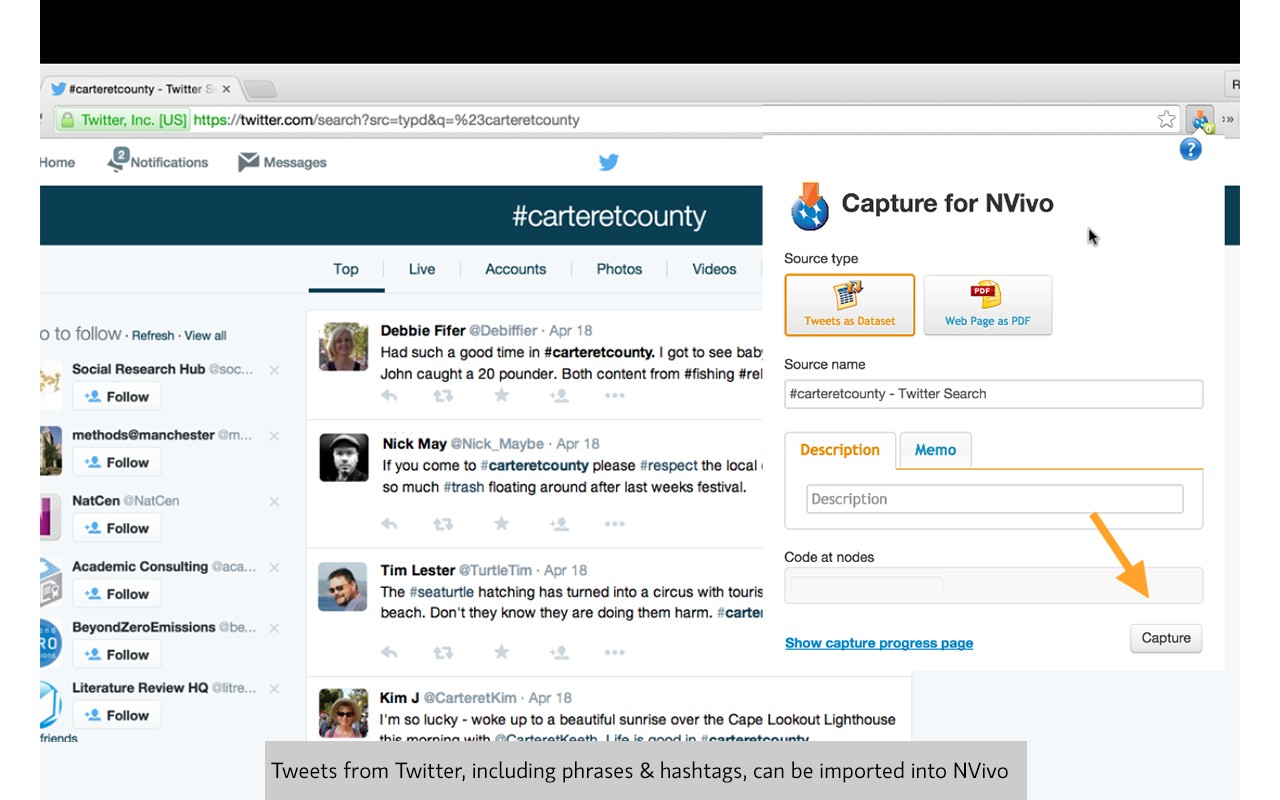
- Capture tweets by keyword, hashtag, or user: You can capture tweets that match specific search terms, hashtags, or tweets from a particular user. This allows you to build a dataset of tweets for sentiment analysis, topic tracking, or studying online discourse.
- Capture YouTube videos and comments: Save videos and their comments as PDFs, which can be imported into NVivo. This is helpful for analyzing video content and viewer reactions, though note that YouTube content cannot be imported as structured datasets-only as PDFs.
- Import into multiple NVivo versions: NCapture works with the latest NVivo releases (Windows and Mac, as of March 2020) as well as NVivo 12, 11, and 10 (with some limitations). This ensures compatibility for users on various NVivo versions.
To use NCapture, simply install the extension in your browser, navigate to the content you want to capture, and click the NCapture icon. The captured content is saved as a file that you can then import into NVivo using the appropriate import command. Detailed instructions are available in the NVivo Help documentation, with links for both Windows and Mac versions. NCapture is part of the NVivo ecosystem, which helps researchers organize, store, and analyze data to identify themes and draw conclusions from complex information.
Extensions that do the same job
Matched by what these extensions actually do, not by store category, and sorted so the ones asking for the least access come first.
| Extension | Site access | Permissions | Users | Rating |
|---|---|---|---|---|
| NCapture — this page | All sites | 6 | 400K | 3.1★ |
| Snippet Highlighter - Web & PDF | All sites | 4 | 10K | 4.2★ |
| CocoShot: Screenshot & Screen Recorder | Limited | 4 | 70K | 4.9★ |
| QR Code Reader | Limited | 6 | 200K | 3.6★ |
| InsC - Instagram comment picker & exporter | Limited | 4 | 3K | 4.6★ |
| Evernote Web Clipper | All sites | 7 | 2M | 4.7★ |
| Table Capture | All sites | 4 | 200K | 4.3★ |
Want the same thing with less access? Snippet Highlighter - Web & PDF, CocoShot: Screenshot & Screen Recorder, QR Code Reader ask for fewer permissions than this one.
Store data last checked August 14, 2026.