
NoteGPT: YouTube Summary, Chat with AI Assistant, ChatGPT DeepSeek Claude
AI Chrome extension to summarize YouTube videos, generate transcripts, translate subtitles, and create notes, mind
What it does
Permissions and access
Taken from the extension's own manifest file inside the package. The store listing does not spell this out, so it is worth reading before you install.
| Permission | What it allows |
|---|---|
identity | Sign you in with your Google account |
storage | Store its own settings and data |
webRequest | Watch your network requests |
Requests 3 permissions — extensions doing the same job average 5.4.
Technical details
Show all 56 languages
Description
NoteGPT Extension is an AI-powered Chrome extension designed to enhance how you interact with YouTube videos, webpages, and PDFs. It automatically generates summaries and transcripts of video content, even for videos that lack captions or subtitles. The tool is particularly useful for students, researchers, and professionals who need to quickly extract key information from long-form video content without watching the entire video. Beyond summarization, NoteGPT enables you to translate transcripts into over 40 languages, making it a valuable resource for global learners and multilingual teams. You can also engage with video content through an AI chat feature, asking questions or clarifying concepts in real time. The generated notes can be further transformed into visual mind maps, presentation slides, or narrated podcasts, all with a single click. This versatility makes NoteGPT suitable for a wide range of use cases, from studying lecture recordings to repurposing webinar content for reports or training materials.
Key Features
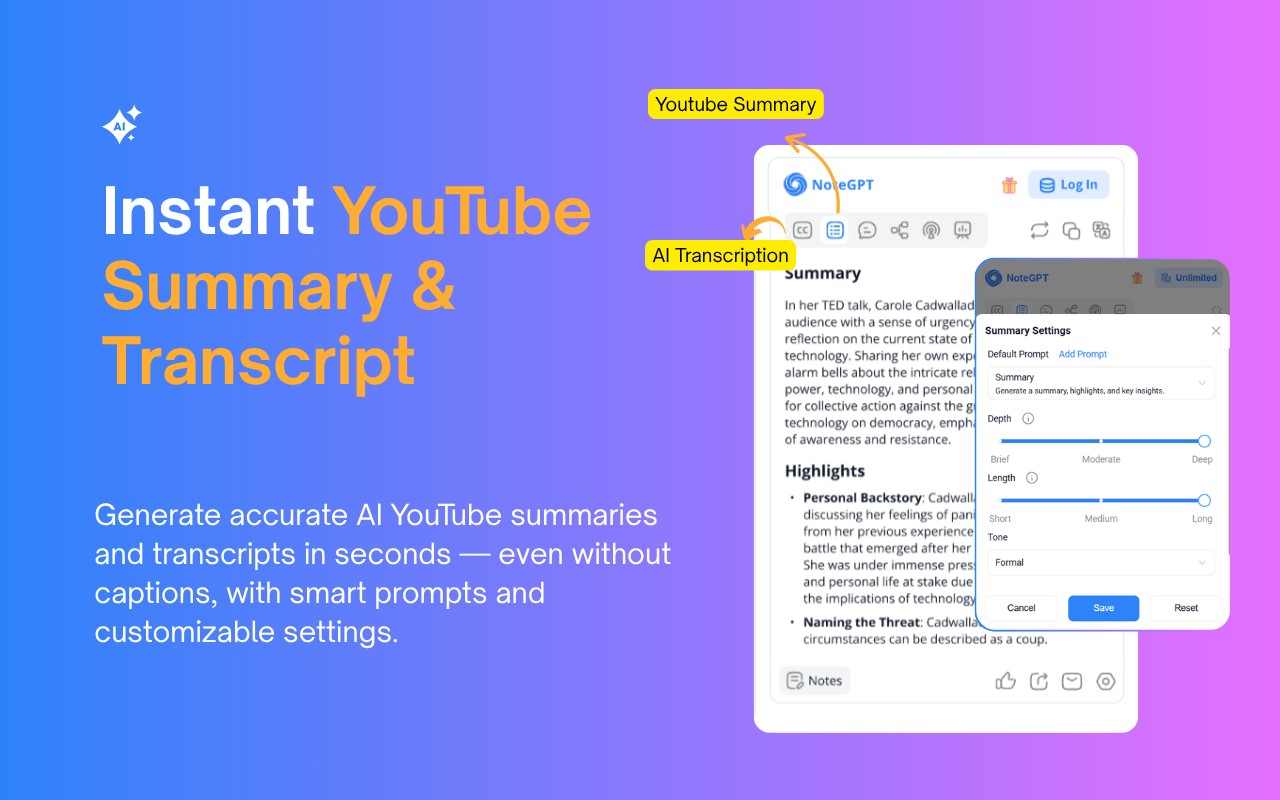
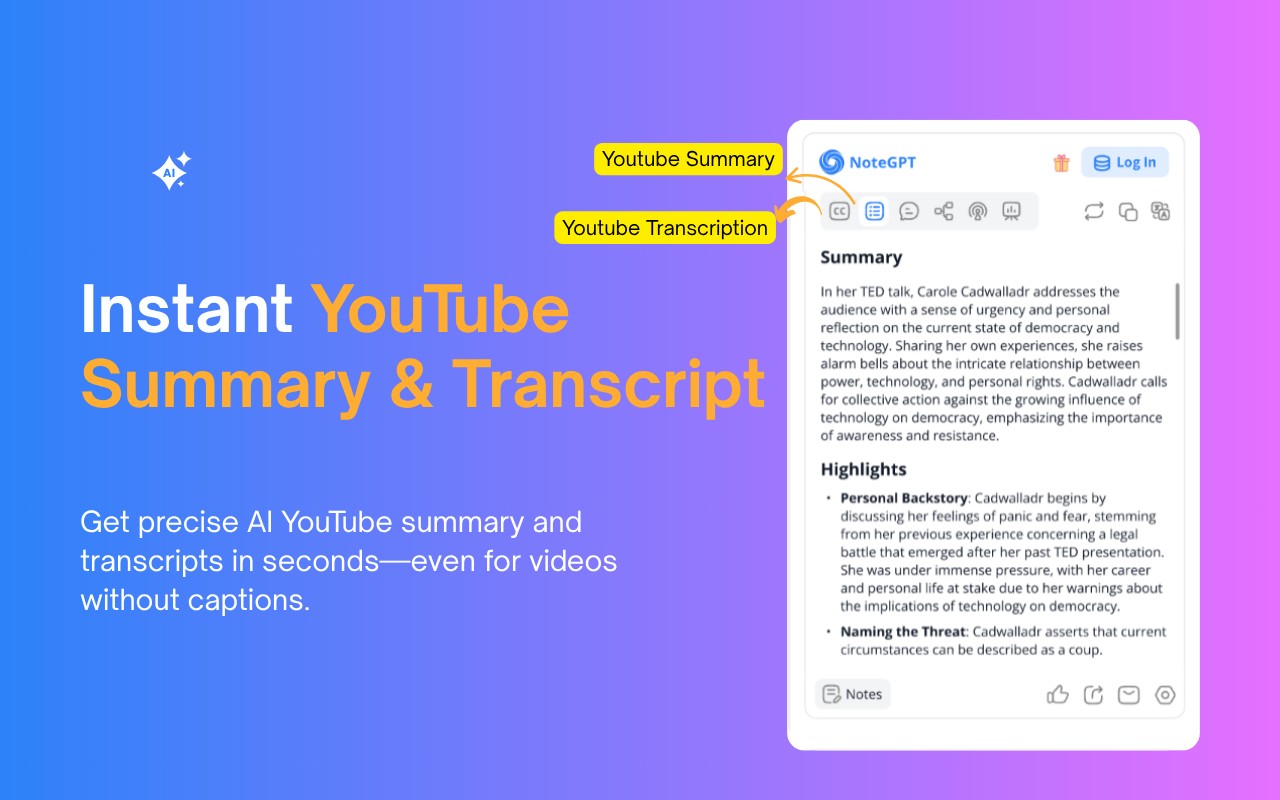
- Instant YouTube Summary & Transcript: Get precise AI-generated summaries and full transcripts for any YouTube video, even those without captions. This is useful when you need a quick overview of a long video or want to reference specific parts without scrubbing through the timeline.
- Transcribe Long Videos Without Subtitles (Up to 2 Hours): For videos that lack subtitles, NoteGPT can still generate accurate transcripts for videos up to 120 minutes long. This is particularly helpful for older videos, user-generated content, or foreign-language videos where subtitles are not available.
- Free Subtitle Download: Download subtitles in TXT or SRT format for any YouTube video. This is useful for offline viewing, adding subtitles to your own videos, or creating language learning materials.
- Translate YouTube Transcripts into 40+ Languages: Break language barriers by translating transcripts and summaries into multiple languages. Ideal for international students, researchers working with non-native content, or content creators who want to reach a global audience.
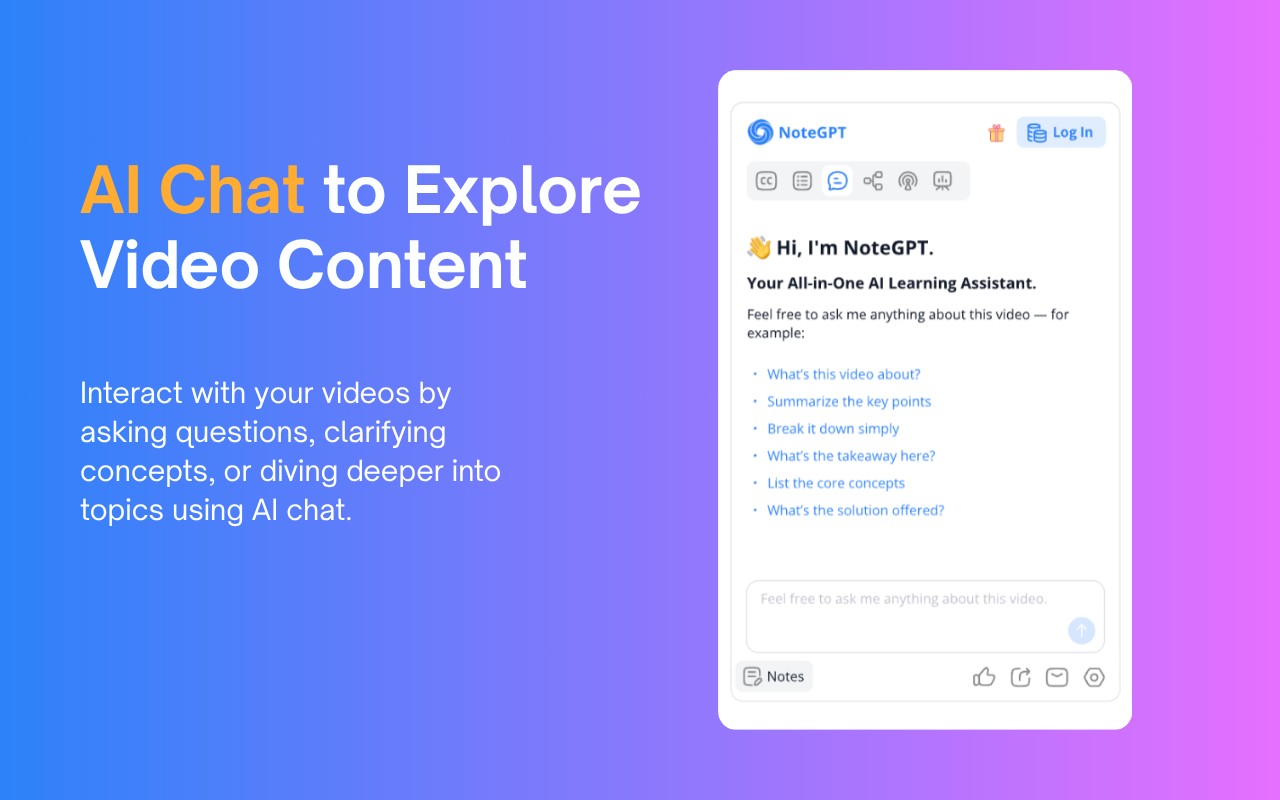
- AI Chat to Explore Video Content: Interact with video content by asking questions, requesting clarifications, or diving deeper into specific topics. This feature turns passive viewing into an active learning experience, similar to having a tutor explain concepts from the video.
- Turn Notes into Mind Maps, Slides & Podcasts: Convert AI-generated notes into visual mind maps for brainstorming, presentation slides for sharing insights, or narrated podcasts for listening on the go. This helps repurpose video content into different formats for different audiences or learning styles.
- Dark Mode & Browser Sync: Choose between light, dark, or system theme to match your browsing environment. Browser sync ensures your settings and notes are available across devices.
- Prompt Library for Smarter AI Summary Generation: Use built-in prompts to get better AI summaries and explanations without needing to craft prompts yourself. This is useful for users who want consistent, high-quality results without trial and error.
- Custom Settings for YouTube Summary and AI Output: Adjust the length, tone, or format of summaries to fit your needs. For example, you can request a brief overview for quick scanning or a detailed summary for in-depth analysis. This adaptability makes the tool suitable for both casual viewers and serious researchers.
To use NoteGPT, simply install the extension from the Chrome Web Store, open any YouTube video, and click the NoteGPT icon or summary panel on the right. From there, you can choose to view the transcript, summary, AI chat, mind map, podcast, or presentation. All notes are saved and can be managed in the NoteGPT workspace, which opens in a new tab. The extension offers 15 free quotas per month with permanent storage, and you can upgrade for unlimited use. Beyond YouTube, NoteGPT can also summarize webpages and PDF documents, making it a versatile tool for content consumption and note-taking across the web.
Extensions that do the same job
Matched by what these extensions actually do, not by store category, and sorted so the ones asking for the least access come first.
| Extension | Site access | Permissions | Users | Rating |
|---|---|---|---|---|
| NoteGPT: YouTube Summary, Chat with AI Assistant, ChatGPT DeepSeek Claude — this page | Limited | 3 | 400K | 4.9★ |
| Merlin AI | All sites | 8 | 900K | 4.8★ |
| Linnk AI - Academic & Professional Research Assistant | All sites | 8 | 3K | 4.4★ |
| Fathom AI Note Taker for Google Meet | Limited | 4 | 500K | 4.9★ |
| Record, Transcribe & ChatGPT/Claude for Google Meet | All sites | 3 | 400K | 4.6★ |
| NotebookLM Web Importer | Limited | 5 | 300K | 4.7★ |
| Careerflow AI Job Application Tracker, ATS Resume Checker, Autofill & more | All sites | 3 | 200K | 4.4★ |
Store data last checked August 14, 2026.