
Web Highlights: PDF & Web Highlighter + Notes & AI Summary
Highlight text and PDFs, take notes, and generate AI summaries in your browser.
What it does
Permissions and access
Taken from the extension's own manifest file inside the package. The store listing does not spell this out, so it is worth reading before you install.
| Permission | What it allows |
|---|---|
contextMenus | Add items to the right-click menu |
scripting | Run its own code on pages |
storage | Store its own settings and data |
tabs | See the addresses and titles of your open tabs |
webRequest | Watch your network requests |
Requests 5 permissions — extensions doing the same job average 4.7.
Technical details
Keyboard shortcuts
| Shortcut | Action |
|---|---|
| Alt+S | Highlight Text |
| Alt+A | Highlight (Same format) |
| Alt+W | Toggle Sidebar |
| Alt+B | Save Bookmark |
Description
Web Highlights is a productivity tool for Chrome that lets you highlight text and annotate PDFs directly in your browser, with optional AI-powered summaries. It works offline without an account, but you can create a free account to sync data across devices and access premium features via a 7-day trial. Designed for students, researchers, developers, and lifelong learners, it centralizes the way you capture and organize information from the web.
Core Features
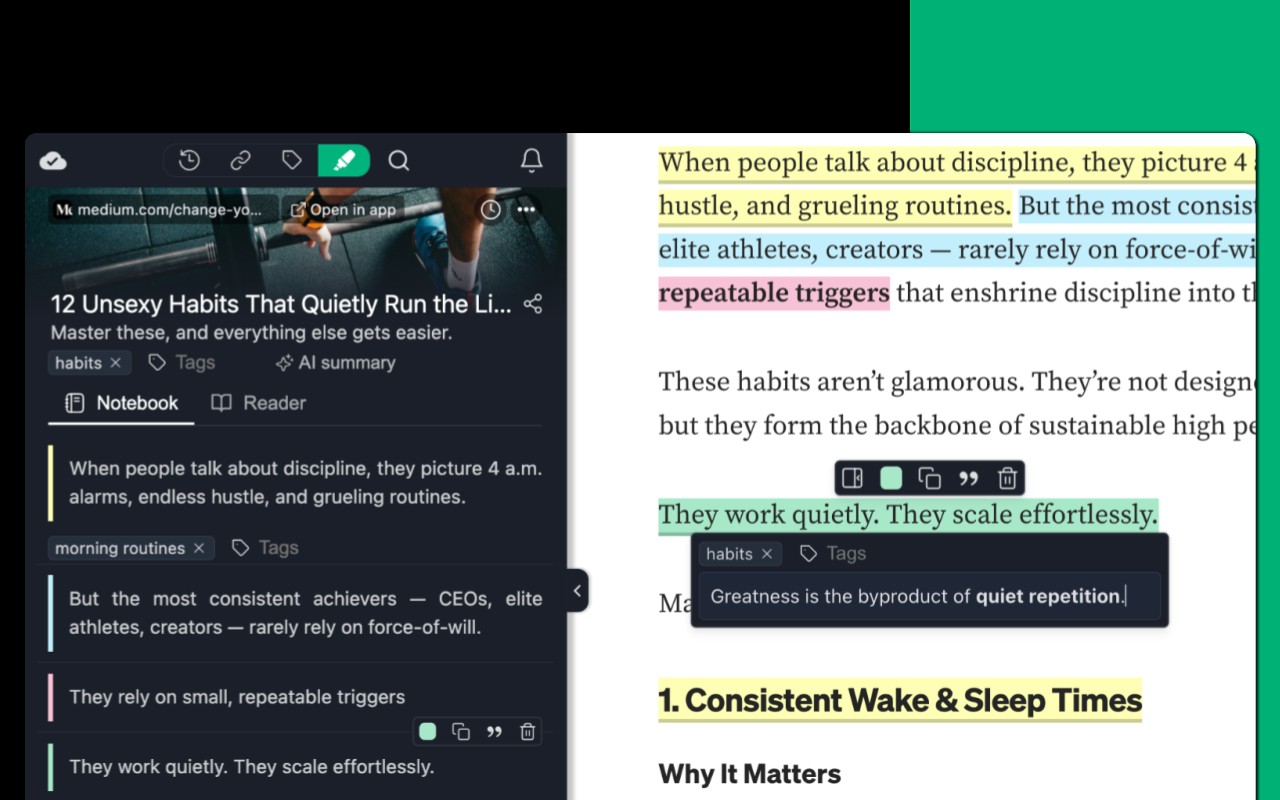
- Highlight Websites and PDFs: Select text on any webpage or open a PDF (including local files) and apply a highlight with a single click. Highlights persist after page reload, so they stay visible across sessions.
- Multiple Highlighter Colors: Choose from a set of standard and pastel colors, or create custom colors by clicking the plus icon. This helps you categorize highlights by theme or priority.
- Notes Attached to Highlights: While highlighting, you can add a note that stays linked to that specific passage. The note editor supports standard keyboard shortcuts (e.g., CMD+B for bold) for efficient formatting.
- AI Summary: Generate a concise summary of a highlighted collection or an entire webpage. The AI understands the full context of the page, and there are no usage limits on this feature.
- AI Chat: Ask questions about the content of a webpage. The AI has access to the full page context, so it can answer queries based on the material you are reading.
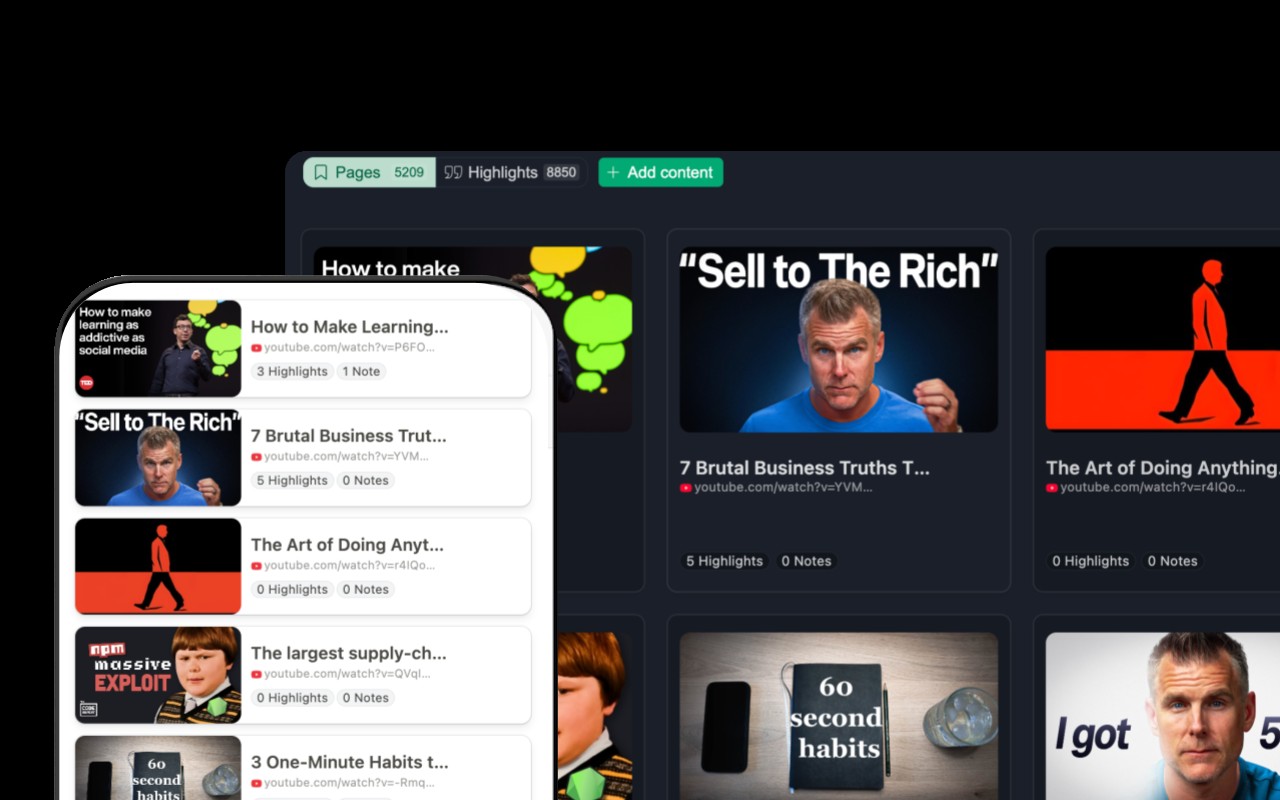
- Bookmarking and Read-It-Later: Save any webpage as a bookmark by clicking the bookmark icon or right-clicking the page. Tag bookmarks with labels like “ReadingList” for easy retrieval.
- Tagging System: Assign tags to both highlights and bookmarks. You can later filter your collection by tag to quickly find relevant items.
- YouTube Transcript Highlighting: When watching a YouTube video, you can highlight and annotate the transcript, making it easy to reference specific parts of the video.
- Sync Across Devices: With a free account, your highlights, notes, and bookmarks sync to the cloud. Access them from any device via the Web Highlights web app.
- Sidebar Overview: The extension adds a sidebar that shows all your highlights, bookmarks, and notes for the current page. You can click any highlight to scroll directly to that section on the page.
- Reader Mode: Click “Open in Reader” to view any article in a clean, distraction-free layout. You can customize fonts, colors, and spacing. A copy of the article is saved, so you can read and highlight it even if the original page changes or disappears.
- Import Chrome Bookmarks: Bring your existing Chrome bookmarks into Web Highlights so they appear alongside your highlights and notes.
- Full-Text Search: Search across all your highlights, notes, and bookmarks to find any piece of information instantly.
- Image Highlighting: Right-click on images or visual elements to save them to your sidebar collection.
- Advanced Highlighter Mode: In settings, you can switch to a mode that organizes highlights under headings and paragraphs in the sidebar, giving you a structured view.
- Daily Recap: Receive a daily summary of your recent highlights to reinforce learning and retention.
- Keyboard Shortcuts: Customize shortcuts for highlighting, opening the sidebar, and other actions via chrome://extensions/shortcuts. You can also enable/disable the highlighter popup from settings.
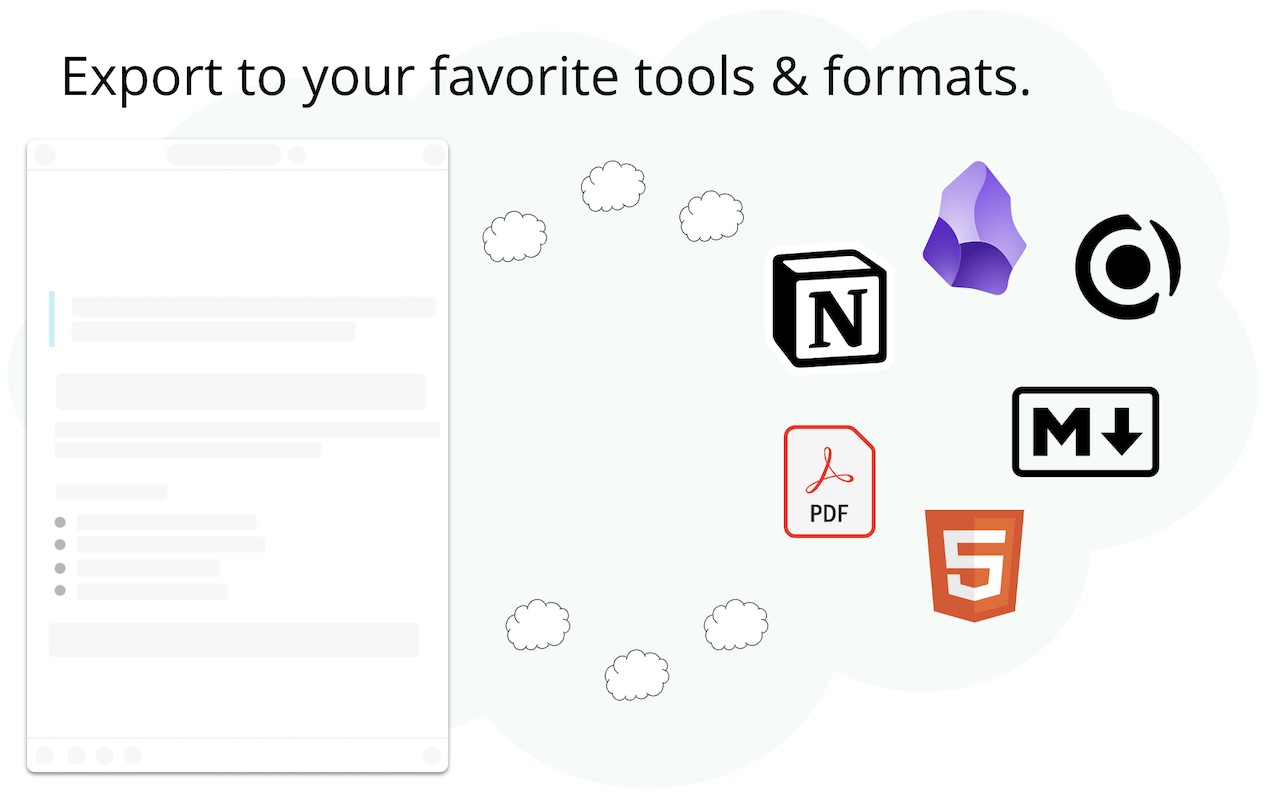
- Export to Note-Taking Tools: Send your highlights and notes directly to Notion, Obsidian, Capacities, and similar apps.
- Copy as HTML or Markdown: Copy selected highlights in HTML or Markdown format for use in documents or other tools.
- Export to PDF or HTML Files: Save your collection as a PDF or HTML file for offline archiving.
- Mobile Bookmarking: Use the web app on your mobile device to bookmark pages and view your highlights on the go.
- Email Reminders: Set up email reminders for specific pages so you revisit important content at a later time.
- Import Kindle Highlights: Bring your Kindle highlights into Web Highlights to have them alongside your web highlights.
- Backup and Download: Create a backup of all your data and download it for safekeeping.
- Share Highlights: Generate a shareable link for a specific highlight or collection to share with others.
- Discover Content: Browse highlights shared by other users to find interesting content.
Web Highlights is built with privacy in mind: your data remains private by default and is never sold or used for profiling. The extension is free for basic offline use, and a 7-day free trial unlocks premium features like cloud sync, AI summaries, and exports. After the trial, you can continue using the free version or upgrade for full cross-device access. The tool is actively maintained as a one-person project, and feedback is welcome via email or social media.
Extensions that do the same job
Matched by what these extensions actually do, not by store category, and sorted so the ones asking for the least access come first.
| Extension | Site access | Permissions | Users | Rating |
|---|---|---|---|---|
| Web Highlights: PDF & Web Highlighter + Notes & AI Summary — this page | All sites | 5 | 200K | 4.8★ |
| Snippet Highlighter - Web & PDF | All sites | 4 | 10K | 4.2★ |
| Liner: ChatGPT AI Copilot for Web&YouTube&PDF | All sites | 5 | 300K | 4.4★ |
| Fathom AI Note Taker for Google Meet | Limited | 4 | 500K | 4.9★ |
| NoteGPT: YouTube Summary, Chat with AI Assistant, ChatGPT DeepSeek Claude | Limited | 3 | 400K | 4.9★ |
| Record, Transcribe & ChatGPT/Claude for Google Meet | All sites | 3 | 400K | 4.6★ |
| NotebookLM Web Importer | Limited | 5 | 300K | 4.7★ |
Want the same thing with less access? Snippet Highlighter - Web & PDF, Fathom AI Note Taker for Google Meet, NoteGPT: YouTube Summary, Chat with AI Assistant, ChatGPT DeepSeek Claude ask for fewer permissions than this one.
Store data last checked August 14, 2026.