
Screenshot to Editable Design - Visily
Convert website/app screenshots into editable wireframes and UI designs in Visily.
What it does
Permissions and access
Taken from the extension's own manifest file inside the package. The store listing does not spell this out, so it is worth reading before you install.
| Permission | What it allows |
|---|---|
activeTab | Access the current tab when you click the extension |
contextMenus | Add items to the right-click menu |
debugger | Attach the browser debugger to pages |
scripting | Run its own code on pages |
storage | Store its own settings and data |
tabs | See the addresses and titles of your open tabs |
unlimitedStorage | Store unlimited data on your computer |
Requests 7 permissions — extensions doing the same job average 4.2.
Technical details
Description
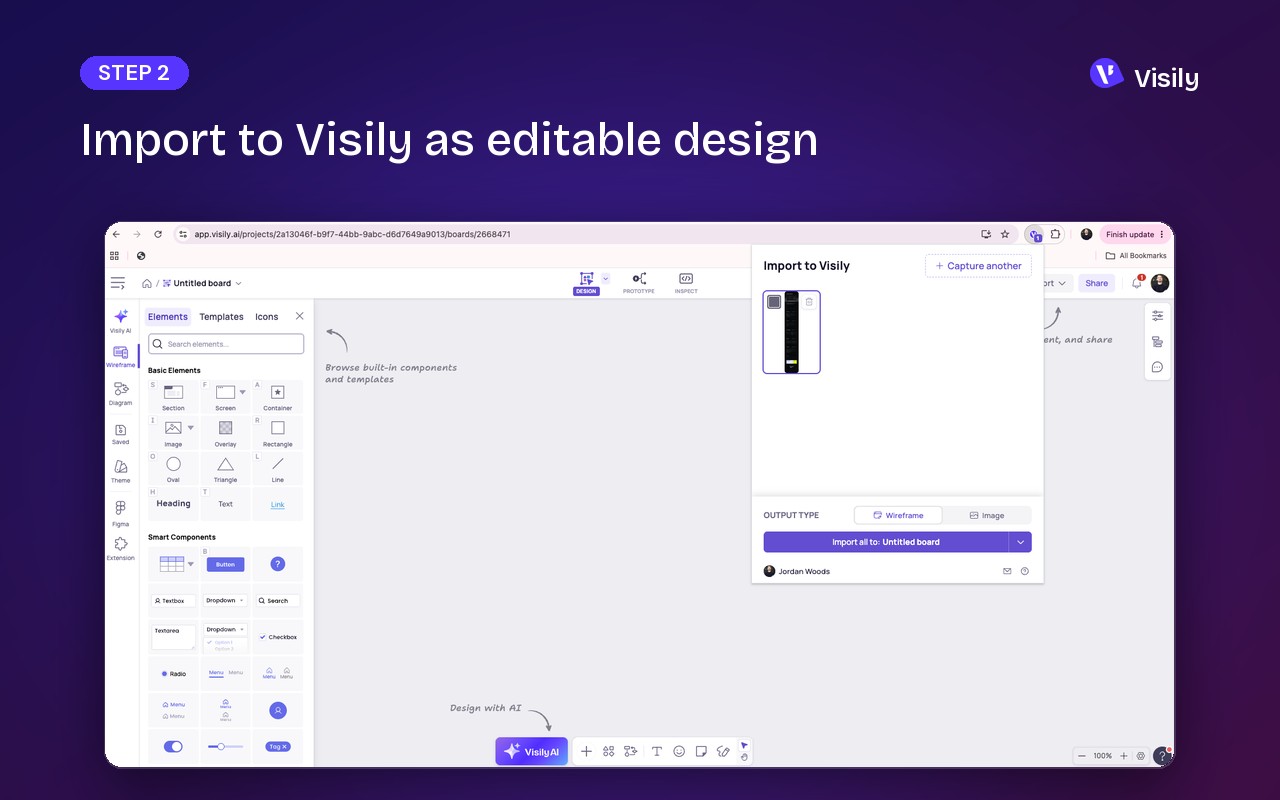
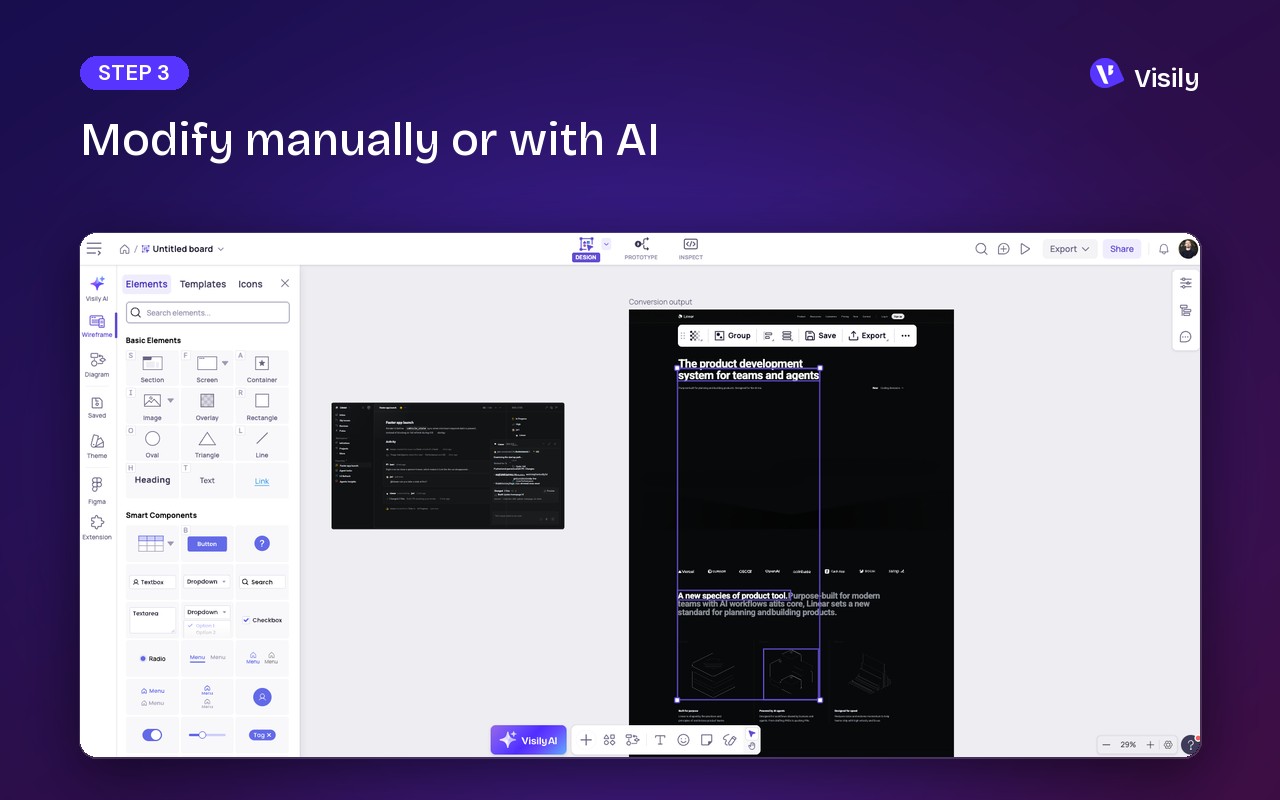
Visily's Screenshot to Editable Design extension transforms any website or application screenshot into a fully editable wireframe or UI design directly within the Visily platform. This tool eliminates the need for manual tracing or rebuilding from scratch, enabling users to capture, redesign, and prototype in seconds, regardless of their design experience. Instead of working with a flat image, every element from the screenshot is placed onto the Visily canvas as a real, editable component-each can be moved, resized, restyled, and iterated upon, making the design process intuitive and flexible.
Key Features
- Flexible Capture Options: Users can capture a full page, a selected area, or a specific component such as a card, button, or modal. This allows for targeted design edits without unnecessary content.
- Viewport Control: Before capturing, users can set the viewport to desktop, tablet, mobile, or a custom width. This ensures that the screenshot accurately reflects the target device's layout, which is essential for responsive design review.
- Batch Import: Up to ten screenshots can be imported at once into any Visily board, streamlining workflows that involve multiple screens or iterations.
- Editable or Static Import: Users can choose to bring a capture in as an editable wireframe-where all elements become fully editable-or keep it as a static image for reference purposes. This flexibility supports both active redesign and passive inspiration gathering.
Use Cases for Teams
- Redesign Existing Applications: Product teams can capture an outdated screen, convert it to a wireframe, and quickly demonstrate a new version visually, avoiding lengthy verbal explanations.
- Design Inspiration from Real UI: Designers can pull layouts from live products or inspiration platforms like Dribbble, Behance, and Mobbin, then adapt them to their own projects, accelerating the creative process.
- Collaboration with Coding Agents: When a coding agent (e.g., in Lovable, Bolt, v0, or Claude Code) ships a screen, users can capture it, fix the layout in Visily, and hand the design back before the next prompt, ensuring a smooth design-development loop.
- Building an Inspiration Library: Users can save UI references they want to revisit later, organizing them within Visily for easy access and reuse.
Ideal Users
This extension is tailored for product managers, founders, engineers, and designers who need to communicate UI ideas without diving into professional design tools. It bridges the gap between capturing visual inspiration and creating actionable, editable designs.
How It Works
- Sign up for a free Visily account at https://app.visily.ai/signup.
- Open the desired screen and choose a capture option (full page, area, or component).
- Import the capture into Visily as an editable wireframe or a static image.
The extension is compatible with Chrome, Edge, and Firefox browsers. Visily itself is an AI-powered UI design tool aimed at non-designers, offering wireframing, prototyping, and screenshot-to-design conversion without the steep learning curve of professional software. For any questions or feedback, users can contact support at [email protected].
Extensions that do the same job
Matched by what these extensions actually do, not by store category, and sorted so the ones asking for the least access come first.
| Extension | Site access | Permissions | Users | Rating |
|---|---|---|---|---|
| Screenshot to Editable Design - Visily — this page | All sites | 7 | 8K | 4.4★ |
| Figma | Limited | 4 | 200K | 4.2★ |
| Site Palette | All sites | 3 | 80K | 3.6★ |
| Screen Ruler - Measure and Inspect the Web | Limited | 8 | 50K | 4.4★ |
| BlazeMeter | The Continuous Testing Platform | All sites | 10 | 100K | 4.1★ |
| Axiom Browser Automation & Web Scraping | All sites | 8 | 100K | 4.5★ |
| GitZip for github | Limited | 2 | 100K | 4.1★ |
Want the same thing with less access? Figma, Site Palette, Screen Ruler - Measure and Inspect the Web ask for fewer permissions than this one.
Store data last checked August 14, 2026.