
Youtube Playback Speed Control
Control YouTube and HTML5 video playback speed using keyboard shortcuts or an on-screen overlay.
What it does
Permissions and access
Taken from the extension's own manifest file inside the package. The store listing does not spell this out, so it is worth reading before you install.
| Permission | What it allows |
|---|---|
storage | Store its own settings and data |
Requests 1 permission — extensions doing the same job average 3.7.
Technical details
Description
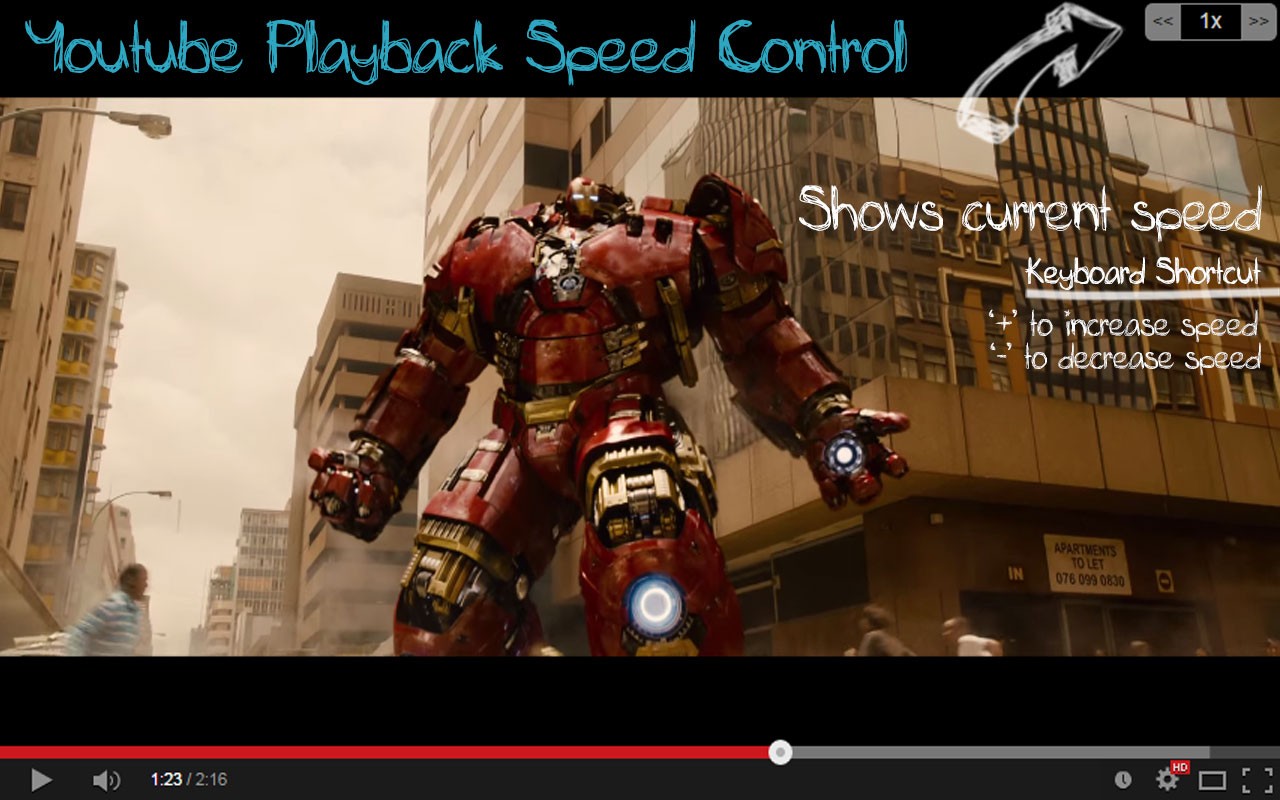
Youtube Playback Speed Control lets you adjust the playback speed of any HTML5 video, primarily on YouTube, using keyboard shortcuts or an on-screen overlay. The extension adds a speed overlay button on the top right corner of the video player, which you can click to increase or decrease the speed. Alternatively, you can use the default keyboard keys '+' to speed up and '-' to slow down. These keys are configurable in the settings, allowing you to choose different keys if the defaults conflict with other extensions or personal preference. The extension also supports embedded YouTube players on other websites, as long as the player is in focus. You can change the playback rate increment from the default 0.25 to any value you prefer via the options page.
Features
- Keyboard shortcuts: Use '+' and '-' to adjust speed, or customize them to any key combination. This is useful for quick hands-free control while watching videos, especially when you want to skip through slow parts or slow down fast content.
- On-screen overlay: A clickable speed display appears on the video player (position configurable: top-left, top-middle, top-right, bottom-left, bottom-middle, bottom-right). Clicking it resets speed to 1x. The overlay fades out after a set duration (default 300ms) unless set to always show or hidden.
- Shift+Mouse Scroll: Hold Shift and scroll the mouse wheel to change speed incrementally. This can be disabled in settings if unwanted.
- Reset to 1x: Press the default '*' key or click the speed overlay to instantly reset playback to normal speed.
- Works with all HTML5 videos: The extension automatically activates on any HTML5 video element, not just YouTube. If you encounter issues with non-YouTube videos, you can disable this behavior in settings.
- Configurable increment: Set the speed change step (e.g., 0.25, 0.1) from the options page, allowing finer or coarser adjustments.
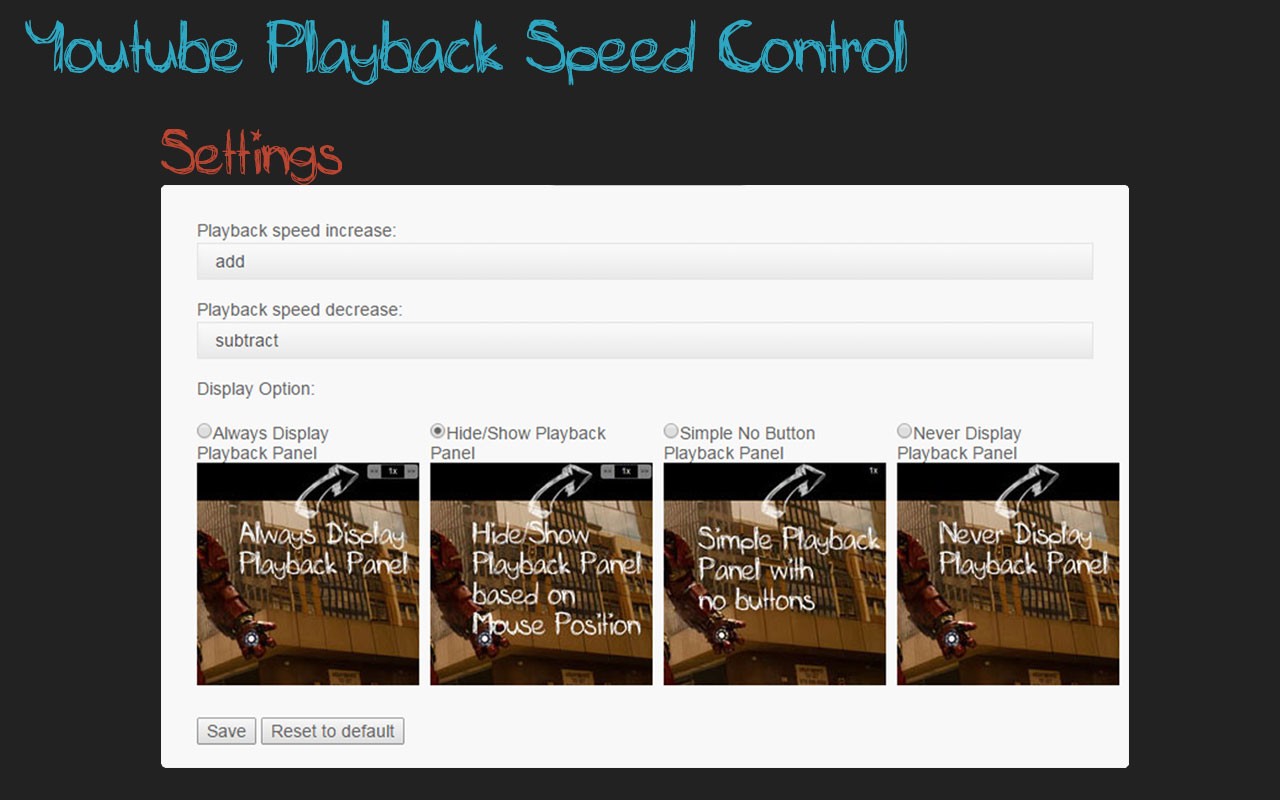
- Playback rate display modes: Choose among "Always" (always visible), "Hide/Show" (toggle with a key), "Simple" (minimal), or "None" (no overlay).
- Time saved tracker: The options page shows the total time saved by using faster playback speeds.
- Embedded video support: Works with YouTube players embedded in other websites, provided the player is focused.
- No manual activation needed: The extension loads automatically for HTML5 videos; no need to click the extension button.
- Note: After installation or update, refresh the page for the control to appear. Close the settings page after making changes for proper functionality.
The extension has been updated through multiple versions to fix issues such as conflicts with Chrome updates, full-screen display bugs, and support for Manifest V3. It also includes options to hide the settings button, disable Shift+Mouse Scroll, and adjust overlay position. The speed control works even in miniplayer mode without interfering with the close button. For high playback speeds above 4x, audio may not function. The extension is designed to be lightweight and user-friendly, requiring no configuration out of the box.
Extensions that do the same job
Matched by what these extensions actually do, not by store category, and sorted so the ones asking for the least access come first.
| Extension | Site access | Permissions | Users | Rating |
|---|---|---|---|---|
| Youtube Playback Speed Control — this page | All sites | 1 | 300K | 4.5★ |
| BetterTTV | Limited | 2 | 3M | 4.6★ |
| Looper for YouTube | Limited | 1 | 400K | 4.6★ |
| Subtitles for Language Learning (Prime Video) | Limited | 3 | 100K | 3.8★ |
| CocoShot: Screenshot & Screen Recorder | Limited | 4 | 70K | 4.9★ |
| EasySubs - Learn languages by watching films and series | Limited | 3 | 4K | 4.3★ |
| YouTube Fast Fullscreen Toggle | Limited | 0 | 3K | 4.6★ |
Want the same thing with less access? BetterTTV, Looper for YouTube, Subtitles for Language Learning (Prime Video) ask for fewer permissions than this one.
Store data last checked August 14, 2026.