
NotebookLM Web Importer
Import YouTube videos, playlists, web pages, links, and tabs to Gemini Notebook with one click.
What it does
Permissions and access
Taken from the extension's own manifest file inside the package. The store listing does not spell this out, so it is worth reading before you install.
| Permission | What it allows |
|---|---|
activeTab | Access the current tab when you click the extension |
cookies | Read and change cookies for the sites it runs on |
declarativeNetRequestWithHostAccess | Block or modify requests on sites it can access |
scripting | Run its own code on pages |
storage | Store its own settings and data |
Asks for these only when you use the matching feature:
tabs
Requests 5 permissions — extensions doing the same job average 5.1.
Technical details
Show all 21 languages
Description
NotebookLM Web Importer is a browser extension designed to streamline the process of adding online content to Gemini Notebook, the AI-powered research tool formerly known as NotebookLM. With this extension, you can capture YouTube videos, playlists, web pages, links, open tabs, RSS feeds, and other online resources directly into your notebooks, eliminating the need to manually copy URLs, switch between tabs, or organize sources by hand. This saves time and reduces friction when building a knowledge base for study, research, or content creation.
Key Features
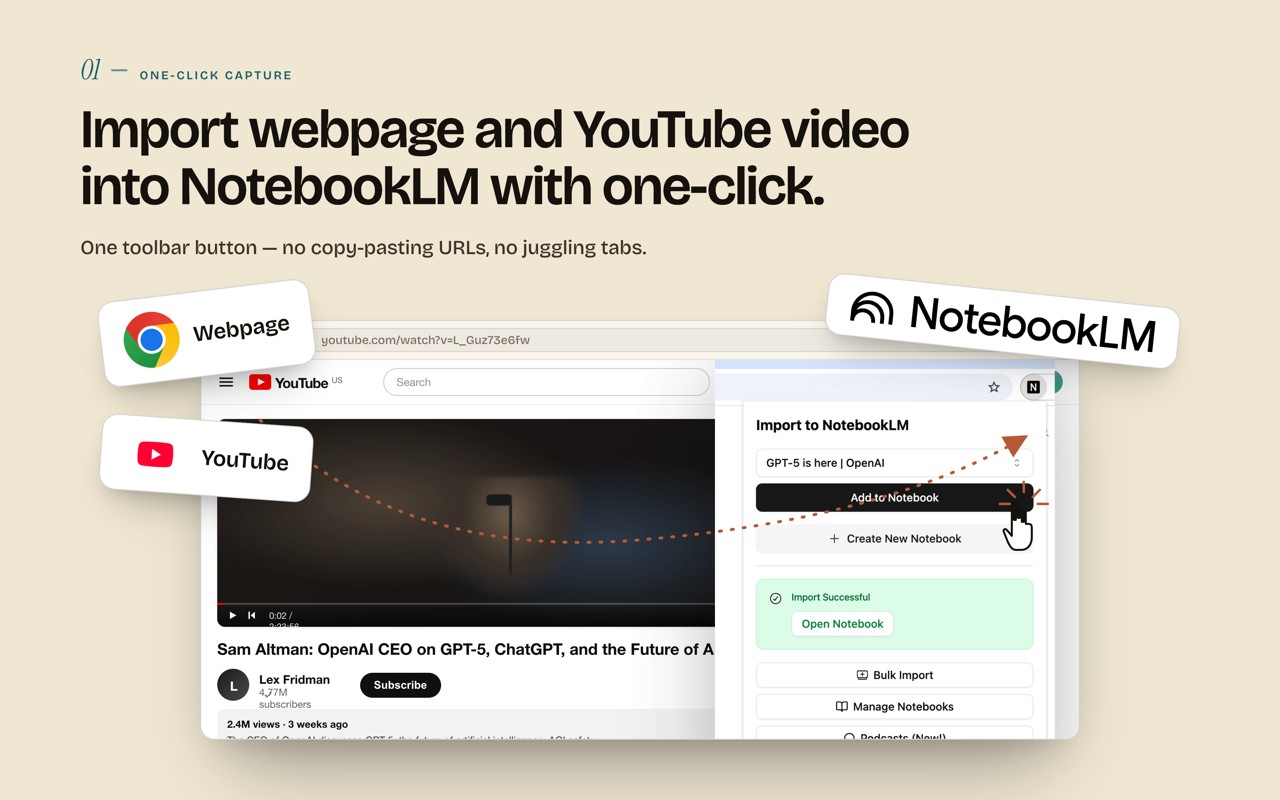
- YouTube to Gemini Notebook: Import individual YouTube videos or entire playlists with a single click. This is particularly useful for students who want to save lecture recordings, researchers who need to reference interviews or conference talks, or anyone who regularly consumes educational content like tutorials, podcasts, and webinars. Instead of adding each video link individually, you can bring in a whole series of videos at once.
- One-Click Web Page Import: Save the current web page you are viewing directly to Gemini Notebook. This feature is ideal for capturing articles, blog posts, documentation, reports, and reference pages without resorting to copy-paste. When you come across a useful resource while browsing, you can instantly add it to a specific notebook for later analysis.
- Bulk Import: Add multiple sources simultaneously from lists of links, open browser tabs, YouTube playlists, RSS feeds, and more. This bulk import capability is a major time-saver when you are gathering a large number of sources for a project, such as compiling a literature review, building a research corpus, or assembling a content library. You can quickly populate a notebook with dozens of relevant materials in one operation.
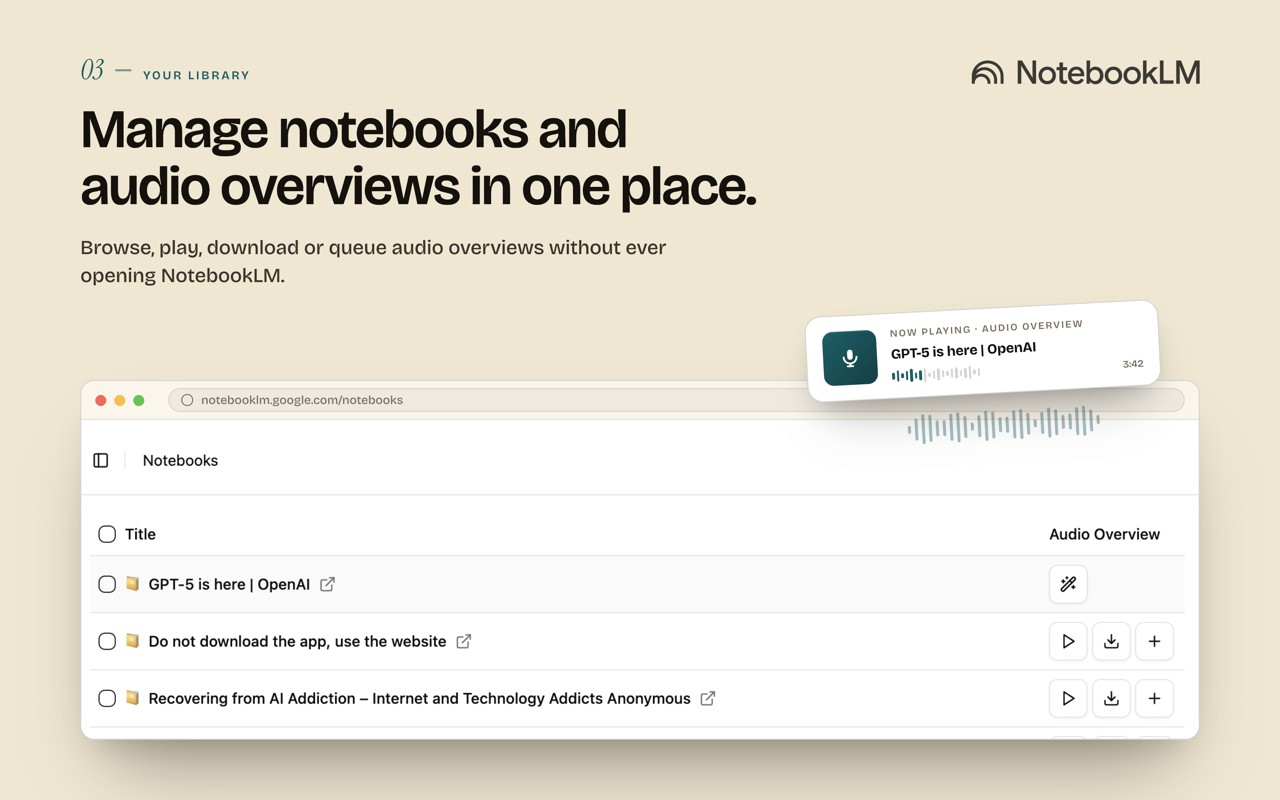
- Notebook Management: Manage your Gemini Notebooks from within the extension's interface. You can organize your notebooks, view their contents, and keep your research workflow tidy without leaving your browser. This centralizes your note-taking and source collection activities, making it easier to maintain a structured knowledge base.
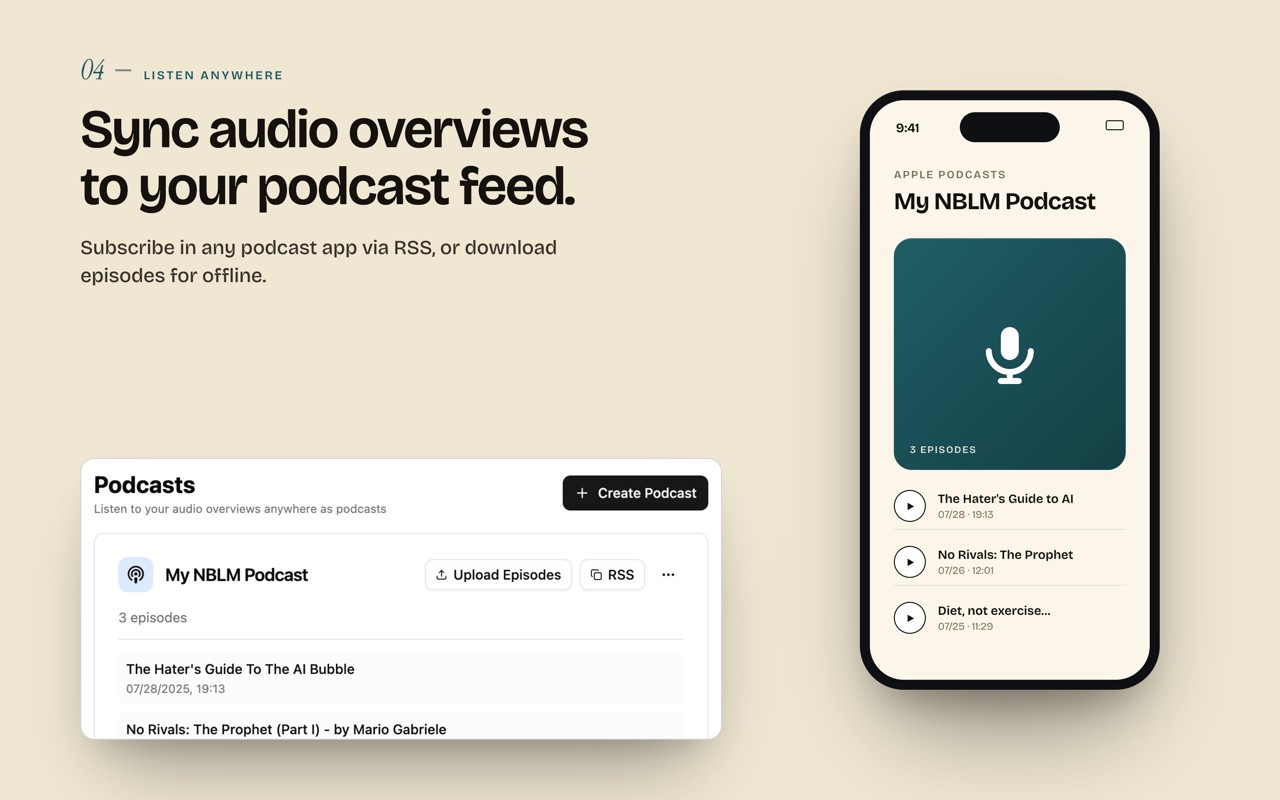
- Audio Overview Management: Manage Gemini Notebook's Audio Overviews and sync them to a podcast feed. This allows you to listen to AI-generated summaries and discussions of your sources on the go, turning your research into an audio format that is convenient for commuting, exercising, or reviewing material hands-free. It enhances the learning experience by providing an alternative to reading.
- Full WebSync Workflow: Send pages and videos to Gemini Notebook from your browser, then use the built-in AI features to chat with your sources, generate summaries, create study materials, or produce podcast-style Audio Overviews. This end-to-end workflow integrates source collection with analysis, so you can move from gathering information to deriving insights without switching tools.
NotebookLM Web Importer is built for students, researchers, creators, writers, analysts, and professionals who rely on Gemini Notebook as an AI research assistant. It reduces repetitive copy-paste work and helps you turn the web into a searchable, organized AI knowledge base. The extension works seamlessly with Gemini Notebook (formerly NotebookLM) and is not affiliated with Google. Whether you are collecting lecture videos, building a source collection for a paper, saving inspiration for writing, or gathering market research, this extension accelerates the process and helps you make the most of Gemini Notebook's capabilities.
Extensions that do the same job
Matched by what these extensions actually do, not by store category, and sorted so the ones asking for the least access come first.
| Extension | Site access | Permissions | Users | Rating |
|---|---|---|---|---|
| NotebookLM Web Importer — this page | Limited | 5 | 300K | 4.7★ |
| Fathom AI Note Taker for Google Meet | Limited | 4 | 500K | 4.9★ |
| NoteGPT: YouTube Summary, Chat with AI Assistant, ChatGPT DeepSeek Claude | Limited | 3 | 400K | 4.9★ |
| Record, Transcribe & ChatGPT/Claude for Google Meet | All sites | 3 | 400K | 4.6★ |
| Careerflow AI Job Application Tracker, ATS Resume Checker, Autofill & more | All sites | 3 | 200K | 4.4★ |
| AI Chrome Extension powered by ChatGPT - Magictool AI | All sites | 3 | 9K | 4.8★ |
| Merlin AI | All sites | 8 | 900K | 4.8★ |
Want the same thing with less access? Fathom AI Note Taker for Google Meet, NoteGPT: YouTube Summary, Chat with AI Assistant, ChatGPT DeepSeek Claude, AI Code Finder, Alerts, Ask Questions about Papers: CatalyzeX ask for fewer permissions than this one.
Store data last checked August 16, 2026.