
Auto Clicker - AutoFill
Automates clicking and form filling on web pages with configurable delays, retries, and conditions.
What it does
Permissions and access
Taken from the extension's own manifest file inside the package. The store listing does not spell this out, so it is worth reading before you install.
| Permission | What it allows |
|---|---|
activeTab | Access the current tab when you click the extension |
alarms | Schedule background tasks |
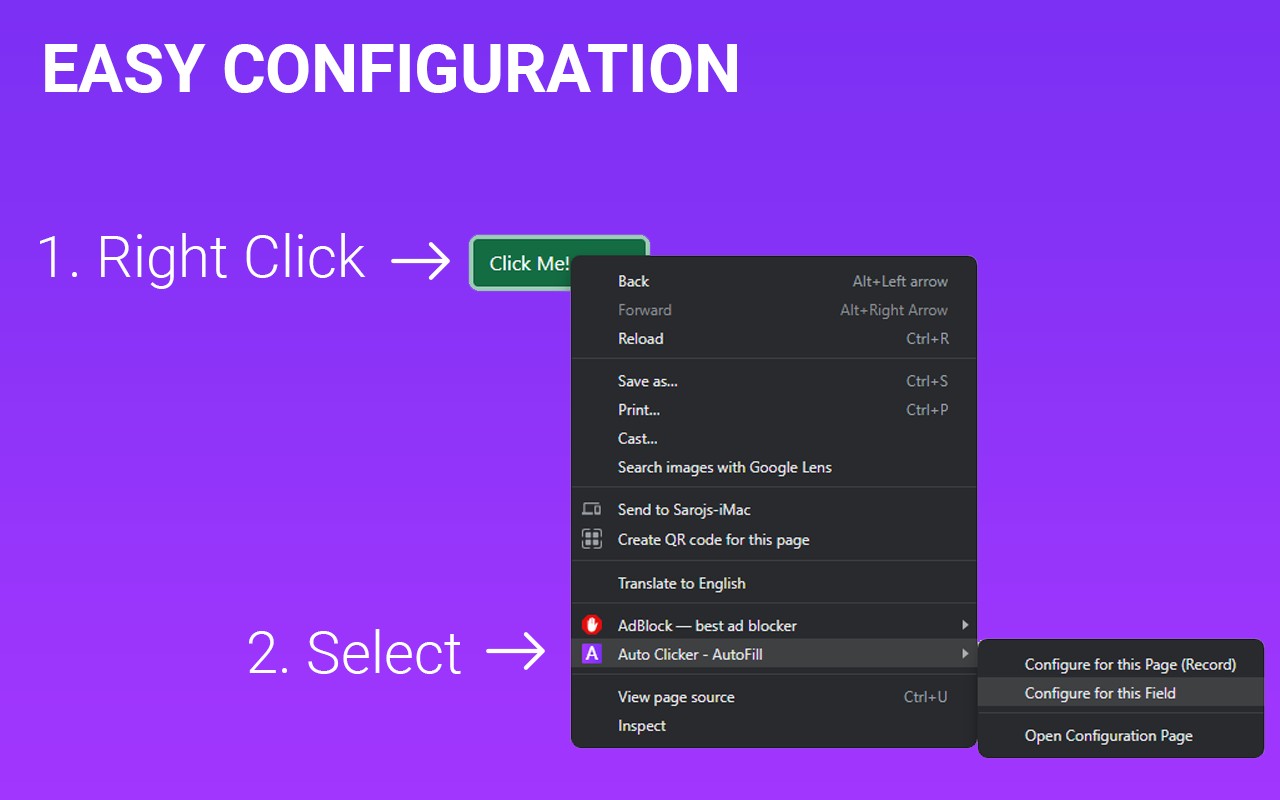
contextMenus | Add items to the right-click menu |
identity | Sign you in with your Google account |
notifications | Show desktop notifications |
scripting | Run its own code on pages |
sidePanel | Show a panel beside the page |
storage | Store its own settings and data |
unlimitedStorage | Store unlimited data on your computer |
userScripts | userScripts |
webNavigation | See which pages you navigate to |
Requests 11 permissions — extensions doing the same job average 3.6.
Technical details
Show all 17 languages
Keyboard shortcuts
| Shortcut | Action |
|---|---|
| Ctrl+Shift+1 | Open the options page. |
| Ctrl+Shift+2 | Open the side panel. |
Description
Auto Clicker - AutoFill is a versatile browser extension designed to automate repetitive web interactions. It allows you to fill input fields, click buttons, and activate links on any webpage with precision and ease. Whether you're dealing with forms, dynamic content, or complex web applications, this tool streamlines your workflow by handling these actions automatically. Configure your tasks in a few simple steps and operate like a pro, saving time and reducing manual effort.
Key Features
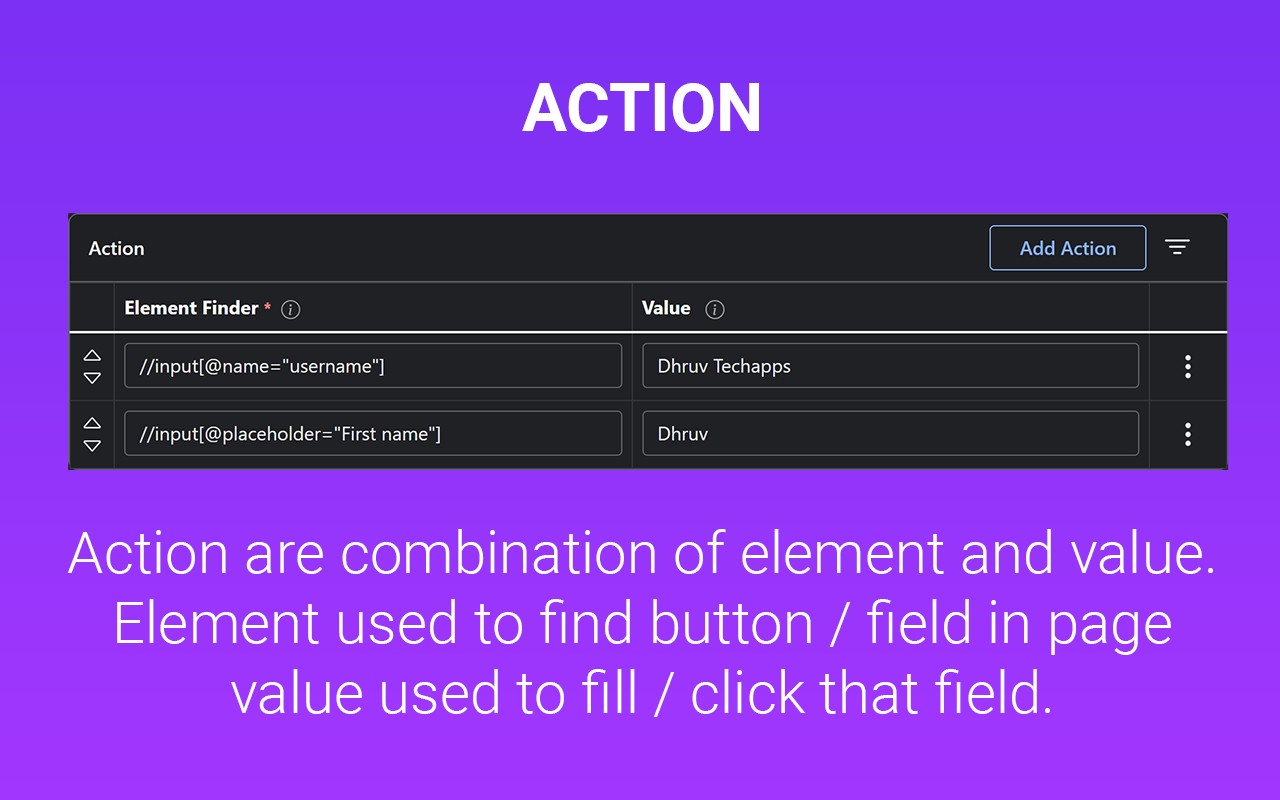
- Auto Click / Auto Fill functionality: Automate clicks on buttons, links, or any clickable element, and fill input fields with predetermined values. This is useful for repetitive tasks like form submissions, testing, or data entry.
- Delay before click/fill: Set a customizable delay before each action, ensuring that the page has fully loaded or that animations complete before interaction. This is essential for pages with dynamic content or slow loading.
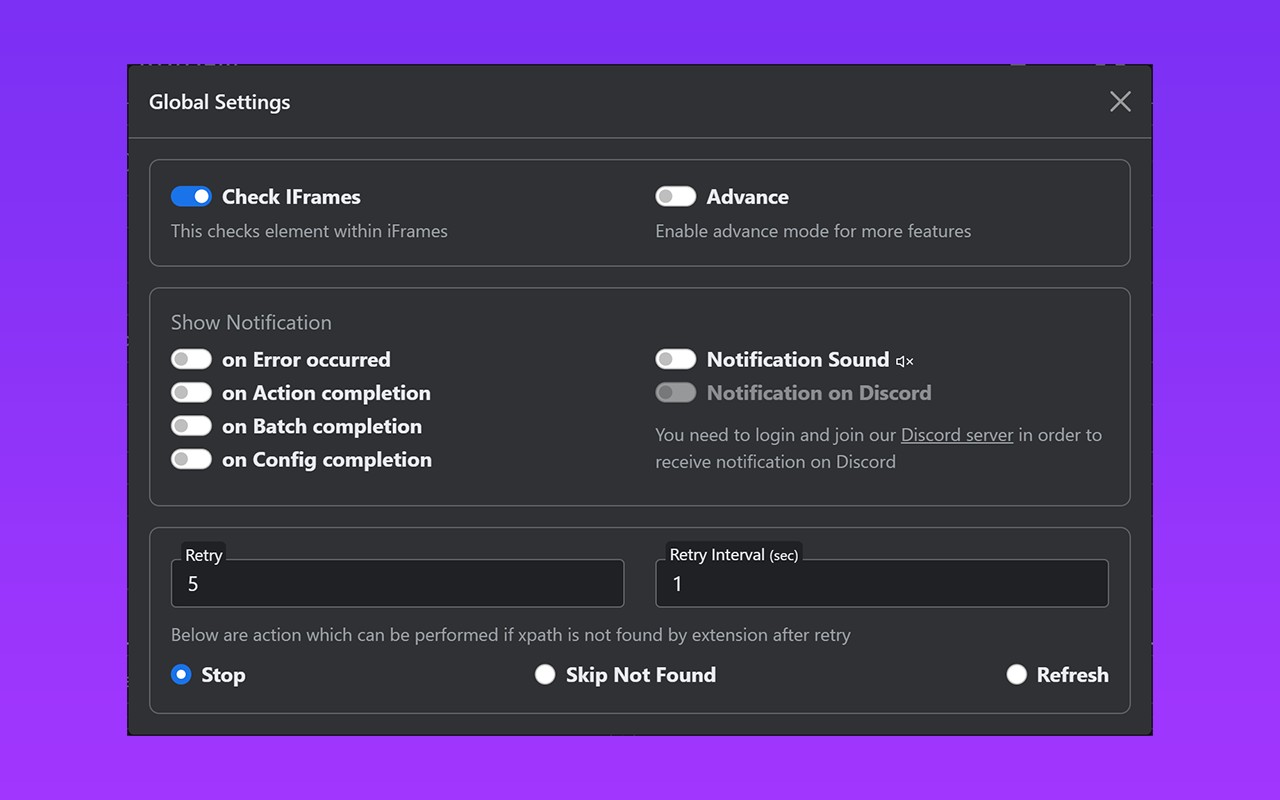
- Retry in case the element takes time to load: Automatically retry the action if the target element is not immediately available, making it reliable for single-page applications or pages with asynchronous loading.
- Repeat single action/group of actions: Execute a single action or a sequence of actions multiple times, enabling batch operations like filling multiple forms or clicking through pagination.
- URL support with regular expression matching: Apply your automation rules only on specific URLs or URL patterns using regex, ensuring the actions run only on the intended sites.
- Start time configuration: Schedule the automation to start at a specific time, perfect for tasks that need to run at precise moments, like submitting a form at a deadline.
- Manual / auto start options: Choose to trigger the automation manually via the extension icon or automatically when the page loads, giving you full control over when actions occur.
- Fill form values from Google Sheets: Pull data directly from a Google Sheets document to populate form fields, enabling bulk data entry without manual copying.
- Fill random values: Generate random values for input fields, which is useful for testing forms, creating mock data, or avoiding detection in certain scenarios.
- Perform operations like append, prepend, replace, and clear: Manipulate existing field values by appending or prepending text, replacing content, or clearing it entirely, providing flexible data management.
- Copy and paste from clipboard: Use the system clipboard to copy or paste values into fields, allowing you to transfer data from external sources seamlessly.
- Fetch values from query parameters: Extract values from the URL's query string and use them to fill fields, enabling pre-filled forms based on URL parameters.
- Scroll page to specific element or location: Automatically scroll to a particular element or position on the page, ensuring visibility before interaction.
- Trigger mouse and keyboard events: Simulate mouse clicks, keystrokes, and other events to interact with elements that require specific event sequences.
- Close window after job completion: Automatically close the browser tab or window once the automation finishes, cleaning up after the task.
- Run browser default functions: Execute standard browser actions like refresh, back, or forward as part of your automation sequence.
- Check within iframes: Interact with elements inside iframes, allowing automation of embedded content like maps, videos, or third-party widgets.
- Google Drive backup: Back up your automation configurations to Google Drive, ensuring you don't lose your settings and can restore them on another device.
- Notification on Discord server: Send notifications to a Discord server when a task completes or encounters an error, keeping you informed without monitoring the browser.
- Check conditions before performing actions: Define conditional checks (e.g., element visibility, text content) that must be true before executing an action, adding logic to your automation flow.
Developed with HTML, CSS, and JavaScript, Auto Clicker - AutoFill lets you define tasks using XPath selectors, giving you fine-grained control over which elements to interact with. Whether you're a tester, a data entry specialist, or just someone looking to automate mundane web tasks, this extension provides a robust set of tools to enhance your productivity. For support, join the Discord community, report issues on GitHub, or consult the official documentation and website. Your feedback is invaluable in improving the extension for everyone.
Extensions that do the same job
Matched by what these extensions actually do, not by store category, and sorted so the ones asking for the least access come first.
| Extension | Site access | Permissions | Users | Rating |
|---|---|---|---|---|
| Auto Clicker - AutoFill — this page | All sites | 11 | 200K | 4.0★ |
| Visual CSS Editor | Limited | 4 | 50K | 3.5★ |
| Material Icons for GitHub | Limited | 3 | 30K | 5.0★ |
| Refined GitHub | Limited | 5 | 100K | 4.8★ |
| Site Palette | All sites | 3 | 80K | 3.6★ |
| BetterTTV | Limited | 2 | 3M | 4.6★ |
| Bitly | Short links and QR Codes | Limited | 4 | 400K | 3.7★ |
Want the same thing with less access? Visual CSS Editor, Material Icons for GitHub, Refined GitHub ask for fewer permissions than this one.
Store data last checked August 14, 2026.