
Visual CSS Editor
Visually edit any website's CSS without coding using a point-and-click interface with live preview and export.
What it does
Permissions and access
Taken from the extension's own manifest file inside the package. The store listing does not spell this out, so it is worth reading before you install.
| Permission | What it allows |
|---|---|
activeTab | Access the current tab when you click the extension |
cookies | Read and change cookies for the sites it runs on |
scripting | Run its own code on pages |
storage | Store its own settings and data |
Requests 4 permissions — extensions doing the same job average 3.7.
Technical details
Description
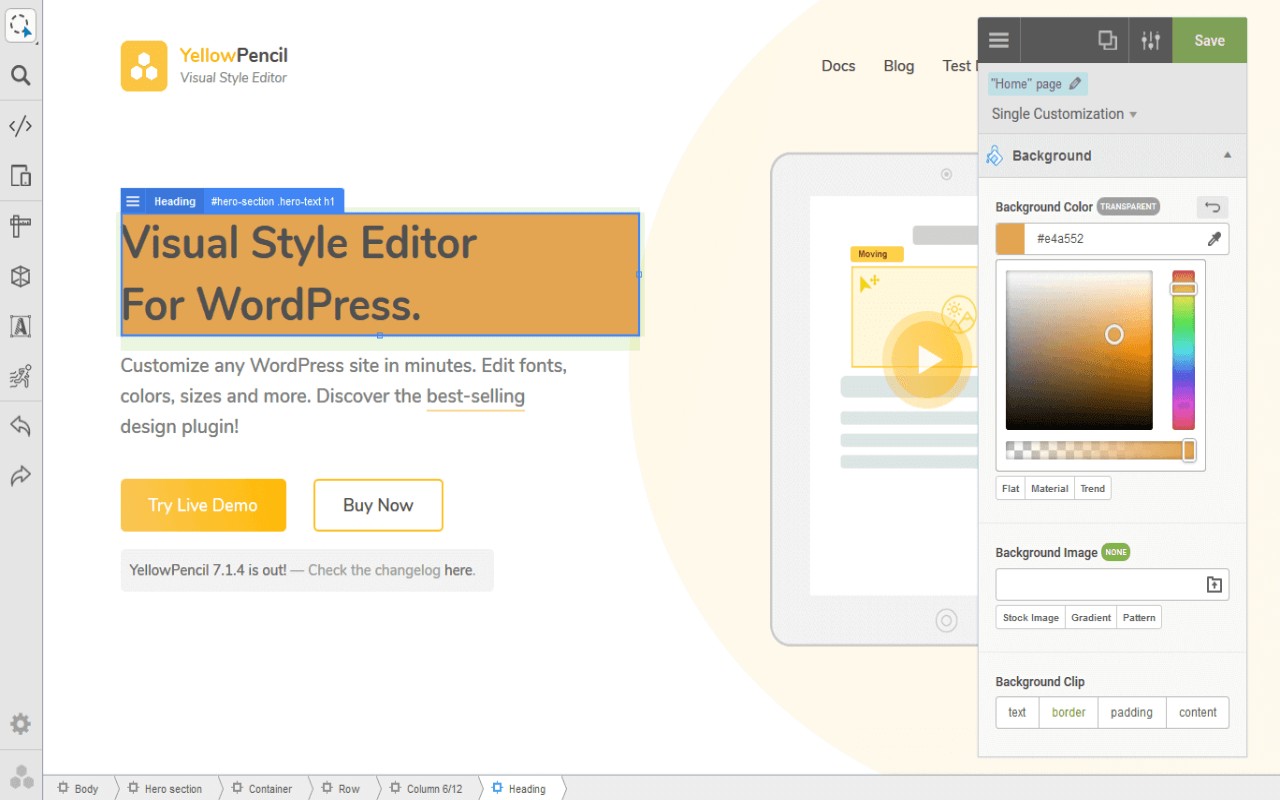
The Visual CSS Editor is a browser extension that enables you to customize the design of any website through a visual, no-code interface. Instead of manually writing CSS, you can click on any element on a page and instantly modify its style properties in real time. The tool is designed for users who want to tweak website appearances without needing technical coding skills, making it suitable for designers, marketers, and website owners who need quick adjustments.
Key Features
- Visual Inspector: Hover over any element on a webpage and click to select it. The inspector displays all editable style properties, allowing you to change colors, fonts, text, spacing, sizes, positions, and layout directly. This is useful for making targeted design changes without digging into source code.
- No-Code Editing: All modifications are done through point-and-click interactions and sliders. You can adjust over 60 CSS properties including text styling, backgrounds, margins, padding, borders, shadows, and more. This feature is especially helpful for non-developers who want to quickly test design variations.
- Automatic CSS Selectors: When you edit an element, the extension generates appropriate CSS selectors automatically. This ensures that your changes are applied consistently across similar elements on the page, saving time and reducing errors.
- Visual Dragging: You can reposition elements by dragging them with the mouse. This is ideal for rearranging page components like buttons, images, or sections without writing positioning code.
- Margin and Padding Editing: Visual controls let you adjust spacing around and inside elements. You can see the changes immediately, which helps in achieving precise layouts, especially when fine-tuning responsive designs.
- Undo/Redo History: Every edit is tracked, so you can revert or reapply changes. This is valuable when experimenting with multiple design options or if you make a mistake.
- Export CSS Styles: Once you are satisfied with the changes, you can export the generated CSS code. This allows you to permanently apply the styles to your website by pasting the code into your theme or custom CSS area.
- Live Preview: All edits appear instantly on the page, giving you immediate feedback. This real-time preview helps you see how changes affect the overall design before committing.
- Works on Most Sites: The extension is compatible with popular platforms like WordPress, Wix, Squarespace, Webflow, and GoHighLevel (GHL) admin panels. This broad compatibility makes it a versatile tool for various web environments.
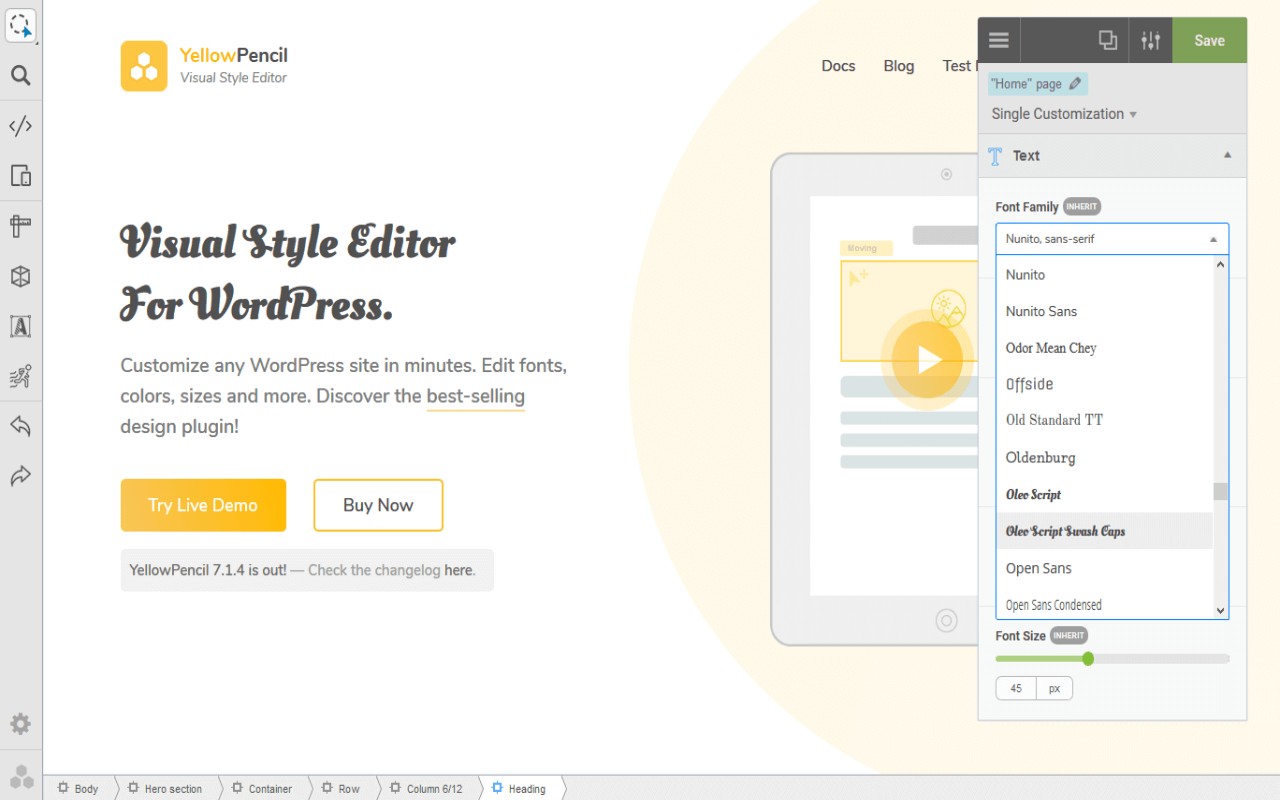
- Design Assets Library: Access over 900 Google Fonts, Unsplash stock background images, and material/flat color palettes directly within the editor. You can apply these assets with one click, streamlining the design process.
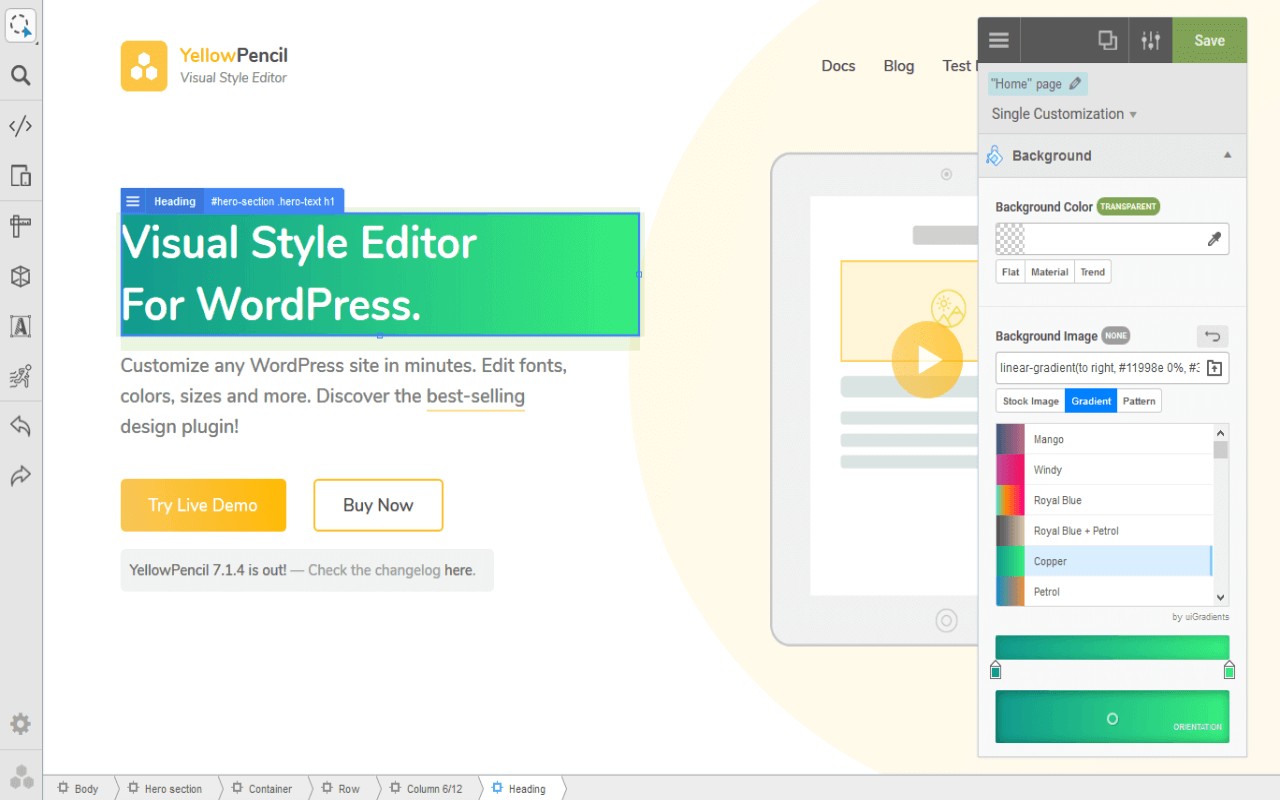
- Advanced Design Tools: Includes a flexible element inspector, single element inspector, responsive tool (to test different screen sizes), element search tool, measuring tool, wireframe view, design information tool, and gradient generator. These tools help you analyze and refine layouts more efficiently.
Common use cases include changing text and colors on a page without coding, fixing spacing and alignment issues visually, applying Google Fonts to headings and buttons, adding or adjusting background images from Unsplash, tweaking pages built with content management systems, and styling admin panels. After previewing edits live, you can export the CSS and integrate it into your theme. The free plan allows up to 100 visual edits per month; for unlimited edits, a premium plan is available, which supports ongoing development of the extension.
Extensions that do the same job
Matched by what these extensions actually do, not by store category, and sorted so the ones asking for the least access come first.
| Extension | Site access | Permissions | Users | Rating |
|---|---|---|---|---|
| Visual CSS Editor — this page | Limited | 4 | 50K | 3.5★ |
| Material Icons for GitHub | Limited | 3 | 30K | 5.0★ |
| ScratchTools for Scratch | Limited | 3 | 20K | 3.9★ |
| Refined GitHub | Limited | 5 | 100K | 4.8★ |
| Site Palette | All sites | 3 | 80K | 3.6★ |
| Auto Clicker - AutoFill | All sites | 11 | 200K | 4.0★ |
| BetterTTV | Limited | 2 | 3M | 4.6★ |
Store data last checked August 14, 2026.