
Refined GitHub
Simplifies GitHub interface and adds 200+ features like linkified references, merge conflict fixers, and CI status
What it does
Permissions and access
Taken from the extension's own manifest file inside the package. The store listing does not spell this out, so it is worth reading before you install.
| Permission | What it allows |
|---|---|
activeTab | Access the current tab when you click the extension |
alarms | Schedule background tasks |
contextMenus | Add items to the right-click menu |
scripting | Run its own code on pages |
storage | Store its own settings and data |
Requests 5 permissions — extensions doing the same job average 3.9.
Technical details
Description
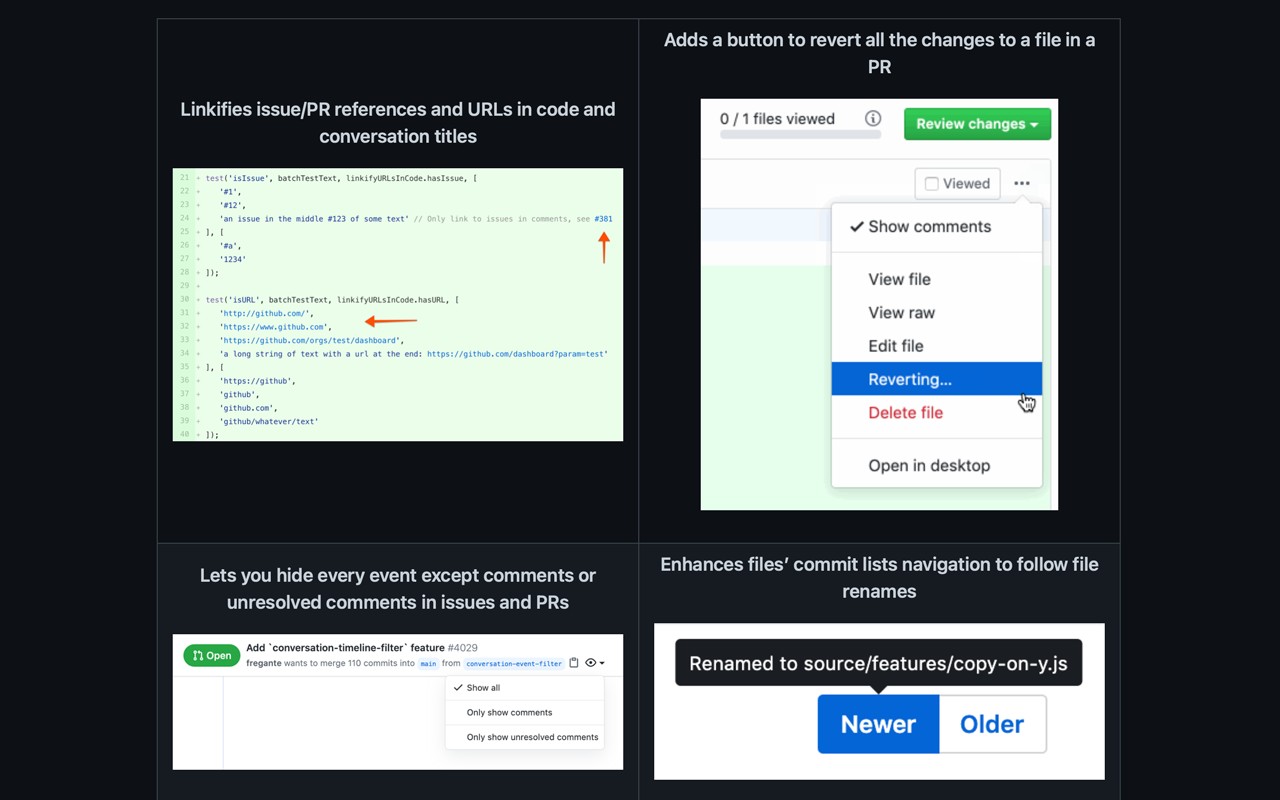
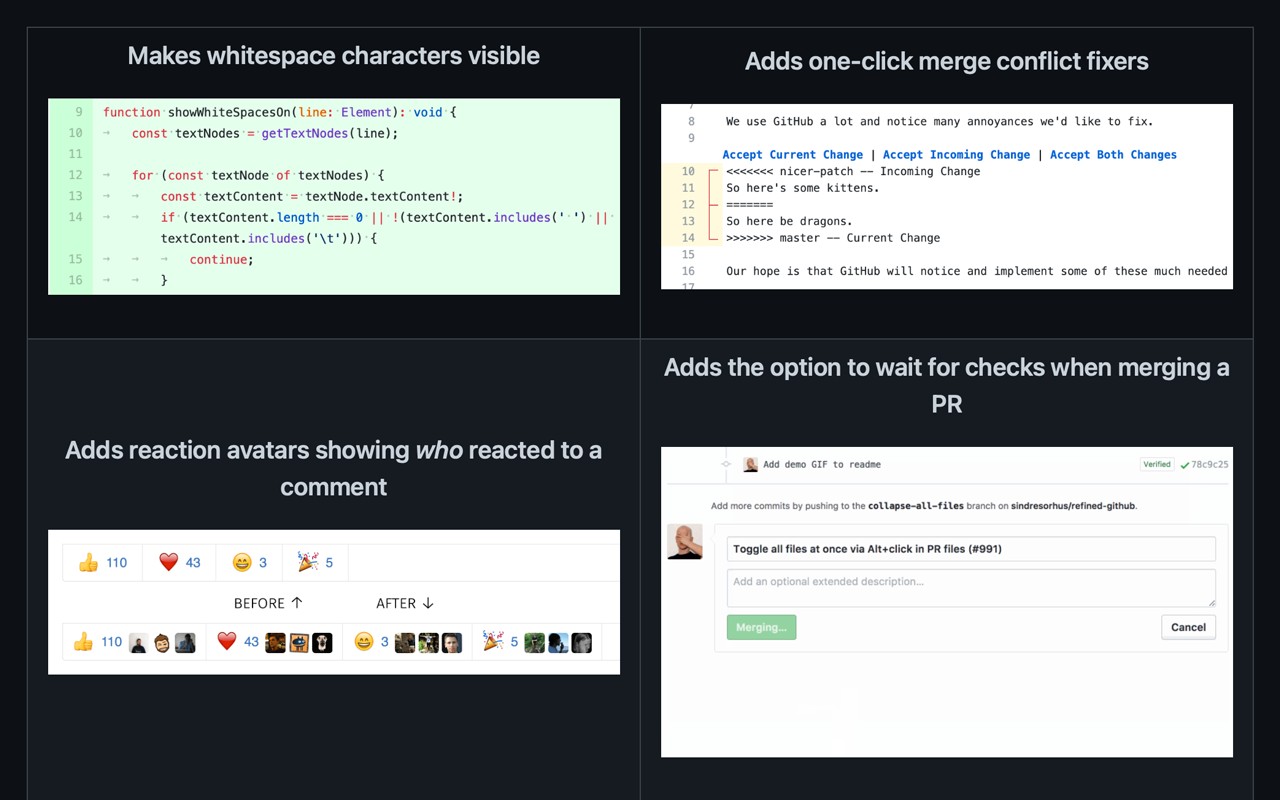
Refined GitHub enhances the GitHub experience by simplifying the interface and adding practical features that streamline daily workflows. It automatically converts issue and pull request references as well as URLs in code into clickable links, saving time when navigating related content. Whitespace characters are made visible, helping developers spot formatting issues in code reviews. The default tab size is reduced from 8 to 4 spaces, aligning with common coding standards and making indentation easier to read.
Key Features
- One-click merge conflict fixers: When conflicts arise, a button appears to quickly resolve them using the current branch's version, reducing manual effort.
- Reaction avatars: See which users reacted to a comment with specific emoji, providing context for team discussions.
- Revert file changes in a PR: A button to undo all modifications to a single file within a pull request, useful for partial rollbacks.
- Build/CI status icon next to the repository name: Quickly check the latest build status without scrolling to the bottom of the page.
- View source of Markdown files: Toggle between rendered and raw Markdown to verify formatting or content.
- PRs touching the current file: When viewing a file, see a list of pull requests that have modified it, aiding in understanding its history.
- Highlight most useful comment: The comment with the most reactions is visually emphasized, helping identify important feedback in long threads.
- First Git tag for merged PRs: Displays the earliest tag that includes a merged pull request, useful for release tracking.
- Automatic changelog link: Each tag or release page gets a link to an auto-generated changelog, simplifying release notes creation.
- Related pages on 404 errors: When a page is not found, suggestions for similar or alternative pages are shown, reducing navigation dead ends.
- Repository age in sidebar: Shows how long ago the repository was created, providing quick context about its maturity.
With over 200 features, Refined GitHub adapts to various use cases: for developers, it speeds up code review and navigation; for maintainers, it simplifies release management and issue tracking. The extension respects GitHub's trademarks and is designed to enhance, not replace, the existing interface.
Extensions that do the same job
Matched by what these extensions actually do, not by store category, and sorted so the ones asking for the least access come first.
| Extension | Site access | Permissions | Users | Rating |
|---|---|---|---|---|
| Refined GitHub — this page | Limited | 5 | 100K | 4.8★ |
| Visual CSS Editor | Limited | 4 | 50K | 3.5★ |
| SN Utils - Tools for ServiceNow | Limited | 6 | 100K | 4.9★ |
| Site Palette | All sites | 3 | 80K | 3.6★ |
| Auto Clicker - AutoFill | All sites | 11 | 200K | 4.0★ |
| BetterTTV | Limited | 2 | 3M | 4.6★ |
| Open Multiple URLs | Limited | 3 | 700K | 4.7★ |
Want the same thing with less access? Visual CSS Editor, BetterTTV, Open Multiple URLs ask for fewer permissions than this one.
Store data last checked August 14, 2026.