
Ulti - Downloader for Instagram
Download Instagram stories, reels, videos, and photos individually or in bulk directly from the website.
What it does
Permissions and access
Taken from the extension's own manifest file inside the package. The store listing does not spell this out, so it is worth reading before you install.
| Permission | What it allows |
|---|---|
cookies | Read and change cookies for the sites it runs on |
downloads | Manage your downloads |
storage | Store its own settings and data |
tabs | See the addresses and titles of your open tabs |
webRequest | Watch your network requests |
Requests 5 permissions — extensions doing the same job average 4.4.
Technical details
Show all 54 languages
Description
Instagram Downloader is a Chrome extension that allows you to save stories, reels, videos, photos, and highlights directly from Instagram's website. It integrates download buttons into the Instagram interface so you can capture content without leaving the page or copying links. The extension works on individual posts as well as in bulk, making it suitable for archiving personal content, collecting inspiration, or backing up client assets.
Key Features
- Download all post types: Stories, reels, videos, photos, and highlights are all supported. Whether you need a single image or a full story, the extension handles each format natively.
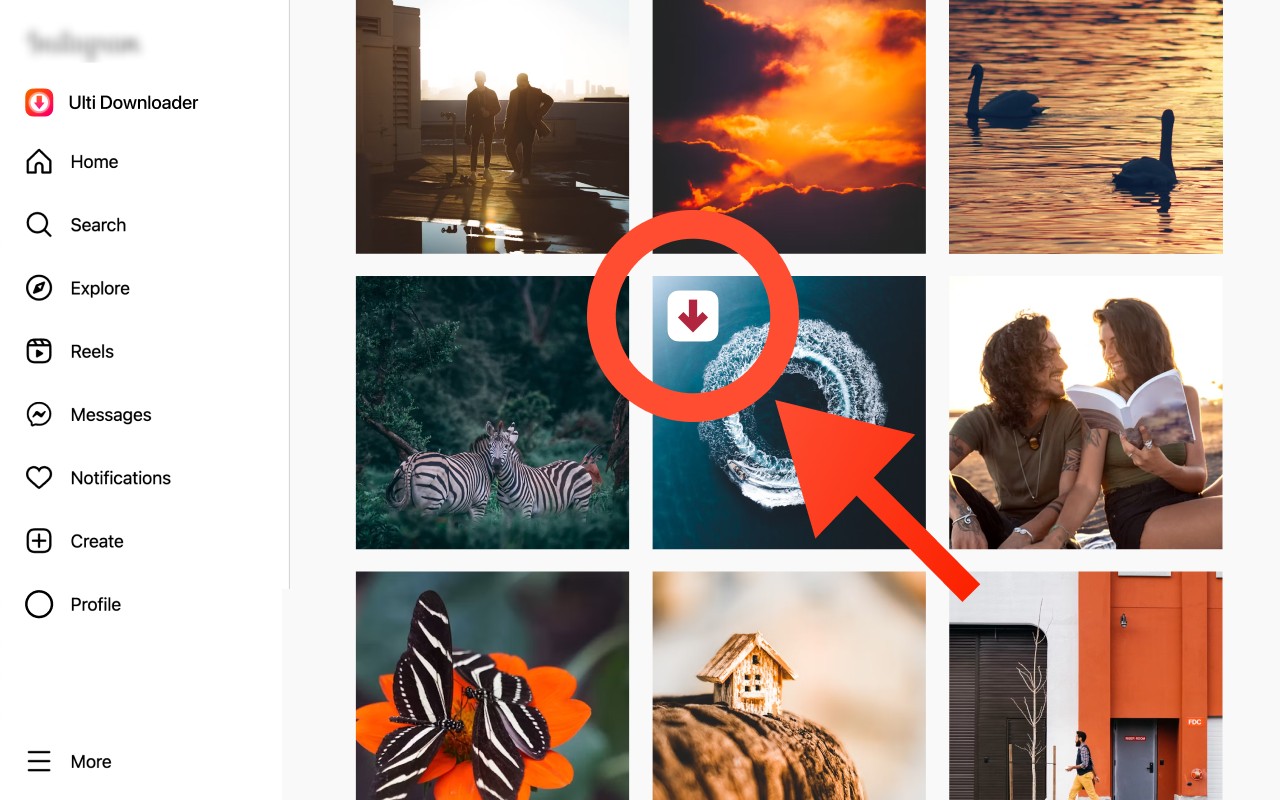
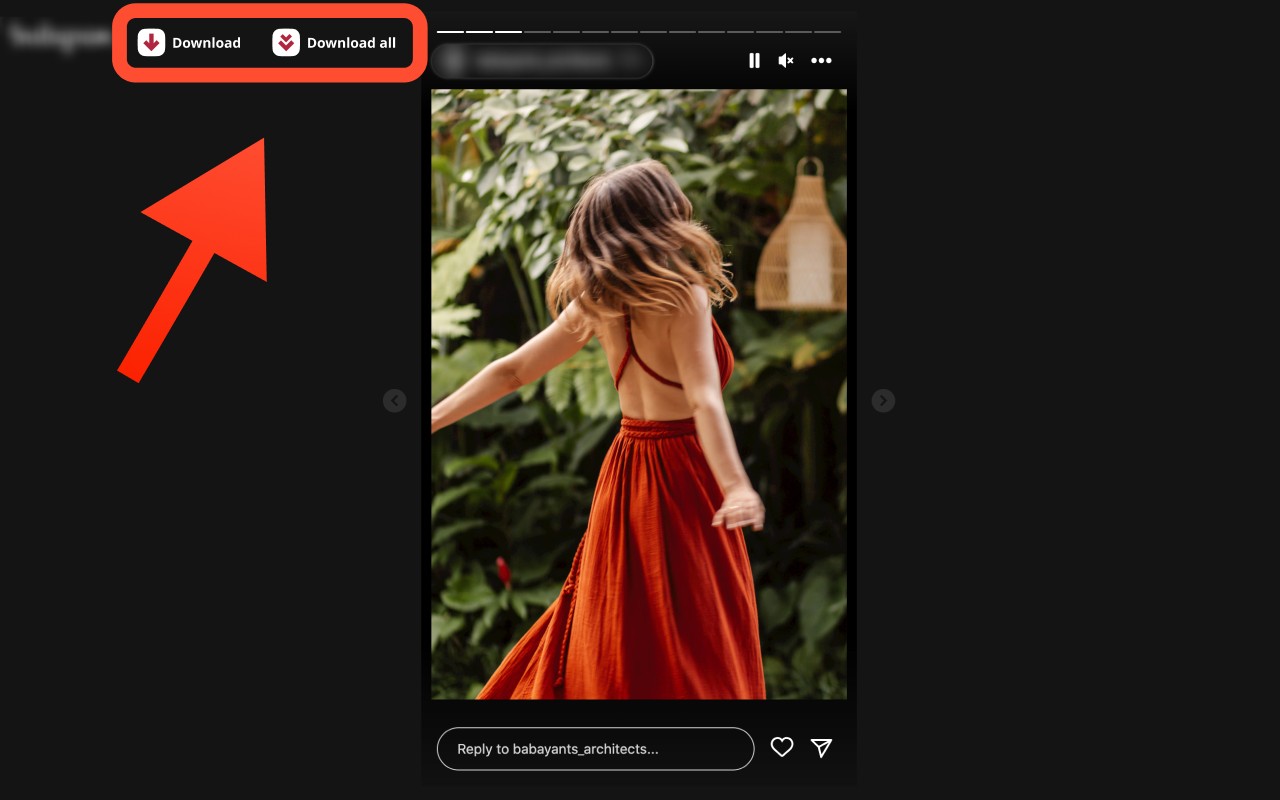
- One-click buttons: Download controls appear directly on top of stories, reels, and posts. This eliminates the need to open new tabs, copy URLs, or use third-party websites.
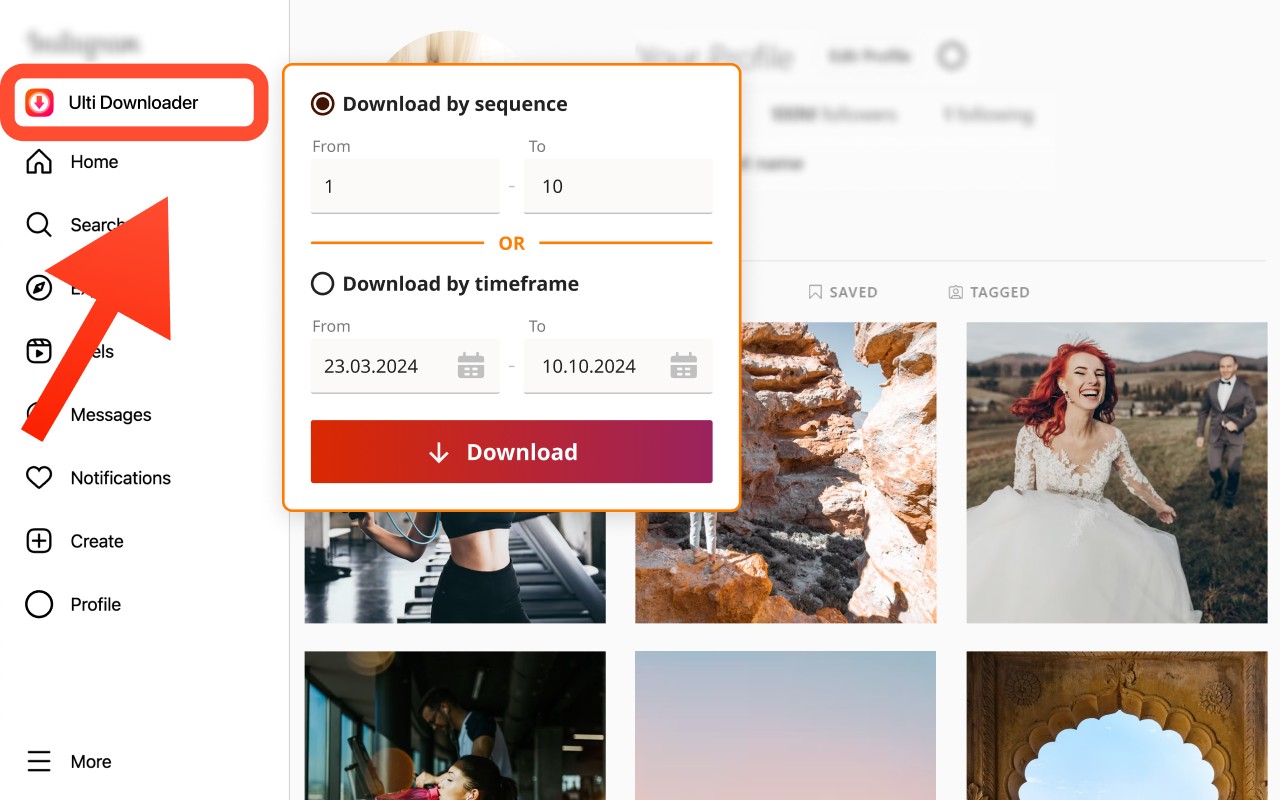
- Bulk download mode: Save multiple posts at once instead of downloading each individually. This is useful when you want to archive an entire story sequence or a set of reels from a profile.
- Filter by sequence or date: When downloading multiple items, you can specify a range by sequence number (e.g., the first 5 stories) or by date range (e.g., all stories from last week). This gives you precise control over what gets saved.
- Light and dark mode support: The extension adapts to Instagram's theme, so download buttons remain visible and accessible regardless of your interface preference.
Typical use cases include creators who need to backup stories before they expire, marketers managing content from several accounts, social media managers saving campaign posts by date, and casual users who want to keep videos or images they like. The extension only works on content that is publicly available or accessible when you are logged into your Instagram account. It is not affiliated with or endorsed by Instagram.
Extensions that do the same job
Matched by what these extensions actually do, not by store category, and sorted so the ones asking for the least access come first.
| Extension | Site access | Permissions | Users | Rating |
|---|---|---|---|---|
| Ulti - Downloader for Instagram — this page | Limited | 5 | 10K | 3.7★ |
| CocoShot: Screenshot & Screen Recorder | Limited | 4 | 70K | 4.9★ |
| Vidyard - Screen Recorder & Screen Capture | All sites | 10 | 300K | 4.2★ |
| Screenity - Screen Recorder & Annotation Tool | All sites | 10 | 200K | 4.4★ |
| BetterTTV | Limited | 2 | 3M | 4.6★ |
| Looper for YouTube | Limited | 1 | 400K | 4.6★ |
| Figma | Limited | 4 | 200K | 4.2★ |
Want the same thing with less access? CocoShot: Screenshot & Screen Recorder, BetterTTV, Looper for YouTube ask for fewer permissions than this one.
Store data last checked August 14, 2026.