
LogMeOnce
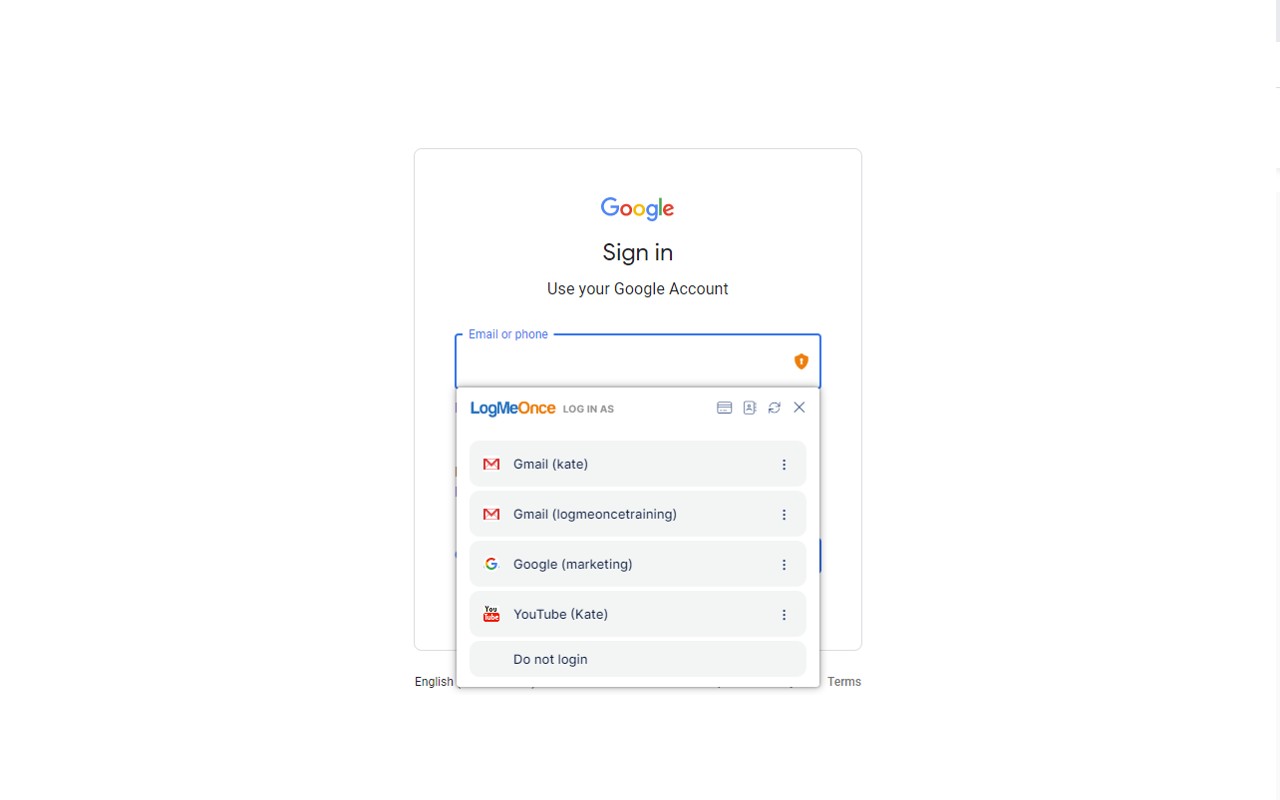
LogMeOnce is a single sign-on extension that logs you into all your apps with one click, using encrypted credentials.
What it does
Permissions and access
Taken from the extension's own manifest file inside the package. The store listing does not spell this out, so it is worth reading before you install.
| Permission | What it allows |
|---|---|
activeTab | Access the current tab when you click the extension |
contextMenus | Add items to the right-click menu |
cookies | Read and change cookies for the sites it runs on |
geolocation | Read your location |
offscreen | Run hidden pages for background work |
privacy | Change your privacy settings |
scripting | Run its own code on pages |
storage | Store its own settings and data |
system.display | Read display information |
tabs | See the addresses and titles of your open tabs |
webRequest | Watch your network requests |
Asks for these only when you use the matching feature:
nativeMessaging
Requests 11 permissions — extensions doing the same job average 7.2.
Technical details
Show all 18 languages
Description
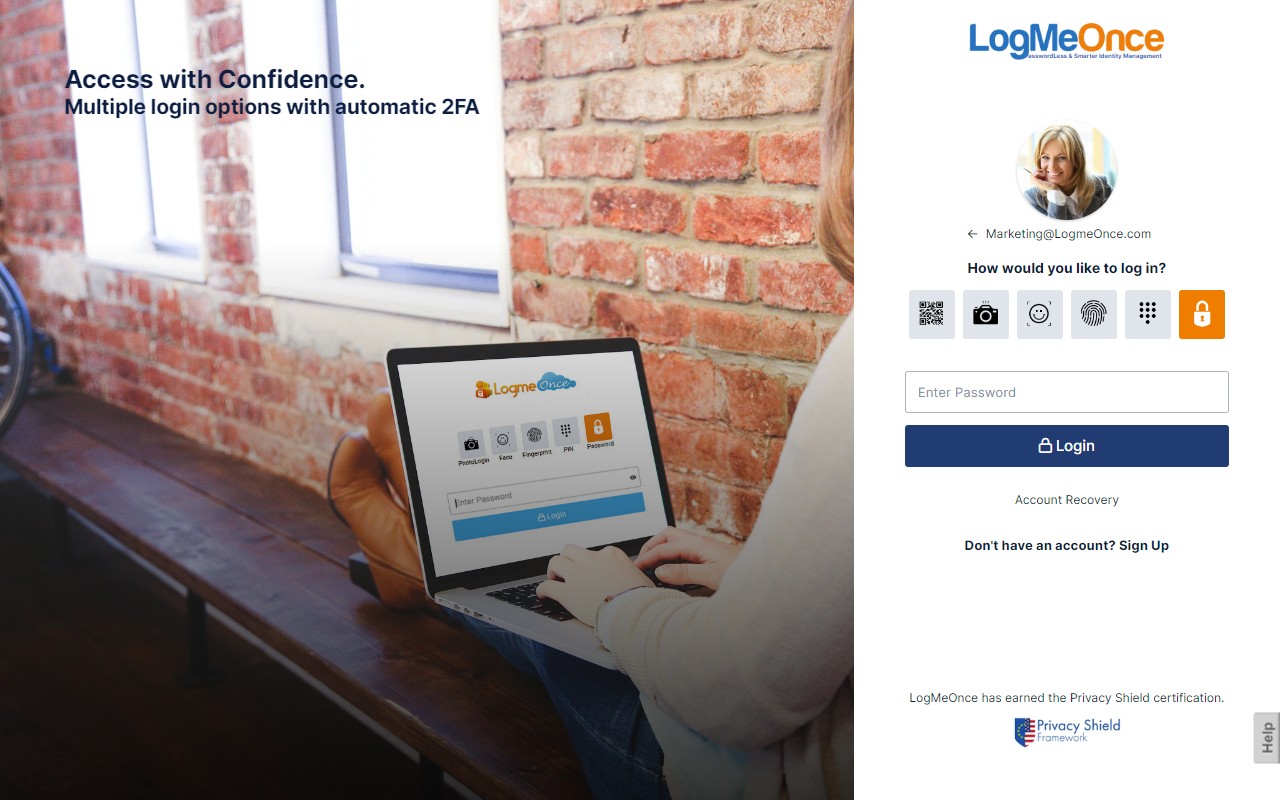
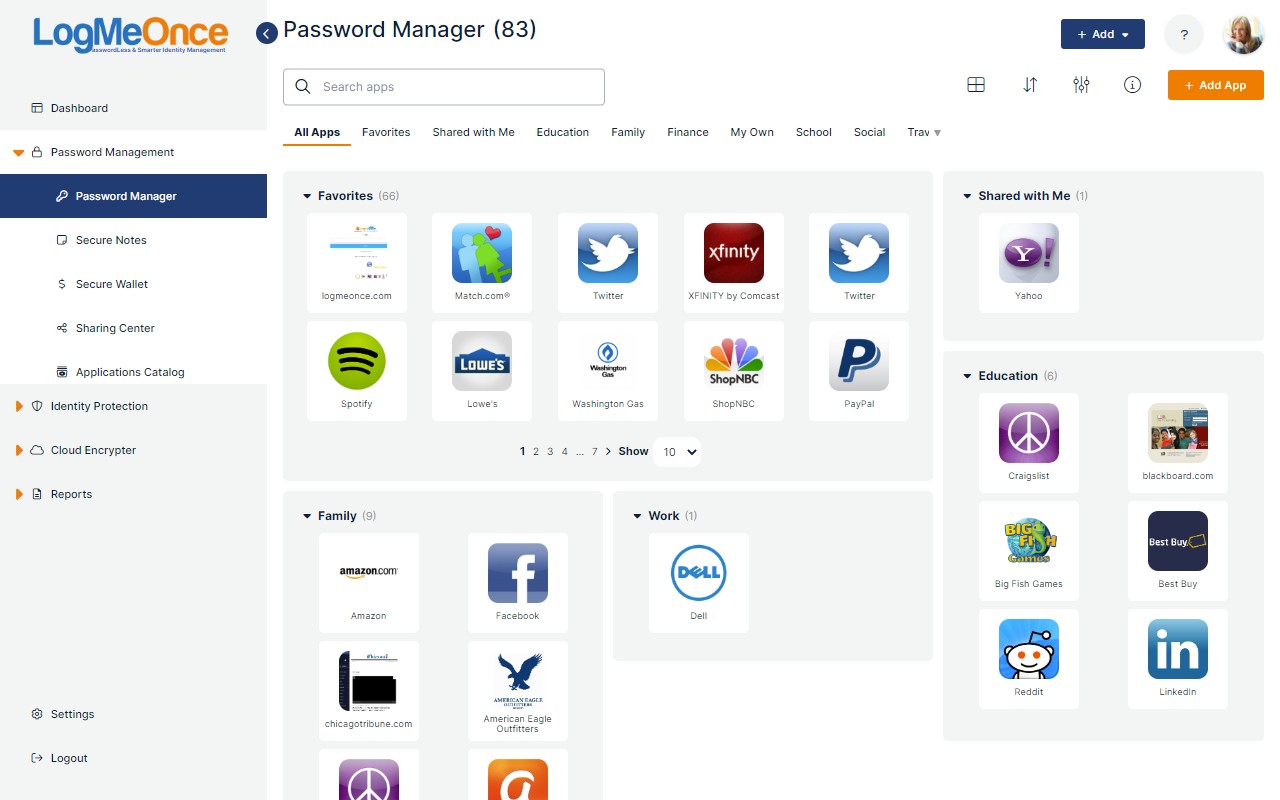
LogMeOnce provides a single sign-on solution that allows users to access all their applications with one click, eliminating the need to repeatedly enter usernames and passwords. This addresses a common security problem: managing multiple accounts often leads users to choose weak, reused passwords or write them down, increasing vulnerability to fraud and identity theft. With LogMeOnce, each user gets a personalized dashboard that lists all their applications, each protected behind an icon. To log in, simply click the icon of the desired application, and the extension automatically fills in the credentials. Each application's credentials are individually encrypted using a unique encryption key known only to the user, ensuring that even if one account is compromised, others remain secure. This approach simplifies login processes while maintaining high security standards, making it ideal for users with numerous online accounts such as employees accessing corporate tools, freelancers managing multiple client portals, or individuals juggling personal and work accounts. The extension works seamlessly in the background, and users can manage their credentials through the dashboard, adding or removing applications as needed.
Features
- One-Click Single Sign-On: After the initial setup, users can log into any of their saved applications with a single click from the LogMeOnce dashboard. This is particularly useful for users who need to access multiple apps daily, saving time and reducing frustration from repeated login prompts.
- Personalized Dashboard: The extension provides a secure, user-friendly web page that displays all the user's applications as clickable icons. Users can organize their apps, and the dashboard acts as a central hub, eliminating the need to remember separate URLs or passwords.
- Individual Credential Encryption: Each application's username and password are encrypted with a unique key that only the user knows. This means that even if the extension's data is intercepted, each credential set is isolated and cannot be decrypted without the corresponding key, providing defense against mass data breaches.
- No Password Reuse: By storing unique, strong passwords for each account, LogMeOnce encourages better password hygiene. Users no longer need to remember or write down passwords, reducing the risk of password reuse across sites.
- Secure Access Anywhere: The dashboard is accessible from any device with an internet connection, allowing users to log into their apps from work, home, or on the go without compromising security.
- Easy Management: Users can add new applications, remove old ones, and update credentials directly from the dashboard. This makes it simple to maintain an up-to-date list of accounts without technical expertise.
In summary, LogMeOnce simplifies password management by offering a secure, encrypted single sign-on experience. It is designed for anyone who struggles with multiple passwords and wants to enhance their online security without sacrificing convenience. The extension ensures that each login is both fast and safe, addressing the common pitfalls of password fatigue and weak credential practices.
Extensions that do the same job
Matched by what these extensions actually do, not by store category, and sorted so the ones asking for the least access come first.
| Extension | Site access | Permissions | Users | Rating |
|---|---|---|---|---|
| LogMeOnce — this page | All sites | 11 | 10K | 4.5★ |
| NordPass® Password Manager & Digital Vault | All sites | 10 | 8M | 4.6★ |
| Dashlane - Password Manager | All sites | 12 | 1M | 4.7★ |
| Guardio Protection for Chrome | All sites | 12 | 600K | 4.5★ |
| RoboForm Password Manager | All sites | 13 | 600K | 4.5★ |
| Trend Micro ID Protection | All sites | 11 | 100K | 4.4★ |
| MindYourPass - Password Manager | All sites | 6 | 3K | 4.6★ |
Want the same thing with less access? MEGA, Virtru Email Protection, Plugins ask for fewer permissions than this one.
Store data last checked August 14, 2026.