
SN Utils - Tools for ServiceNow
Browser extension with slash commands, Monaco editor, shortcuts, and inspection tools to boost productivity in
What it does
Permissions and access
Taken from the extension's own manifest file inside the package. The store listing does not spell this out, so it is worth reading before you install.
| Permission | What it allows |
|---|---|
activeTab | Access the current tab when you click the extension |
contextMenus | Add items to the right-click menu |
cookies | Read and change cookies for the sites it runs on |
declarativeContent | React to page content without reading it |
sidePanel | Show a panel beside the page |
storage | Store its own settings and data |
Requests 6 permissions — extensions doing the same job average 4.3.
Technical details
Keyboard shortcuts
| Shortcut | Action |
|---|---|
| Ctrl+1 | Activate Extension |
| Ctrl+2 | Pop-In / Pop-Out |
| Ctrl+3 | Show Technical Names |
| Ctrl+4 | Run /shortcut slashcommand |
Description
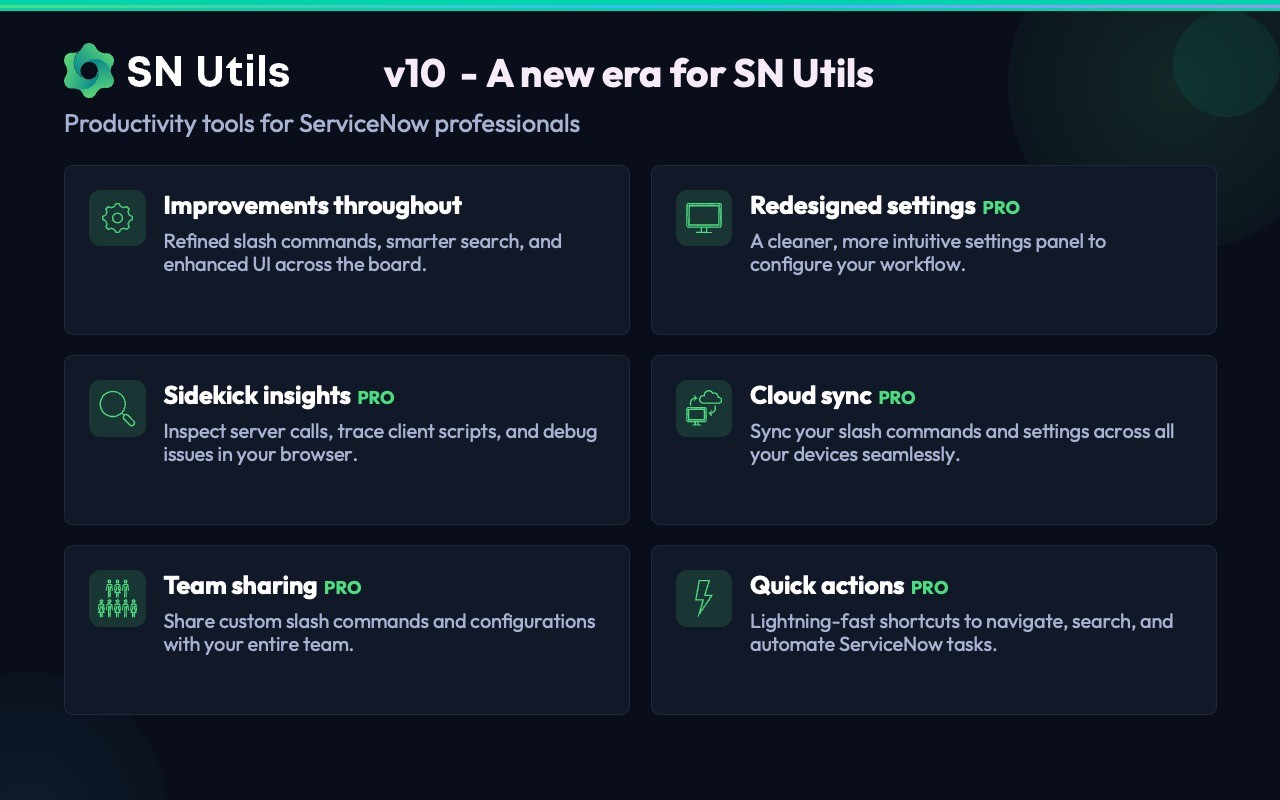
SN Utils is a browser extension designed to enhance productivity for ServiceNow users, including administrators, developers, and consultants. It operates entirely client-side, leaving no footprint on your ServiceNow instances, and has been trusted by professionals worldwide since 2016. The extension is not affiliated with ServiceNow, Inc., but is developed independently by SN Utils B.V. Version 10 introduces a reimagined interface and expanded capabilities.
Core Features
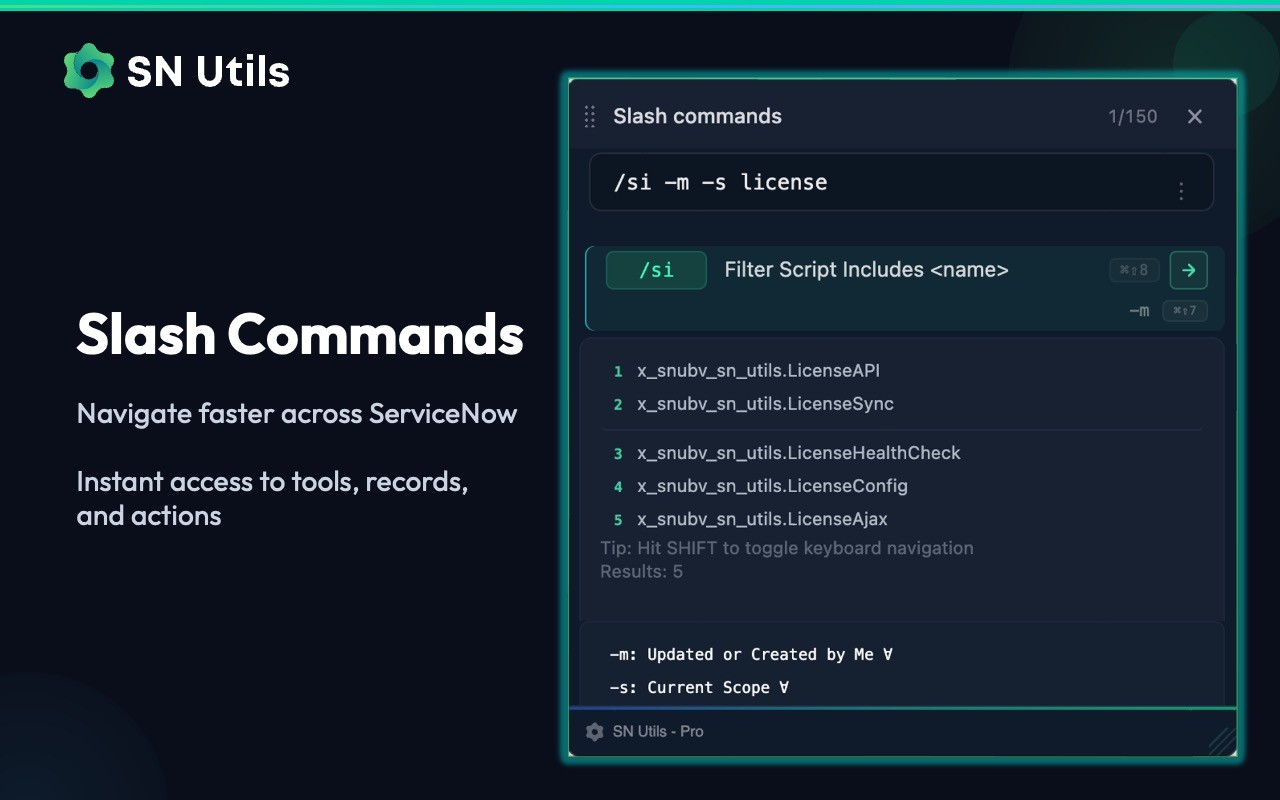
- Slash Commands: Type / anywhere in ServiceNow to instantly navigate, search, and execute actions. The extension includes over 60 built-in commands, and you can create custom commands to automate repetitive tasks. This is particularly useful for quickly opening modules, running reports, or triggering scripts without navigating through menus.
- Enhanced Visibility: Show Technical Names reveals field names, choice values, and internal labels alongside display values, helping developers and admins understand the underlying data model. Favicon Badges add colored badges to instance tabs so you can distinguish between environments at a glance. Instance Tag displays the current environment name (e.g., dev, test, prod) prominently, reducing the risk of accidental changes in the wrong instance. Node Switching allows you to jump between application nodes for debugging purposes, useful when troubleshooting performance or session issues.
- Code Editing with Monaco: The full Monaco Editor integrates directly into ServiceNow, providing autocomplete for GlideRecord, GlideQuery, and other ServiceNow APIs. This makes writing and editing scripts faster and less error-prone. ScriptSync enables live editing of scripts and widgets in VS Code, syncing changes back to ServiceNow in real time. The Background Script editor includes impact summaries that explain potential side effects before execution. Context-aware code snippets are available via right-click, offering relevant code templates based on your current context. You can also generate GlideRecord templates from any list view, saving time when writing data retrieval scripts.
- Keyboard and Context Menu Shortcuts: Save records with Ctrl+S (Cmd+S on Mac) without needing to click the save button. Ctrl+Click (Cmd+Click) on field labels builds conditions or opens filtered lists, streamlining navigation. Paste clipboard images directly into records using Ctrl+V, useful for attaching screenshots during issue tracking. Right-click menus provide quick access to Script Includes, tables, or search, depending on where you click. You can pop in, pop out, or copy tabs from the context menu, improving tab management. All major actions have configurable keyboard shortcuts for personalized workflows.
- Inspection and Navigation: View data and columns of the current record in a side panel, helping you understand record structure without opening multiple forms. Search tables and open list views, dictionary entries, or schema maps directly. Manage update sets by searching and opening those in progress. Admins can view the last 20 updates made and jump to related records for auditing. Clicking usernames displays user details, speeding up user management. Context-aware links change based on your location in ServiceNow, offering relevant actions.
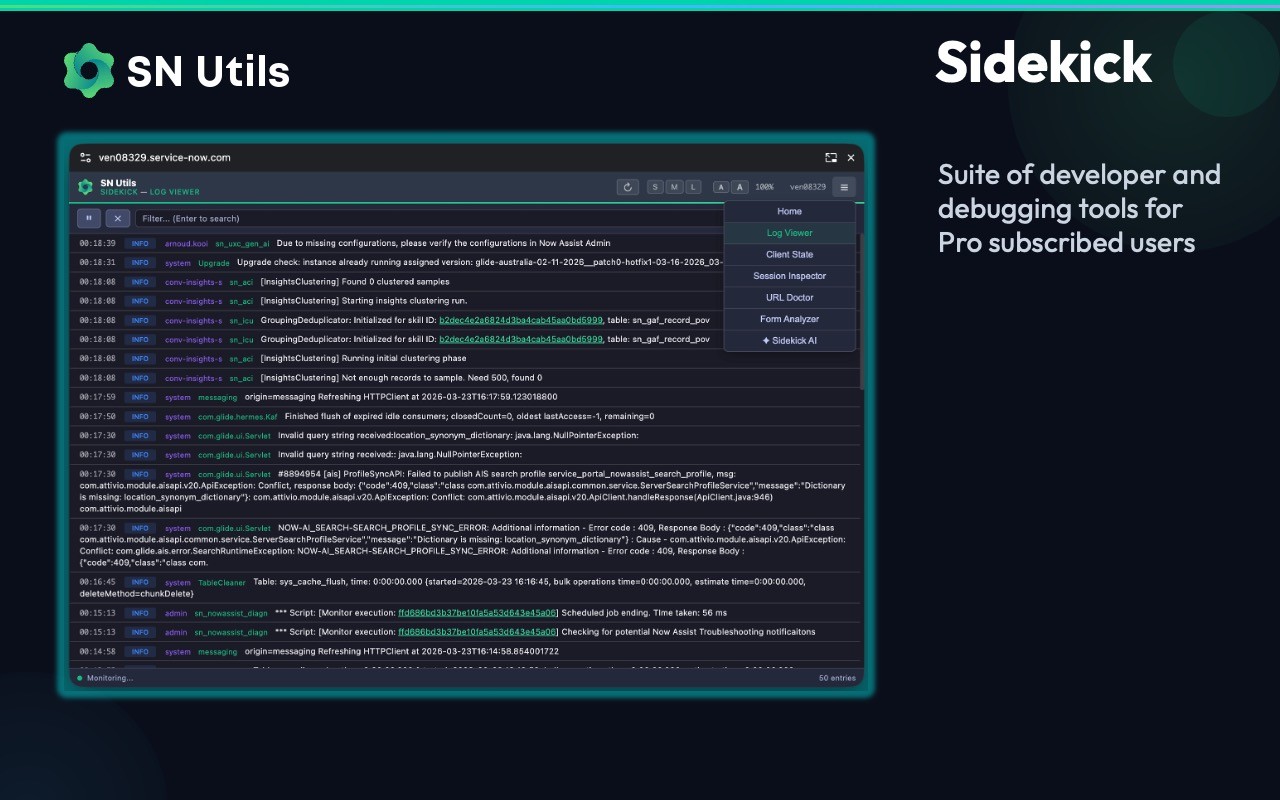
- Pro Features: The Pro tier adds Sidekick, an AI assistant for building commands, cloud sync for settings, additional snippets, custom shortcuts, and team sharing capabilities. These features are designed for power users and teams that need collaboration and advanced automation.
Privacy and security are built in: no apps, update sets, or server-side changes are required. A Privacy Mode masks email addresses in the extension's UI, and data remains in your browser unless you opt into cloud sync. For instances not hosted on service-now.com, SN Utils OnPrem is available. Used daily by ServiceNow professionals globally, SN Utils streamlines common tasks, reduces clicks, and helps you work more efficiently within the ServiceNow ecosystem.
Extensions that do the same job
Matched by what these extensions actually do, not by store category, and sorted so the ones asking for the least access come first.
| Extension | Site access | Permissions | Users | Rating |
|---|---|---|---|---|
| SN Utils - Tools for ServiceNow — this page | Limited | 6 | 100K | 4.9★ |
| L.O.C | Limited | 5 | 300K | 4.3★ |
| QR Code Reader | Limited | 6 | 200K | 3.6★ |
| Refined GitHub | Limited | 5 | 100K | 4.8★ |
| Toby: Tab Management Tool | Limited | 5 | 300K | 4.2★ |
| Tabs Outliner | Limited | 6 | 100K | 4.4★ |
| Open Multiple URLs | Limited | 3 | 700K | 4.7★ |
Want the same thing with less access? Open Multiple URLs, Fathom AI Note Taker for Google Meet, NoteGPT: YouTube Summary, Chat with AI Assistant, ChatGPT DeepSeek Claude ask for fewer permissions than this one.
Store data last checked August 14, 2026.