
YouTube Keyboard Shortcuts Plus
Adds customizable keyboard shortcuts for seeking, playback, subtitles, and speed control on YouTube.
What it does
Permissions and access
Taken from the extension's own manifest file inside the package. The store listing does not spell this out, so it is worth reading before you install.
| Permission | What it allows |
|---|---|
storage | Store its own settings and data |
Requests 1 permission — extensions doing the same job average 3.7.
Technical details
Show all 21 languages
Description
YouTube Keyboard Shortcuts Plus adds a set of convenient keyboard shortcuts to YouTube, allowing you to control playback, subtitles, and playback speed without touching the mouse. Whether you're a language learner rewinding to catch a phrase, a power user adjusting speed on the fly, or someone who prefers keyboard-driven navigation, this extension streamlines your viewing experience.
Features
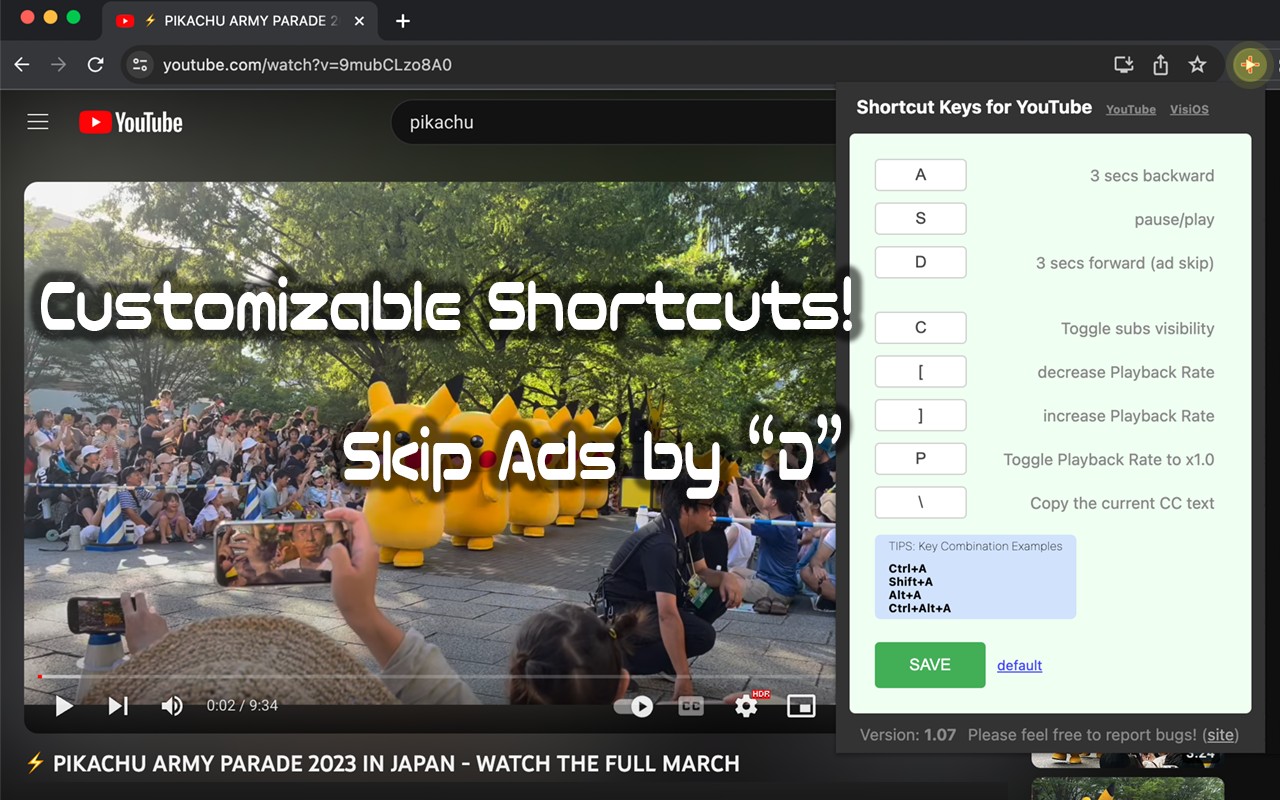
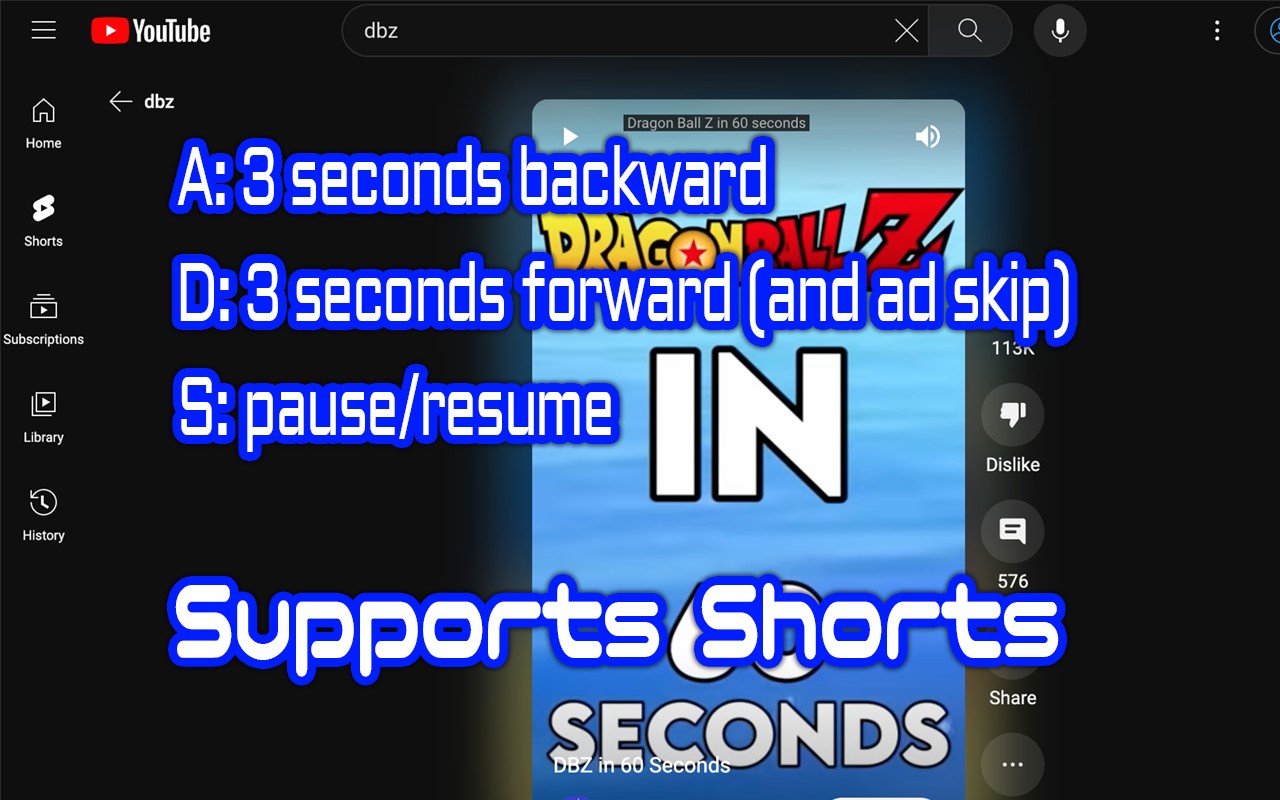
- Quick Seek: Press A to jump back 3 seconds and D to jump forward 3 seconds. This is perfect for reviewing a missed word in a video or skipping a short segment without losing your place.
- Playback Control: Press S to toggle between play and pause. This is handy when you need to momentarily stop the video, for instance, to take notes or answer a message, and then resume instantly.
- Subtitle Management: Press C to toggle the visibility of captions (subtitles). This is especially useful for language learners who want to practice listening without subtitles, then check their understanding by turning them on. Press \ (backslash) to copy the current caption text to the clipboard, allowing you to save quotes, look up words, or share lines with others.
- Playback Speed Control: Press [ to decrease the playback rate and ] to increase it in 0.1 increments, up to a maximum of 2.5x. This allows you to slow down difficult sections or speed up content you find too slow. Press P to toggle between the default 1.0x speed and your custom speed, making it easy to switch between standard and accelerated viewing.
- Customizable Shortcuts: You can easily change any of these shortcuts to suit your preferences. No technical knowledge is required-just install the extension and click its icon to access the settings. This flexibility ensures the extension adapts to your workflow, not the other way around.
After installation, simply click the extension icon to enable it, and you can start using the shortcuts immediately. The extension is designed with simplicity in mind, making it a valuable tool for anyone who frequently watches YouTube and wants to enhance their control and efficiency.
Extensions that do the same job
Matched by what these extensions actually do, not by store category, and sorted so the ones asking for the least access come first.
| Extension | Site access | Permissions | Users | Rating |
|---|---|---|---|---|
| YouTube Keyboard Shortcuts Plus — this page | Limited | 1 | 3K | 4.1★ |
| BetterTTV | Limited | 2 | 3M | 4.6★ |
| Looper for YouTube | Limited | 1 | 400K | 4.6★ |
| Subtitles for Language Learning (Prime Video) | Limited | 3 | 100K | 3.8★ |
| CocoShot: Screenshot & Screen Recorder | Limited | 4 | 70K | 4.9★ |
| EasySubs - Learn languages by watching films and series | Limited | 3 | 4K | 4.3★ |
| YouTube Fast Fullscreen Toggle | Limited | 0 | 3K | 4.6★ |
Store data last checked August 19, 2026.