
Toggl Track: Productivity & Time Tracker
Embeds a time tracker into 120+ web tools, with Pomodoro, idle detection, and reminders.
What it does
Permissions and access
Taken from the extension's own manifest file inside the package. The store listing does not spell this out, so it is worth reading before you install.
| Permission | What it allows |
|---|---|
alarms | Schedule background tasks |
background | Keep running in the background |
contextMenus | Add items to the right-click menu |
cookies | Read and change cookies for the sites it runs on |
idle | Detect when you are away from the computer |
notifications | Show desktop notifications |
offscreen | Run hidden pages for background work |
scripting | Run its own code on pages |
storage | Store its own settings and data |
unlimitedStorage | Store unlimited data on your computer |
Asks for these only when you use the matching feature:
tabs
Requests 10 permissions — extensions doing the same job average 5.5.
Technical details
Keyboard shortcuts
| Shortcut | Action |
|---|---|
| Ctrl+Shift+E | Quick start/stop current entry |
Description
Toggl Track: Productivity & Time Tracker is a browser extension that embeds a time tracking timer directly into your favorite web-based productivity tools. It allows you to start, stop, and manage time entries without ever leaving the page you are working on. All tracked time data is automatically synced to your Toggl account, ensuring that your records are always up-to-date across all your devices. Whether you are a freelancer juggling multiple clients, a team member collaborating on projects, or a manager overseeing workflows, this extension streamlines the process of logging billable hours and analyzing productivity.
Key Features
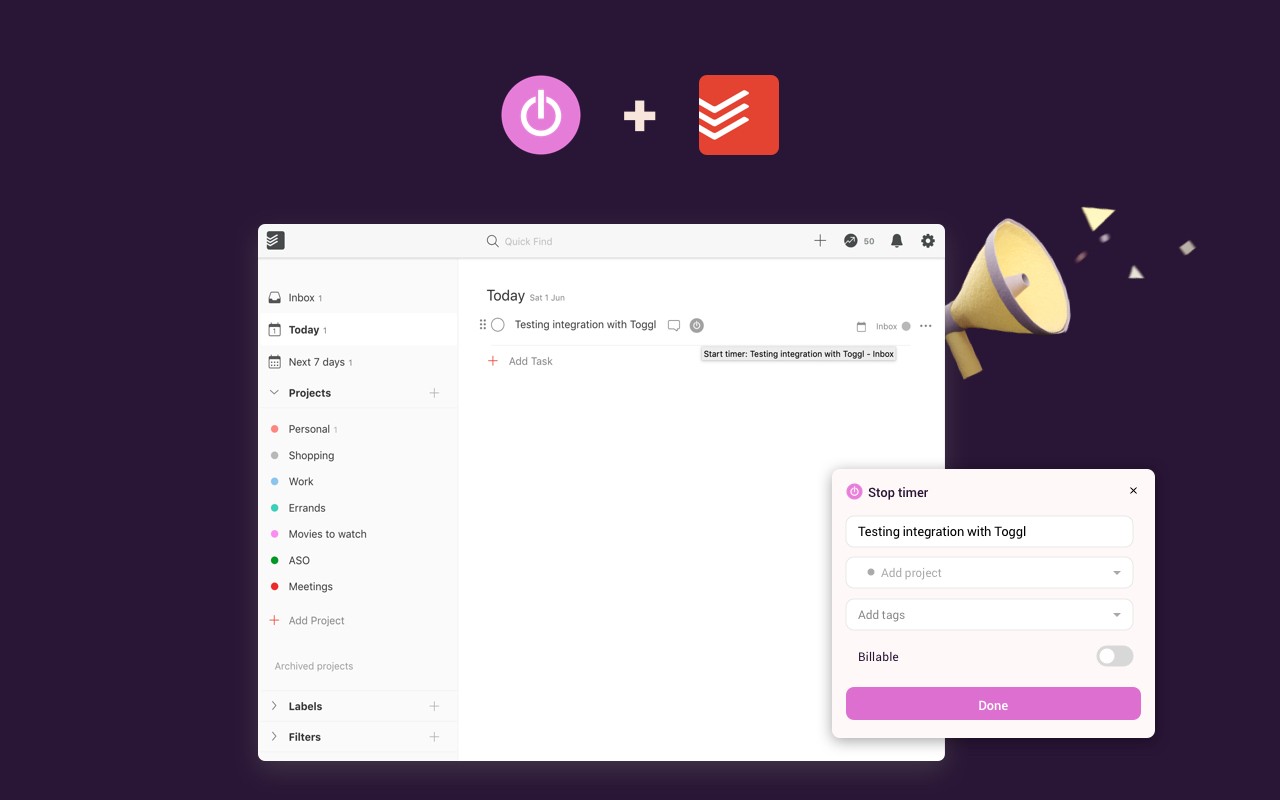
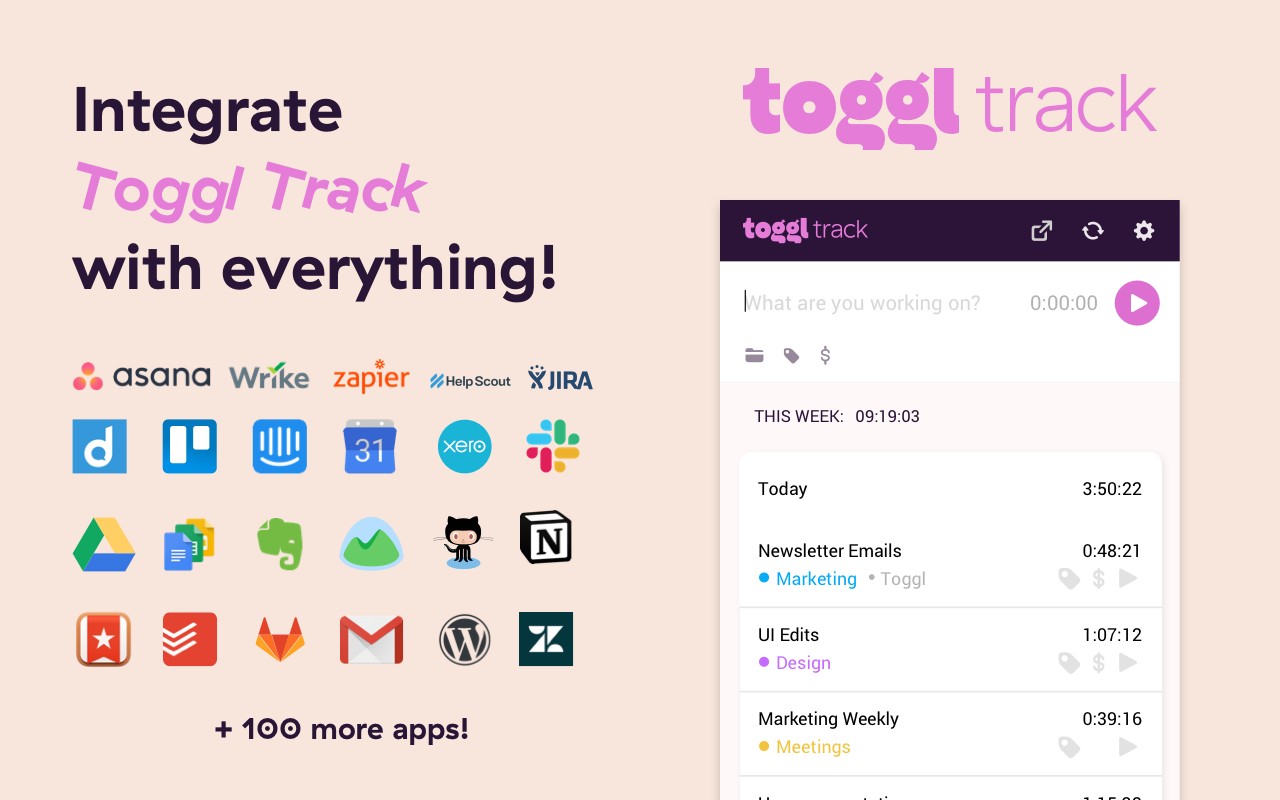
- Seamless Integration with 120+ Tools: The extension works with popular platforms like Trello, Asana, Todoist, Jira, and Notion, among many others. When you visit a supported tool, the Toggl Track timer appears directly within the interface, allowing you to start tracking time on a specific task with a single click. This eliminates the need to switch tabs or manually enter time entries, saving you valuable time and reducing the risk of forgetting to log your work.
- Automatic Task and Project Detection: When you start the timer from within a supported web tool, the extension automatically captures the task name and project context from the page. This means you don't have to manually type in what you are working on-the extension does it for you, ensuring accurate and detailed time entries.
- Pomodoro Timer: For those who use the Pomodoro Technique to boost focus and productivity, the extension includes a built-in Pomodoro timer. You can set custom work and break intervals, and the extension will notify you when it's time to switch. This feature helps you structure your work sessions and maintain a healthy work-life balance.
- Idle Detection: The extension intelligently detects when you are away from your computer or inactive. It can prompt you to discard, adjust, or keep the time entry, preventing you from accidentally logging time when you were not working. This is especially useful for freelancers who need accurate billing or for teams that rely on precise time reports.
- Tracking Reminders: Never forget to start or stop your timer again. The extension can send you reminders at configured intervals if it detects that you are active but not tracking time. This ensures that every productive minute is captured, making your time reports more reliable.
- Customizable Permissions: You have full control over which websites the extension runs on. In the settings, you can grant permission for the extension to inject itself into the specific services you use. This not only respects your privacy but also keeps the extension lightweight and unobtrusive.
- Open Source and Community-Driven: The Toggl Track extension is open source, and the code is available on GitHub. This means that developers can contribute to its improvement, suggest new features, or customize it for their own needs. The community actively maintains the extension, ensuring it stays compatible with the latest updates of integrated tools.
Getting started is straightforward: install the extension from the Chrome Web Store, log in to your Toggl Track account (or create one), and then adjust the settings to enable the extension on the tools you use. Once set up, you'll see the timer appear in your productivity apps, and you can start tracking with confidence. The extension also includes a comprehensive help guide and a support team ready to assist you via email if you encounter any issues. Whether you are a solo professional or part of a large team, Toggl Track aims to make time tracking effortless and accurate, helping you understand where your time goes and ultimately boosting your productivity.
Extensions that do the same job
Matched by what these extensions actually do, not by store category, and sorted so the ones asking for the least access come first.
| Extension | Site access | Permissions | Users | Rating |
|---|---|---|---|---|
| Toggl Track: Productivity & Time Tracker — this page | Limited | 10 | 300K | 4.4★ |
| Clockify Time Tracker | All sites | 10 | 300K | 3.5★ |
| ScratchTools for Scratch | Limited | 3 | 20K | 3.9★ |
| Bisma - Prayer Times | — | — | 1K | 5.0★ |
| Spatium | Limited | 3 | 4K | 4.7★ |
| Time Tracker - Web Habit Builder | All sites | 6 | 20K | 4.9★ |
Want the same thing with less access? ScratchTools for Scratch asks for fewer permissions than this one.
Store data last checked August 14, 2026.