
Clockify Time Tracker
Track time on any website with one click, with idle detection, reminders, and Pomodoro timer.
What it does
Permissions and access
Taken from the extension's own manifest file inside the package. The store listing does not spell this out, so it is worth reading before you install.
| Permission | What it allows |
|---|---|
activeTab | Access the current tab when you click the extension |
alarms | Schedule background tasks |
background | Keep running in the background |
contextMenus | Add items to the right-click menu |
identity | Sign you in with your Google account |
idle | Detect when you are away from the computer |
notifications | Show desktop notifications |
scripting | Run its own code on pages |
storage | Store its own settings and data |
tabs | See the addresses and titles of your open tabs |
Asks for these only when you use the matching feature:
*://*/
Requests 10 permissions — extensions doing the same job average 5.5.
Technical details
Show all 5 languages
Keyboard shortcuts
| Shortcut | Action |
|---|---|
| Ctrl+Shift+U | Quick start/stop current entry |
Description
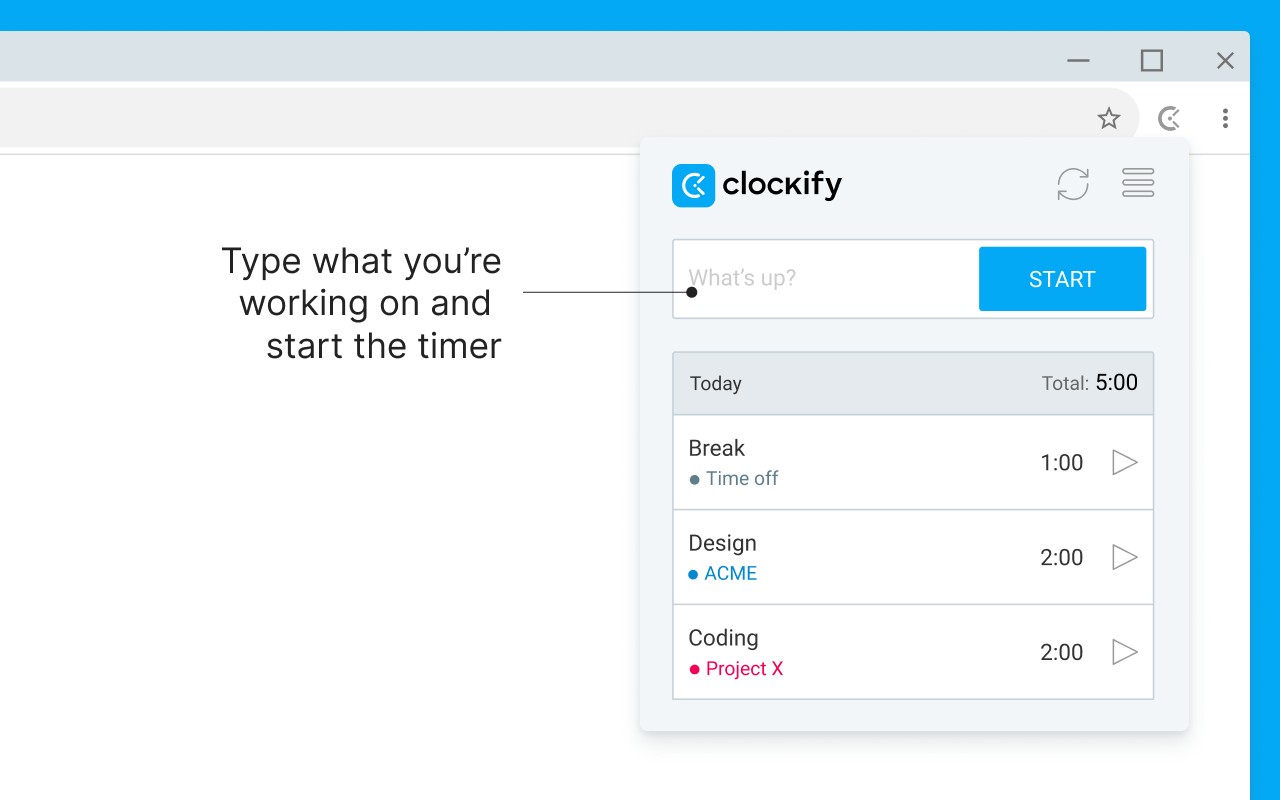
Clockify Time Tracker is a browser extension that brings time tracking to your web browser, allowing you to record time spent on various tasks and projects without leaving your current webpage. With a single click, you can start or stop the timer, and the extension will automatically capture the name of the task or website as the time entry description, saving you the hassle of manual data entry. Whether you're a freelancer, a remote worker, or part of a team, this tool helps you monitor your productivity and ensures accurate time logs for billing, payroll, or personal analysis.
Key Features
- One-Click Time Tracking: Start or stop the timer directly from any website with just one click, making it effortless to track time spent on different online activities.
- Integration with 50+ Web Apps: The extension seamlessly integrates with over 50 popular web applications, such as project management tools, communication platforms, and development environments, allowing you to track time within those apps without switching contexts.
- Idle Detection: The extension can detect when you are idle (e.g., away from your keyboard) and prompt you to remove that idle time from your tracked hours, ensuring your time logs accurately reflect actual work.
- Reminders: Set up reminders to nudge you when you forget to start the timer, helping you maintain consistent time tracking throughout the day.
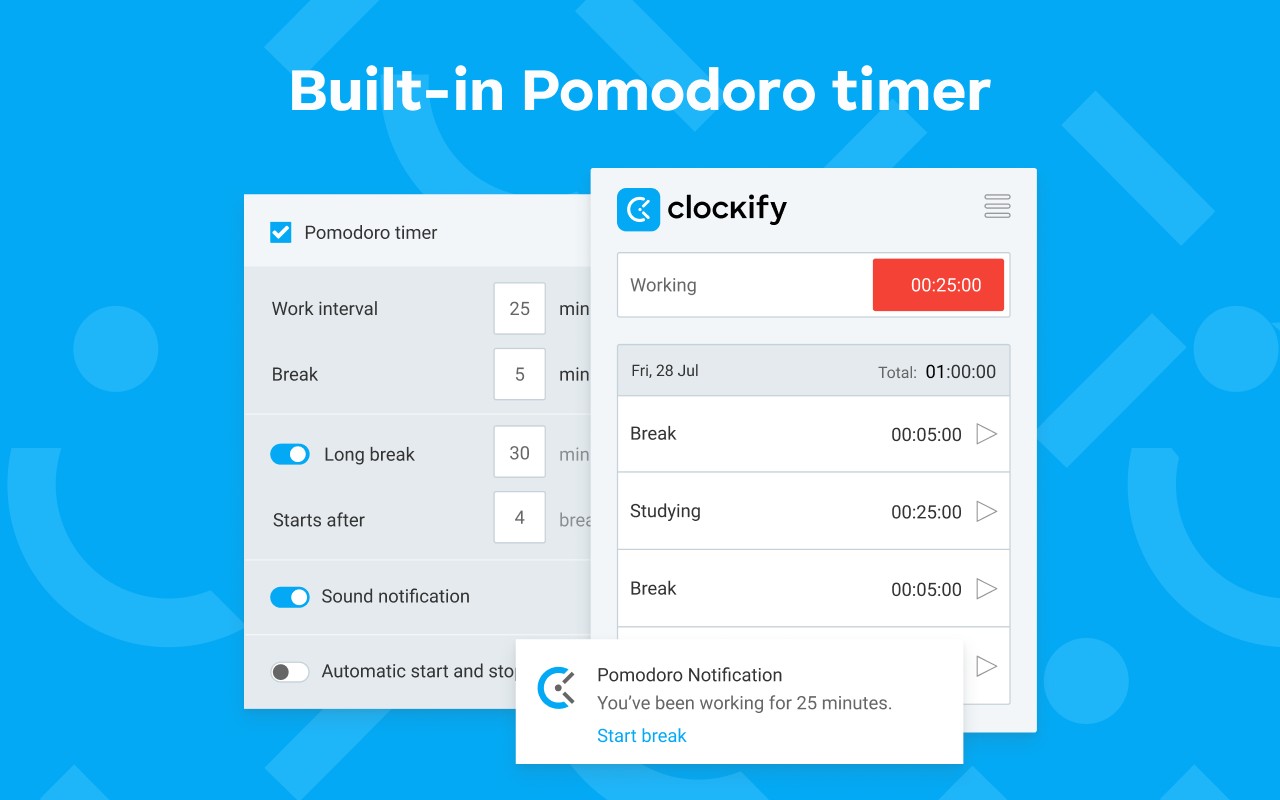
- Pomodoro Timer: Built-in Pomodoro timer lets you work in focused intervals (typically 25 minutes) with breaks, promoting better time management and productivity.
- Automatic Start/Stop: Configure the extension to automatically start the timer when you visit a specified website and stop it when you leave, perfect for tracking time on regular work sites.
- Start from Selected Text: Highlight any text on a webpage and use a context menu option to start a timer with that text as the task description, ideal for turning a specific task or requirement into a tracked activity.
- Keyboard Shortcut: Use the global shortcut Ctrl+Shift+U (customizable) to quickly start or stop the timer without even clicking, boosting efficiency for power users.
- Default Project: Set a default project for new time entries, so that any time you start a timer without specifying a project, it automatically assigns to your chosen project, reducing manual selection steps.
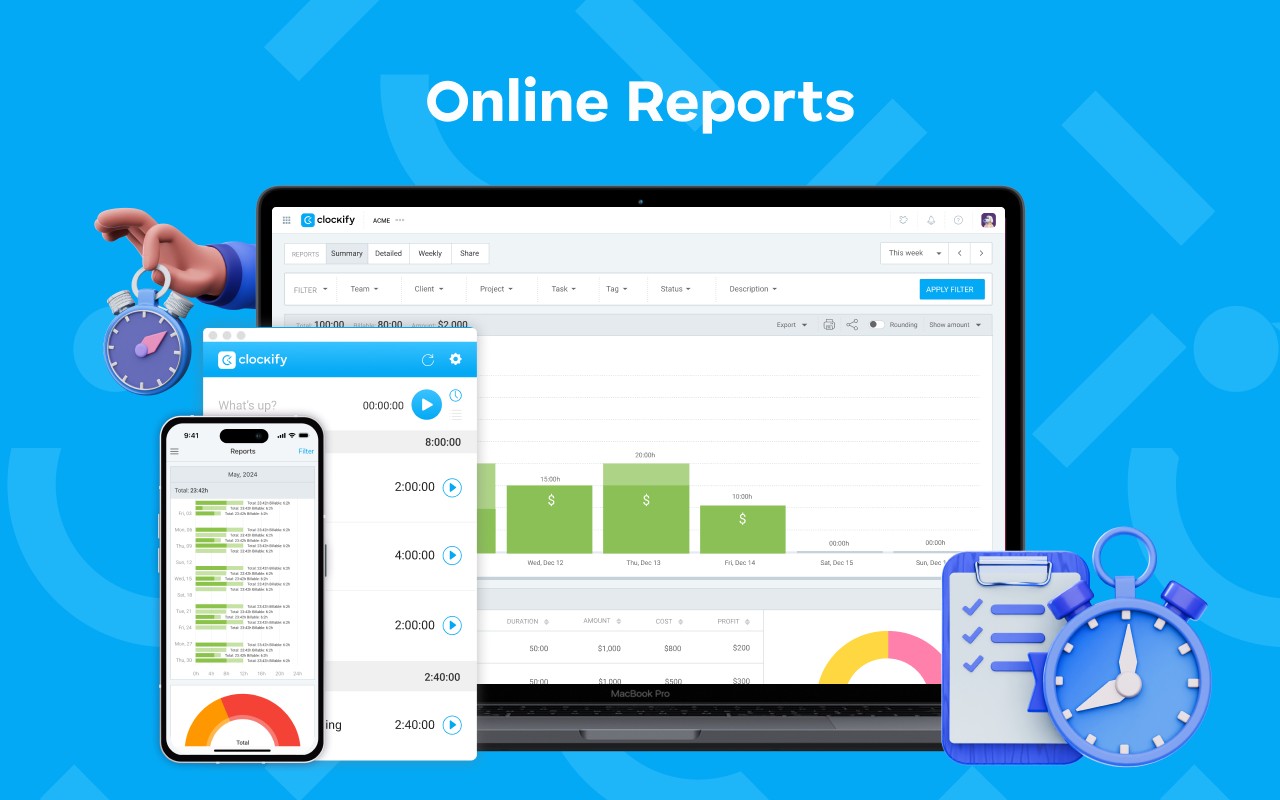
The extension requests permission to read and change data on websites you visit solely to place a timer button on those sites and to extract task names as descriptions for your time entries. If you prefer not to see the button on other websites, you can disable this integration in the extension's Settings under Integrations. The source code is open source and available on GitHub for transparency and community contributions. For detailed guidance, refer to the help article or contact support via email. Clockify also offers web, desktop, and mobile apps with real-time sync, allowing you to switch devices seamlessly while keeping your time data up to date. Additional features include free and simple online timer, report generation and data export, team collaboration with shared time tracking, and project management with progress monitoring.
Extensions that do the same job
Matched by what these extensions actually do, not by store category, and sorted so the ones asking for the least access come first.
| Extension | Site access | Permissions | Users | Rating |
|---|---|---|---|---|
| Clockify Time Tracker — this page | All sites | 10 | 300K | 3.5★ |
| Toggl Track: Productivity & Time Tracker | Limited | 10 | 300K | 4.4★ |
| ScratchTools for Scratch | Limited | 3 | 20K | 3.9★ |
| Bisma - Prayer Times | — | — | 1K | 5.0★ |
| Spatium | Limited | 3 | 4K | 4.7★ |
| Time Tracker - Web Habit Builder | All sites | 6 | 20K | 4.9★ |
Want the same thing with less access? Toggl Track: Productivity & Time Tracker, ScratchTools for Scratch, Spatium ask for fewer permissions than this one.
Store data last checked August 14, 2026.