
AI Chrome Extension powered by ChatGPT - Magictool AI
Chrome extension with 30+ AI tools: ChatGPT, grammar checker, YouTube summarizer, PDF chat, and more.
What it does
Permissions and access
Taken from the extension's own manifest file inside the package. The store listing does not spell this out, so it is worth reading before you install.
| Permission | What it allows |
|---|---|
clipboardRead | Read what you copy |
contextMenus | Add items to the right-click menu |
storage | Store its own settings and data |
Requests 3 permissions — extensions doing the same job average 5.2.
Technical details
Keyboard shortcuts
| Shortcut | Action |
|---|---|
| Ctrl+M | Active Magictool.AI |
Description
Magictool AI is a comprehensive Chrome extension that integrates over 30 AI-powered tools into your browser, leveraging ChatGPT technology to enhance productivity, writing, research, and content consumption. Designed for students, professionals, content creators, and researchers, it provides daily free credits to access most features, with paid plans (Pro and Pro+) unlocking advanced capabilities like GPT-4o and AI image generation. The extension requires creating an account to use, and it operates with a focus on privacy, including options to disable data collection and specify private domains.
Key Features
- Grammar Checker: Select any text on a webpage to instantly check grammar and spelling using ChatGPT. Useful for proofreading emails, articles, or social media posts without switching tabs.
- ChatGPT Access: Ask questions and get instant answers directly from your browser, with daily free usage. Ideal for quick research, brainstorming, or getting explanations.
- Chat with PDF: Upload PDF documents and interact with them using AI, asking questions or summarizing content with the help of PDF.js. Perfect for researchers reviewing lengthy papers.
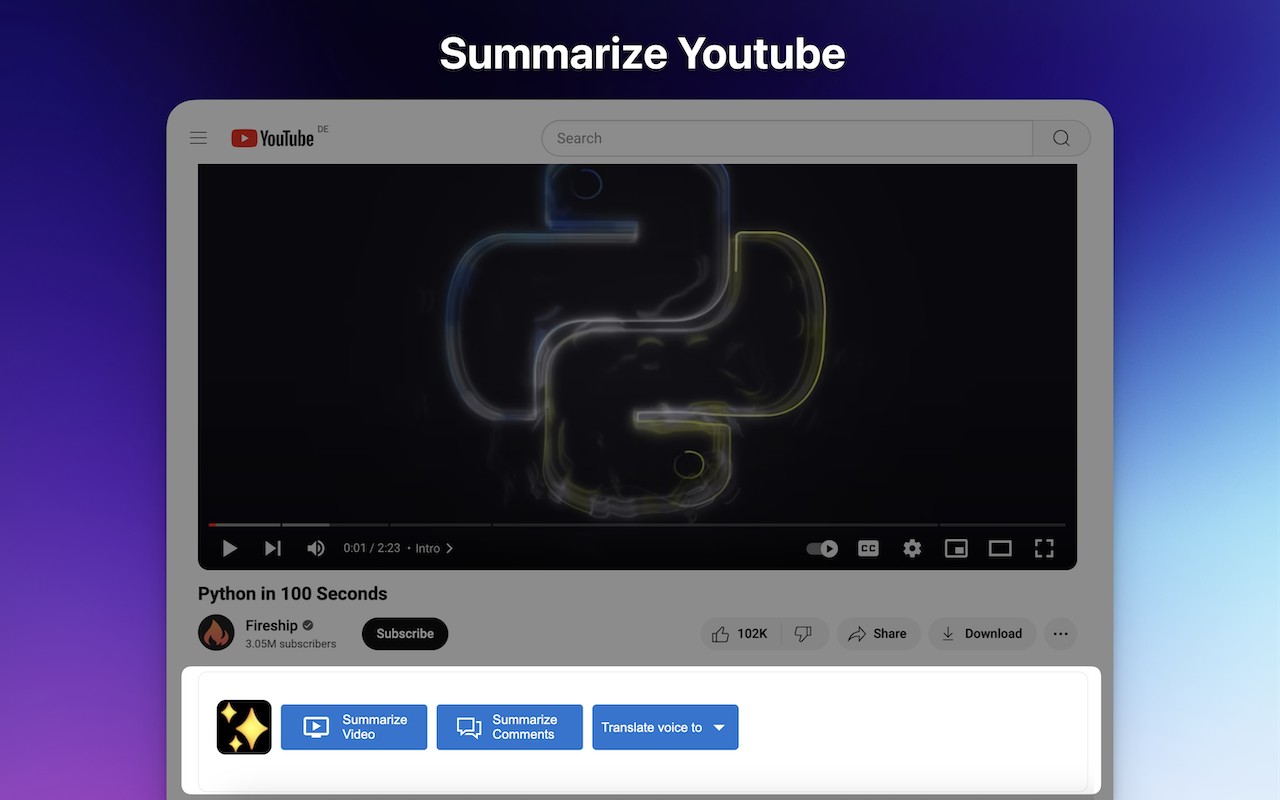
- YouTube Summary: Summarize YouTube videos by analyzing both transcript and comments, saving time when watching lectures, tutorials, or long-form content.
- Article and Web Page Summarization: Condense any web article or page into key points, useful for digesting news, blog posts, or documentation quickly.
- AI Image Generation: Generate images from text descriptions using AI (available in paid plans). Great for content creators needing visuals for presentations or social media.
- Data Scraper: Extract structured information from any webpage, such as contact details or product listings, useful for market research or lead generation.
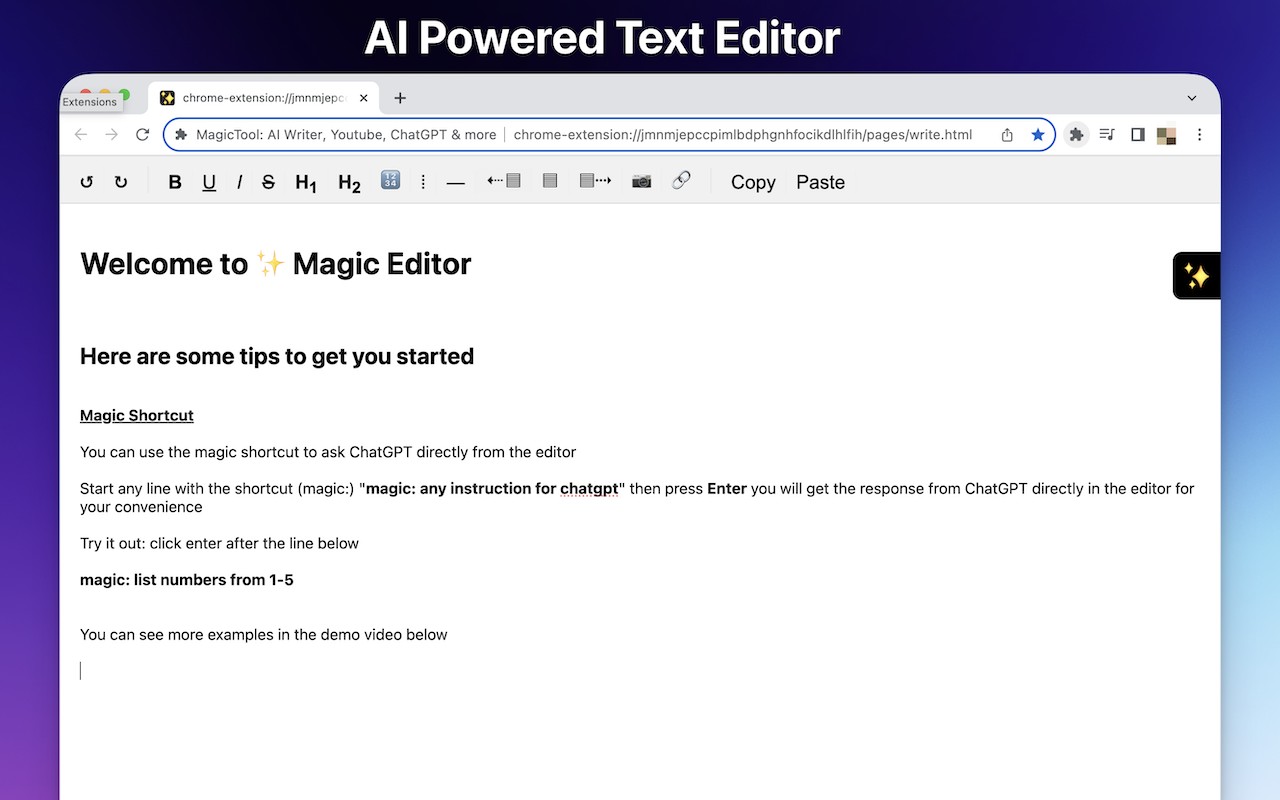
- Magic Editor: A private AI text editor for composing and editing text with AI assistance, without sending data to cloud servers for non-AI features.
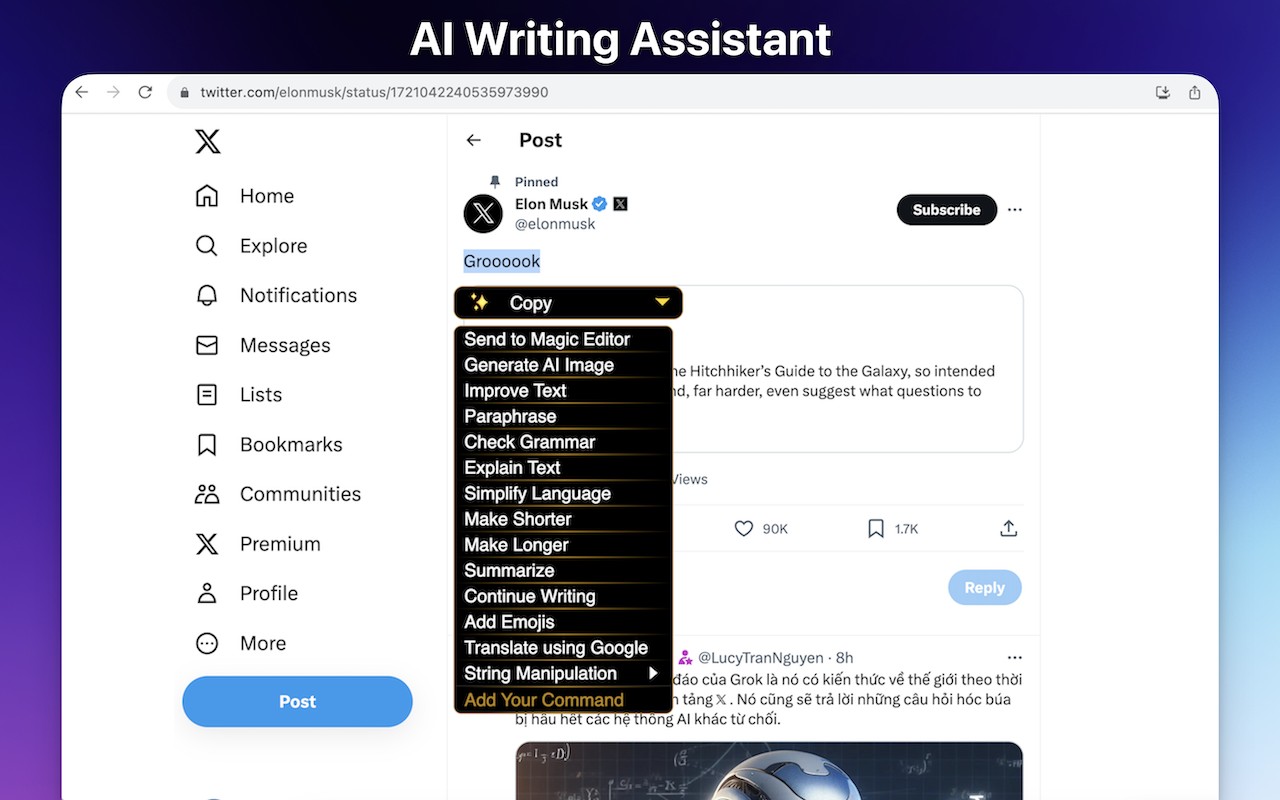
- Explain Text: Select complex text to get simplified explanations, aiding comprehension of technical jargon or academic language.
- YouTube Video Dubbing: Watch YouTube videos dubbed in other languages (paid feature), enabling language learning or accessing content in different languages.
- Improve Text: Enhance writing by fixing grammar, improving composition, and refining style. Useful for drafting professional emails or reports.
- Simplify Language: Rewrite text to use simpler vocabulary and sentence structures, helpful for explaining concepts to a broader audience.
- Make Shorter / Make Longer: Condense or expand text to meet specific length requirements, such as for abstracts or social media posts.
- Paraphraser: Rewrite paragraphs in different styles (e.g., formal, casual, creative) to avoid plagiarism or adjust tone. Beneficial for students and writers.
- Summarize Paragraphs: Extract the main points from a selected paragraph, aiding in note-taking or quick review.
- Continue Writing: Generate additional content based on a given prompt, helping overcome writer's block or expand ideas.
- Add Emojis: Insert relevant emojis into text to make it more engaging for social media or informal communication.
- Translate Text: Translate selected text using Google Translate integration, supporting multiple languages for cross-language communication.
- Take Notes: A built-in notepad for quick note-taking without leaving the current page. Useful for jotting down ideas or meeting notes.
- String Manipulation: Perform text transformations like converting to uppercase/lowercase, counting characters, or trimming whitespace. Handy for data cleaning.
- Magic Shortcut: Invoke ChatGPT from any text field by starting a line with the magic word "magic:", enabling AI assistance in forms, chats, or editors.
- Dark Mode Toggle: Force any webpage into dark mode, reducing eye strain during nighttime browsing.
- Custom Commands: Create personalized prompts for repeated tasks, such as generating specific types of responses or analyses.
- Reader View: Strip away ads, headers, sidebars, and pop-ups to read web pages in a clean, clutter-free layout. Ideal for focusing on long articles.
- Data Analysis (CSV/XLS): Upload CSV or Excel files and ask ChatGPT to analyze data, generate summaries, or answer questions about the dataset. Useful for business analysts and researchers.
- Timer: A simple countdown timer for time management, such as for Pomodoro technique or tracking tasks.
- Todo Checklist: Manage tasks with a built-in checklist, helping organize daily activities and priorities.
- AI Writer: Compose text in various styles and lengths using AI, from short social media posts to long-form articles. Supports tone customization.
- AI Paraphraser: Rewrite paragraphs in different styles to avoid plagiarism while maintaining original meaning, with multiple style options.
- Screenshot Capture and Beautification: Capture screenshots of any area on the page and enhance them with annotations, blurring, or filters before downloading. Useful for creating tutorials or sharing visuals.
Non-AI tools, such as text manipulation, notes, magic editor (without AI), data scraping, dark mode, todo list, timer, and screenshot capture, are completely free. The extension is designed with privacy in mind: each version is reviewed by Google, users can set private domains where the extension is disabled, minimal user data is collected, the codebase is under 0.5 MB, no external code or Google Analytics is used, and usage data collection can be disabled from settings. However, when using AI features, input is sent to OpenAI servers, so users should review OpenAI's privacy policy. The extension's keyboard shortcut is Command+M on Mac and Ctrl+M on Windows/Linux.
Extensions that do the same job
Matched by what these extensions actually do, not by store category, and sorted so the ones asking for the least access come first.
| Extension | Site access | Permissions | Users | Rating |
|---|---|---|---|---|
| AI Chrome Extension powered by ChatGPT - Magictool AI — this page | All sites | 3 | 9K | 4.8★ |
| Fathom AI Note Taker for Google Meet | Limited | 4 | 500K | 4.9★ |
| NoteGPT: YouTube Summary, Chat with AI Assistant, ChatGPT DeepSeek Claude | Limited | 3 | 400K | 4.9★ |
| Record, Transcribe & ChatGPT/Claude for Google Meet | All sites | 3 | 400K | 4.6★ |
| NotebookLM Web Importer | Limited | 5 | 300K | 4.7★ |
| Careerflow AI Job Application Tracker, ATS Resume Checker, Autofill & more | All sites | 3 | 200K | 4.4★ |
| Merlin AI | All sites | 8 | 900K | 4.8★ |
Want the same thing with less access? Fathom AI Note Taker for Google Meet, NoteGPT: YouTube Summary, Chat with AI Assistant, ChatGPT DeepSeek Claude, AI Code Finder, Alerts, Ask Questions about Papers: CatalyzeX ask for fewer permissions than this one.
Store data last checked August 14, 2026.