
Random User Agent
Generates random user agent strings to protect privacy and test websites across different browsers and devices.
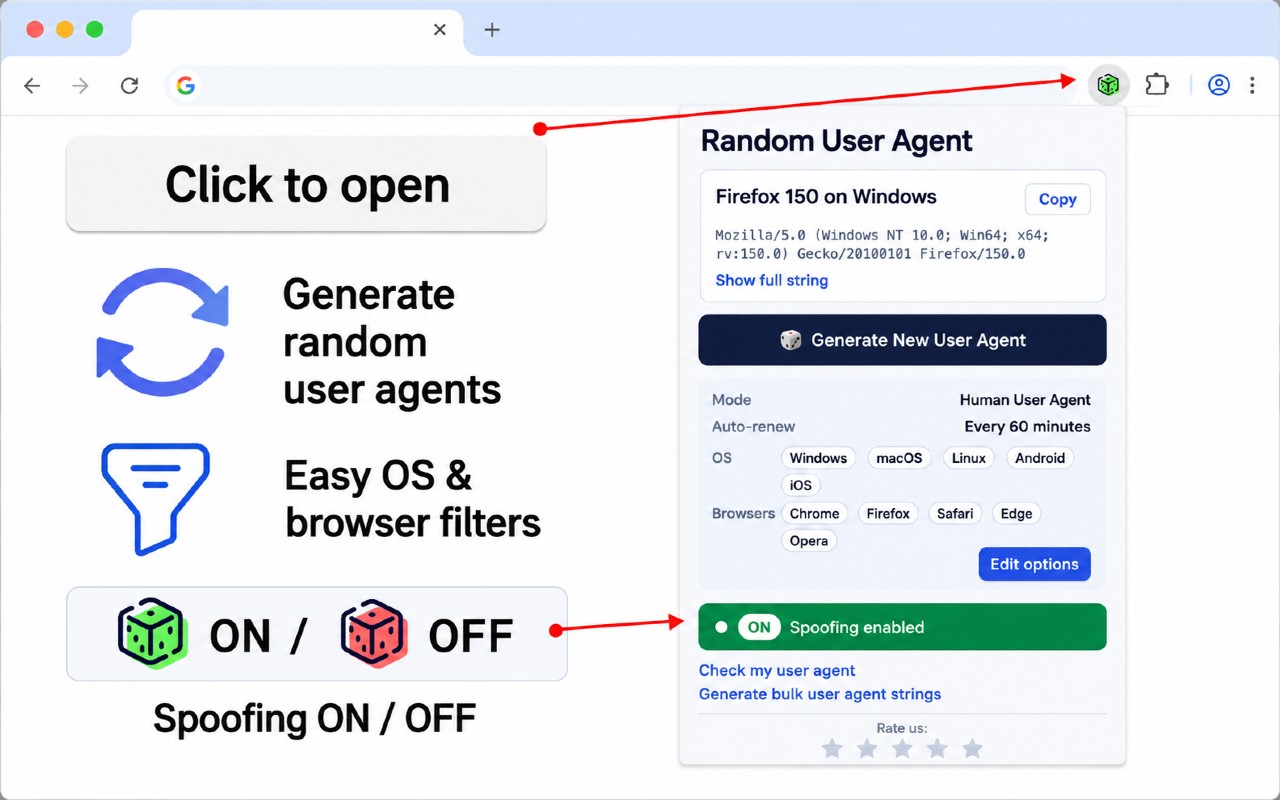
What it does
Permissions and access
Taken from the extension's own manifest file inside the package. The store listing does not spell this out, so it is worth reading before you install.
| Permission | What it allows |
|---|---|
activeTab | Access the current tab when you click the extension |
alarms | Schedule background tasks |
declarativeNetRequest | Block or modify network requests |
scripting | Run its own code on pages |
storage | Store its own settings and data |
Requests 5 permissions — extensions doing the same job average 6.8.
Technical details
Show all 52 languages
Description
The Random User Agent extension generates random user agent strings with a single click, helping you protect your privacy and test websites across different browsers and devices without installing them. A user agent is a text string your browser sends to websites, revealing your browser type, version, operating system, device specifications, and rendering engine. By frequently changing this identity, you can prevent websites from tracking your browsing habits, bypass geo-restrictions, avoid browser fingerprinting, and access region-specific content.
Features
- One-click random agent generator: Instantly generates a random user agent string for any purpose, such as privacy or testing. Useful when you need a quick identity change without navigating complex settings.
- Scheduled rotation: Set the extension to automatically switch user agents at regular intervals, e.g., every 10 minutes. Ideal for maintaining continuous anonymity during extended browsing sessions or automated testing.
- Custom profiles: Spoof your user agent to appear as a desktop or mobile device, or a specific OS, browser, or device category. This is helpful for testing responsive web designs or accessing mobile-only content from a desktop.
- Predefined categories: Choose from a comprehensive database of user agent strings organized by operating system, device type, or browser. Saves time when you need a specific identity, like simulating an iPhone Safari browser.
- Detailed UA information display: Shows your current user agent string and its parsed details, answering the question "what is my user agent?" Useful for developers debugging how a website interprets their browser.
- Advanced configuration: Set user agent strings based on specific websites, create rotation patterns, or define custom browser identities. For example, you can configure the extension to use a mobile user agent only on certain sites that restrict desktop access.
- Custom user agent creation with random option: Manually input a custom user agent string or let the extension generate a random one that fits a pattern you define. This gives power users fine-grained control over their identity.
The extension works seamlessly across Chrome on Windows, macOS, and Linux, and does not collect your data or track browsing habits. It is especially valuable for web developers testing responsive designs across virtual devices, privacy-conscious individuals avoiding tracking, marketers checking geo-targeted content, and anyone needing to bypass simple site restrictions or access region-specific offers. To get started, install the extension, click its icon, enable random generation mode, customize settings, and enjoy enhanced privacy and testing capabilities.
Extensions that do the same job
Matched by what these extensions actually do, not by store category, and sorted so the ones asking for the least access come first.
| Extension | Site access | Permissions | Users | Rating |
|---|---|---|---|---|
| Random User Agent — this page | All sites | 5 | 10K | 4.3★ |
| User Agent Switcher | All sites | 5 | 100K | 4.1★ |
| MEGA | Limited | 2 | 1M | 4.3★ |
| Virtru Email Protection | Limited | 2 | 700K | 3.9★ |
| Plugins | Limited | 3 | 400K | 3.8★ |
| Figma | Limited | 4 | 200K | 4.2★ |
| Privacy Extension For WhatsApp Web - WABULK | Limited | 4 | 200K | 4.7★ |
Want the same thing with less access? MEGA, Virtru Email Protection, Plugins ask for fewer permissions than this one.
Store data last checked August 14, 2026.