
User Agent Switcher
Switch between user agent strings with one click to spoof other browsers or devices.
What it does
Permissions and access
Taken from the extension's own manifest file inside the package. The store listing does not spell this out, so it is worth reading before you install.
| Permission | What it allows |
|---|---|
declarativeNetRequest | Block or modify network requests |
offscreen | Run hidden pages for background work |
storage | Store its own settings and data |
tabs | See the addresses and titles of your open tabs |
unlimitedStorage | Store unlimited data on your computer |
Requests 5 permissions — extensions doing the same job average 6.7.
Technical details
Show all 32 languages
Description
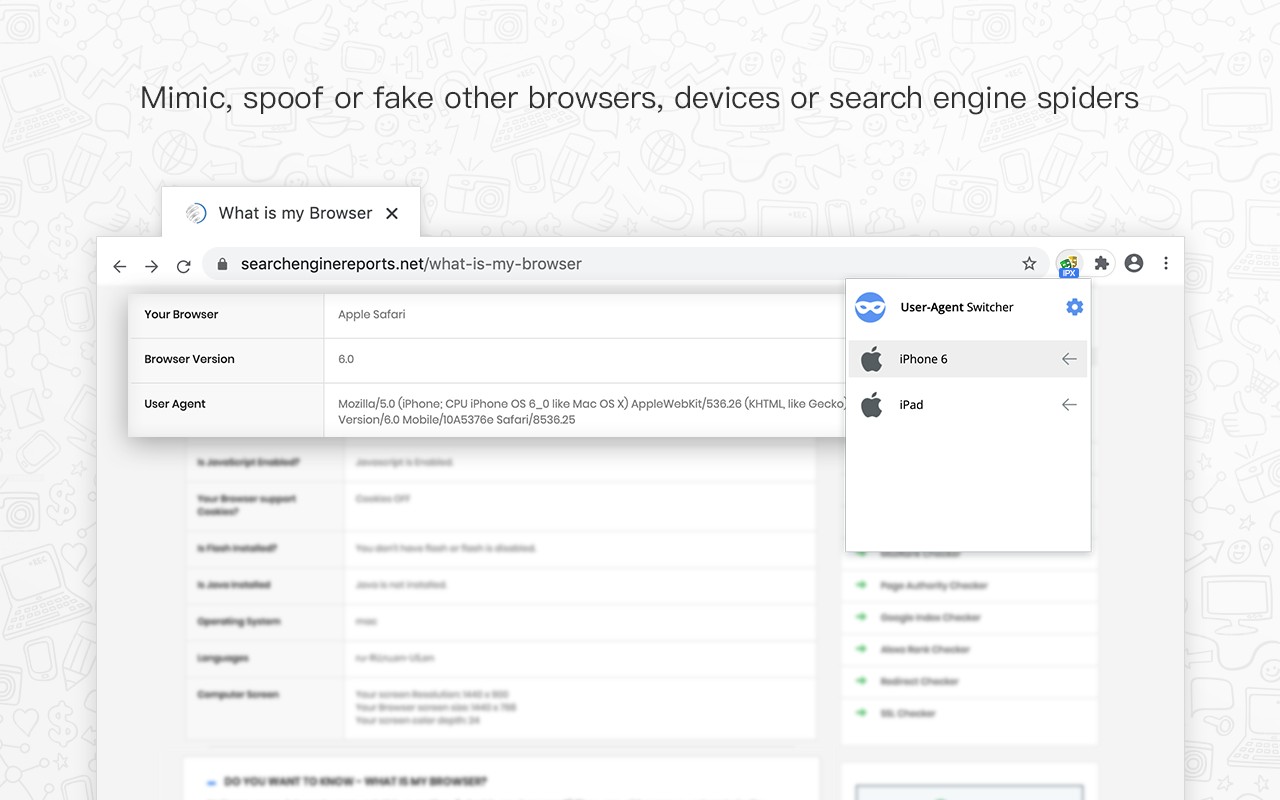
User Agent Switcher is a straightforward yet powerful browser extension that lets you change your browser's user agent string with a single click. The user agent is a small piece of text sent with every web request, identifying your browser and operating system. Websites often use this information to serve different content-for example, showing a mobile-optimized layout to iPhone or Android users. By switching user agents, you can mimic other browsers, devices, or even search engine spiders, enabling you to test how sites appear across platforms or access content that might otherwise be restricted.
Key Features
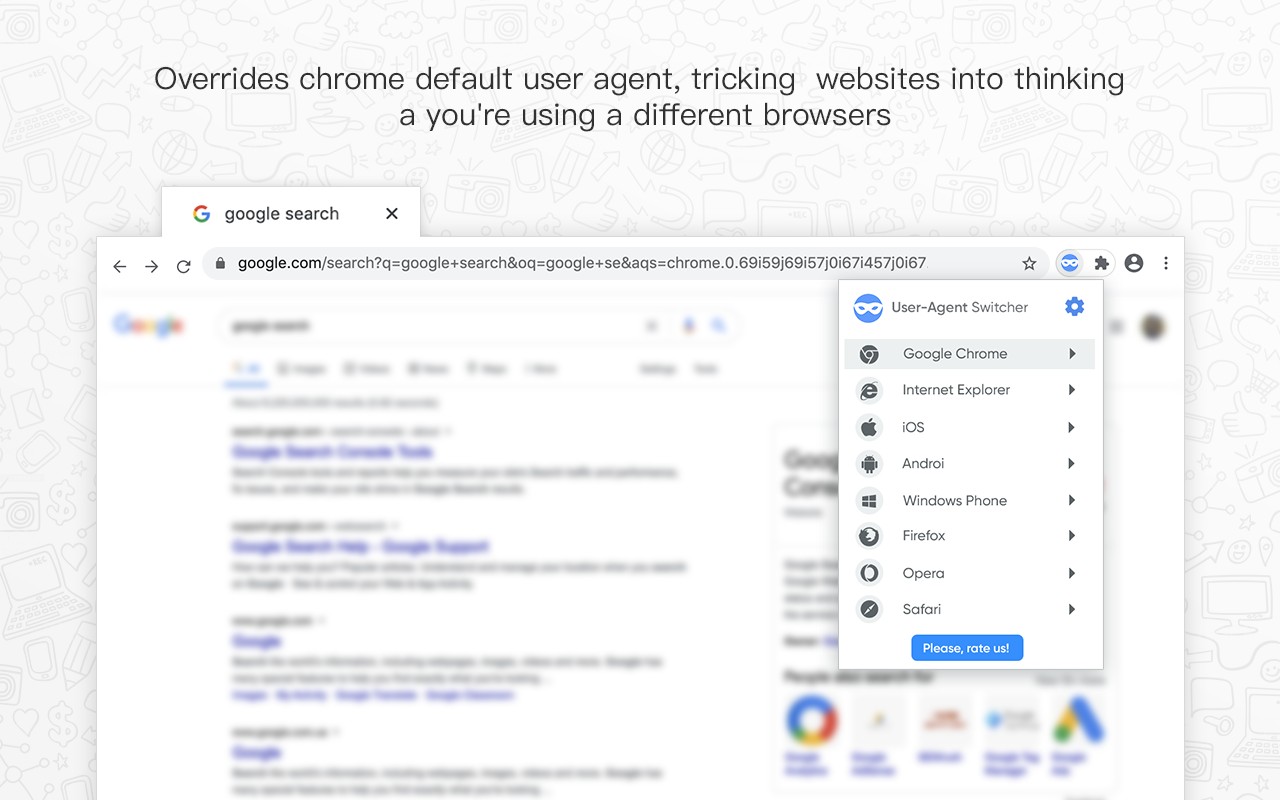
- One-Click User Agent Switching: The extension adds a toolbar button that opens a dropdown menu. From there, you can instantly select from a list of commonly used user agent strings, such as those for Chrome, Firefox, Safari, Internet Explorer, various mobile devices, and search engine bots. This makes it easy to switch on the fly without navigating through settings menus.
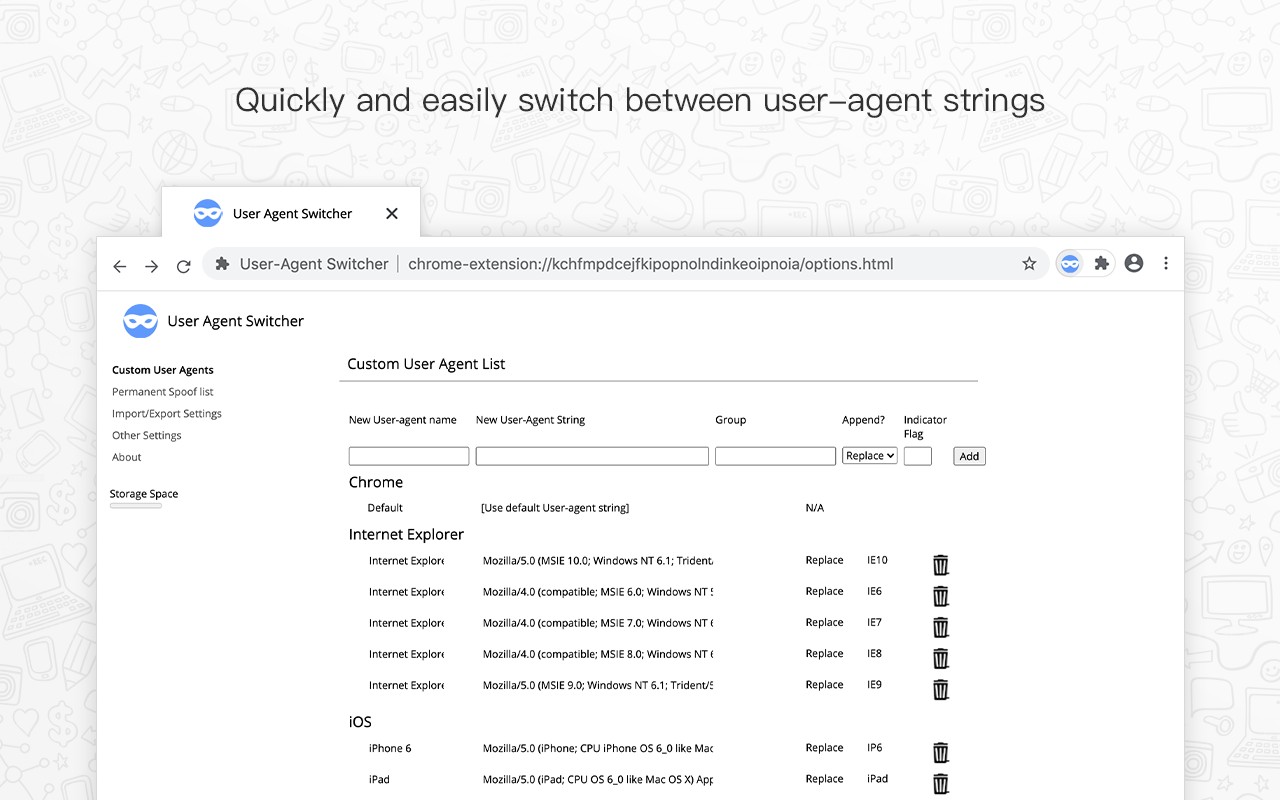
- Custom User Agent Strings: Beyond the preset options, you can enter any custom user agent string manually. This is useful for testing specific browser versions or obscure devices that are not in the default list.
- Per-URL Spoofing: You can configure the extension to automatically spoof a particular user agent for specific websites. For example, you might always want to appear as a mobile device when visiting a news site that has a mobile version, or as a search engine bot when accessing a site that blocks certain user agents. This feature saves time by applying the spoof automatically every time you visit those URLs.
- Persistent Spoofing: Once you select a user agent, it remains active across all tabs until you change it back. This ensures consistent behavior during a browsing session.
- Clearing Cookies on Switch: If you encounter issues after switching user agents-such as a site not reverting to the desktop version even after changing back to a desktop user agent-the extension can help by clearing cookies for that site. This is important because some websites cache the layout based on the initial user agent and require a fresh session to recognize the change.
This extension is particularly useful for web developers who need to test responsive designs across different devices without having to own each device. It can also help users access content that is blocked based on browser detection, or simply browse the web with a different identity. However, note that some sites may behave unexpectedly after switching user agents, and clearing cookies may be necessary to restore normal functionality.
Extensions that do the same job
Matched by what these extensions actually do, not by store category, and sorted so the ones asking for the least access come first.
| Extension | Site access | Permissions | Users | Rating |
|---|---|---|---|---|
| User Agent Switcher — this page | All sites | 5 | 100K | 4.1★ |
| MEGA | Limited | 2 | 1M | 4.3★ |
| Virtru Email Protection | Limited | 2 | 700K | 3.9★ |
| Plugins | Limited | 3 | 400K | 3.8★ |
| Figma | Limited | 4 | 200K | 4.2★ |
| Privacy Extension For WhatsApp Web - WABULK | Limited | 4 | 200K | 4.7★ |
| GitZip for github | Limited | 2 | 100K | 4.1★ |
Want the same thing with less access? MEGA, Virtru Email Protection, Plugins ask for fewer permissions than this one.
Store data last checked August 14, 2026.