
Tab Session - history, tabs and bookmarks
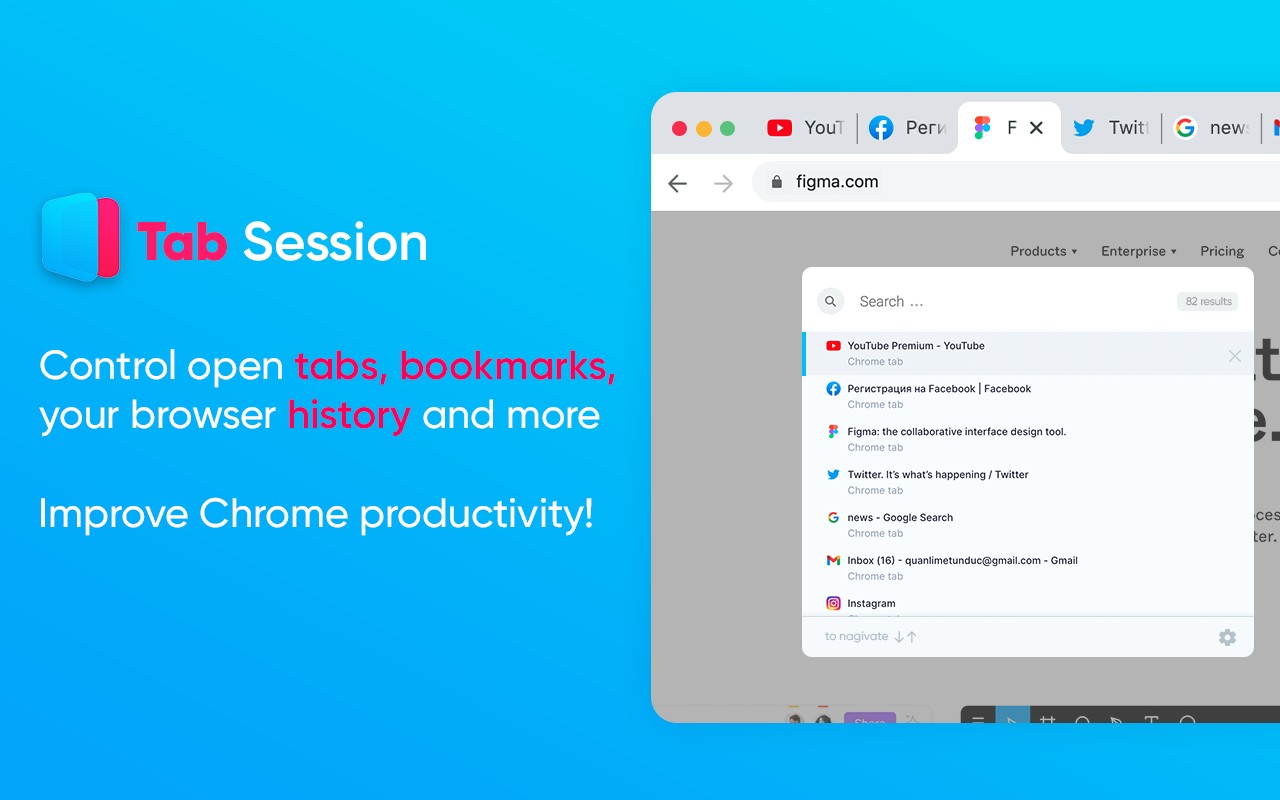
Tab Session lets you save and close tabs, search history, manage bookmarks, and reuse tabs for a more organized
What it does
Permissions and access
Taken from the extension's own manifest file inside the package. The store listing does not spell this out, so it is worth reading before you install.
| Permission | What it allows |
|---|---|
activeTab | Access the current tab when you click the extension |
alarms | Schedule background tasks |
bookmarks | Read and change your bookmarks |
browsingData | Clear your browsing data |
history | Read and change your browsing history |
scripting | Run its own code on pages |
search | Run searches in your default search engine |
storage | Store its own settings and data |
tabs | See the addresses and titles of your open tabs |
Requests 9 permissions — extensions doing the same job average 4.6.
Technical details
Keyboard shortcuts
| Shortcut | Action |
|---|---|
| Ctrl+Shift+K | Open command menu |
Description
Tab Session is a Chrome extension designed to boost your browsing efficiency by giving you enhanced control over tabs, bookmarks, and history. Instead of letting your browser become cluttered with many open tabs, you can use Tab Session to save and close entire windows or individual tabs, freeing up resources and helping you focus on a single task at a time. This is especially useful when you have a set of tabs you want to revisit later but don't want to add them to your bookmarks to avoid clutter. Tab Session acts as a temporary storage for those tabs, allowing you to restore them when needed.
Features
- Save and close an entire window: If you need to switch contexts completely, you can save all tabs in the current window and close them. Later, you can restore the entire session with one click, making it ideal for project-based work or research sessions.
- Search your browsing history: Quickly find a previously visited page by searching through your history directly from the extension popup. This saves time compared to digging through the browser's native history interface.
- Control your bookmarks from the extension: Manage your bookmarks without navigating to the bookmark manager. You can add, remove, or open bookmarks directly from the extension, streamlining your workflow.
- Switch, open, close, or search your browser tabs: Get a full overview of all open tabs in a list. From there, you can switch to a specific tab, close unwanted ones, open new tabs, or search through your tabs by title or URL. This is particularly helpful when you have many tabs open and need to find a specific one quickly.
- Open multiple links in a single click: Select a group of links (e.g., from a list or search results) and open them all at once in new tabs. This feature accelerates tasks like opening multiple articles or resources simultaneously.
- Collect a list of web pages: You can gather pages from various categories like design, photo, code, or common web apps (Google Docs, Gmail, Google Translate, etc.) into a saved session. This is useful for recurring workflows where you need the same set of pages for a specific task.
- Tab recycling: When opening a new page, the extension can reuse an existing empty tab instead of creating a new one. This reduces the number of tabs and speeds up the browsing experience by avoiding unnecessary tab creation.
Tab Session is completely free to use with no hidden costs. It integrates seamlessly into your browser, providing a lightweight but powerful tool for managing your online activities. Whether you're a researcher, developer, or casual user, Tab Session helps keep your browsing organized and efficient.
Extensions that do the same job
Matched by what these extensions actually do, not by store category, and sorted so the ones asking for the least access come first.
| Extension | Site access | Permissions | Users | Rating |
|---|---|---|---|---|
| Tab Session - history, tabs and bookmarks — this page | All sites | 9 | 1K | 3.3★ |
| ChromeTabsPlus | Limited | 3 | 1K | 3.1★ |
| Toby: Tab Management Tool | Limited | 5 | 300K | 4.2★ |
| Tabs Outliner | Limited | 6 | 100K | 4.4★ |
| Open Multiple URLs | Limited | 3 | 700K | 4.7★ |
| Plugins | Limited | 3 | 400K | 3.8★ |
| Extensity | Limited | 2 | 200K | 4.8★ |
Want the same thing with less access? ChromeTabsPlus, Open Multiple URLs, Plugins ask for fewer permissions than this one.
Store data last checked August 14, 2026.