
Tab manager
Organize Chrome tabs into tiled sub-windows with saveable layouts.
What it does
Permissions and access
Taken from the extension's own manifest file inside the package. The store listing does not spell this out, so it is worth reading before you install.
| Permission | What it allows |
|---|---|
alarms | Schedule background tasks |
contextMenus | Add items to the right-click menu |
sidePanel | Show a panel beside the page |
storage | Store its own settings and data |
tabs | See the addresses and titles of your open tabs |
webNavigation | See which pages you navigate to |
Requests 6 permissions — extensions doing the same job average 4.5.
Technical details
Show all 43 languages
Keyboard shortcuts
| Shortcut | Action |
|---|---|
| Alt+Shift+Down | Hide/Show Layout |
| Alt+Shift+Up | New/Close Layout |
| Alt+Shift+Left | Refresh Layout |
| Alt+Shift+Right | Toggle Toolbars |
Description
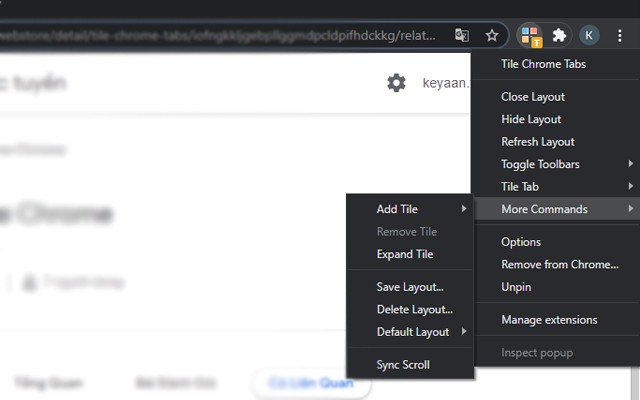
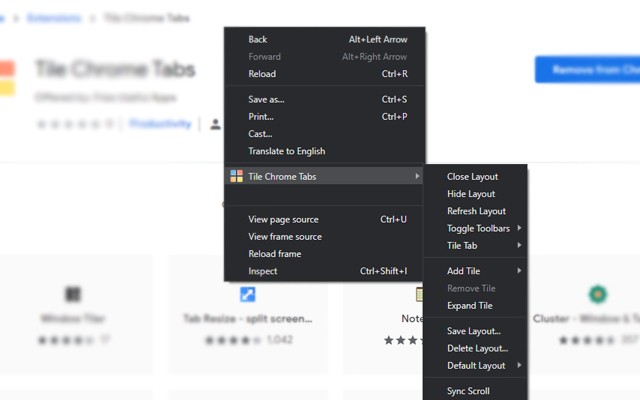
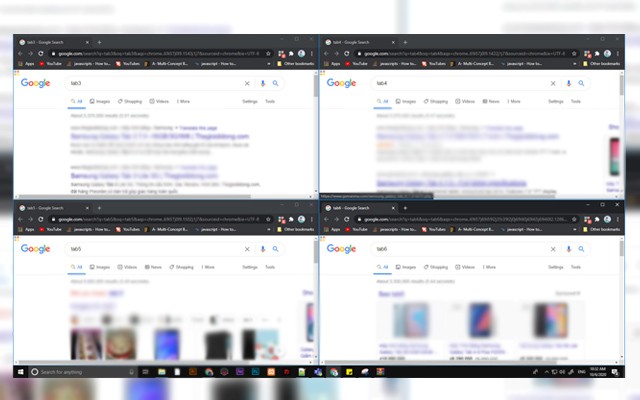
Tab Manager lets you organize your Chrome tabs into tiled sub-windows, making it easier to view and manage multiple pages at once. You can take tabs from any parent window and arrange them in a grid layout within separate sub-windows, helping you keep your workspace tidy and efficient. This is especially useful when you're researching multiple topics, comparing products, or monitoring live data feeds, as you can see all relevant tabs simultaneously without constantly switching between them.
Key Features
- Tile Tabs in Grid Layouts: Arrange your open tabs into a tiled grid within sub-windows. You can choose the number of columns and rows to fit your screen and workflow. For example, you can set up a 2x2 grid to monitor four different dashboards at once.
- Save and Reopen Layouts: Once you've arranged your tabs into a layout, you can save that layout for later use. This is handy for recurring tasks like checking daily reports, managing social media accounts, or tracking project boards. You can quickly reopen the saved layout without manually rearranging tabs each time.
- Move Tabs Between Windows: Easily drag tabs from a parent window into a tiled sub-window, or move them between different sub-windows. This gives you full control over which tabs appear where, allowing you to group related tabs together.
- Open Source (GPL v2): The extension is distributed under the GNU General Public License version 2, meaning you can review the source code, modify it, and redistribute it under the same license. This ensures transparency and community-driven improvements.
Tab Manager is designed for users who need to keep many tabs organized and visible at the same time. Whether you're a developer debugging multiple pages, a student researching for a paper, or a professional monitoring several live tools, this extension helps you reduce clutter and boost productivity by turning your browser into a multi-window workspace.
Extensions that do the same job
Matched by what these extensions actually do, not by store category, and sorted so the ones asking for the least access come first.
| Extension | Site access | Permissions | Users | Rating |
|---|---|---|---|---|
| Tab manager — this page | All sites | 6 | 2K | 3.0★ |
| Open Multiple URLs | Limited | 3 | 700K | 4.7★ |
| Plugins | Limited | 3 | 400K | 3.8★ |
| Extensity | Limited | 2 | 200K | 4.8★ |
| Split Screen for Google Chrome | Limited | 4 | 200K | 3.7★ |
| Genie - Extemp, Congress, Debate | Limited | 3 | 20K | 4.7★ |
| ChromeTabsPlus | Limited | 3 | 1K | 3.1★ |
Want the same thing with less access? Open Multiple URLs, Plugins, Extensity ask for fewer permissions than this one.
Store data last checked August 14, 2026.