
Tab Manager in Side Panel
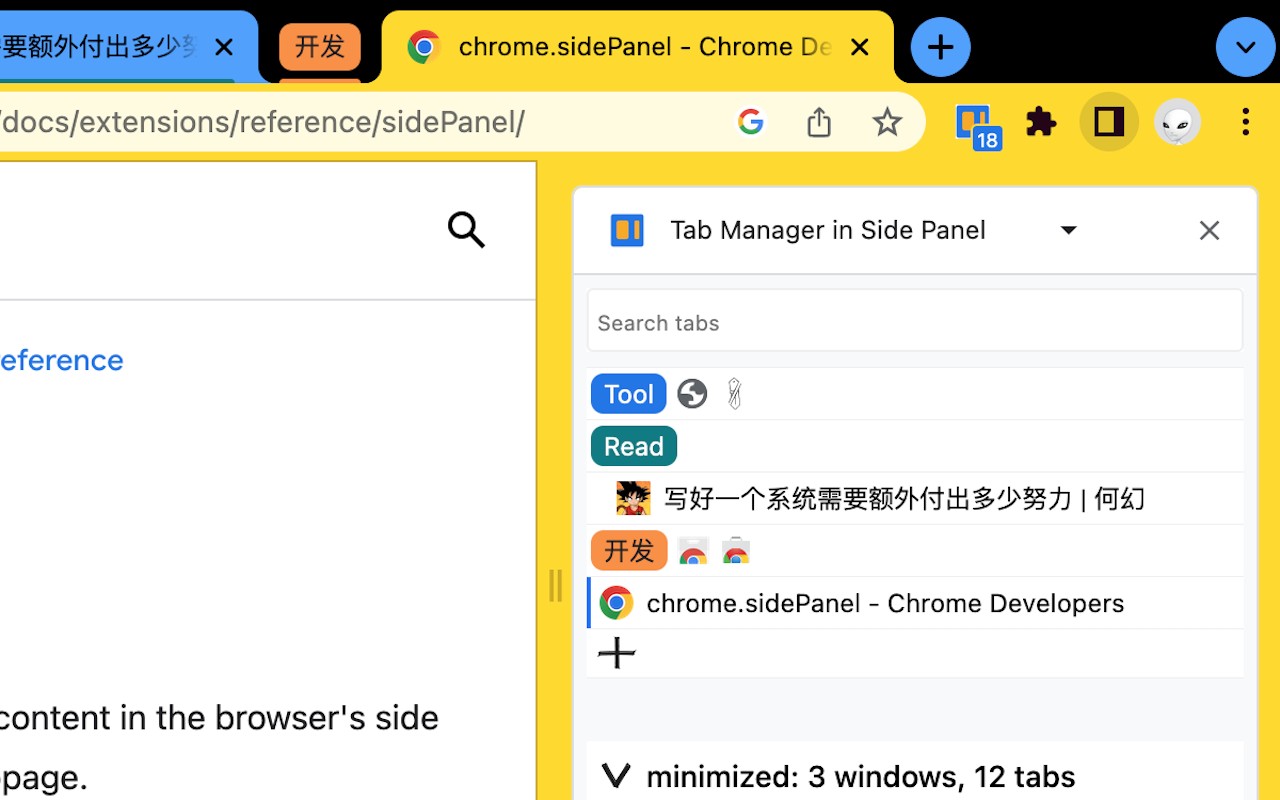
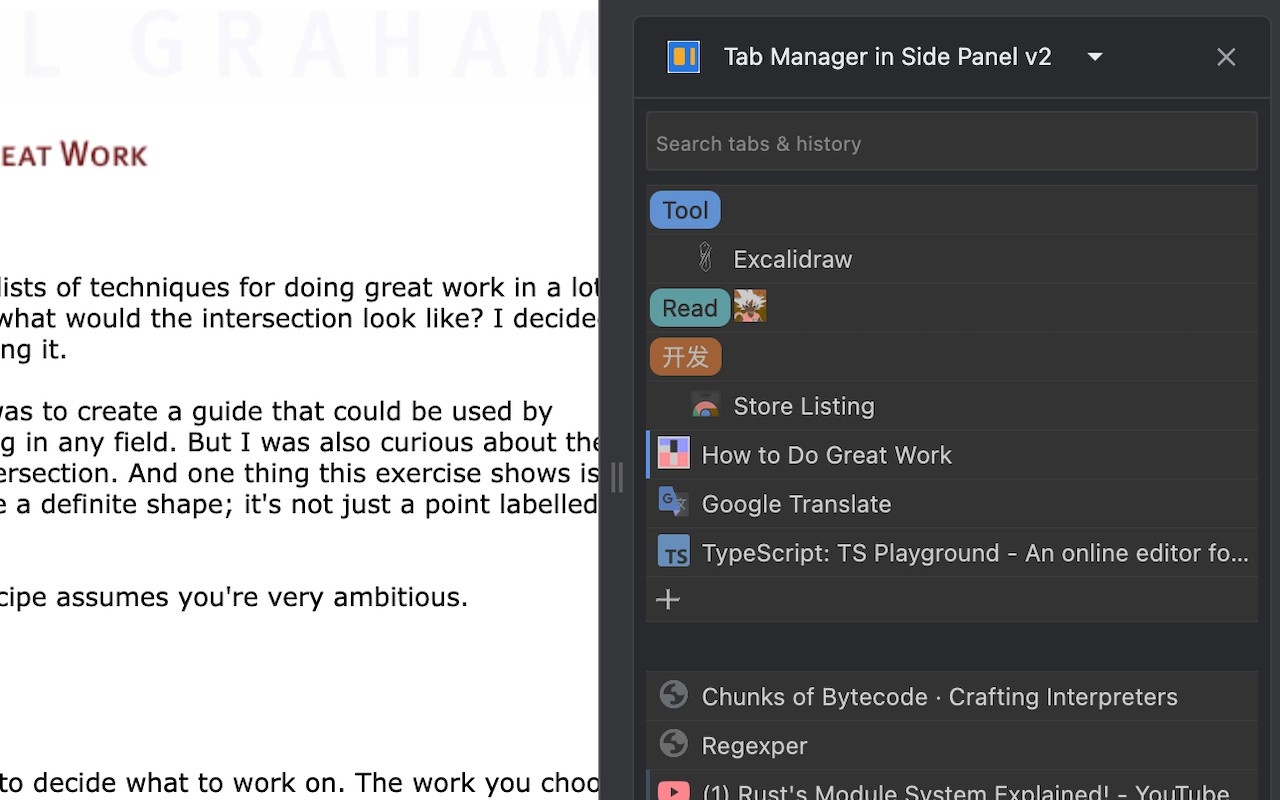
Manage all your tabs across windows from the side panel with search, tree grouping, drag-and-drop, and keyboard
What it does
Permissions and access
Taken from the extension's own manifest file inside the package. The store listing does not spell this out, so it is worth reading before you install.
| Permission | What it allows |
|---|---|
favicon | Read site icons |
history | Read and change your browsing history |
sidePanel | Show a panel beside the page |
storage | Store its own settings and data |
tabGroups | Manage tab groups |
tabs | See the addresses and titles of your open tabs |
Requests 6 permissions — extensions doing the same job average 4.5.
Technical details
Description
Tab Manager in Side Panel is a Chrome extension that lives in the browser's side panel, providing an intuitive interface to manage all your tabs across multiple windows. It enhances the built-in tab management features with additional tools for searching, organizing, and navigating tabs efficiently. This extension is particularly useful for users who frequently work with many open tabs and need a streamlined way to find, create, close, and rearrange them without cluttering the main browser window.
Key Features
- Search Tabs and History: Quickly locate any open tab or recently visited page by typing keywords into the search bar. This is helpful when you have dozens of tabs open and need to switch to a specific one without manually scanning through each window.
- Recent Tabs Display: Shows the 7 most recently accessed tabs for instant access. This feature is useful when you frequently switch between a small set of tabs and want to avoid searching repeatedly.
- One-Click New Adjacent Child Tab: Create a new tab that becomes a child of the currently selected tab, placing it directly to the right. This helps in grouping related tabs together, such as when researching a topic and opening linked pages.
- Tab Grouping with Auto-Group: Tabs that are not part of a manual group are automatically organized into a one-level tree structure based on parent-child relationships. You can close all tabs in the same tree by holding Alt and clicking the close icon on the parent tab. This is useful for quickly discarding a set of temporary tabs related to a single task.
- Navigate Across Windows: Click any tab in the side panel to switch to it, regardless of which window it resides in. Even if the tab is inside a collapsed group, the extension will expand the group and focus the tab. This saves time when managing tabs spread across multiple windows.
- Collapse and Expand Tab Groups: Collapse or expand all tab groups in the same window with a single click, or toggle individual groups. This helps reduce visual clutter when you have many groups, allowing you to focus on specific sets of tabs.
- Keyboard Navigation: Use Tab and Shift+Tab to move through the tab list, and press Enter to switch to the highlighted tab. This provides a hands-on-keyboard workflow for power users who prefer not to use the mouse.
- Drag and Drop Organization: Rearrange tabs and tab groups by dragging them to new positions within the panel. This allows you to customize the order of tabs and groups to match your workflow, such as moving important tabs to the top.
- Customizable Shortcuts and Appearance: You can set keyboard shortcuts for the extension via chrome://extensions/shortcuts, and adjust the side panel's position (left or right), font size, and page zoom through chrome://settings/appearance. This integrates with Chrome's native settings for a consistent experience.
Tab Manager in Side Panel is designed for users who need a lightweight, fast, and easy-to-use tool to manage multiple tabs across multiple windows. It helps reduce clutter and improve productivity by providing quick access to tab search, recent tabs, tree-style grouping, and drag-and-drop organization. Whether you are a researcher, developer, or anyone who works with many tabs, this extension simplifies tab management directly from the side panel.
Extensions that do the same job
Matched by what these extensions actually do, not by store category, and sorted so the ones asking for the least access come first.
| Extension | Site access | Permissions | Users | Rating |
|---|---|---|---|---|
| Tab Manager in Side Panel — this page | Limited | 6 | 1K | 4.5★ |
| Open Multiple URLs | Limited | 3 | 700K | 4.7★ |
| Plugins | Limited | 3 | 400K | 3.8★ |
| Extensity | Limited | 2 | 200K | 4.8★ |
| Split Screen for Google Chrome | Limited | 4 | 200K | 3.7★ |
| Genie - Extemp, Congress, Debate | Limited | 3 | 20K | 4.7★ |
| ChromeTabsPlus | Limited | 3 | 1K | 3.1★ |
Want the same thing with less access? Open Multiple URLs, Plugins, Extensity ask for fewer permissions than this one.
Store data last checked August 14, 2026.