
Print button extension
Adds a toolbar button to open the browser print dialog with one click.
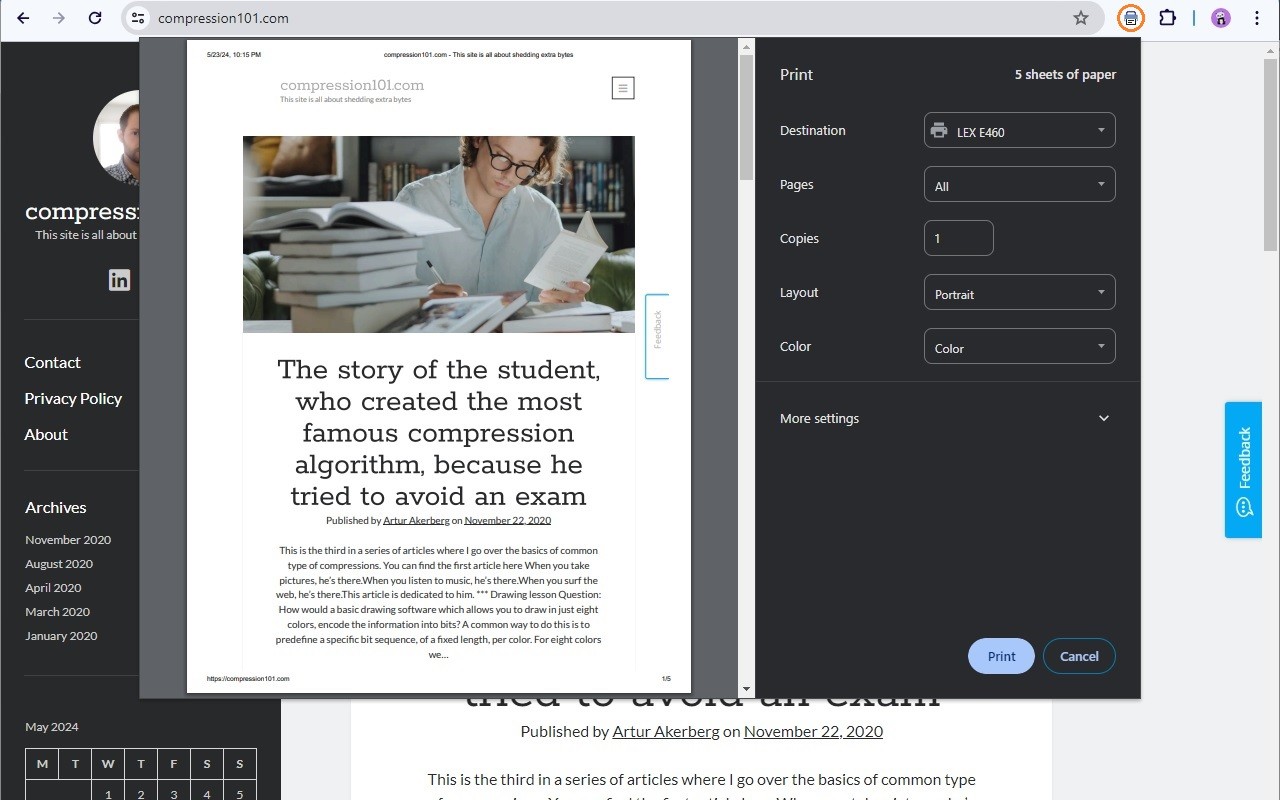
What it does
Permissions and access
Taken from the extension's own manifest file inside the package. The store listing does not spell this out, so it is worth reading before you install.
| Permission | What it allows |
|---|---|
activeTab | Access the current tab when you click the extension |
management | See and manage your other extensions |
scripting | Run its own code on pages |
storage | Store its own settings and data |
tabs | See the addresses and titles of your open tabs |
Requests 5 permissions — extensions doing the same job average 4.5.
Technical details
Show all 51 languages
Description
The Print button extension adds a dedicated shortcut to the browser's print dialog, replicating the functionality of pressing Ctrl+P (Windows) or Cmd+P (Mac). It is designed to improve accessibility and convenience, especially on touch-screen devices where keyboard shortcuts are not available, or for users who prefer mouse-based interactions. The extension does not alter the print output-it triggers the standard browser print window, ensuring identical results as the keyboard shortcut.
Key Features
- One-click access to the print dialog: Click the extension icon to open the print window without navigating through menus or remembering keyboard shortcuts. This is particularly useful on tablets, kiosks, or any setup where a physical keyboard is absent.
- Touch-screen friendly: The button provides a large, easy-to-tap target for touch interfaces, reducing the need for precise gestures or external keyboards.
- Mouse-centric workflow: For users who rely primarily on a mouse, the extension eliminates the need to switch between keyboard and mouse, streamlining the printing process.
- No customization or bloat: The extension is intentionally minimal-it has no settings, options, or additional features. It simply adds a print button, preserving the original print behavior without modifications.
Note that the extension only works on standard web pages; it cannot be used on PDF files opened in the browser or on the Chrome Web Store pages, as these are restricted areas for extensions. To set it up, click the puzzle icon (extensions menu) next to the address bar, find the Print button extension, and click the pin icon to keep it visible on the toolbar for quick access.
Extensions that do the same job
Matched by what these extensions actually do, not by store category, and sorted so the ones asking for the least access come first.
| Extension | Site access | Permissions | Users | Rating |
|---|---|---|---|---|
| Print button extension — this page | All sites | 5 | 2K | 4.8★ |
| Allow Right-Click | Limited | 5 | 400K | 4.3★ |
| Allow Copy - Select & Enable Right Click | All sites | 2 | 200K | 4.4★ |
| HeadingsMap | All sites | 3 | 100K | 4.5★ |
| Screen Ruler - Measure and Inspect the Web | Limited | 8 | 50K | 4.4★ |
| Talkie: text-to-speech (TTS) | Limited | 5 | 30K | 3.6★ |
| Stark Accessibility Checker | All sites | 3 | 20K | 3.8★ |
Want the same thing with less access? Allow Right-Click, Allow Copy - Select & Enable Right Click, HeadingsMap ask for fewer permissions than this one.
Store data last checked August 14, 2026.