
Stark Accessibility Checker
Browser extension for automated accessibility checks, contrast analysis, vision simulation, and compliance fixes.
What it does
Permissions and access
Taken from the extension's own manifest file inside the package. The store listing does not spell this out, so it is worth reading before you install.
| Permission | What it allows |
|---|---|
activeTab | Access the current tab when you click the extension |
scripting | Run its own code on pages |
storage | Store its own settings and data |
Requests 3 permissions — extensions doing the same job average 4.8.
Technical details
Description
Stark Accessibility Checker is a browser extension designed to help teams identify and resolve accessibility compliance issues efficiently. It combines automated checks, smart suggestions, and a suite of integrated tools to streamline the accessibility workflow for designers, engineers, project managers, and QA experts. Whether you are building a website, an online shop, a mobile app, or a SaaS product, Stark provides both manual and automated capabilities to make software accessible from the start or to fix existing issues.
Key Features
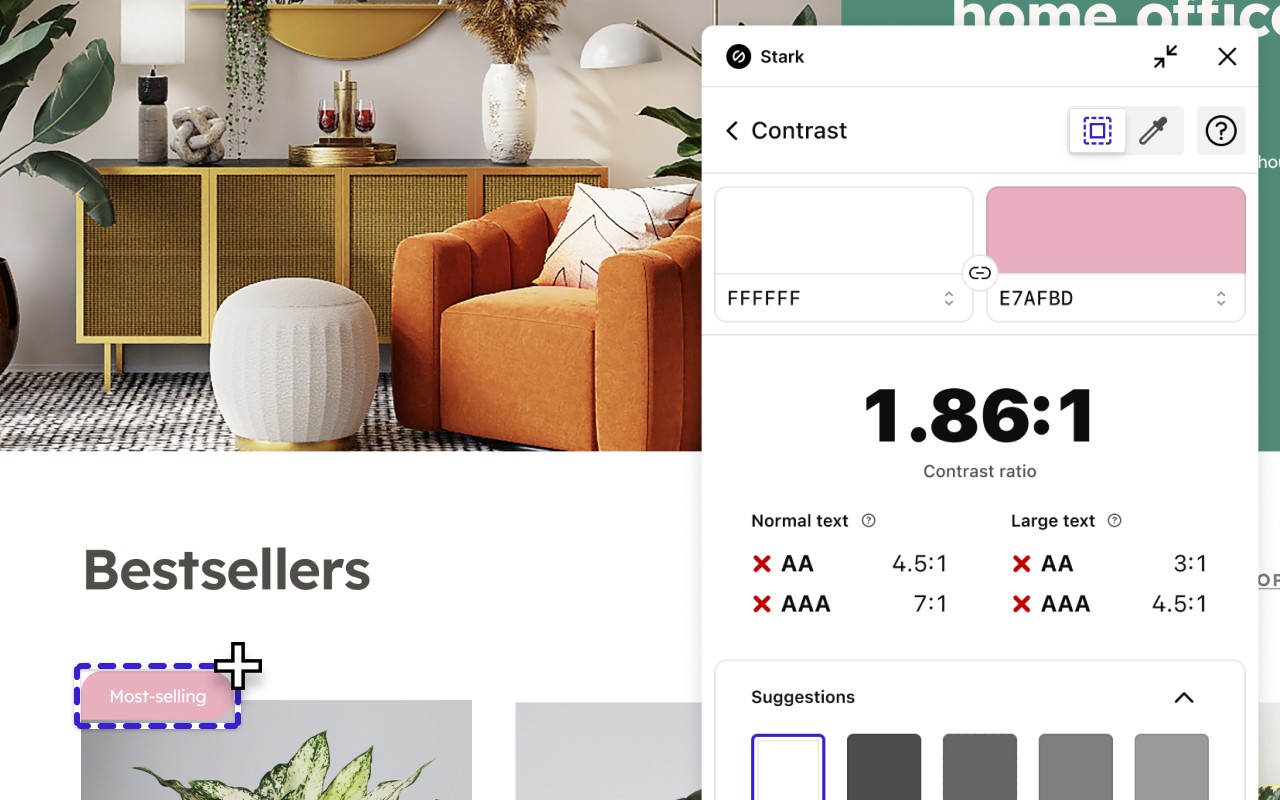
- Contrast Checker with Color Suggestions: Verify color contrast ratios against WCAG AA or AAA standards. The tool offers intelligent color suggestions to help you adjust your palette and meet compliance requirements without manual trial and error.
- Vision Simulator: Preview how your design appears to users with various visual impairments, including 4 types of color blindness and 6 other forms of reduced vision. This helps you understand real-world accessibility challenges before deployment.
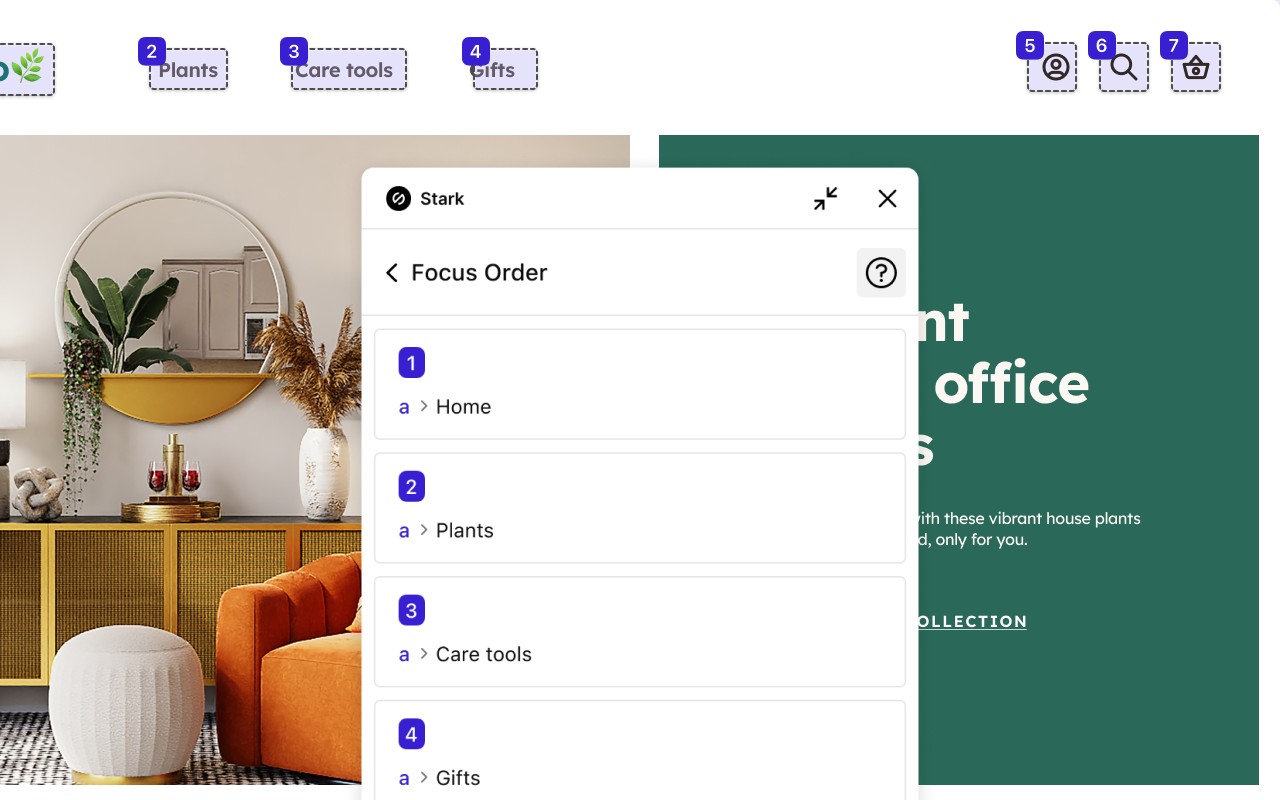
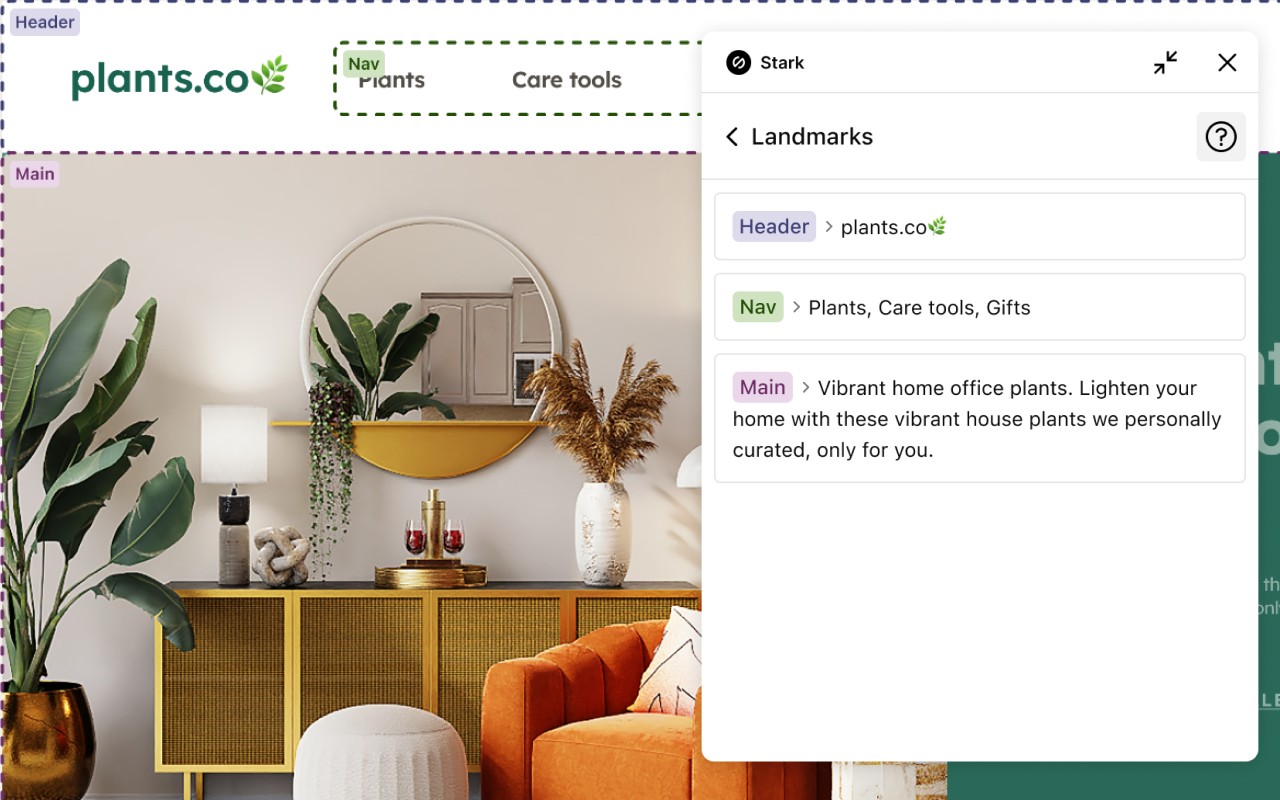
- Landmarks and Focus Order: Define and visualize landmarks and the tab order in your design. This ensures that screen reader users can navigate your product logically and efficiently, which is critical for keyboard accessibility.
- Alt-Text Annotations: Receive actionable guidance for writing effective alt text that is optimized for screen readers and search engines like Google. The tool also identifies decorative images where alt text is unnecessary, saving time and improving SEO.
- Typography Analysis: Evaluate font legibility and readability for different vision types. This feature checks parameters like size, weight, and spacing to ensure text is accessible to users with low vision or reading difficulties.
- Touch Targets: Analyze the size and spacing of interactive elements to ensure they meet minimum touch target recommendations. This is essential for mobile interfaces and users with motor impairments, reducing accidental taps and improving usability.
- Live Preview: All changes made within Stark-such as contrast updates, color adjustments, or font size modifications-are reflected instantly in your live code. This real-time feedback loop accelerates testing and iteration without switching tools.
By integrating these features into a single extension, Stark helps teams move from manual spreadsheet tracking and expensive retrofitting to a proactive, automated compliance process. The goal is to achieve long-term, sustained accessibility compliance faster and with less effort.
Extensions that do the same job
Matched by what these extensions actually do, not by store category, and sorted so the ones asking for the least access come first.
| Extension | Site access | Permissions | Users | Rating |
|---|---|---|---|---|
| Stark Accessibility Checker — this page | All sites | 3 | 20K | 3.8★ |
| Allow Right-Click | Limited | 5 | 400K | 4.3★ |
| Allow Copy - Select & Enable Right Click | All sites | 2 | 200K | 4.4★ |
| HeadingsMap | All sites | 3 | 100K | 4.5★ |
| Screen Ruler - Measure and Inspect the Web | Limited | 8 | 50K | 4.4★ |
| Talkie: text-to-speech (TTS) | Limited | 5 | 30K | 3.6★ |
| Paper To Audio | All sites | 2 | 1K | 4.1★ |
Store data last checked August 14, 2026.