
Fast Scroll
A lightweight extension that increases browser scrolling speed with customizable distance, duration, and trigger
What it does
Permissions and access
Taken from the extension's own manifest file inside the package. The store listing does not spell this out, so it is worth reading before you install.
| Permission | What it allows |
|---|---|
activeTab | Access the current tab when you click the extension |
scripting | Run its own code on pages |
storage | Store its own settings and data |
Requests 3 permissions — extensions doing the same job average 3.0.
Technical details
Description
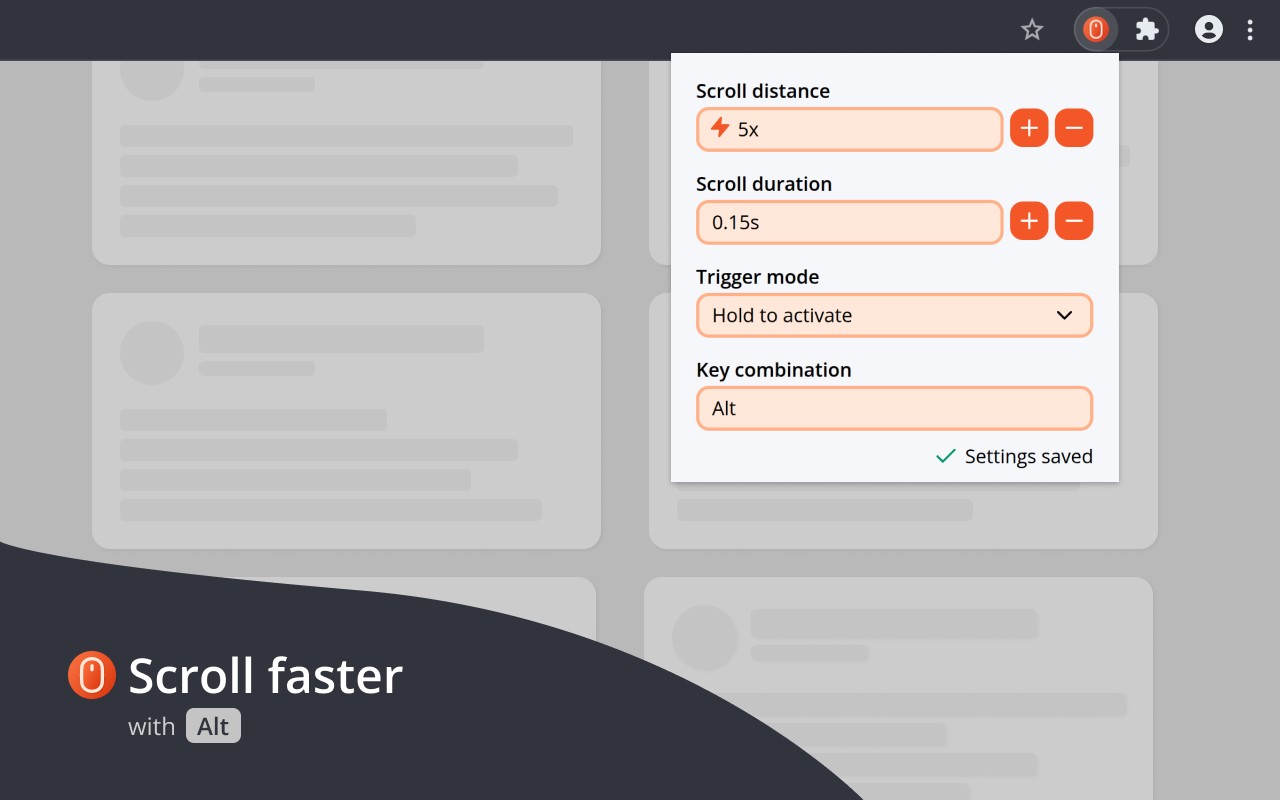
Fast Scroll is a lightweight browser extension designed to enhance your scrolling experience by allowing you to navigate through web pages more quickly. It is particularly useful for long articles, documentation pages, social media feeds, or any content where you frequently need to move between sections, jump to the bottom, or return to the top. By default, you hold the Alt key while scrolling to activate the custom speed, making it easy to use without interfering with normal scrolling behavior.
Key Features
- Custom Scroll Distance and Duration: You can adjust how far each scroll moves (the distance multiplier) and how long each scroll takes. This gives you fine-grained control over the speed and feel of accelerated scrolling. For example, you can set a high distance multiplier for quickly skimming through a long page, or a longer duration for smoother, more controlled movement.
- Flexible Trigger Modes: Choose when the custom speed is applied. Options include always-on, only when a modifier key is held, or based on other conditions. This allows you to keep normal scrolling for casual browsing and activate fast scrolling only when needed.
- Configurable Key Combination: Instead of the default Alt key, you can set any combination of keys (e.g., Ctrl+Shift, or a single key) to activate the custom speed. This is helpful if Alt conflicts with other shortcuts or if you prefer a different trigger.
- Settings Synced Across Devices: Your preferences are saved to your browser profile and automatically synchronized across all devices where you are signed in. This means you only need to configure Fast Scroll once, and it will work the same way on your desktop and laptop.
- Privacy-Focused Design: Fast Scroll does not collect or share any personal data. It does not require permissions to read or modify the content of the websites you visit. The extension operates solely on scroll events, so your browsing activity remains private. No sensitive permissions are requested, ensuring a secure experience.
Fast Scroll is ideal for power users who want to navigate faster without installing heavy tools. It works out of the box on any website except the Chrome Web Store (where Chrome disables extensions by default). For support, you can contact the team at [email protected] with detailed descriptions of any issues. Learn more about privacy at www.fastscroll.io/privacy.
Extensions that do the same job
Matched by what these extensions actually do, not by store category, and sorted so the ones asking for the least access come first.
| Extension | Site access | Permissions | Users | Rating |
|---|---|---|---|---|
| Fast Scroll — this page | All sites | 3 | 2K | 4.4★ |
| BetterTTV | Limited | 2 | 3M | 4.6★ |
| Bitly | Short links and QR Codes | Limited | 4 | 400K | 3.7★ |
| Markdown Reader | Limited | 2 | 100K | 4.7★ |
| Old Reddit Redirect | Limited | 1 | 100K | 4.7★ |
| Visual CSS Editor | Limited | 4 | 50K | 3.5★ |
| Material Icons for GitHub | Limited | 3 | 30K | 5.0★ |
Want the same thing with less access? BetterTTV, Bitly | Short links and QR Codes, Markdown Reader ask for fewer permissions than this one.
Store data last checked August 14, 2026.