
Markdown Reader
Renders Markdown files in browser with syntax plugins, themes, and real-time preview.
What it does
Permissions and access
Taken from the extension's own manifest file inside the package. The store listing does not spell this out, so it is worth reading before you install.
| Permission | What it allows |
|---|---|
storage | Store its own settings and data |
tabs | See the addresses and titles of your open tabs |
Requests 2 permissions — extensions doing the same job average 3.8.
Technical details
Show all 8 languages
Keyboard shortcuts
| Shortcut | Action |
|---|---|
| Alt+Shift+B | __MSG_command_toggle_side__ |
| Alt+Shift+C | __MSG_command_toggle_centered__ |
| Alt+Shift+R | __MSG_command_toggle_refresh__ |
| Alt+Shift+T | __MSG_command_toggle_theme__ |
Description
Markdown Reader is a browser extension designed to render Markdown content directly in your browser. It supports multiple protocols and file extensions, making it suitable for both online and local Markdown files. Before using local files, you must manually enable the "Allow access to file URLs" permission in the Chrome extension manager to ensure the extension can read local resources.
Key Features
- Multi-Protocol and Format Support: The extension can preview Markdown files served via file://, http://, and https:// protocols. It recognizes common Markdown extensions such as .md, .mkd, .mdx, and .markdown. This allows you to open any Markdown link or local file directly in the browser. For example, you can view an online README file at https://example.com/example.md or a local project file at file:///Users/my-project/readme.markdown (provided the necessary permissions are granted).
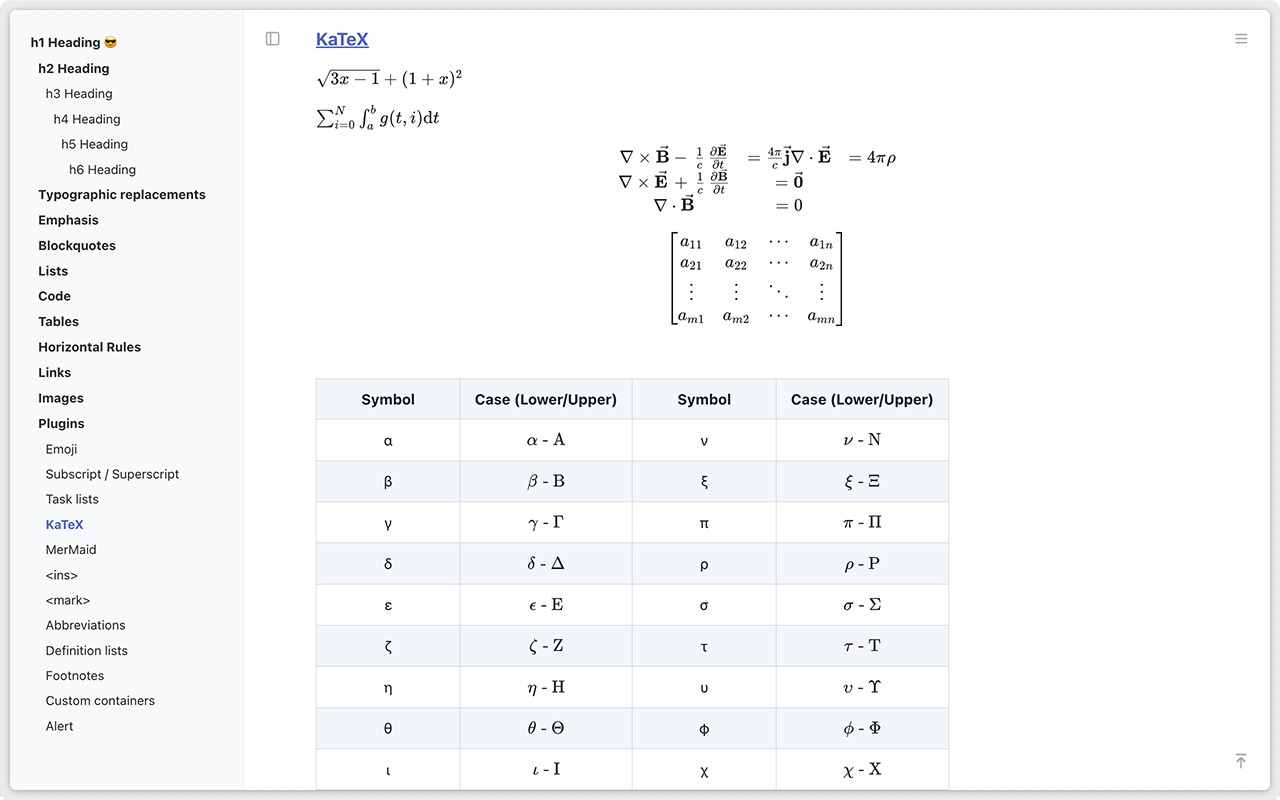
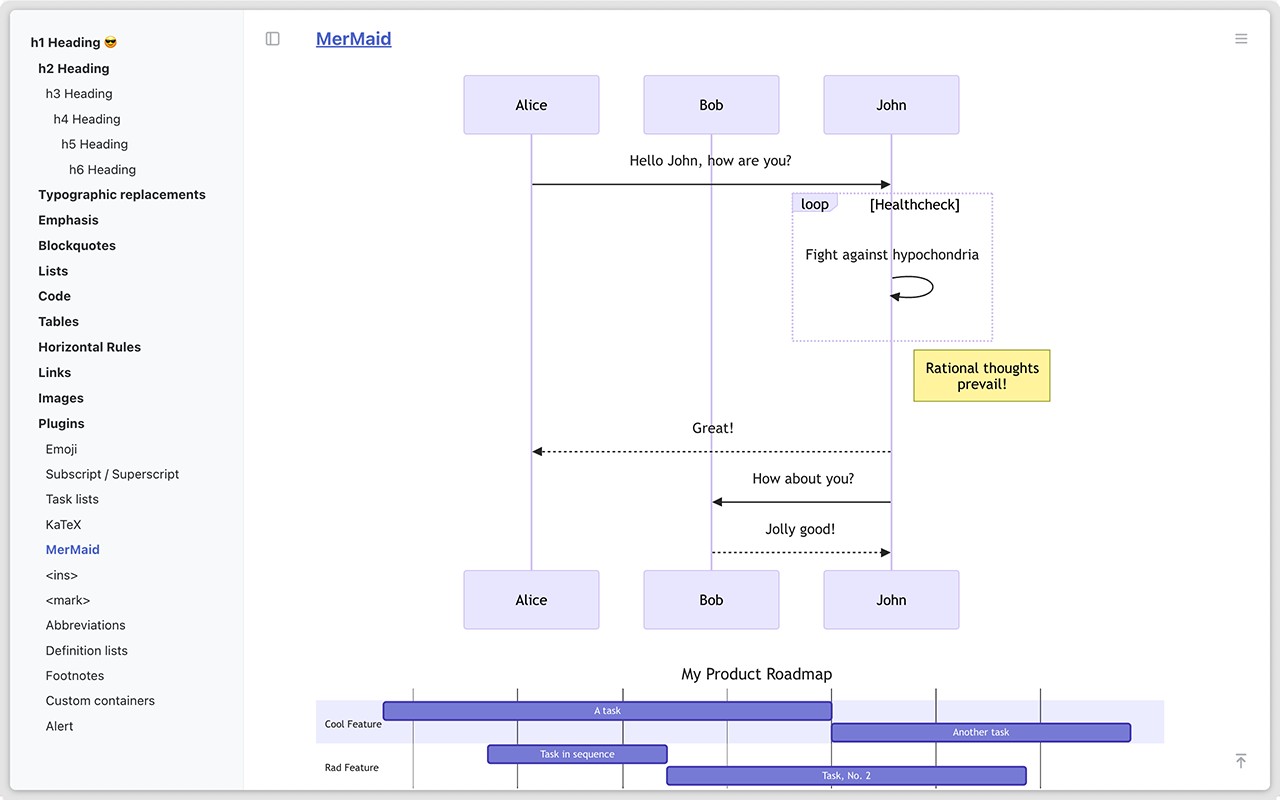
- Extended Syntax Plugins: Beyond basic Markdown, the extension supports a variety of syntax plugins including emoticons, superscripts, subscripts, checkboxes, mathematical formulas (LaTeX), flowcharts, Gantt charts, table of contents, content insertion, abbreviations, comments, and reminders. This makes it useful for technical documentation, project planning, or any document that requires rich formatting. For instance, you can embed a Gantt chart to visualize project timelines or use mathematical formulas in academic notes.
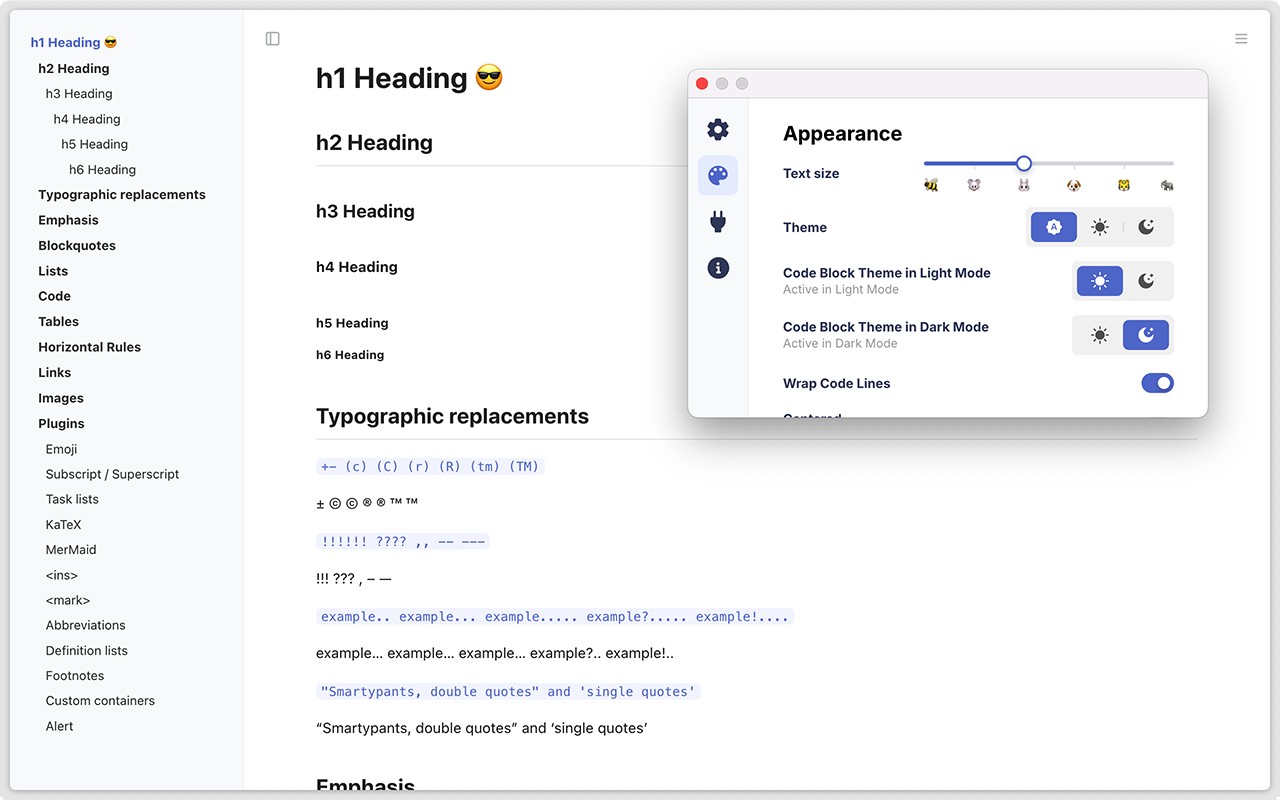
- Customizable Themes: You can choose between high-quality dark and light themes for the preview area. Code blocks are also highlighted with appropriate syntax coloring, which improves readability for code snippets within Markdown documents. This is particularly helpful when reading technical documentation or code tutorials.
- Real-Time Refreshing and Centered Display: The extension automatically updates the preview when the source Markdown file changes, so you can edit and see results instantly. Additionally, the document content is centered on the page, providing a clean reading layout without distractions.
- Document Organization Tools: A sidebar table of contents is generated automatically for documents with headings, enabling quick navigation. The extension also offers an original content preview (showing raw Markdown) and image/media preview, so you can see both the source and rendered output side by side.
- Keyboard Shortcuts: Browser extension shortcuts allow you to quickly invoke the Markdown Reader functionality without navigating menus. For example, you can assign a hotkey to open the current page as a Markdown preview, streamlining your workflow.
To use local files, navigate to the Markdown Reader details page in the Chrome extension manager and toggle the "Allow access to file URLs" option. This step is required for the extension to read files from your local filesystem. Once enabled, you can open any local .md file directly in the browser and enjoy the full feature set.
Extensions that do the same job
Matched by what these extensions actually do, not by store category, and sorted so the ones asking for the least access come first.
| Extension | Site access | Permissions | Users | Rating |
|---|---|---|---|---|
| Markdown Reader — this page | Limited | 2 | 100K | 4.7★ |
| Readeon: A Patreon Reading Extension | Limited | 7 | 1K | 3.4★ |
| BetterTTV | Limited | 2 | 3M | 4.6★ |
| Fathom AI Note Taker for Google Meet | Limited | 4 | 500K | 4.9★ |
| Bitly | Short links and QR Codes | Limited | 4 | 400K | 3.7★ |
| NoteGPT: YouTube Summary, Chat with AI Assistant, ChatGPT DeepSeek Claude | Limited | 3 | 400K | 4.9★ |
| Old Reddit Redirect | Limited | 1 | 100K | 4.7★ |
Store data last checked August 14, 2026.