
Automate Bing Searches Rewards
Automates Bing searches to earn Microsoft Rewards points with one click, including default search engine integration.
What it does
Permissions and access
Taken from the extension's own manifest file inside the package. The store listing does not spell this out, so it is worth reading before you install.
| Permission | What it allows |
|---|---|
activeTab | Access the current tab when you click the extension |
storage | Store its own settings and data |
Requests 2 permissions — extensions doing the same job average 3.0.
Technical details
Show all 7 languages
Description
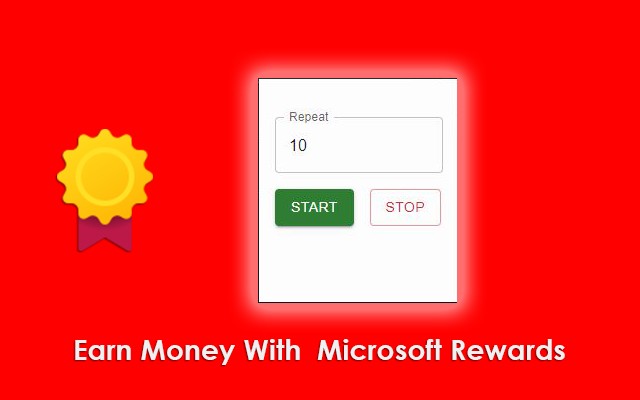
Automate Bing Searches Rewards streamlines the process of earning Microsoft Rewards points by automating searches on Bing. Instead of manually performing the daily search quota, this extension handles it with a single click, saving time and effort. It also sets Bing as the default search engine, so your regular searches contribute to your rewards balance without any extra steps.
Features
- One-Click Automated Searches: Initiate a batch of searches (10, 20, or 30) automatically with a single click. This ensures you meet the daily search limit for Microsoft Rewards without repetitive manual input.
- Default Search Engine Integration: The extension changes your browser's default search engine to Bing. This means every search you perform in the address bar or search box is counted toward your rewards, making everyday browsing productive.
- Flexible Search Volume: Choose the number of searches to run-10, 20, or 30-depending on your daily rewards goal. This flexibility lets you optimize for the maximum points available each day.
- Effortless Rewards Accumulation: By automating the search process, the extension helps you consistently earn points without remembering to perform searches manually. It's particularly useful for users who want to maximize rewards with minimal daily effort.
In practice, this extension is ideal for anyone enrolled in Microsoft Rewards who wants to earn points passively. After installing, you simply click a button to run the desired number of searches, and the extension executes them in the background. Combined with the default Bing search setting, you accumulate points from both automated and manual searches throughout the day.
Extensions that do the same job
Matched by what these extensions actually do, not by store category, and sorted so the ones asking for the least access come first.
| Extension | Site access | Permissions | Users | Rating |
|---|---|---|---|---|
| Automate Bing Searches Rewards — this page | Limited | 2 | 2K | 3.9★ |
| GIPHY for Chrome | Limited | 1 | 200K | 3.5★ |
| Bisma - Prayer Times | — | — | 1K | 5.0★ |
| Web Maker | All sites | 3 | 50K | 4.8★ |
| Firelinks URL Shortner | Limited | 6 | 20K | 4.6★ |
| Macify - Gorgeous Aerial Videos as Your New Tab | Limited | 4 | 8K | 4.9★ |
| Spatium | Limited | 3 | 4K | 4.7★ |
Store data last checked August 14, 2026.