
Multi Subsitles for Youtube
Displays multiple YouTube subtitles simultaneously in different languages, including auto-generated and
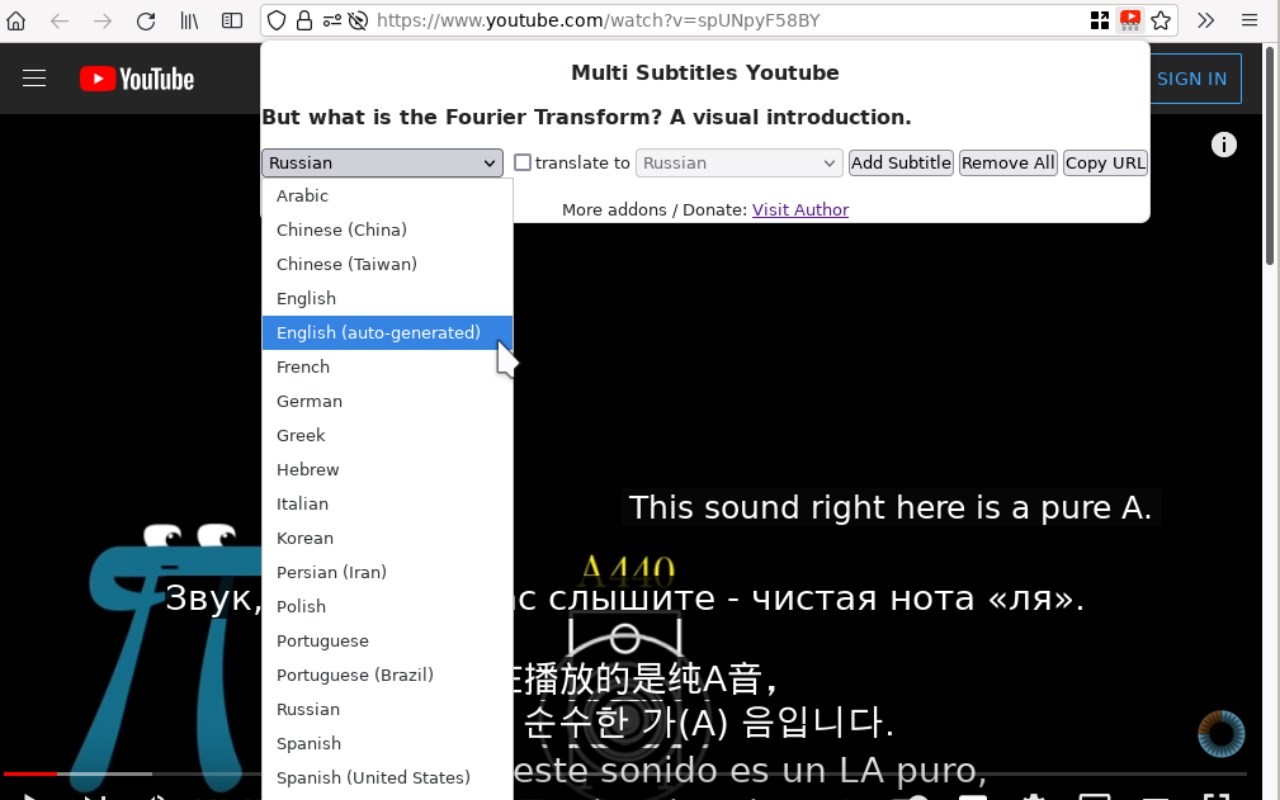
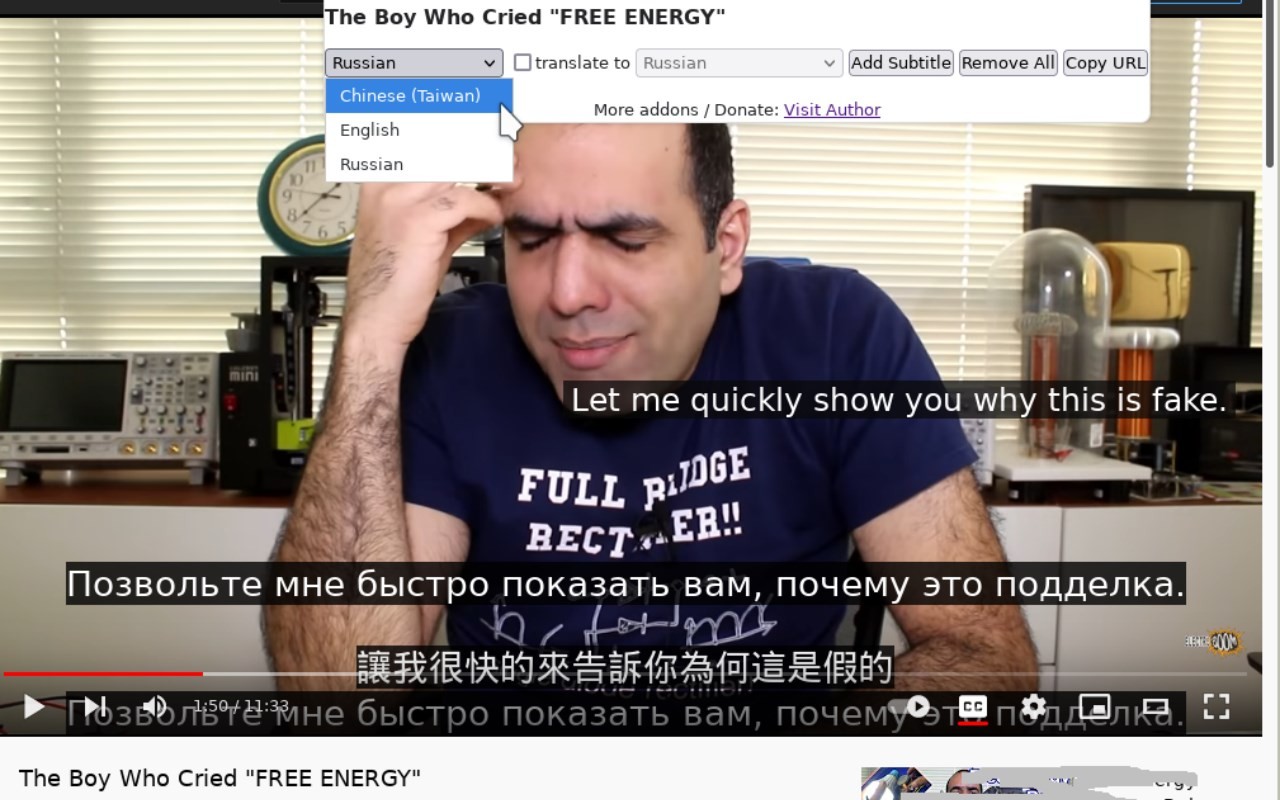
What it does
Description
Multi Subtitles for Youtube is a browser extension that allows you to display multiple subtitle tracks simultaneously on any YouTube video. Unlike the native YouTube player, which only shows one subtitle language at a time, this addon lets you overlay two, three, or even more subtitles in different languages-including auto-generated captions and machine-translated versions. This is particularly useful for language learners who want to compare a foreign language with its translation, or for viewers who need both a simplified and a full transcript. The extension works entirely client-side: no data is sent to any third-party server, ensuring your privacy and fast performance.
Features
- Multiple simultaneous subtitles: You can enable as many subtitle tracks as the video provides. For example, watch the original Spanish audio with both English and Portuguese subtitles overlaid. The extension respects YouTube's subtitle timing and displays each track in a separate, adjustable region on the video.
- Support for auto-generated captions: Automatically created captions (e.g., YouTube's speech recognition) are fully supported. You can combine auto-generated English with a manually created French subtitle, for instance.
- Machine-translated subtitles: YouTube's machine translation feature (including translations of auto-generated captions) can be used as additional tracks. Note that machine translations may contain errors, so they are best used as a reference alongside a human-curated subtitle.
- No third-party server dependency: All processing happens locally in your browser. The extension does not rely on external services for subtitle fetching or translation, which means no data leaves your machine and there is no risk of server downtime affecting functionality.
- No conflict with YouTube's built-in CC: The extension operates independently of YouTube's native closed caption system. You can use both simultaneously: YouTube's CC for one language and the extension for additional languages, without interference.
- Maximum safety and minimal permissions: The extension requests only the minimum permissions needed to function. It does not inject any code into YouTube pages unless you explicitly click the toolbar button to activate it. This design reduces the attack surface and ensures that the extension remains inactive on websites where you do not need it.
- Simple, no-frills UI: The interface is deliberately minimal. A toolbar button opens a popup where you select the subtitle tracks to display. There are no fancy animations or complex settings-just functional controls that get the job done.
- Useful for language learning: By displaying a foreign language subtitle alongside a native language translation, learners can improve listening comprehension and vocabulary acquisition. The extension is particularly helpful for videos with multi-language caption tracks, such as educational content or international films.
To use the extension, navigate to any YouTube video with available subtitles. Click the extension's toolbar icon to open the popup, then check the subtitle tracks you wish to display. The selected subtitles will appear on the video player. You can adjust their positions by dragging them, and remove them individually. Note that machine-translated subtitles are generated by YouTube and may not be perfectly accurate; always cross-reference with original captions when possible.
Extensions that do the same job
Matched by what these extensions actually do, not by store category, and sorted so the ones asking for the least access come first.
| Extension | Site access | Permissions | Users | Rating |
|---|---|---|---|---|
| Multi Subsitles for Youtube — this page | — | — | 3K | 4.1★ |
| Subtitles for Language Learning (Prime Video) | Limited | 3 | 100K | 3.8★ |
| EasySubs - Learn languages by watching films and series | Limited | 3 | 4K | 4.3★ |
| Learn languages with Netflix & YouTube | All sites | 4 | 8K | 3.8★ |
| Immersive Translate: AI Web, PDF & Video Translator | All sites | 9 | 3M | 4.1★ |
| BetterTTV | Limited | 2 | 3M | 4.6★ |
| Looper for YouTube | Limited | 1 | 400K | 4.6★ |
Store data last checked August 14, 2026. This extension is no longer available for install.