
Từ điển tiếng Nhật JP
Look up Japanese words, kanji, and translate text instantly on any webpage.
What it does
Permissions and access
Taken from the extension's own manifest file inside the package. The store listing does not spell this out, so it is worth reading before you install.
| Permission | What it allows |
|---|---|
contextMenus | Add items to the right-click menu |
scripting | Run its own code on pages |
storage | Store its own settings and data |
tabs | See the addresses and titles of your open tabs |
tts | Read text out loud |
webNavigation | See which pages you navigate to |
Requests 6 permissions — extensions doing the same job average 4.7.
Technical details
Show all 2 languages
Description
Từ điển tiếng Nhật JP is a browser extension that provides instant vocabulary lookup, kanji lookup, and multilingual translation directly on any webpage. It is designed for learners and users of Japanese who need quick access to dictionary definitions, translations, and detailed character information without leaving the page. The extension offers multiple interaction methods to suit different browsing habits and contexts.
Key Features
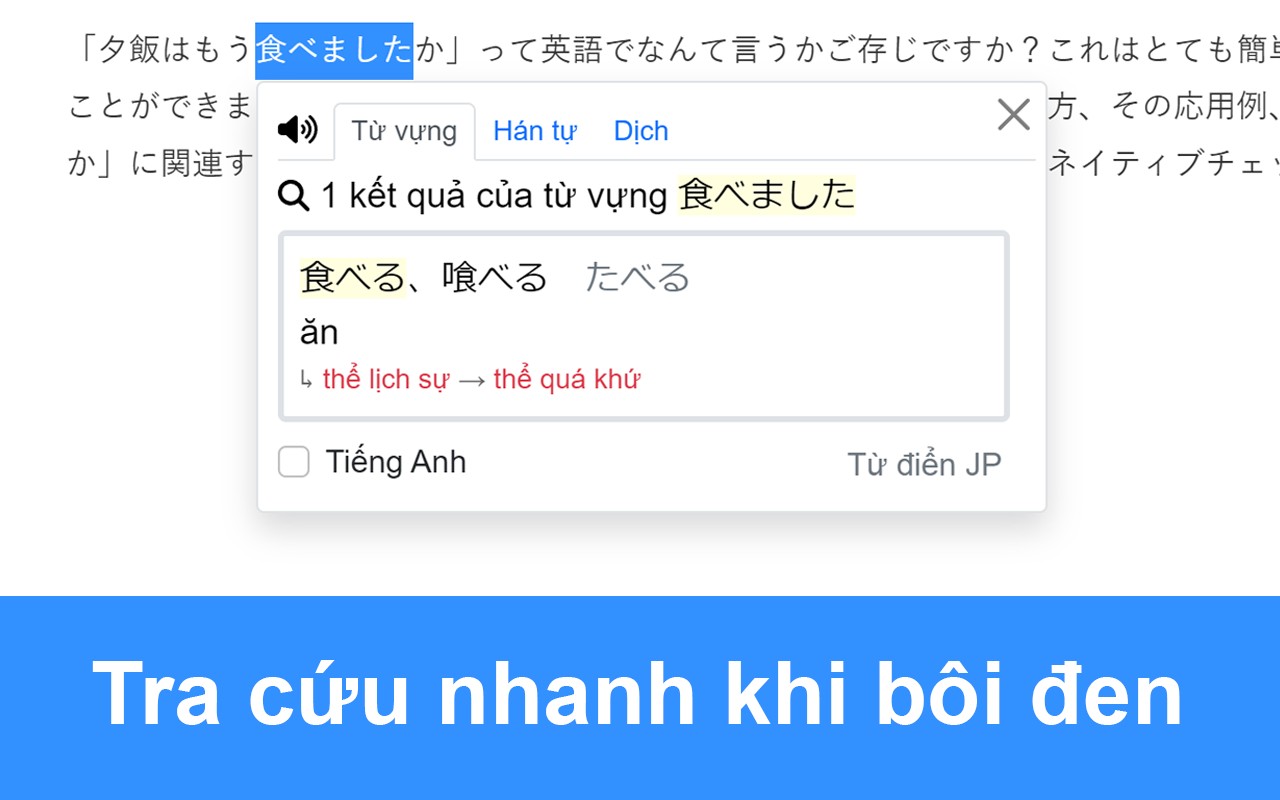
- Selection Lookup: Highlight any Japanese text on a webpage to trigger an instant popup with definitions, readings, and meanings. This is useful when reading articles or documents and encountering unfamiliar words.
- Hover Translation: Simply move the cursor over text to see a quick translation. This feature is ideal for getting immediate understanding of words or phrases without interrupting reading flow.
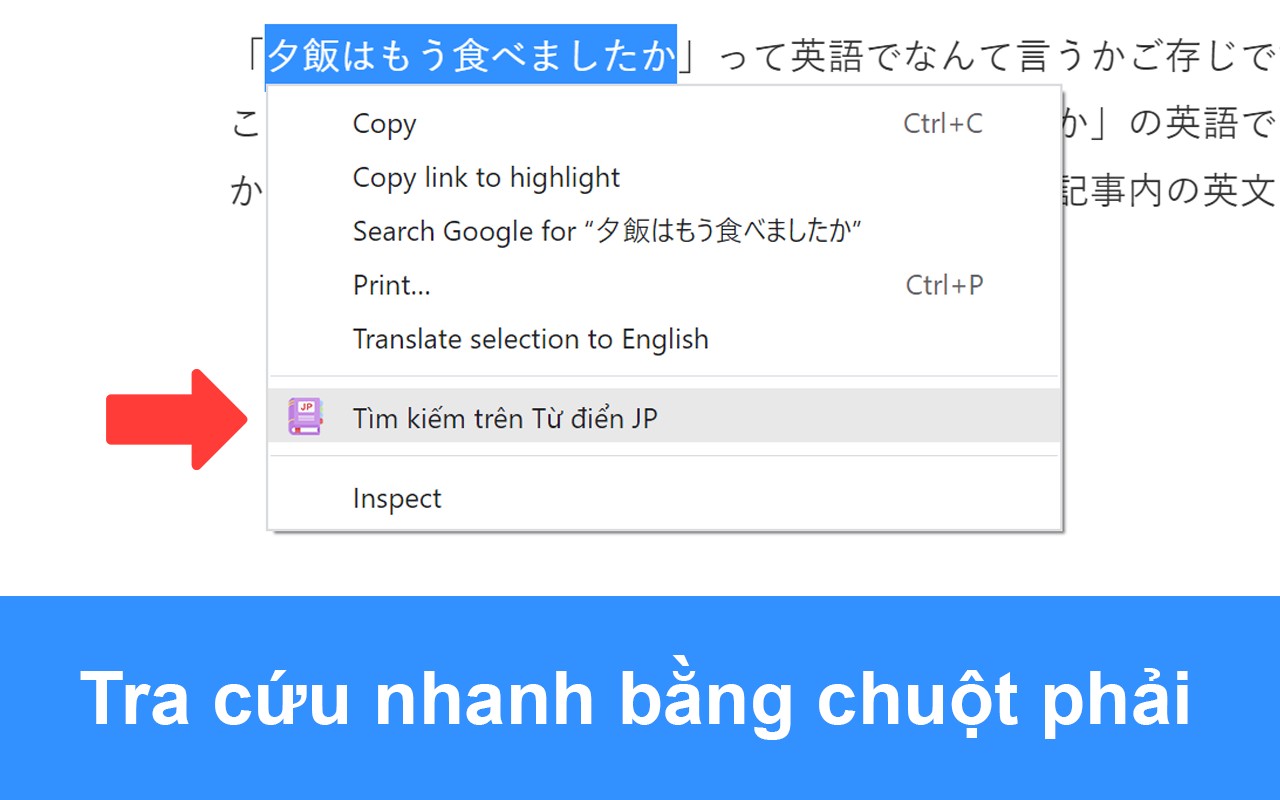
- Right-Click Search: After selecting text, right-click and choose "Search on JP Dictionary" to open a detailed lookup, analysis, or translation of the selected content in a new tab or popup. This works for single words, phrases, or entire paragraphs.
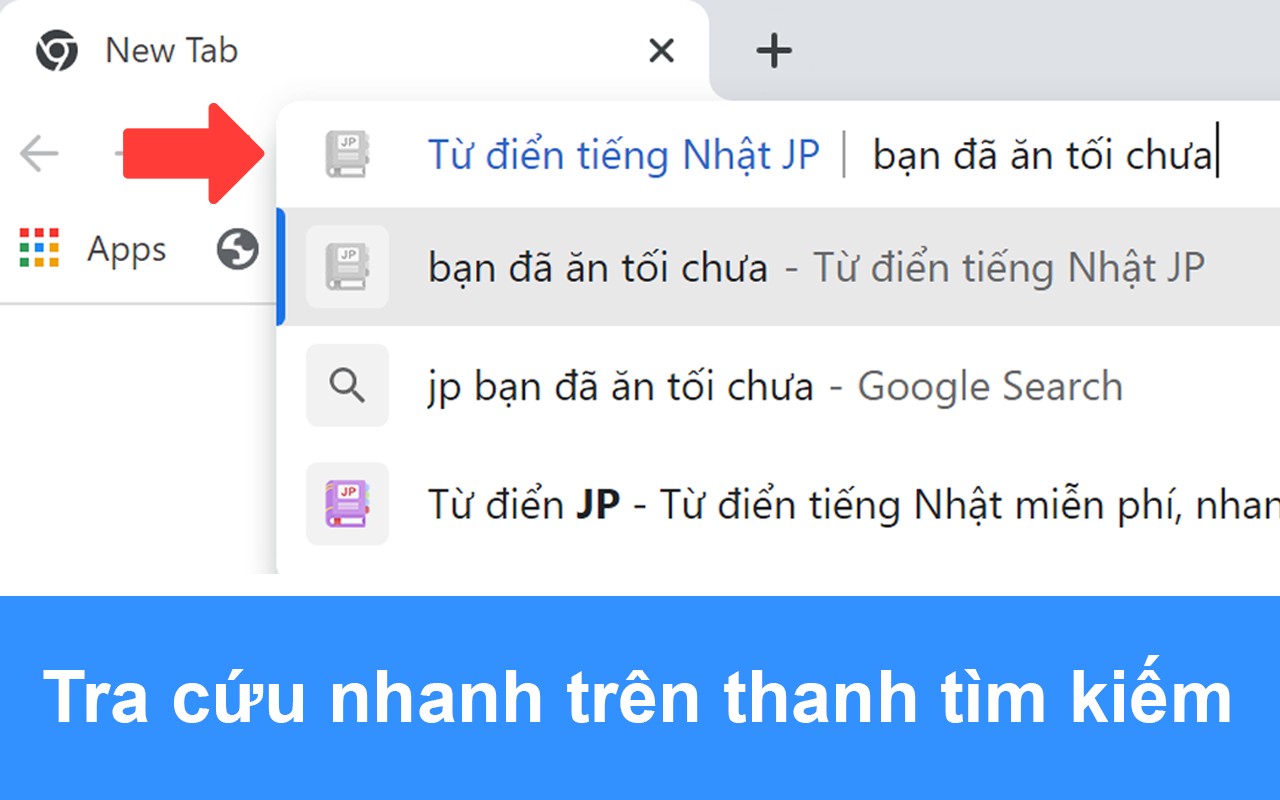
- Omnibox Search: Type "jp" followed by a space in the browser's address bar, then enter the word or content you want to look up. This allows quick dictionary access without needing to navigate to a website, useful when you want to search while typing in the address bar.
- Interactive Popup Details: Click on any vocabulary or kanji displayed in the popup to view more detailed information, including stroke order, usage examples, and user comments. This helps deepen understanding of the character or word.
- Multi-Click Selection: Double-click to select a single word, triple-click to select an entire sentence. This makes it easy to choose the exact amount of text for lookup or translation.
- Alt Key for Links: Hold the Alt key while selecting text to enable selection on links, which normally cannot be highlighted. This is useful for translating anchor text or URLs.
- Edge Shortcut for Copy Protection: For users of Microsoft Edge, the shortcut Ctrl+Shift+X can copy text from elements that block right-click or selection, such as buttons or protected content. After copying, type "jp" + space in the omnibox and paste the copied text for quick lookup.
- Handwriting and Image Recognition: The extension's companion website (tudienjp.com) supports handwriting input and image-based character recognition. This allows users to look up kanji by drawing them or by uploading an image containing text.
To toggle the extension on or off, click its icon in the browser toolbar. The popup also provides a guide and tips for effective use. Whether you are reading Japanese news, studying vocabulary, or translating text, Từ điển tiếng Nhật JP offers flexible tools to enhance your learning and comprehension.
Extensions that do the same job
Matched by what these extensions actually do, not by store category, and sorted so the ones asking for the least access come first.
| Extension | Site access | Permissions | Users | Rating |
|---|---|---|---|---|
| Từ điển tiếng Nhật JP — this page | All sites | 6 | 20K | 5.0★ |
| Subtitles for Language Learning (Prime Video) | Limited | 3 | 100K | 3.8★ |
| EasySubs - Learn languages by watching films and series | Limited | 3 | 4K | 4.3★ |
| Mate Translate - translator, dictionary | All sites | 4 | 400K | 4.3★ |
| Ddict: AI Translation & Writing Assistant | All sites | 4 | 100K | 4.2★ |
| Learn languages with Netflix & YouTube | All sites | 4 | 8K | 3.8★ |
| Vocab by Preply | All sites | 2 | 3K | 4.1★ |
Want the same thing with less access? Subtitles for Language Learning (Prime Video), EasySubs - Learn languages by watching films and series, Mate Translate - translator, dictionary ask for fewer permissions than this one.
Store data last checked August 14, 2026.