
Ddict: AI Translation & Writing Assistant
AI browser extension for instant translation, writing suggestions, text-to-speech, and dictionary lookup.
What it does
Permissions and access
Taken from the extension's own manifest file inside the package. The store listing does not spell this out, so it is worth reading before you install.
| Permission | What it allows |
|---|---|
contextMenus | Add items to the right-click menu |
declarativeNetRequest | Block or modify network requests |
notifications | Show desktop notifications |
storage | Store its own settings and data |
Requests 4 permissions — extensions doing the same job average 5.1.
Technical details
Keyboard shortcuts
| Shortcut | Action |
|---|---|
| Alt+Shift+D | _execute_action |
Description
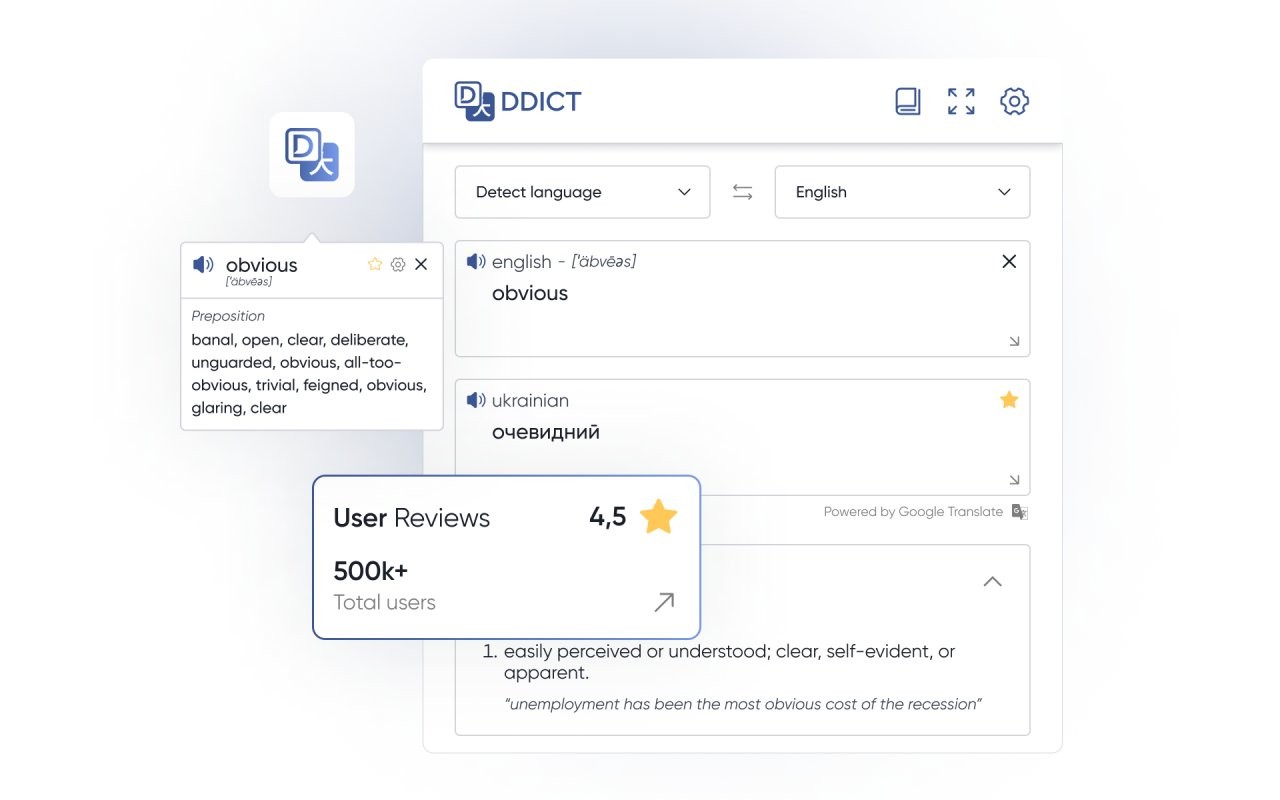
Ddict is a browser extension that combines AI-powered translation with writing enhancement to help you read, write, and learn languages more effectively on any website. It provides real-time translations and smart writing suggestions without interrupting your browsing flow.
Key Features
- Instant translation: Select any text on a webpage to see its translation immediately. This helps you understand foreign-language content without leaving the page or opening separate tools.
- AI writing assistant: As you type in text fields, Ddict offers suggestions to improve clarity, tone, and engagement. Useful for composing emails, social media posts, or documents in a non-native language.
- Text-to-speech: Automatically reads selected text aloud, aiding pronunciation and listening comprehension. Beneficial for language learners who want to hear correct intonation and rhythm.
- Comprehensive dictionary: Provides definitions, synonyms, and example sentences for selected words. Expands your vocabulary by showing word usage in context.
- Dark mode and themes: Switch to dark mode or choose from other visual themes to reduce eye strain during extended reading sessions.
Ddict is designed for language learners who need quick translations and pronunciation help, professionals who write in multiple languages and want to polish their text, and anyone who frequently reads foreign websites. All features work directly within the browser, eliminating the need to switch between tabs or applications.
Extensions that do the same job
Matched by what these extensions actually do, not by store category, and sorted so the ones asking for the least access come first.
| Extension | Site access | Permissions | Users | Rating |
|---|---|---|---|---|
| Ddict: AI Translation & Writing Assistant — this page | All sites | 4 | 100K | 4.2★ |
| WProofreader: AI grammar check & rewrite tool | All sites | 6 | 3K | 3.9★ |
| ParagraphAI | All sites | 6 | 20K | 4.4★ |
| NoteGPT: YouTube Summary, Chat with AI Assistant, ChatGPT DeepSeek Claude | Limited | 3 | 400K | 4.9★ |
| Subtitles for Language Learning (Prime Video) | Limited | 3 | 100K | 3.8★ |
| Ghostwrite: ChatGPT Email Assistant | Limited | 3 | 20K | 4.0★ |
| EasySubs - Learn languages by watching films and series | Limited | 3 | 4K | 4.3★ |
Want the same thing with less access? NoteGPT: YouTube Summary, Chat with AI Assistant, ChatGPT DeepSeek Claude, Subtitles for Language Learning (Prime Video), Ghostwrite: ChatGPT Email Assistant ask for fewer permissions than this one.
Store data last checked August 14, 2026.