
WhatRuns
One-click browser extension that reveals the technologies, frameworks, plugins, and fonts used on any website.
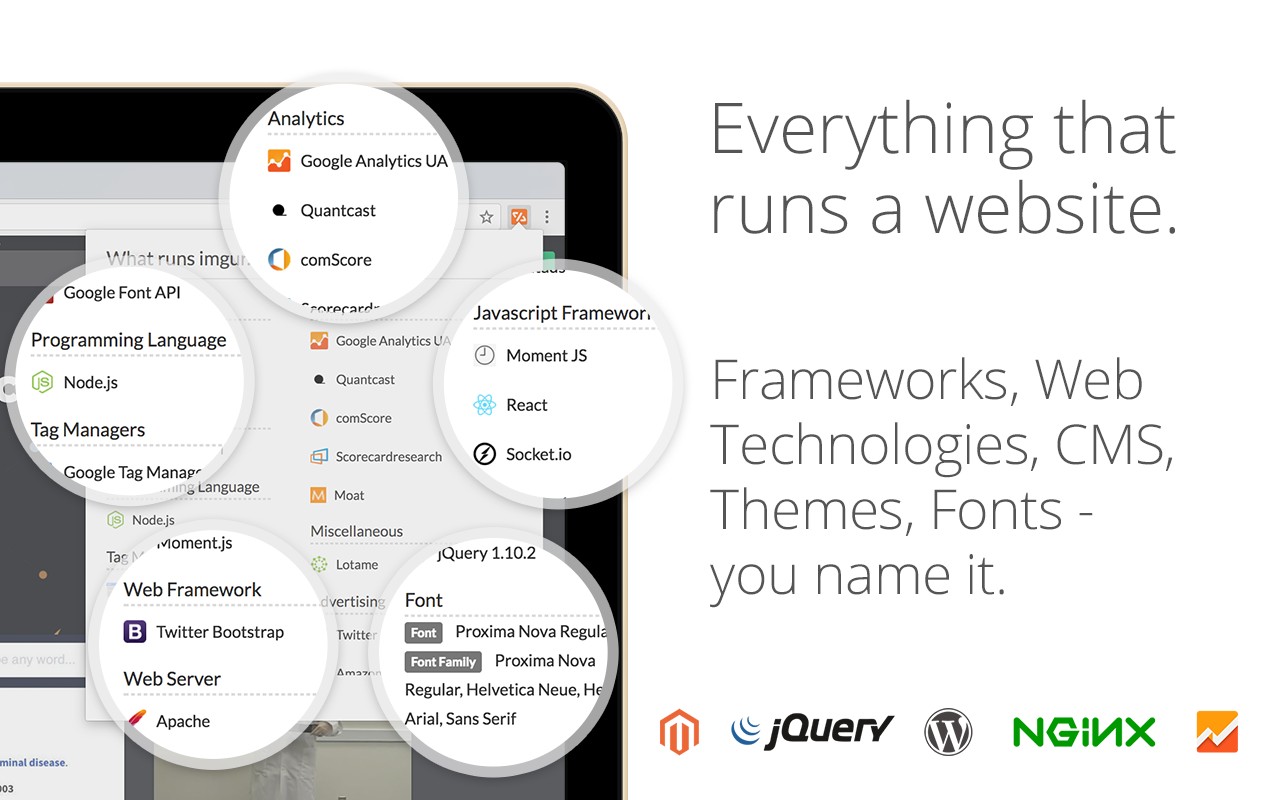


What it does
Permissions and access
Taken from the extension's own manifest file inside the package. The store listing does not spell this out, so it is worth reading before you install.
| Permission | What it allows |
|---|---|
activeTab | Access the current tab when you click the extension |
storage | Store its own settings and data |
tabs | See the addresses and titles of your open tabs |
webRequest | Watch your network requests |
Requests 4 permissions — extensions doing the same job average 3.9.
Technical details
Show all 27 languages
Description
WhatRuns is a browser extension that reveals the technologies powering any website you visit. With a single click, you can discover the frameworks, analytics tools, content management systems, WordPress plugins, themes, fonts, and more that a site uses. The extension's detection algorithm identifies patterns left by each technology, covering categories such as developer tools, ad networks, and even emerging services. This is useful for developers analyzing competitors, marketers auditing tech stacks, or designers identifying fonts and themes.
Key Features
- One-Click Technology Detection: Click the WhatRuns icon to instantly see a list of technologies used on the current page. This helps you understand how a site is built without manual inspection.
- Comprehensive Category Coverage: Detect frameworks (e.g., React, Angular), analytics (e.g., Google Analytics), CMS plugins, themes, fonts, ad networks, and more. The extension stays updated to recognize new and upcoming tools.
- Website Following & Notifications: Follow any website to receive alerts when it adopts new technologies or removes existing ones. This is valuable for tracking competitor changes or monitoring industry trends over time.
- Lightweight and Accurate: Compared to similar extensions, WhatRuns is designed to be less resource-intensive on your browser while offering high detection accuracy. It identifies technologies that others miss, such as specific WordPress plugins and custom fonts.
- Pattern-Based Recognition: The algorithm analyzes code patterns, script references, and DOM elements to determine the tech stack. This method works even for sites that obfuscate or minify their code.
- Real-Time Updates: The detection database is regularly updated to include the latest versions and newly released tools, ensuring you have current information.
WhatRuns is ideal for web developers, digital marketers, SEO specialists, and tech enthusiasts who need to quickly assess the technology behind any website. By revealing the building blocks of a site, it aids in competitive analysis, learning, and decision-making. The follow feature adds a dynamic monitoring capability, letting you track changes over time without manual revisits.
Extensions that do the same job
Matched by what these extensions actually do, not by store category, and sorted so the ones asking for the least access come first.
| Extension | Site access | Permissions | Users | Rating |
|---|---|---|---|---|
| WhatRuns — this page | All sites | 4 | 400K | 4.2★ |
| Figma | Limited | 4 | 200K | 4.2★ |
| GitZip for github | Limited | 2 | 100K | 4.1★ |
| IP Address and Domain Information | Limited | 1 | 100K | 4.4★ |
| Lightning Studio | Limited | 3 | 100K | 3.9★ |
| Pixel Measurement | Limited | 3 | 100K | 4.5★ |
| AI Code Finder, Alerts, Ask Questions about Papers: CatalyzeX | Limited | 3 | 50K | 4.8★ |
Want the same thing with less access? Figma, GitZip for github, IP Address and Domain Information ask for fewer permissions than this one.
Store data last checked August 14, 2026.