
UI5 Inspector
Inspect, modify, and debug OpenUI5/SAPUI5 controls and properties directly from Chrome DevTools.
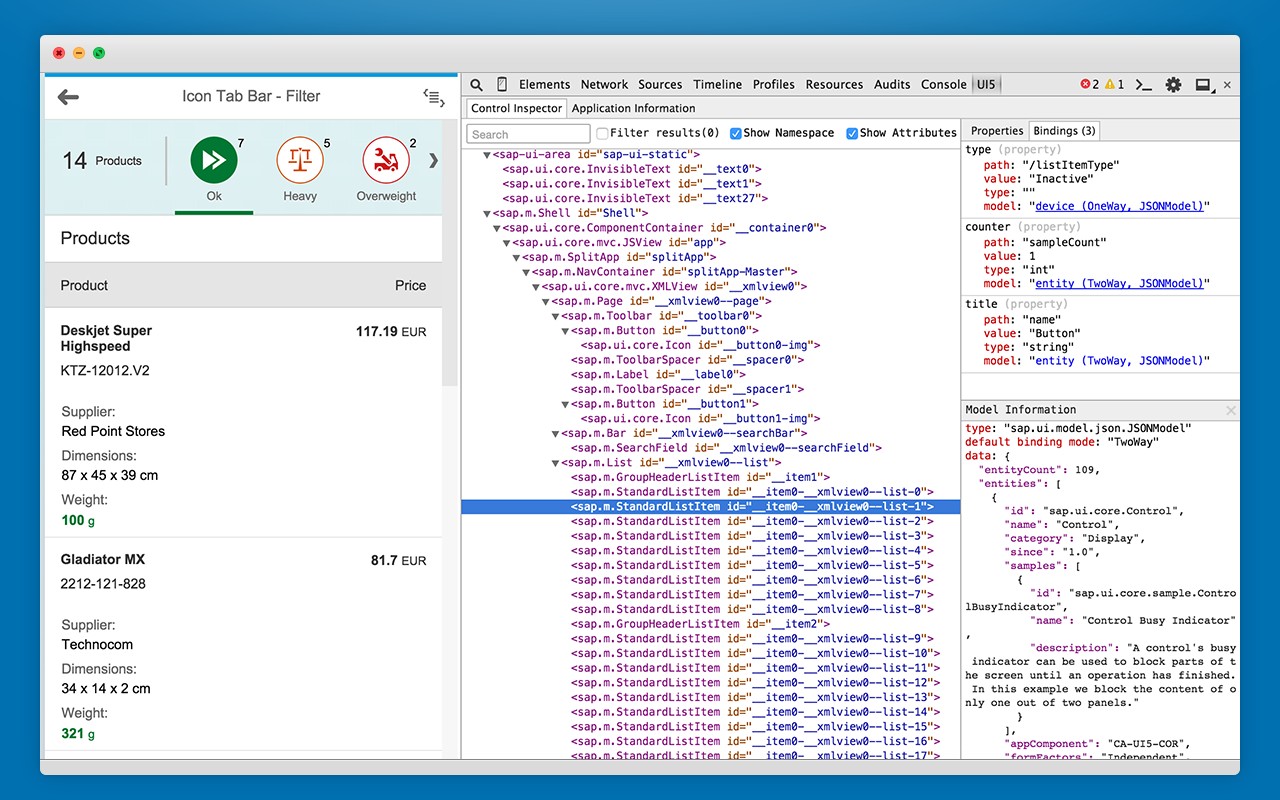
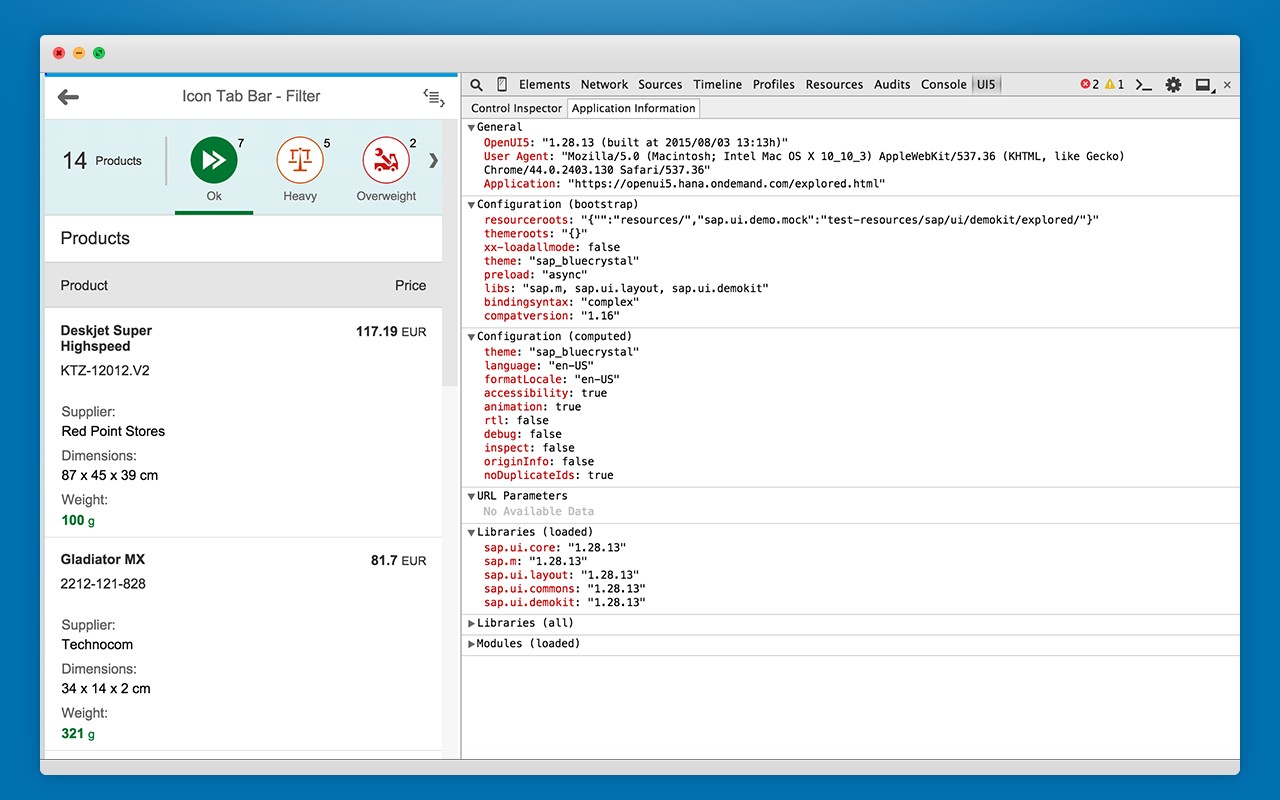
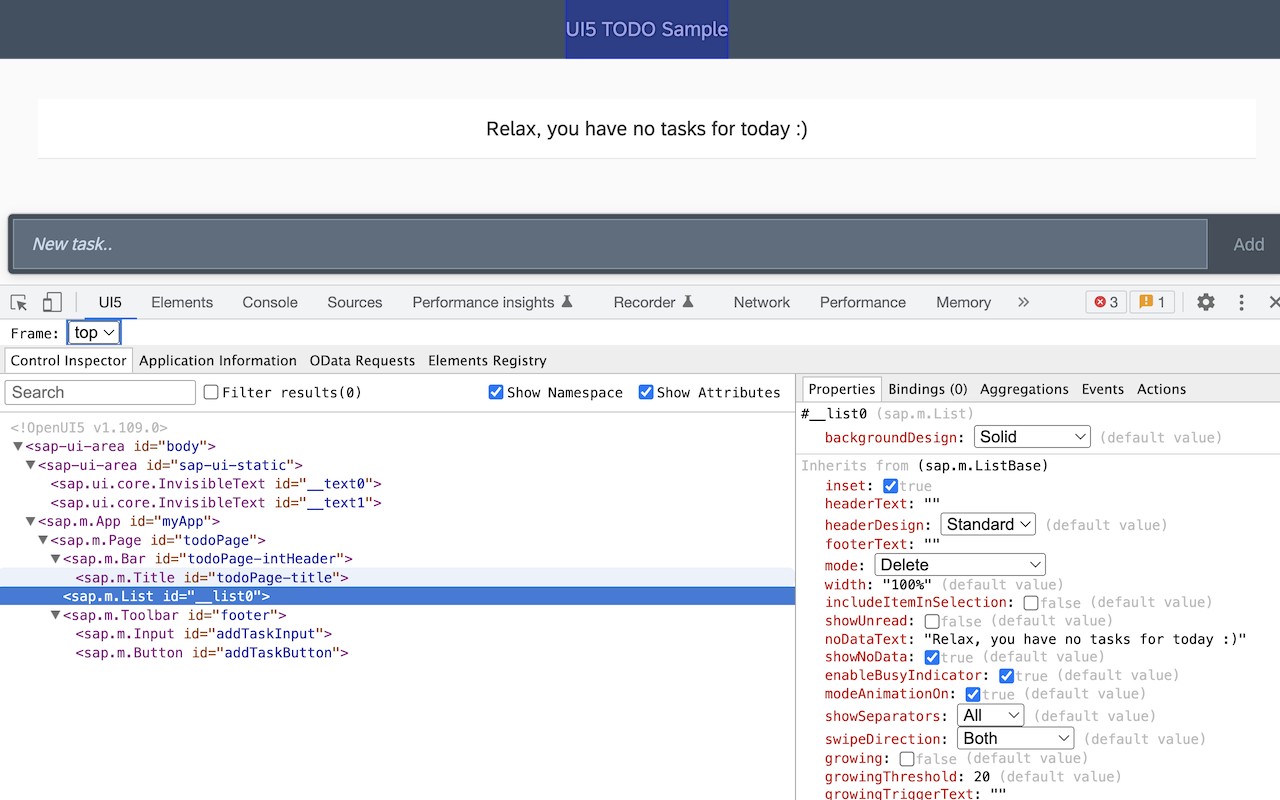
What it does
Permissions and access
Taken from the extension's own manifest file inside the package. The store listing does not spell this out, so it is worth reading before you install.
| Permission | What it allows |
|---|---|
activeTab | Access the current tab when you click the extension |
contextMenus | Add items to the right-click menu |
scripting | Run its own code on pages |
storage | Store its own settings and data |
Requests 4 permissions — extensions doing the same job average 3.9.
Technical details
Description
The UI5 Inspector is a Chrome DevTools extension designed for developers and support engineers working with OpenUI5 or SAPUI5 applications. It integrates directly into the browser's developer tools, providing a dedicated panel for inspecting and debugging UI5-based user interfaces. This tool is essential when you need to understand how a UI5 application is structured, identify issues in control properties or data bindings, or experiment with changes without modifying the source code.
Features
- Inspect UI5 Controls: Browse the hierarchical tree of UI5 controls in the application. For each control, you can view detailed properties, data bindings, and the associated model context. This is useful for verifying that controls are configured correctly and for understanding how data flows from the model to the view.
- Modify Control Properties in Real Time: Change property values directly in the inspector and see the effects immediately on the rendered page. This allows rapid experimentation with different settings (e.g., visibility, text, layout) to test behavior or debug rendering issues without reloading the app.
- Access Framework Information: Retrieve metadata about the OpenUI5 or SAPUI5 version, loaded libraries, and configuration used by the application. This information helps in diagnosing compatibility issues or verifying that the expected framework version is in use.
The UI5 Inspector streamlines debugging by eliminating the need to manually search through DOM elements or console logs. It is particularly valuable during development to quickly validate control states, during testing to simulate different property values, and during support to analyze live applications without requiring source access.
Extensions that do the same job
Matched by what these extensions actually do, not by store category, and sorted so the ones asking for the least access come first.
| Extension | Site access | Permissions | Users | Rating |
|---|---|---|---|---|
| UI5 Inspector — this page | All sites | 4 | 50K | 4.6★ |
| Figma | Limited | 4 | 200K | 4.2★ |
| GitZip for github | Limited | 2 | 100K | 4.1★ |
| IP Address and Domain Information | Limited | 1 | 100K | 4.4★ |
| Lightning Studio | Limited | 3 | 100K | 3.9★ |
| Pixel Measurement | Limited | 3 | 100K | 4.5★ |
| AI Code Finder, Alerts, Ask Questions about Papers: CatalyzeX | Limited | 3 | 50K | 4.8★ |
Want the same thing with less access? Figma, GitZip for github, IP Address and Domain Information ask for fewer permissions than this one.
Store data last checked August 14, 2026.