
UET Tag Helper (by Microsoft Advertising)
Identifies and diagnoses issues with Microsoft Advertising UET tags on your website.
What it does
Permissions and access
Taken from the extension's own manifest file inside the package. The store listing does not spell this out, so it is worth reading before you install.
| Permission | What it allows |
|---|---|
activeTab | Access the current tab when you click the extension |
downloads | Manage your downloads |
scripting | Run its own code on pages |
storage | Store its own settings and data |
tabs | See the addresses and titles of your open tabs |
webNavigation | See which pages you navigate to |
webRequest | Watch your network requests |
Requests 7 permissions — extensions doing the same job average 3.9.
Technical details
Description
UET Tag Helper is a browser extension designed for website owners and marketers who use Microsoft Advertising's Universal Event Tracking (UET). It simplifies the process of verifying and debugging UET tag implementations directly from your browser, without needing to inspect page source code or use developer tools.
Key Features
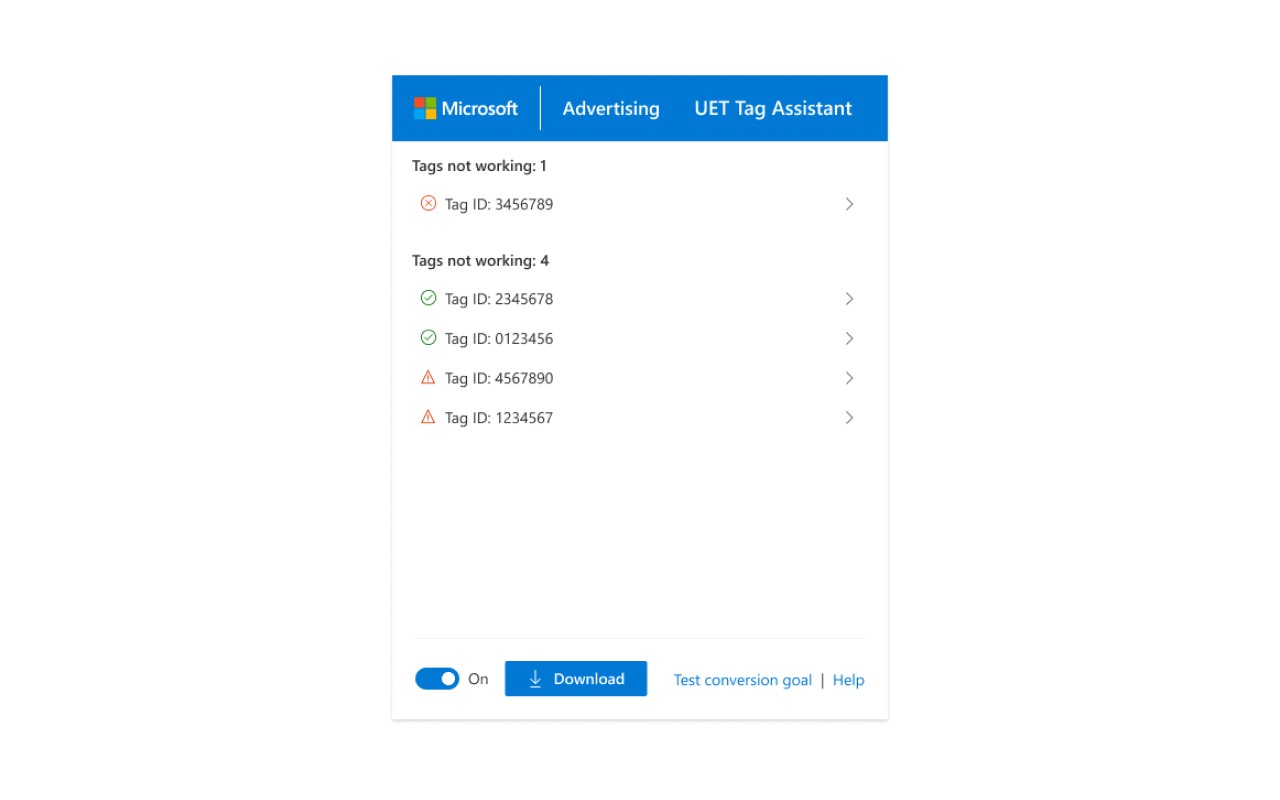
- Instant Tag Detection: When you navigate to any page on your website, the extension automatically scans the page for UET tags. It displays a clear summary of which tags are present, helping you confirm whether the tags are correctly placed on each page.
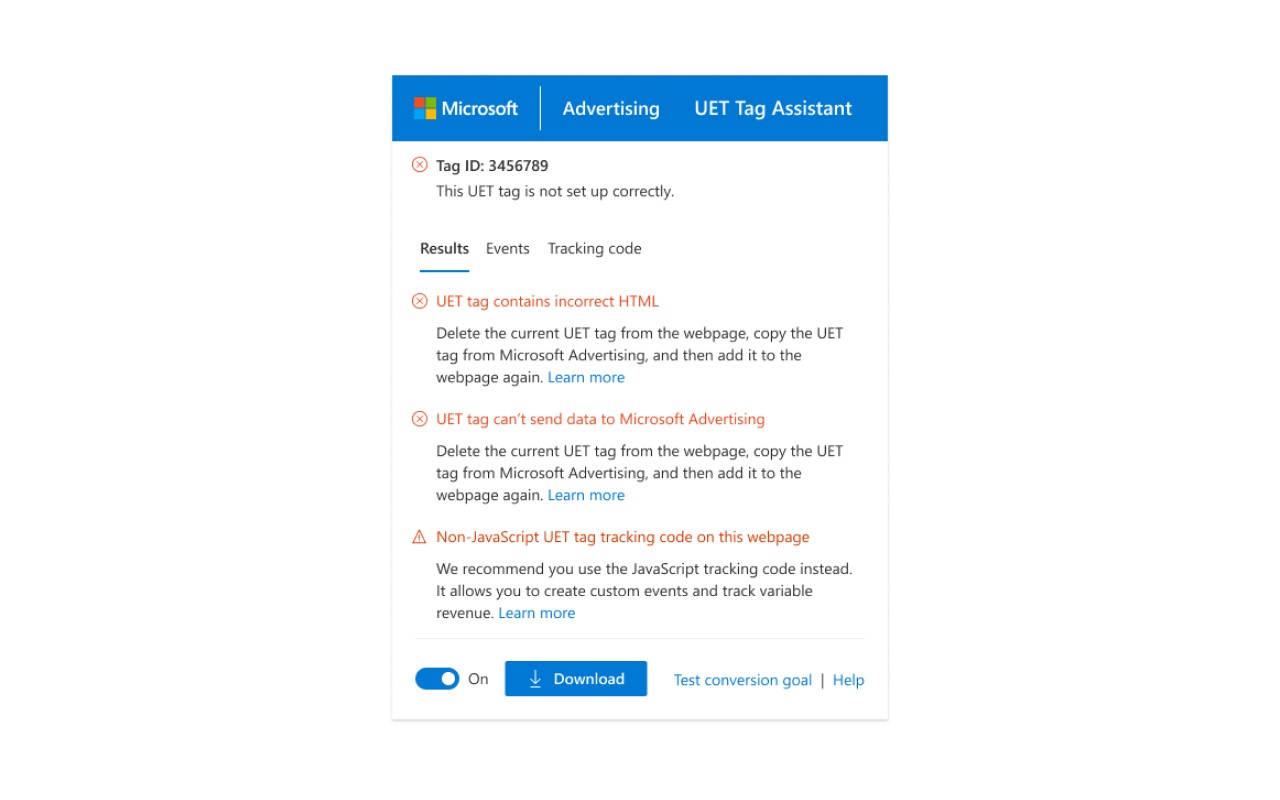
- Status Verification: Beyond just detecting tags, it checks if each tag is functioning properly. This includes validating that the tag is firing as expected and that the required parameters are correctly set, ensuring your tracking data is accurate.
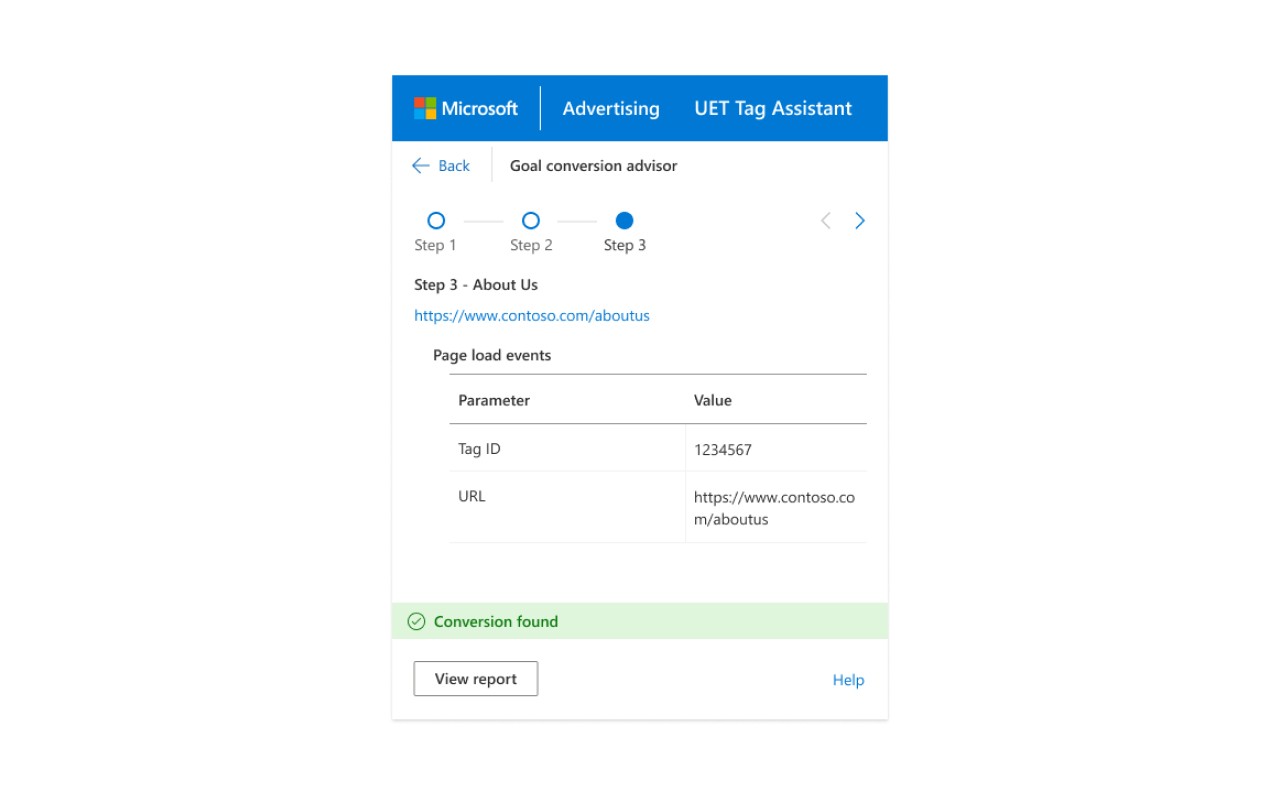
- Conversion Goal Validation: The tool helps you verify that your conversion goals are properly configured. If you have set up conversion tracking, you can quickly see whether the goals are correctly linked to the UET tags on your site, reducing the risk of missing or incorrect conversion data.
- Dynamic Remarketing Check: For those using dynamic remarketing, the extension checks whether your remarketing lists and associated parameters are set up correctly. This ensures that your remarketing campaigns target the right audiences with the right product data.
- Issue Diagnosis and Guidance: When problems are detected, the extension provides detailed information about what is wrong and offers actionable steps to fix the issues. This helps you resolve tracking problems quickly, without having to search through documentation or contact support.
This extension is particularly useful during the initial setup of UET tags, when making changes to your website's tracking, or when troubleshooting discrepancies in your advertising reports. It works in real-time as you browse your site, giving you immediate feedback and helping you maintain the integrity of your Microsoft Advertising tracking.
Extensions that do the same job
Matched by what these extensions actually do, not by store category, and sorted so the ones asking for the least access come first.
| Extension | Site access | Permissions | Users | Rating |
|---|---|---|---|---|
| UET Tag Helper (by Microsoft Advertising) — this page | All sites | 7 | 100K | 4.5★ |
| Figma | Limited | 4 | 200K | 4.2★ |
| GitZip for github | Limited | 2 | 100K | 4.1★ |
| IP Address and Domain Information | Limited | 1 | 100K | 4.4★ |
| Lightning Studio | Limited | 3 | 100K | 3.9★ |
| Pixel Measurement | Limited | 3 | 100K | 4.5★ |
| AI Code Finder, Alerts, Ask Questions about Papers: CatalyzeX | Limited | 3 | 50K | 4.8★ |
Want the same thing with less access? Figma, GitZip for github, IP Address and Domain Information ask for fewer permissions than this one.
Store data last checked August 14, 2026.