
Spector.js
Captures and inspects WebGL frames to help developers debug and troubleshoot their 3D scenes.
What it does
Permissions and access
Taken from the extension's own manifest file inside the package. The store listing does not spell this out, so it is worth reading before you install.
| Permission | What it allows |
|---|---|
activeTab | Access the current tab when you click the extension |
storage | Store its own settings and data |
unlimitedStorage | Store unlimited data on your computer |
Requests 3 permissions — extensions doing the same job average 3.9.
Technical details
Description
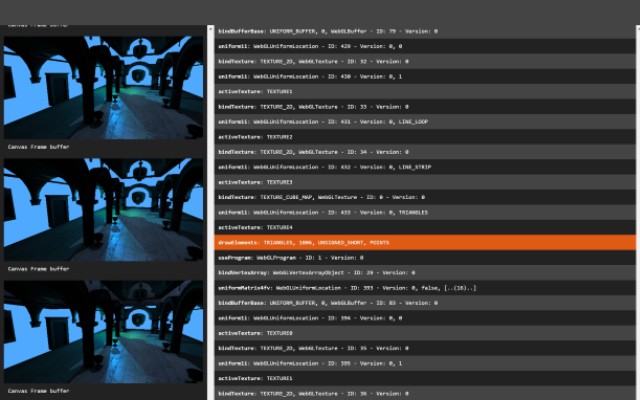
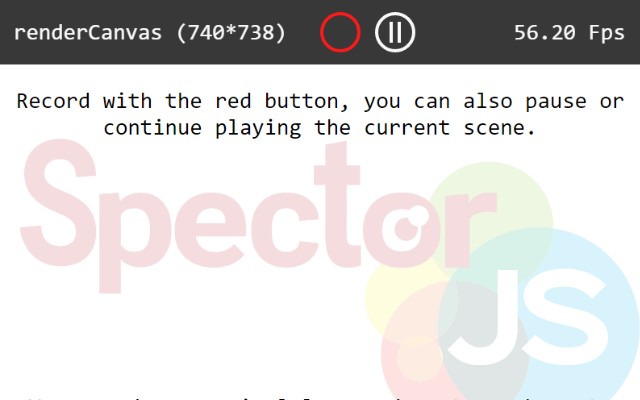
Spector.js is a developer tool designed to help you understand and debug WebGL and WebGL2 scenes. By capturing all the information from a single frame, it gives you a detailed view of what is happening inside your WebGL context, making it easier to identify issues and optimize performance.
Key Features
- Frame Capture: Record a complete frame and inspect every WebGL call made during that frame. This is useful when you need to see the exact sequence of operations that produce a visual result, helping you trace rendering issues.
- Command List: View a chronological list of all WebGL commands executed in the captured frame. Each command shows its associated parameters, allowing you to verify that your drawing calls are correctly set up.
- State Inspection: Examine the WebGL context state at the time of each command, including buffers, textures, shaders, and render states. This helps you understand how the GPU processes your scene and spot configuration errors.
- Context Information: Access detailed information about the WebGL context, such as extensions, capabilities, and limits. This is valuable when you need to ensure compatibility across different browsers or devices.
- Compatibility: Works with any browser that supports WebGL, and is compatible with all major web-based 3D engines as well as vanilla JavaScript scripts. Whether you use Three.js, Babylon.js, or write raw WebGL, you can integrate Spector.js into your workflow.
Spector.js is an essential tool for WebGL developers who want to gain insight into their rendering pipeline. Use it to debug visual glitches, verify that your code executes as intended, and optimize performance by identifying unnecessary calls or state changes.
Extensions that do the same job
Matched by what these extensions actually do, not by store category, and sorted so the ones asking for the least access come first.
| Extension | Site access | Permissions | Users | Rating |
|---|---|---|---|---|
| Spector.js — this page | All sites | 3 | 40K | 4.7★ |
| Figma | Limited | 4 | 200K | 4.2★ |
| GitZip for github | Limited | 2 | 100K | 4.1★ |
| IP Address and Domain Information | Limited | 1 | 100K | 4.4★ |
| Lightning Studio | Limited | 3 | 100K | 3.9★ |
| Pixel Measurement | Limited | 3 | 100K | 4.5★ |
| AI Code Finder, Alerts, Ask Questions about Papers: CatalyzeX | Limited | 3 | 50K | 4.8★ |
Want the same thing with less access? Figma, GitZip for github, IP Address and Domain Information ask for fewer permissions than this one.
Store data last checked August 14, 2026.