
Sourcegraph
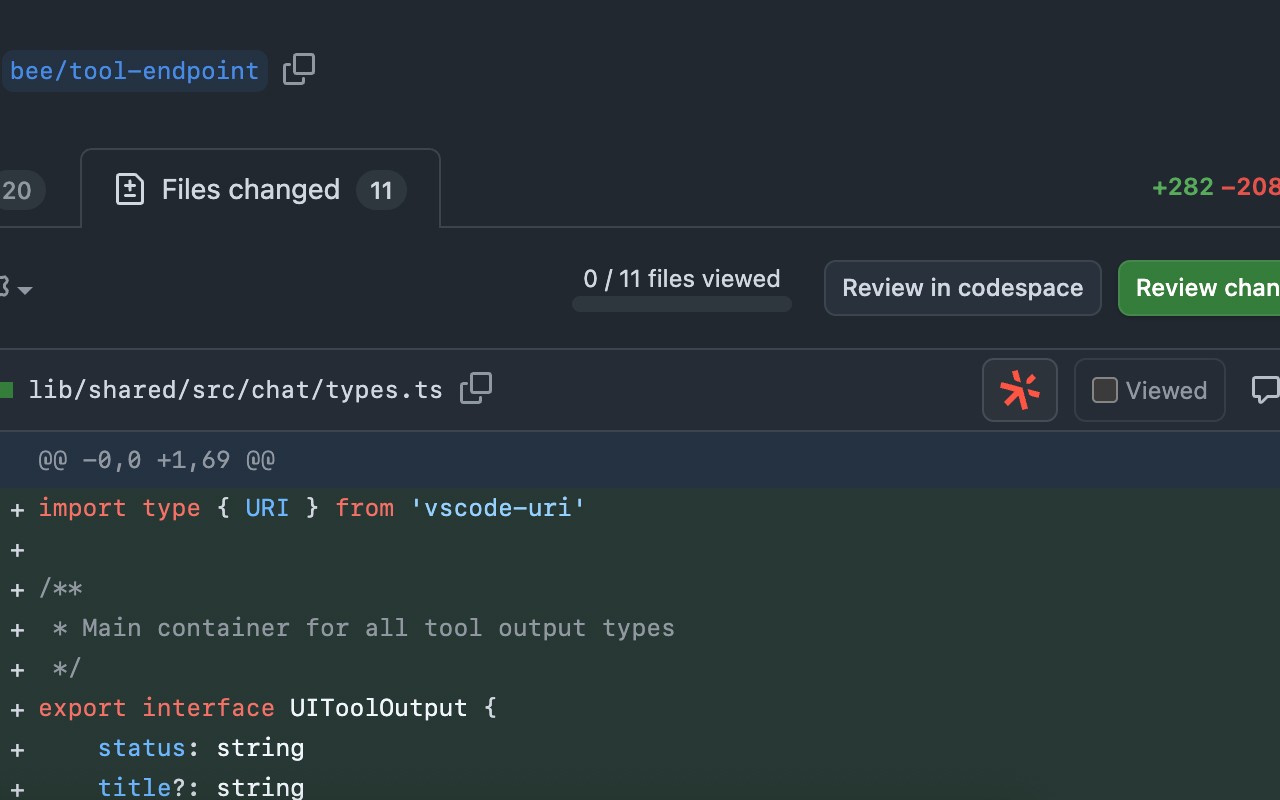
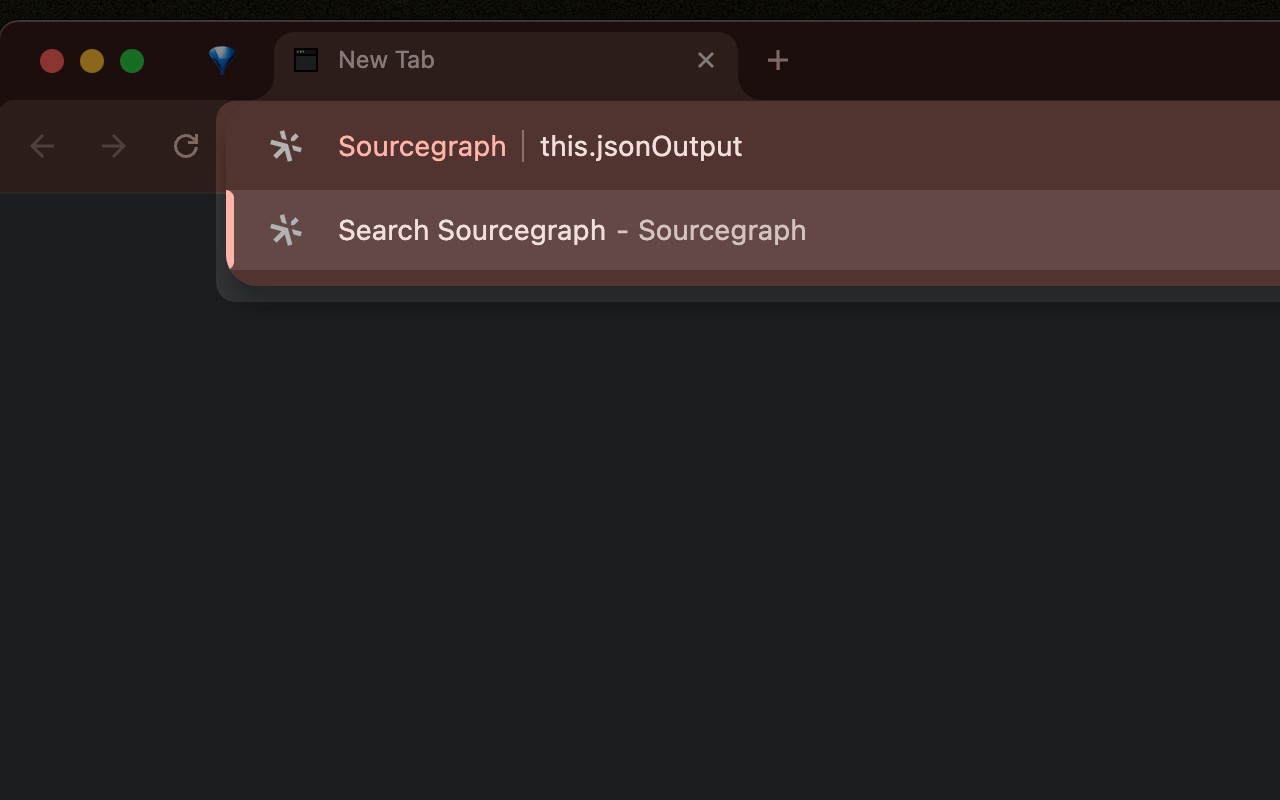
Connect Sourcegraph to GitHub to open repos, compare revisions, and search code from Chrome's Omnibox.
What it does
Permissions and access
Taken from the extension's own manifest file inside the package. The store listing does not spell this out, so it is worth reading before you install.
| Permission | What it allows |
|---|---|
scripting | Run its own code on pages |
storage | Store its own settings and data |
Requests 2 permissions — extensions doing the same job average 3.9.
Technical details
Description
The Sourcegraph browser extension integrates directly with GitHub to enhance your code browsing and development workflow. By connecting Sourcegraph to your GitHub account, you can open repositories, compare different revisions, and search through code using Chrome's Omnibox, all without leaving your browser. This speeds up navigation and code exploration, making it particularly useful when you need to quickly find a function, review changes between commits, or jump to a specific file in a large project.
Key Features
- Omnibox Integration: Type commands directly into Chrome's address bar to search code across repositories, open specific files, or compare revisions. For example, you can search for a variable name across all repos or jump to a specific commit hash.
- GitHub Support (Default): The extension works out of the box with public and private GitHub repositories. No additional configuration is needed for standard GitHub.com usage.
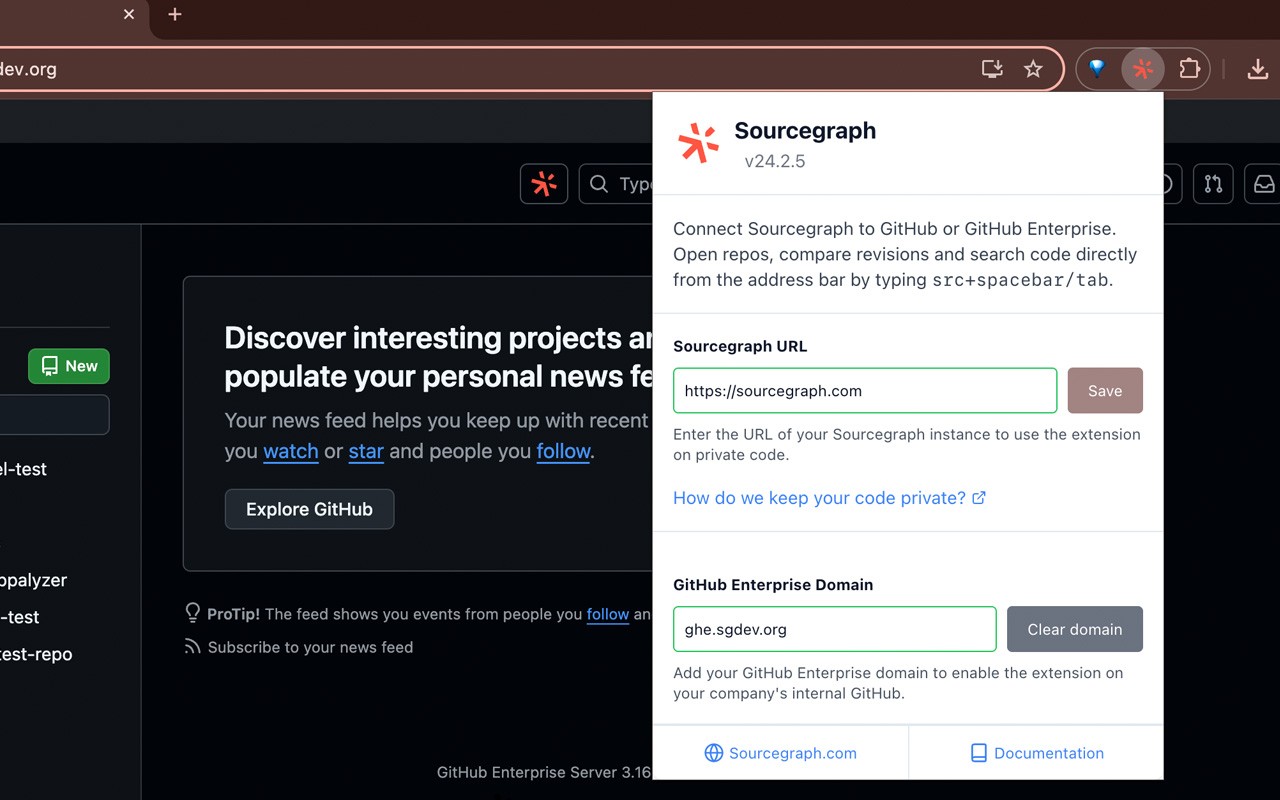
- GitHub Enterprise Support: If you use GitHub Enterprise, simply click the extension icon and update the "Sourcegraph URL" field to point to your enterprise instance. This allows the extension to work with your organization's private repositories.
- Private Code Access: To use the extension with private repositories, you need to set up a private Sourcegraph instance and connect it to the extension. This ensures that your proprietary code remains secure while still benefiting from Sourcegraph's code intelligence features.
Whether you're a developer reviewing pull requests, a team lead auditing code changes, or a contributor exploring open source projects, this extension streamlines common tasks like searching for code patterns, comparing file versions, and navigating between repositories. It eliminates the need to switch between tabs or manually construct URLs, saving time and reducing friction in your daily development routine.
Extensions that do the same job
Matched by what these extensions actually do, not by store category, and sorted so the ones asking for the least access come first.
| Extension | Site access | Permissions | Users | Rating |
|---|---|---|---|---|
| Sourcegraph — this page | All sites | 2 | 70K | 4.5★ |
| Figma | Limited | 4 | 200K | 4.2★ |
| GitZip for github | Limited | 2 | 100K | 4.1★ |
| IP Address and Domain Information | Limited | 1 | 100K | 4.4★ |
| Lightning Studio | Limited | 3 | 100K | 3.9★ |
| Pixel Measurement | Limited | 3 | 100K | 4.5★ |
| AI Code Finder, Alerts, Ask Questions about Papers: CatalyzeX | Limited | 3 | 50K | 4.8★ |
Want the same thing with less access? Figma, GitZip for github, IP Address and Domain Information ask for fewer permissions than this one.
Store data last checked August 14, 2026.