
Snap Pixel Helper
A Chrome extension for verifying, debugging, and troubleshooting Snap Pixel implementations on websites.
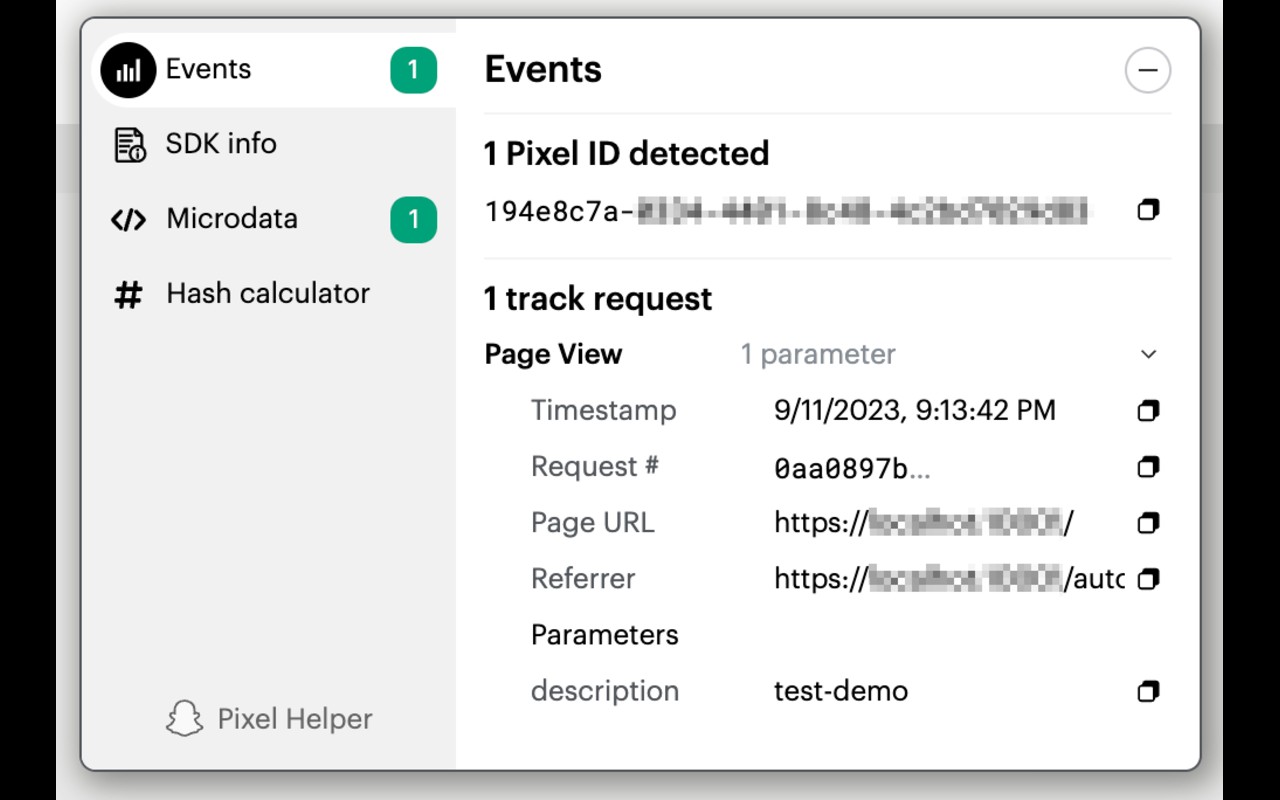
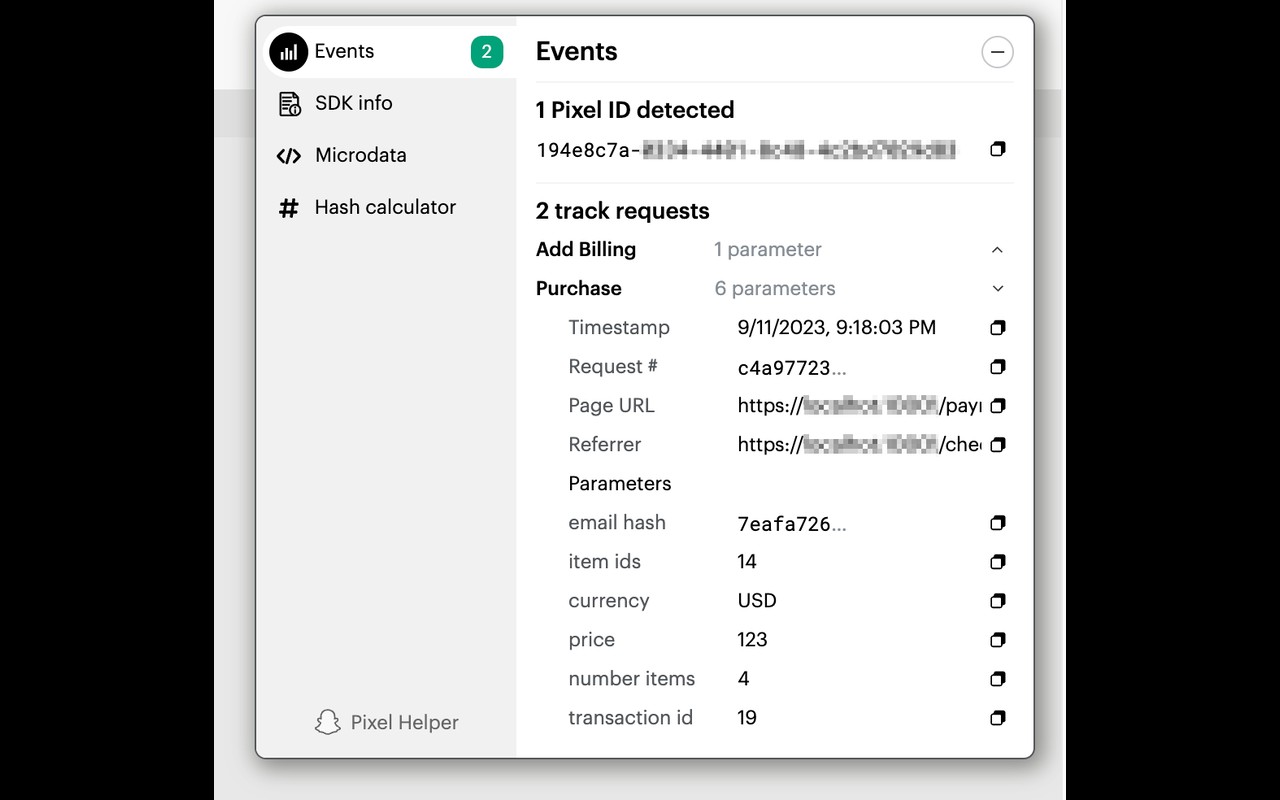
What it does
Permissions and access
Taken from the extension's own manifest file inside the package. The store listing does not spell this out, so it is worth reading before you install.
| Permission | What it allows |
|---|---|
activeTab | Access the current tab when you click the extension |
scripting | Run its own code on pages |
tabs | See the addresses and titles of your open tabs |
webRequest | Watch your network requests |
Requests 4 permissions — extensions doing the same job average 3.9.
Technical details
Description
The Snap Pixel Helper is a browser extension designed for advertisers using Snap's advertising platform. It provides real-time feedback on the implementation of the Snap Pixel, a JavaScript snippet that tracks user actions on websites after viewing a Snap ad. With this tool, marketers can verify that the pixel is firing correctly, identify errors in setup, and debug issues that may affect campaign measurement. The extension is particularly useful for optimizing direct response campaigns focused on conversions like sign-ups, purchases, or lead generation. By ensuring the pixel works across devices and sessions, advertisers gain accurate insights into cross-device attribution and campaign performance.
Key Features
- Real-time pixel verification: As you browse your website, the extension displays a badge indicating whether the Snap Pixel is present and active. This immediate feedback helps confirm that the pixel code is installed on the correct pages without needing to inspect the page source manually.
- Error detection and debugging: The helper alerts you to common pixel implementation issues, such as missing events, incorrect event parameters, or duplicate pixel loads. It surfaces these problems in a clear popup interface, allowing you to quickly identify and fix configuration mistakes that could skew your conversion data.
- Event tracking validation: For each page view or user action, the extension lists the specific Snap Pixel events that were triggered (e.g., ViewContent, AddToCart, Purchase). This lets you verify that custom events are firing as intended and that the correct data (like currency or value) is being passed along.
- Cross-device measurement support: The Snap Pixel is designed to track conversions across multiple devices, and the helper ensures that the pixel is set up to capture this data accurately. By debugging the pixel, you can trust that your campaign reports reflect the full customer journey.
- Easy access to documentation: The extension includes a link to Snap's official Terms of Service and pixel documentation, so you can reference best practices and troubleshooting guides directly from the popup.
In practice, the Snap Pixel Helper is most valuable during the initial pixel installation phase or when making changes to your website's tracking code. It saves time by eliminating the need to rely solely on server-side logs or delayed reports. For advertisers running Snapchat campaigns with specific conversion goals, this extension ensures that every click and action is properly measured, leading to more informed bidding and budget allocation decisions.
Extensions that do the same job
Matched by what these extensions actually do, not by store category, and sorted so the ones asking for the least access come first.
| Extension | Site access | Permissions | Users | Rating |
|---|---|---|---|---|
| Snap Pixel Helper — this page | All sites | 4 | 70K | 3.9★ |
| Figma | Limited | 4 | 200K | 4.2★ |
| GitZip for github | Limited | 2 | 100K | 4.1★ |
| IP Address and Domain Information | Limited | 1 | 100K | 4.4★ |
| Lightning Studio | Limited | 3 | 100K | 3.9★ |
| Pixel Measurement | Limited | 3 | 100K | 4.5★ |
| AI Code Finder, Alerts, Ask Questions about Papers: CatalyzeX | Limited | 3 | 50K | 4.8★ |
Want the same thing with less access? Figma, GitZip for github, IP Address and Domain Information ask for fewer permissions than this one.
Store data last checked August 14, 2026.