
Page Edit
An extension that makes any webpage editable and provides text formatting tools via a toolbar popup.
What it does
Permissions and access
Taken from the extension's own manifest file inside the package. The store listing does not spell this out, so it is worth reading before you install.
| Permission | What it allows |
|---|---|
activeTab | Access the current tab when you click the extension |
scripting | Run its own code on pages |
storage | Store its own settings and data |
Requests 3 permissions — extensions doing the same job average 3.0.
Technical details
Description
Page Edit is a browser extension that transforms any webpage into a content editable document, allowing you to modify text and other elements directly in your browser. It provides a simple toolbar popup interface for controlling the editing mode and applying basic text formatting.
Features
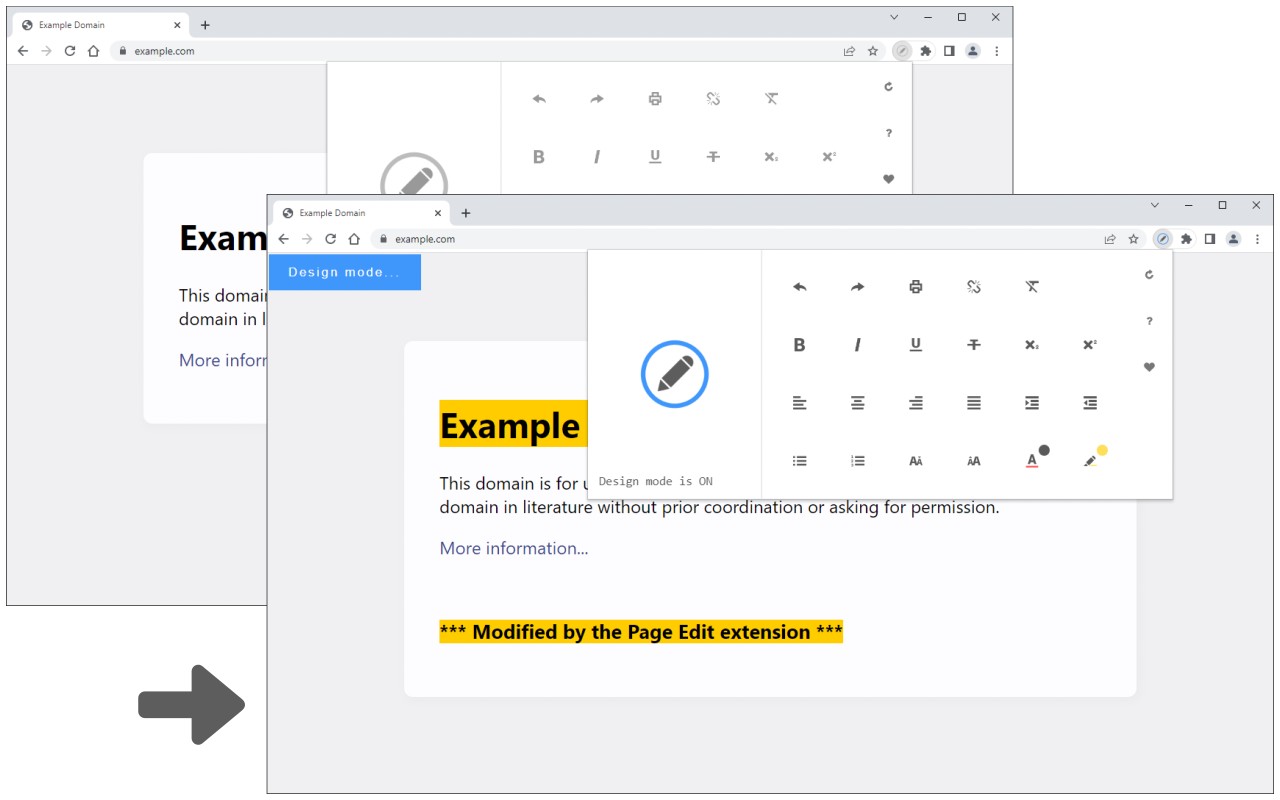
- Toggle editing mode on any webpage with a single click in the toolbar popup. When activated, the extension icon turns blue and a "Design Mode" banner appears in the top-left corner of the tab, indicating that the page is now editable.
- Use text editing buttons in the popup to format selected text. You must first select a portion of text on the page, then click a button (such as bold, italic, underline, etc.) to apply that formatting. This is useful for quickly adjusting the appearance of content without using developer tools.
- After making changes, simply toggle the editing mode off by clicking the same button again. The page returns to its normal state, but your edits remain visible until you refresh the page.
- Bug reports and feature requests can be submitted via a form on the extension's homepage, which is linked in the popup.
Page Edit is ideal for users who need to temporarily modify webpage content for testing, note-taking, or demonstration purposes. It works on any HTML page and requires no special permissions beyond what is necessary for the toolbar popup to interact with the current tab.
Extensions that do the same job
Matched by what these extensions actually do, not by store category, and sorted so the ones asking for the least access come first.
| Extension | Site access | Permissions | Users | Rating |
|---|---|---|---|---|
| Page Edit — this page | Limited | 3 | 30K | 4.6★ |
| BetterTTV | Limited | 2 | 3M | 4.6★ |
| Bitly | Short links and QR Codes | Limited | 4 | 400K | 3.7★ |
| Markdown Reader | Limited | 2 | 100K | 4.7★ |
| Old Reddit Redirect | Limited | 1 | 100K | 4.7★ |
| Visual CSS Editor | Limited | 4 | 50K | 3.5★ |
| Material Icons for GitHub | Limited | 3 | 30K | 5.0★ |
Store data last checked August 14, 2026.