
Measuremate - Pixel Ruler for Web Design
Measure distances, inspect CSS box model, and drop alignment guides on any live website without DevTools.
What it does
Permissions and access
Taken from the extension's own manifest file inside the package. The store listing does not spell this out, so it is worth reading before you install.
| Permission | What it allows |
|---|---|
activeTab | Access the current tab when you click the extension |
scripting | Run its own code on pages |
storage | Store its own settings and data |
Requests 3 permissions — extensions doing the same job average 3.9.
Technical details
Keyboard shortcuts
| Shortcut | Action |
|---|---|
| Ctrl+Shift+M | _execute_action |
Description
Measuremate is a browser-based measuring tool designed for frontend developers, web designers, and QA engineers who need precise pixel measurements without opening DevTools. It combines a pixel ruler, CSS inspector, and alignment guides in one lightweight, privacy-first extension. The tool works on any live website, including single-page applications and iframes, and does not interfere with normal browsing until activated.
Features
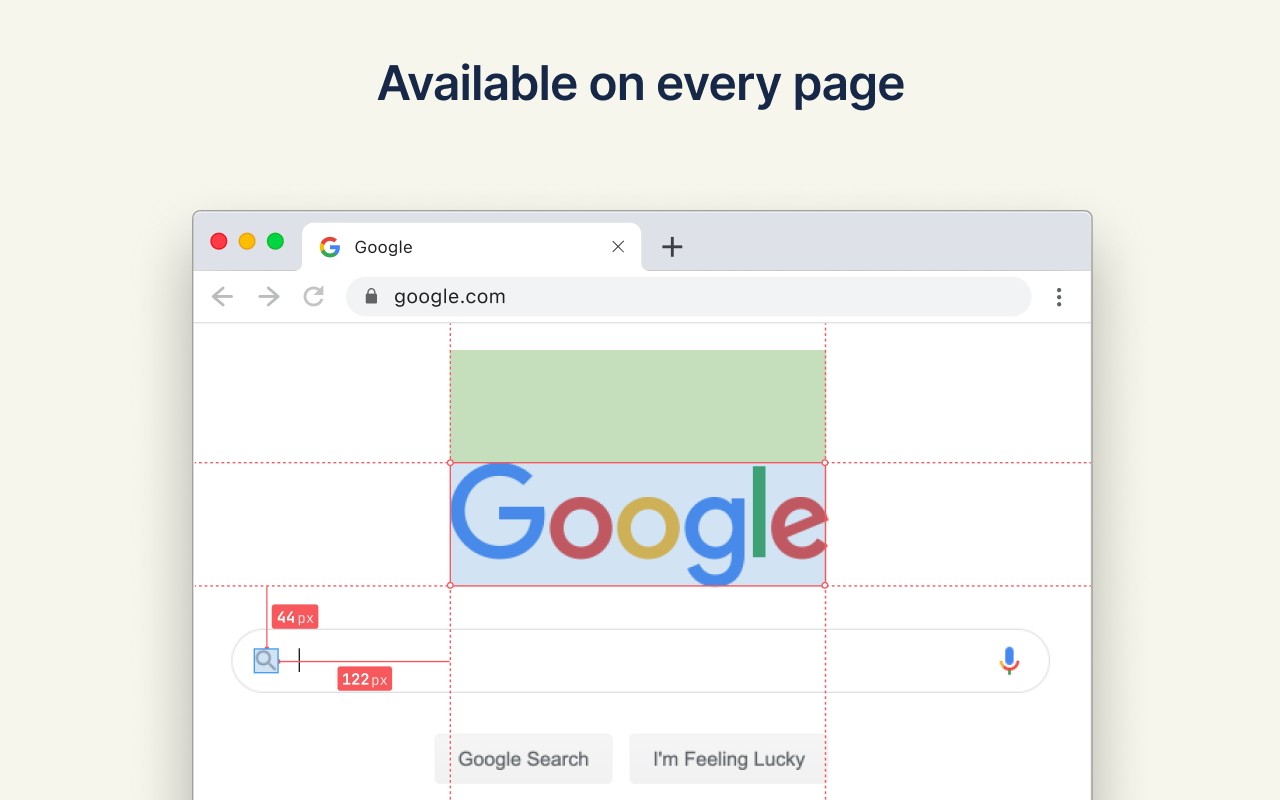
- Inspector Mode: Click any element to inspect its dimensions, distances to neighboring elements, and full CSS details. Hover over elements to preview their box model before selecting. This mode is useful for quickly checking spacing, padding, and margins against design mockups.
- Guides Mode: Drop vertical and horizontal ruler guides anywhere on the page with a single keystroke. Guides snap to element edges and centers, allowing you to verify alignment and measure distances between guides, similar to tools like Figma. Use arrow keys for 1px precision or Shift+arrows for 10px jumps.
- Mode Switching: Toggle between Inspector and Guides modes instantly using keyboard shortcuts (1 for Inspector, 2 for Guides), enabling a fluid workflow.
- Distance Measurement: Measure distances between any two elements on the page. On-screen dimension lines display exact pixel values for spacing, gaps, padding, and margins.
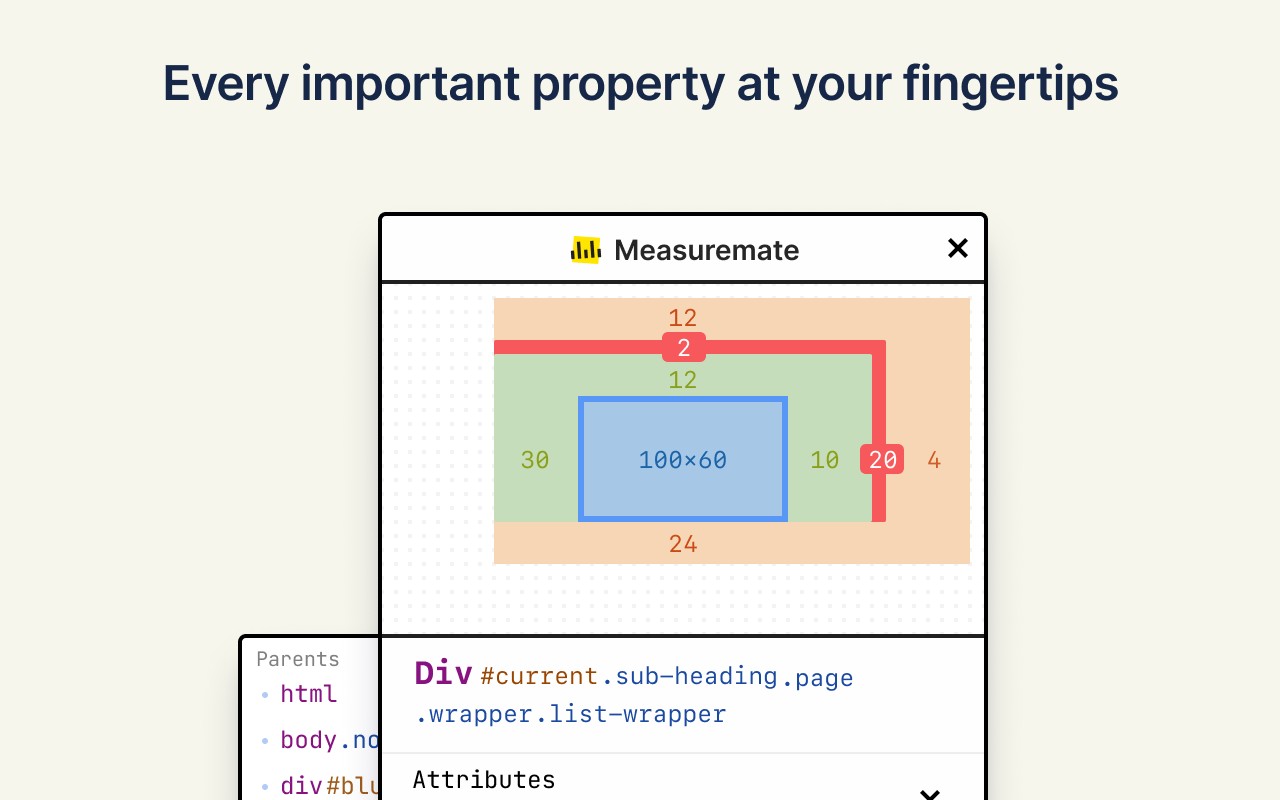
- CSS Box Model Inspection: View a visual breakdown of the selected element's content, padding, border, and margin areas, including negative margins. This helps in understanding layout issues.
- Detailed CSS Panel: Access categorized CSS properties such as Layout (display, position, flex, grid, z-index), Text (font, color, line-height, letter-spacing), and Attributes. The panel updates as you select different elements.
- DOM Tree Navigation: Browse the DOM hierarchy from root to any element. Hover over nodes to preview them on the page, and click to inspect. This is useful for inspecting deeply nested or dynamically generated elements.
- Marquee Selection: Drag a selection box to select multiple elements at once, enabling batch inspection or measurement.
- Keyboard Shortcuts: Full keyboard-driven workflow with shortcuts for toggling the extension (Cmd/Ctrl+Shift+M), showing/hiding the control panel (M), dropping guides (V for vertical, H for horizontal), toggling snap (S), clearing guides (Q), and moving cursor/guides with arrow keys (1px or 10px with Shift). Esc clears the current selection.
- Privacy and Performance: The extension is under 500 KiB, does not track user activity, and collects no data. It remains inactive until explicitly activated, ensuring no impact on browsing.
Measuremate is ideal for verifying pixel-perfect implementation against designs from tools like Figma or Sketch, checking responsive layouts across breakpoints, and performing design handoff reviews. All core measuring features are free, with a one-time Pro purchase unlocking additional capabilities. The tool is regularly updated based on user feedback.
Extensions that do the same job
Matched by what these extensions actually do, not by store category, and sorted so the ones asking for the least access come first.
| Extension | Site access | Permissions | Users | Rating |
|---|---|---|---|---|
| Measuremate - Pixel Ruler for Web Design — this page | Limited | 3 | 30K | 4.4★ |
| Figma | Limited | 4 | 200K | 4.2★ |
| GitZip for github | Limited | 2 | 100K | 4.1★ |
| IP Address and Domain Information | Limited | 1 | 100K | 4.4★ |
| Lightning Studio | Limited | 3 | 100K | 3.9★ |
| Pixel Measurement | Limited | 3 | 100K | 4.5★ |
| AI Code Finder, Alerts, Ask Questions about Papers: CatalyzeX | Limited | 3 | 50K | 4.8★ |
Store data last checked August 14, 2026.