
Font Picker
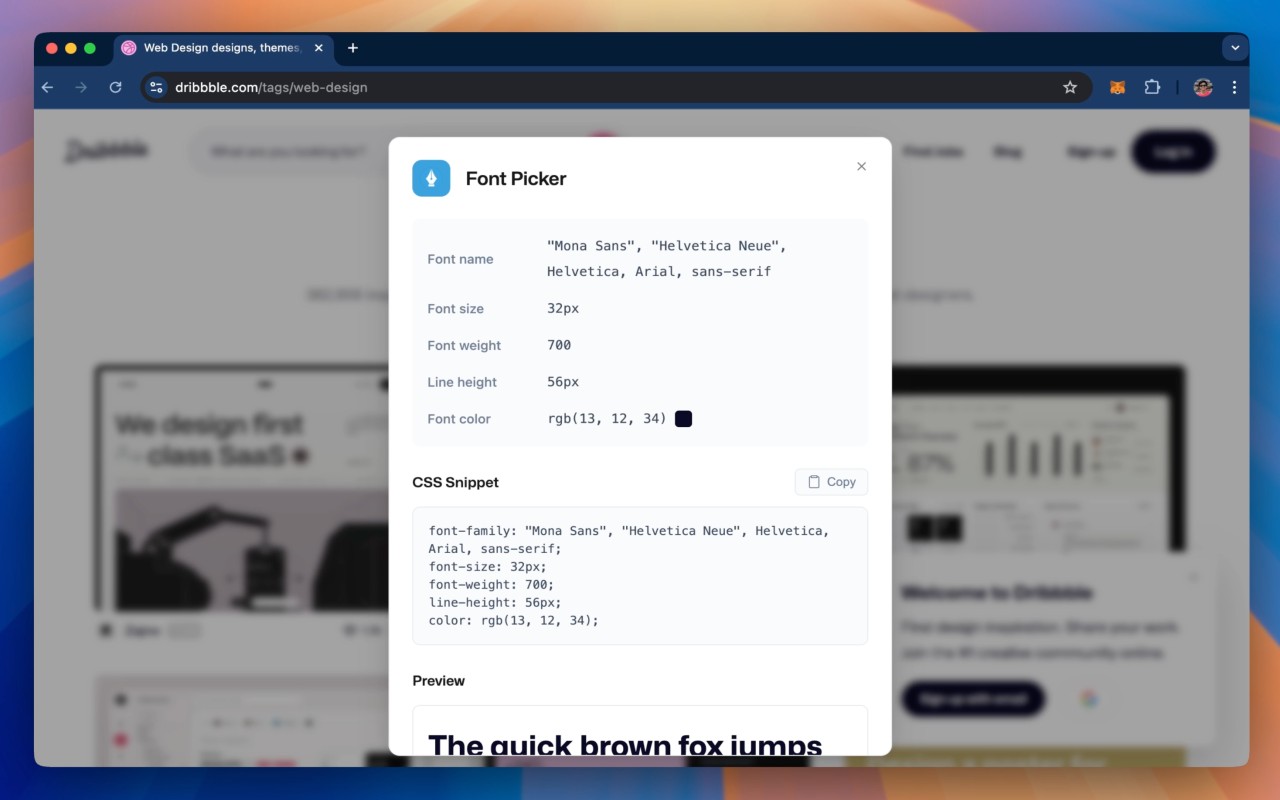
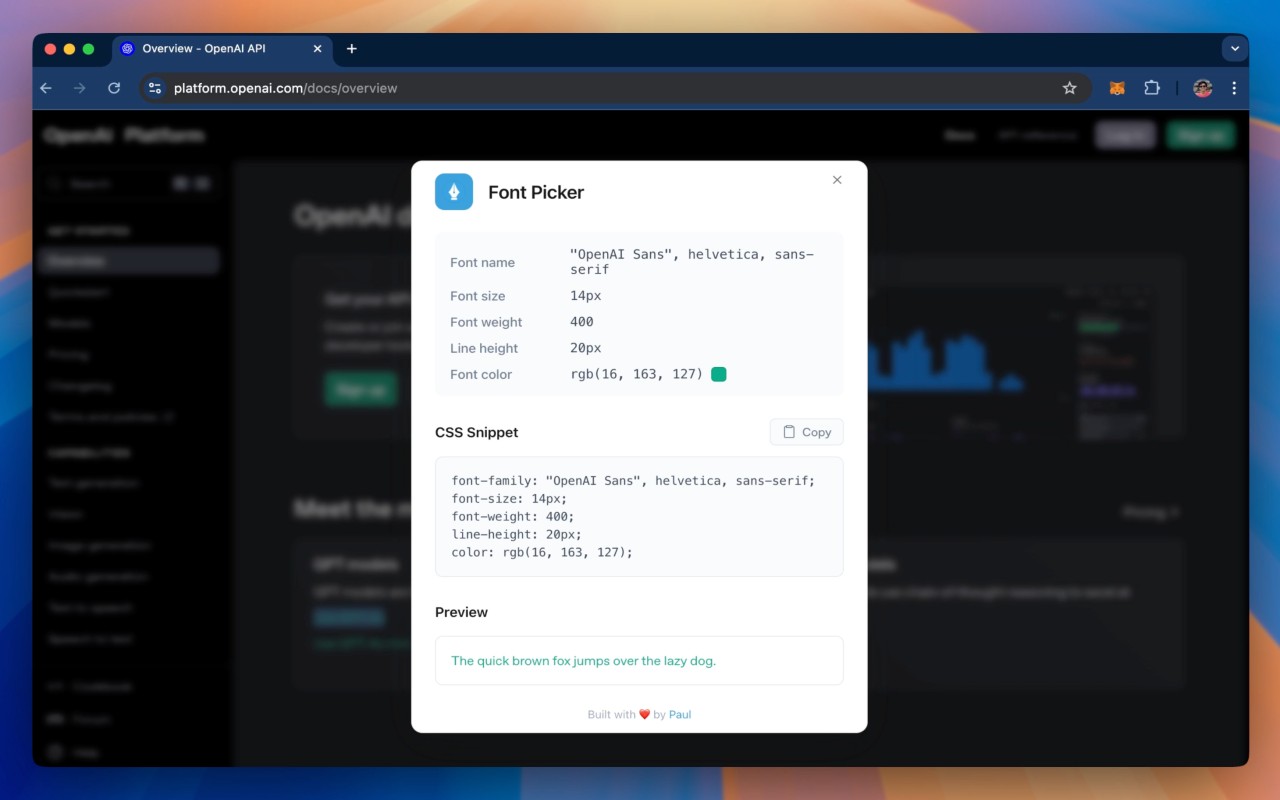
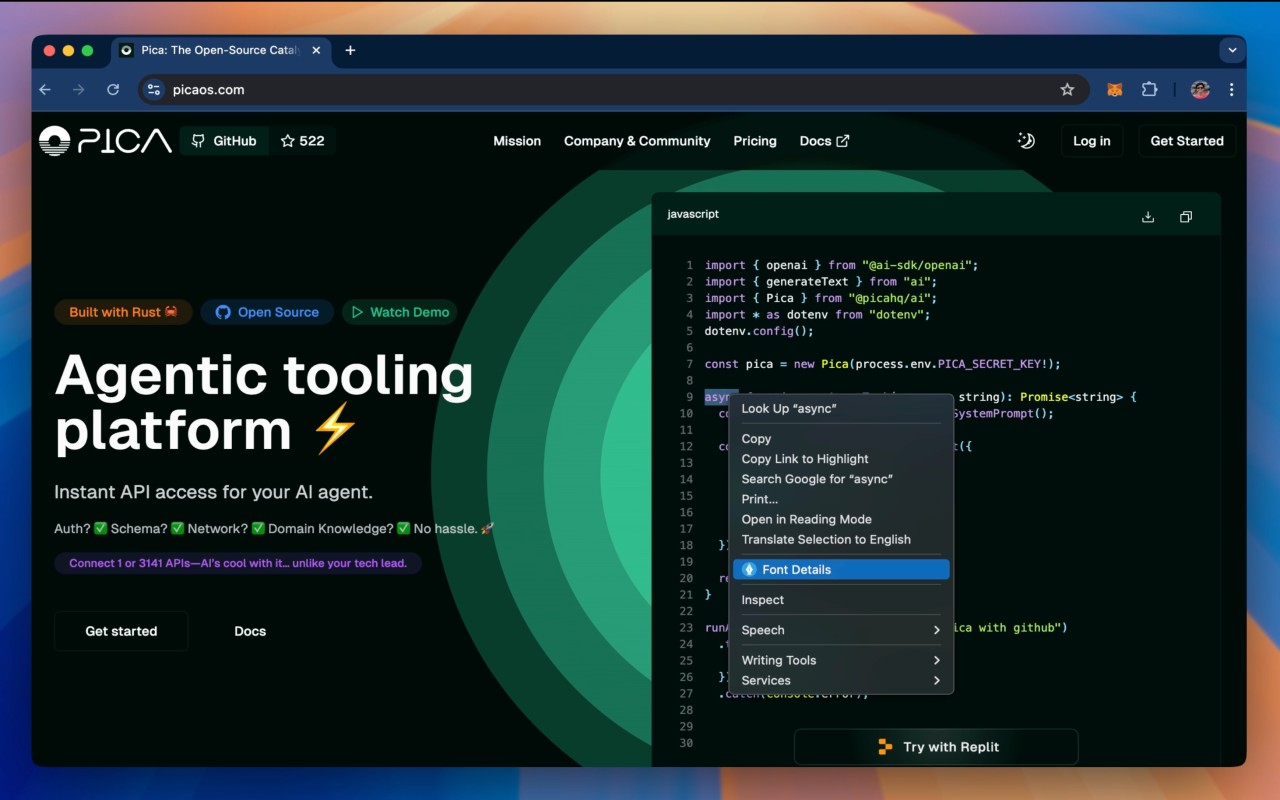
Identify font details (family, size, weight, style) on any webpage via right-click.
What it does
Permissions and access
Taken from the extension's own manifest file inside the package. The store listing does not spell this out, so it is worth reading before you install.
| Permission | What it allows |
|---|---|
activeTab | Access the current tab when you click the extension |
contextMenus | Add items to the right-click menu |
Requests 2 permissions — extensions doing the same job average 3.9.
Technical details
Description
Font Picker is a practical browser extension that lets you quickly discover the font used in any text on a webpage. Instead of manually digging through the site's source code or using developer tools, you can simply right-click on the text and select the "Font Details" option from the context menu. This action opens a popup that displays all relevant information about the font, such as its family name, size, weight, and style. This tool is especially useful for web designers, developers, or anyone curious about typography, as it saves time and provides a more user-friendly way to inspect fonts.
Key Features
- Right-click on any text on a webpage to access the "Font Details" context menu item.
- View comprehensive font information in a clean, easy-to-read popup, including font family, size, weight, and style.
- No need to manually inspect HTML or CSS source code to determine font properties.
- Works on any website, making it a versatile tool for design inspiration or troubleshooting.
- Simple and intuitive interface that requires no technical expertise to use.
After installing the extension, it's important to reload your existing tabs for the functionality to be active. Once reloaded, you can start using Font Picker immediately. Whether you're a designer analyzing a competitor's site, a developer verifying font usage, or just a curious user, Font Picker streamlines the process of font identification.
Extensions that do the same job
Matched by what these extensions actually do, not by store category, and sorted so the ones asking for the least access come first.
| Extension | Site access | Permissions | Users | Rating |
|---|---|---|---|---|
| Font Picker — this page | All sites | 2 | 90K | 3.2★ |
| Figma | Limited | 4 | 200K | 4.2★ |
| GitZip for github | Limited | 2 | 100K | 4.1★ |
| IP Address and Domain Information | Limited | 1 | 100K | 4.4★ |
| Lightning Studio | Limited | 3 | 100K | 3.9★ |
| Pixel Measurement | Limited | 3 | 100K | 4.5★ |
| AI Code Finder, Alerts, Ask Questions about Papers: CatalyzeX | Limited | 3 | 50K | 4.8★ |
Want the same thing with less access? Figma, GitZip for github, IP Address and Domain Information ask for fewer permissions than this one.
Store data last checked August 14, 2026.