
Fake Data - A form filler you won't hate
Fake Data generates random, realistic data to fill forms instantly with customizable options and keyboard shortcuts.
What it does
Permissions and access
Taken from the extension's own manifest file inside the package. The store listing does not spell this out, so it is worth reading before you install.
| Permission | What it allows |
|---|---|
activeTab | Access the current tab when you click the extension |
contextMenus | Add items to the right-click menu |
scripting | Run its own code on pages |
storage | Store its own settings and data |
Asks for these only when you use the matching feature:
notifications
Requests 4 permissions — extensions doing the same job average 3.9.
Technical details
Description
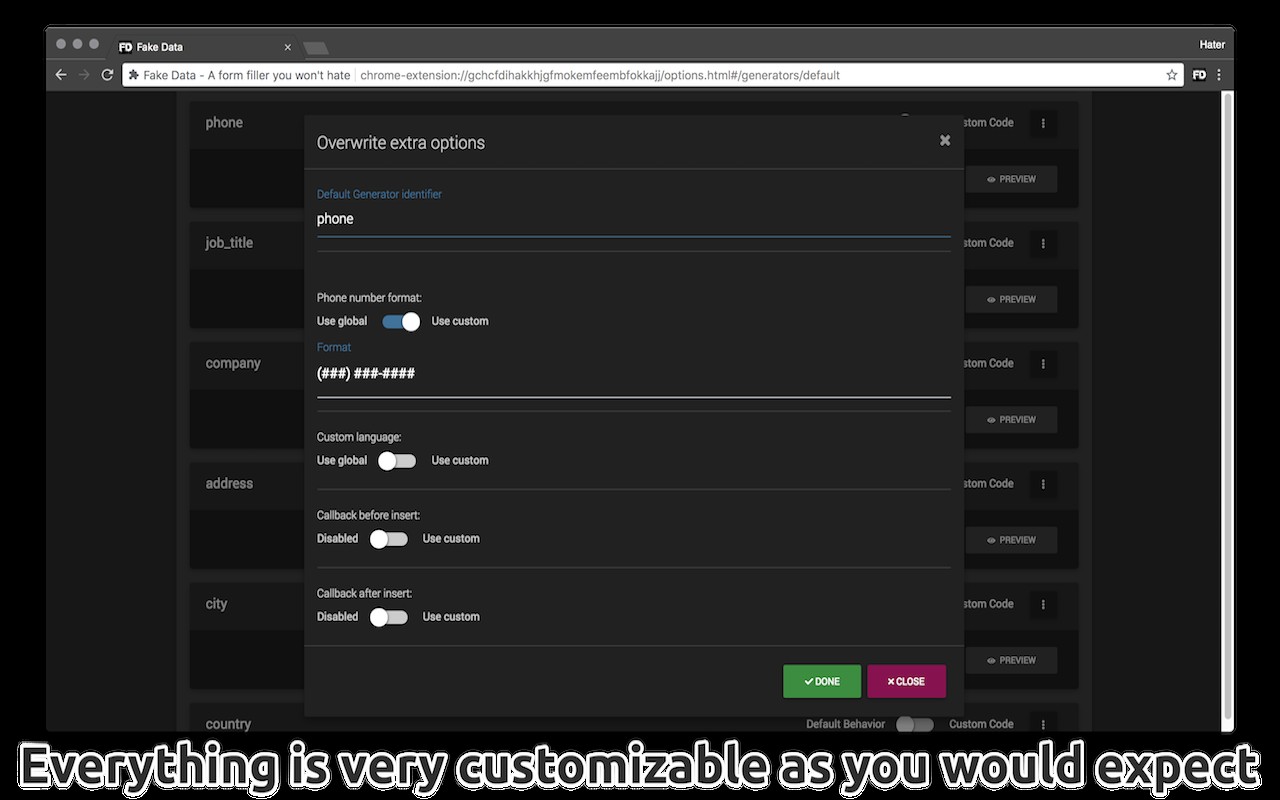
Fake Data is a browser extension designed to help you fill out online forms quickly using fake but realistic information. After installing, you need to reload any already open tabs for the extension to work inside them. With this tool, you can generate random names, email addresses, physical addresses, phone numbers, and many other types of data in seconds. It works out of the box without any required configuration, but you can customize it if needed.
Key Features
- Generate Random Data: Instantly create random names, emails, addresses, phone numbers, and more. This is useful when you need to sign up for a service without revealing your real information, test form validation, or populate a development database.
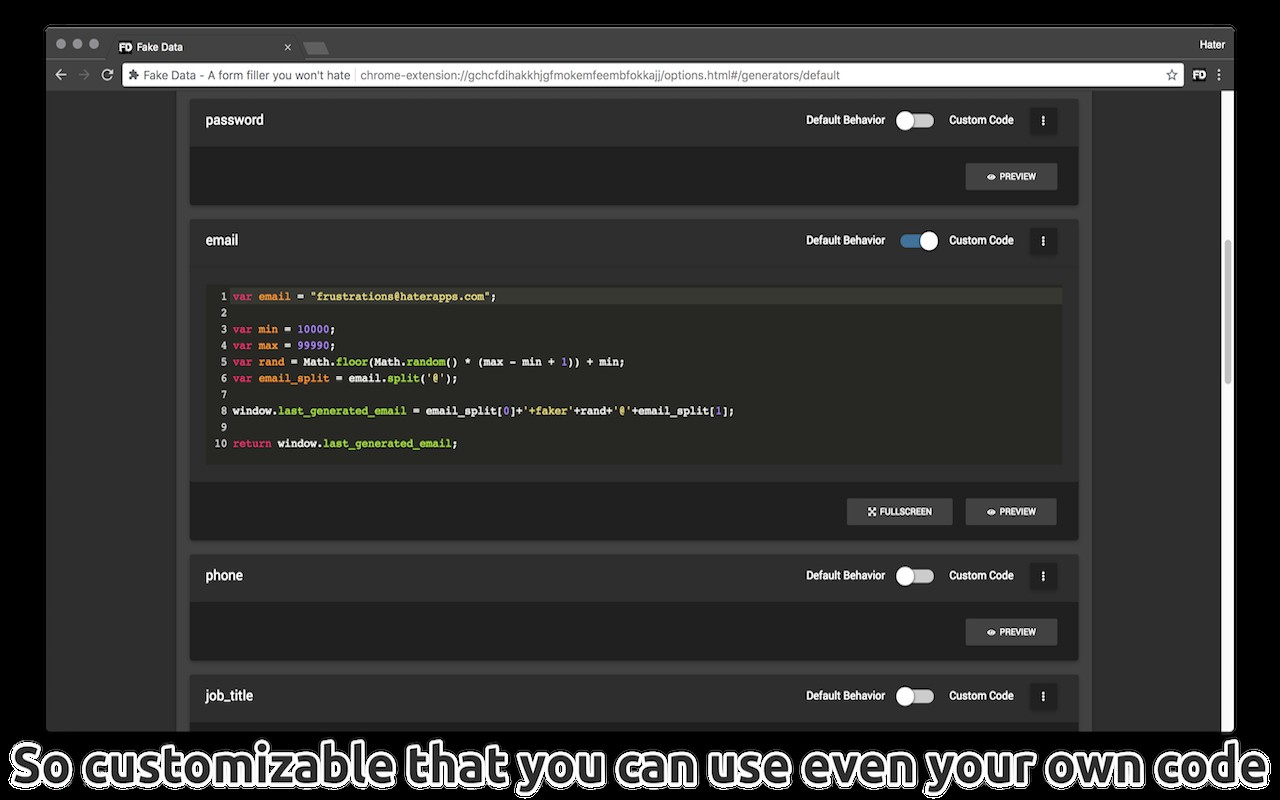
- Custom Data Generators: Write your own JavaScript code to create custom data generators. This allows you to generate any type of data you can imagine, such as specialized IDs, custom formats, or domain-specific information. It unlocks unlimited possibilities for tailoring data to your needs.
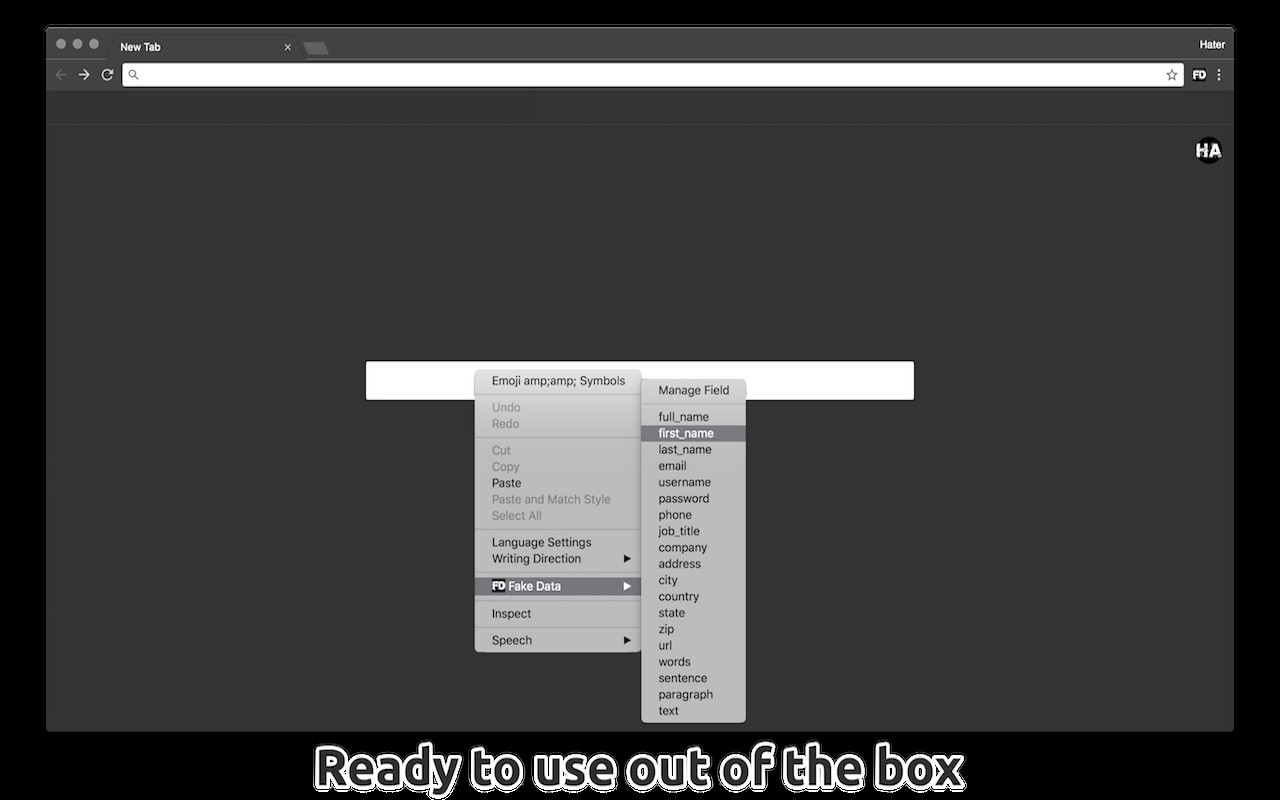
- No Setup Required: You can start using the extension immediately. Simply right-click on any input field and choose the type of data you want to insert. This is ideal for quick tasks where you don't want to spend time configuring.
- Fill Single Fields or Entire Forms: You can fill just one field at a time or populate an entire form with one action. This saves time when dealing with long registration forms or multiple fields that need random data.
- Keyboard Shortcuts: Use easy keyboard shortcuts to speed up your workflow. On Mac, double-click with Cmd; on Windows or Linux, double-click with Alt. This allows you to fill fields without moving your hand to the mouse.
- Auto Learn Feature: The extension remembers your preferences. After you fill a field once, it can automatically fill similar fields in the future without you having to specify again. This is useful for recurring forms with the same structure.
- User-Friendly Interface: The interface and configurations are intuitive and easy to understand. Everything works as you would expect, minimizing the learning curve.
- Customizable Shortcuts and Icon Action: You can manage additional keyboard shortcuts or change what happens when you click the extension icon.
The free version includes all the above features. For more advanced needs, there are paid upgrades. The Pro version (one-time €4.99) adds more advanced customizations for each generator without writing code, advanced management for select dropdowns, support for Google Forms, support for custom third-party libraries, the ability to fill Google Sheets with fake data, import data from your own CSV files or Google Sheets, and the ability to add custom JavaScript libraries to aid data generation. The Ultra subscription (€2.99/month) unlocks unlimited private disposable email addresses that can receive emails directly in the extension, a VoIP mobile number that can receive SMS and MMS messages directly in the extension, and the ability to fill forms with real address, city, state, and zip code combinations. These paid features are beneficial for users who need more sophisticated data generation, integration with other platforms, or temporary contact information for privacy.
Extensions that do the same job
Matched by what these extensions actually do, not by store category, and sorted so the ones asking for the least access come first.
| Extension | Site access | Permissions | Users | Rating |
|---|---|---|---|---|
| Fake Data - A form filler you won't hate — this page | All sites | 4 | 50K | 4.7★ |
| Figma | Limited | 4 | 200K | 4.2★ |
| GitZip for github | Limited | 2 | 100K | 4.1★ |
| IP Address and Domain Information | Limited | 1 | 100K | 4.4★ |
| Lightning Studio | Limited | 3 | 100K | 3.9★ |
| Pixel Measurement | Limited | 3 | 100K | 4.5★ |
| AI Code Finder, Alerts, Ask Questions about Papers: CatalyzeX | Limited | 3 | 50K | 4.8★ |
Want the same thing with less access? Figma, GitZip for github, IP Address and Domain Information ask for fewer permissions than this one.
Store data last checked August 14, 2026.