
Datalayer Checker
A browser extension for debugging dataLayer implementations with event search, snapshot capture, and batch analysis.
What it does
Permissions and access
Taken from the extension's own manifest file inside the package. The store listing does not spell this out, so it is worth reading before you install.
| Permission | What it allows |
|---|---|
activeTab | Access the current tab when you click the extension |
storage | Store its own settings and data |
Requests 2 permissions — extensions doing the same job average 3.9.
Technical details
Description
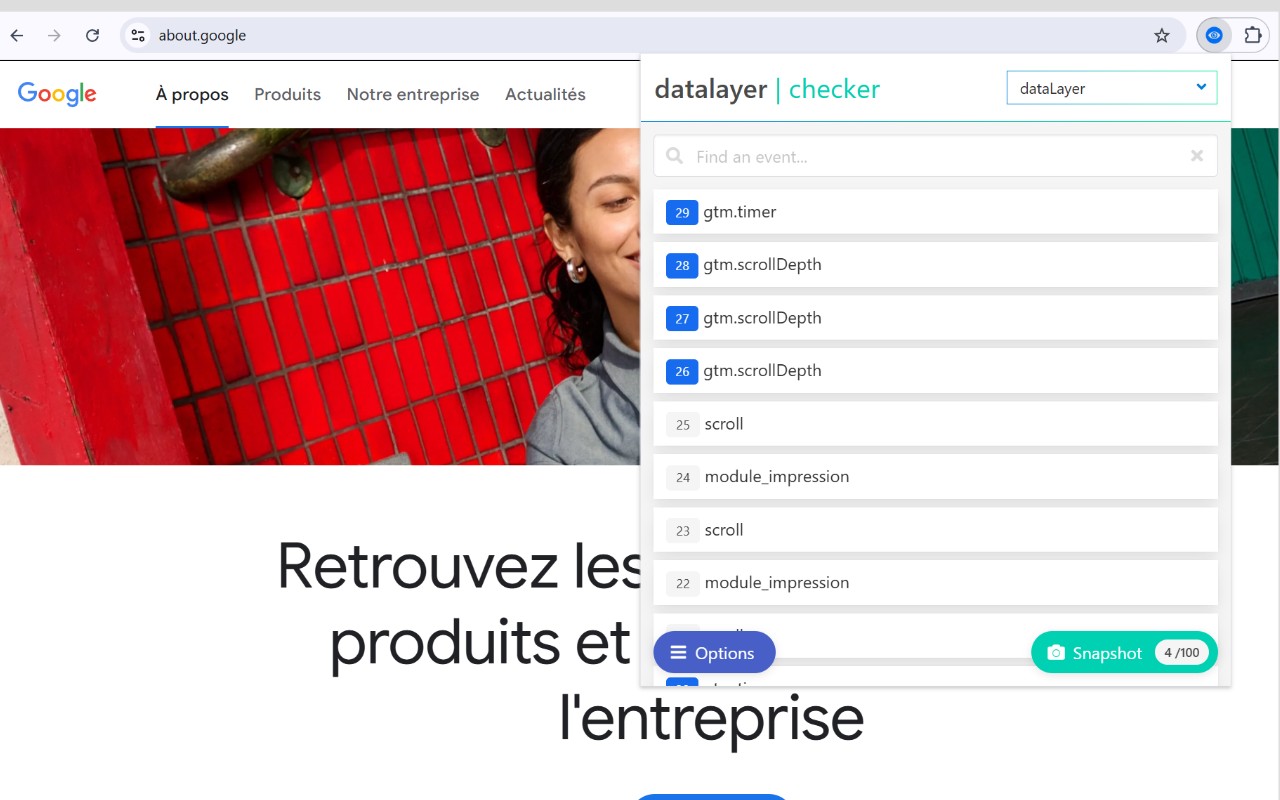
Datalayer Checker is a browser extension designed to simplify the debugging and inspection of dataLayer implementations. It eliminates the need to manually interact with the browser console, providing a dedicated interface for viewing and analyzing the data that websites push to Google Tag Manager or other tag management systems. Version 3 introduces a redesigned interface and a more intuitive user experience, making it accessible for both developers and digital analysts.
Key Features
- Redesigned Interface: The new user interface is cleaner and more organized, allowing users to quickly navigate through dataLayer entries without clutter. This improves efficiency when monitoring real-time data pushes.
- Integrated Event Search Engine: Users can search for specific events within the dataLayer, such as 'event_name' or custom event parameters. This is particularly useful when verifying that particular interactions (e.g., form submissions, clicks) are correctly tracked.
- Flexible Variable Visualization: DataLayer variables can be displayed either as a structured table or as a JSON object. The table view is ideal for quick scanning of key-value pairs, while the JSON view provides the full context for complex nested objects, aiding in detailed debugging.
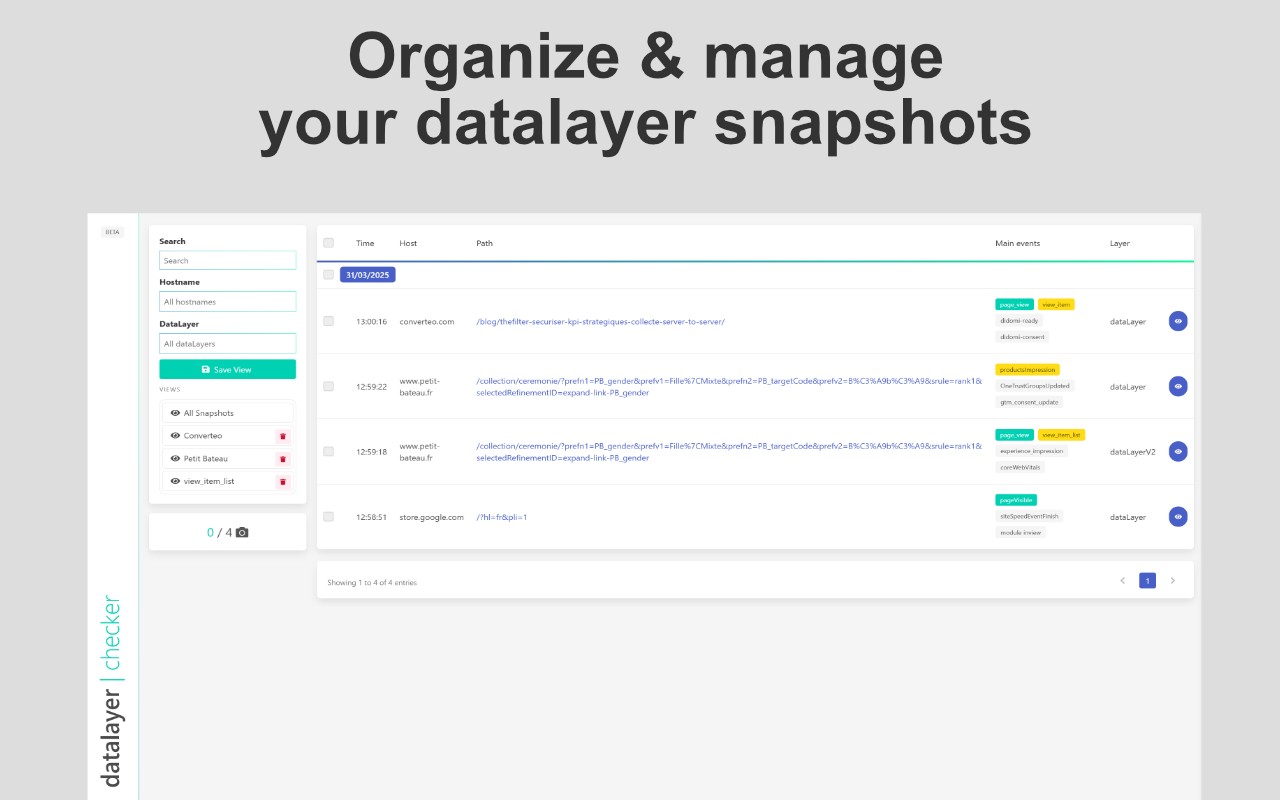
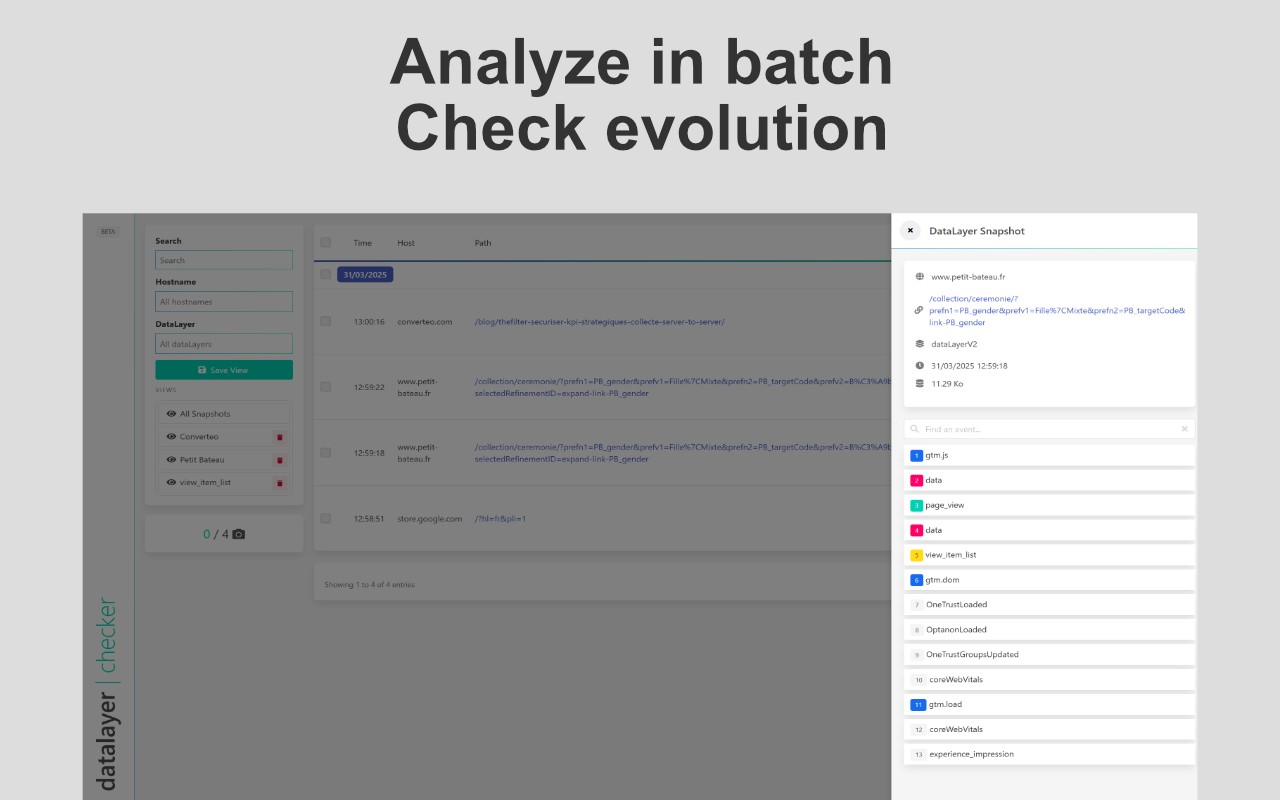
- Snapshot Function: Capture up to 100 dataLayer states at any given moment. This feature is invaluable for comparing data before and after specific user actions, or for documenting dataLayer behavior during development.
- Batch Analysis: Snapshots can be analyzed in batches, allowing users to systematically inspect multiple captured states. This is helpful when testing a sequence of interactions or validating data consistency across different scenarios.
- Intelligent Filters: Organize snapshots automatically by domain, dataLayer name, or specific search terms. For instance, filter by 'event_name' to group all snapshots containing a particular event, making it easier to track recurring issues.
- URL Reopening: Reopen all snapshot URLs to capture fresh data and compare it with previous snapshots. This feature facilitates regression testing and helps verify that changes to the website or tag configurations produce expected dataLayer updates.
These features make Datalayer Checker a practical tool for anyone involved in analytics implementation, quality assurance, or debugging of tracking setups. It streamlines the workflow by providing a centralized, visual way to inspect dataLayer activity, reducing reliance on manual console commands and improving overall productivity.
Extensions that do the same job
Matched by what these extensions actually do, not by store category, and sorted so the ones asking for the least access come first.
| Extension | Site access | Permissions | Users | Rating |
|---|---|---|---|---|
| Datalayer Checker — this page | All sites | 2 | 100K | 4.4★ |
| Figma | Limited | 4 | 200K | 4.2★ |
| GitZip for github | Limited | 2 | 100K | 4.1★ |
| IP Address and Domain Information | Limited | 1 | 100K | 4.4★ |
| Lightning Studio | Limited | 3 | 100K | 3.9★ |
| Pixel Measurement | Limited | 3 | 100K | 4.5★ |
| AI Code Finder, Alerts, Ask Questions about Papers: CatalyzeX | Limited | 3 | 50K | 4.8★ |
Want the same thing with less access? Figma, GitZip for github, IP Address and Domain Information ask for fewer permissions than this one.
Store data last checked August 14, 2026.