
Glean
Glean browser extension gives instant access to company knowledge via AI chat, search, and personalized recommendations.
What it does
Permissions and access
Taken from the extension's own manifest file inside the package. The store listing does not spell this out, so it is worth reading before you install.
| Permission | What it allows |
|---|---|
activeTab | Access the current tab when you click the extension |
alarms | Schedule background tasks |
bookmarks | Read and change your bookmarks |
contextMenus | Add items to the right-click menu |
declarativeNetRequestWithHostAccess | Block or modify requests on sites it can access |
favicon | Read site icons |
history | Read and change your browsing history |
offscreen | Run hidden pages for background work |
scripting | Run its own code on pages |
storage | Store its own settings and data |
tabs | See the addresses and titles of your open tabs |
Asks for these only when you use the matching feature:
search
Requests 11 permissions — extensions doing the same job average 4.5.
Technical details
Keyboard shortcuts
| Shortcut | Action |
|---|---|
| Alt+J | _execute_action |
Description
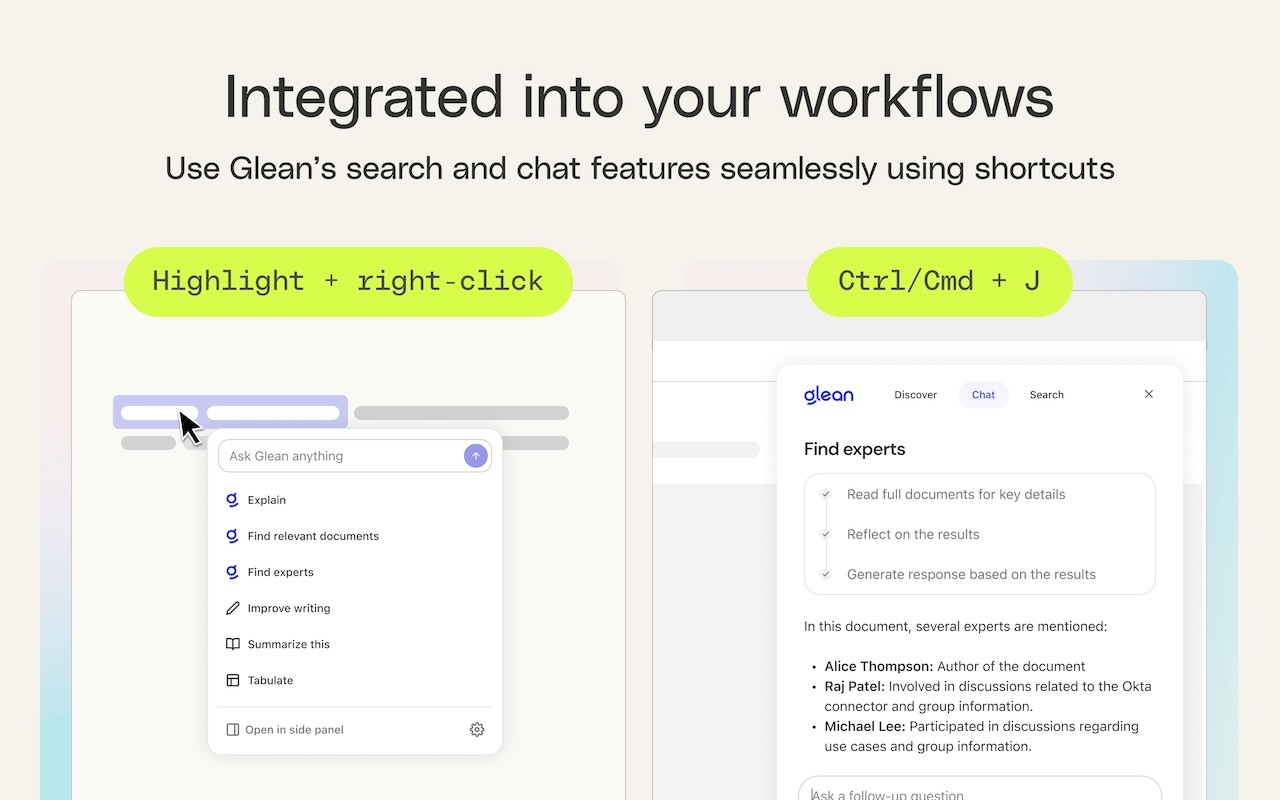
The Glean browser extension brings your company's collective knowledge directly into your workflow, making it easy to access information and leverage AI assistance without leaving the application you're using. Whether you're in a document, a ticket, or a chat thread, you can summon Glean with a simple keyboard shortcut-Command + J on Mac or Alt + J on Windows-to get instant answers, relevant suggestions, and powerful search capabilities. This extension is designed for employees of organizations that use Glean, and it connects with popular workplace tools like Google Drive, Jira, Confluence, and Slack, ensuring that you have a unified view of your company's data.
Key Features
- Instant Access via Keyboard Shortcut: Press Command + J (Mac) or Alt + J (Windows) to open the Glean sidebar from any web page. This shortcut works across all work applications, so you can quickly ask questions, search for information, or get summaries without breaking your focus.
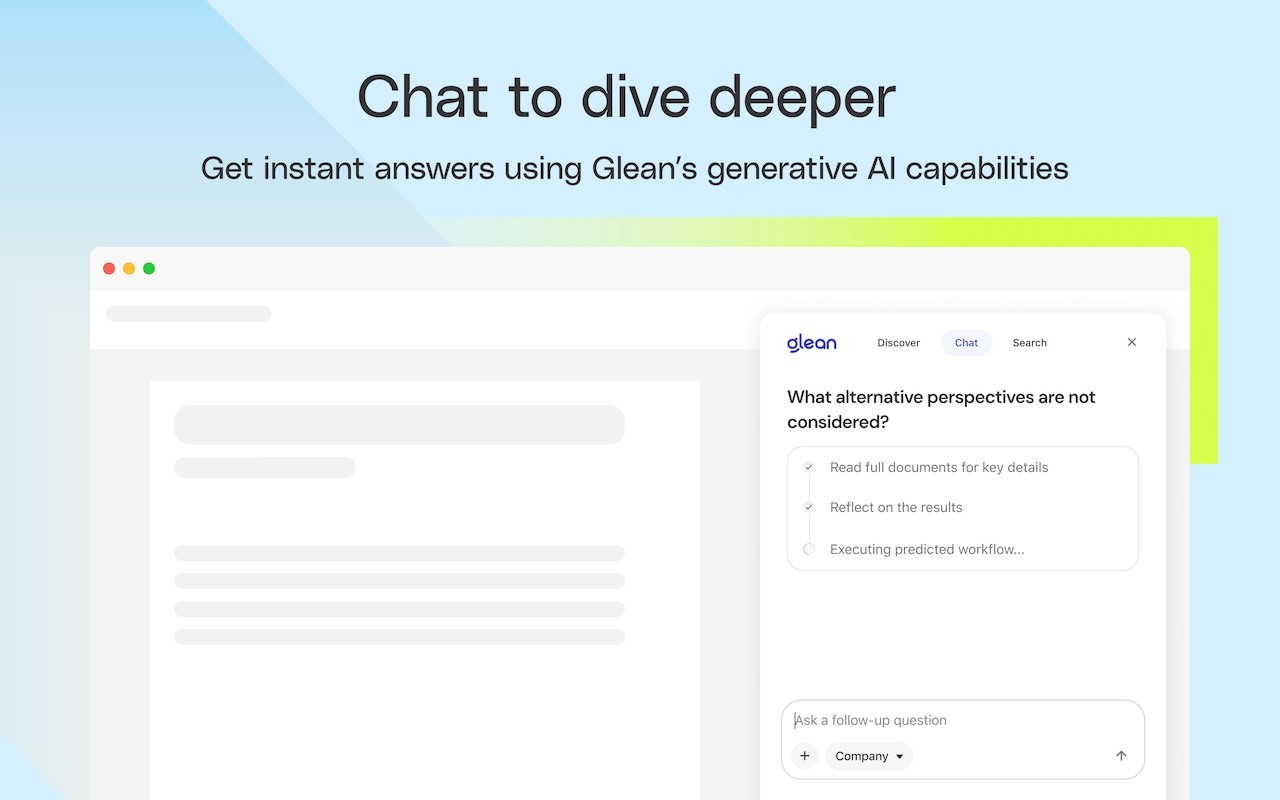
- AI-Powered Chat: Engage with an AI assistant that understands both the content you're currently viewing and your entire company knowledge base. You can ask natural language questions and receive accurate, context-aware answers, saving time spent manually searching through multiple tools.
- Intelligent Search: Glean's search goes beyond simple keyword matching. It understands the context of your query, connects related information from different sources, and identifies experts within your organization. This helps you find exactly what you need, even if you aren't sure where to look.
- Personalized Recommendations: The sidebar delivers content recommendations tailored to your current work context. As you switch between tasks, Glean suggests relevant documents, messages, and resources, helping you discover useful information proactively.
- Instant Summaries: With the keyboard shortcut, you can instantly summarize information from any work application. This is particularly useful when you need a quick overview of a long document, a complex thread, or a detailed report.
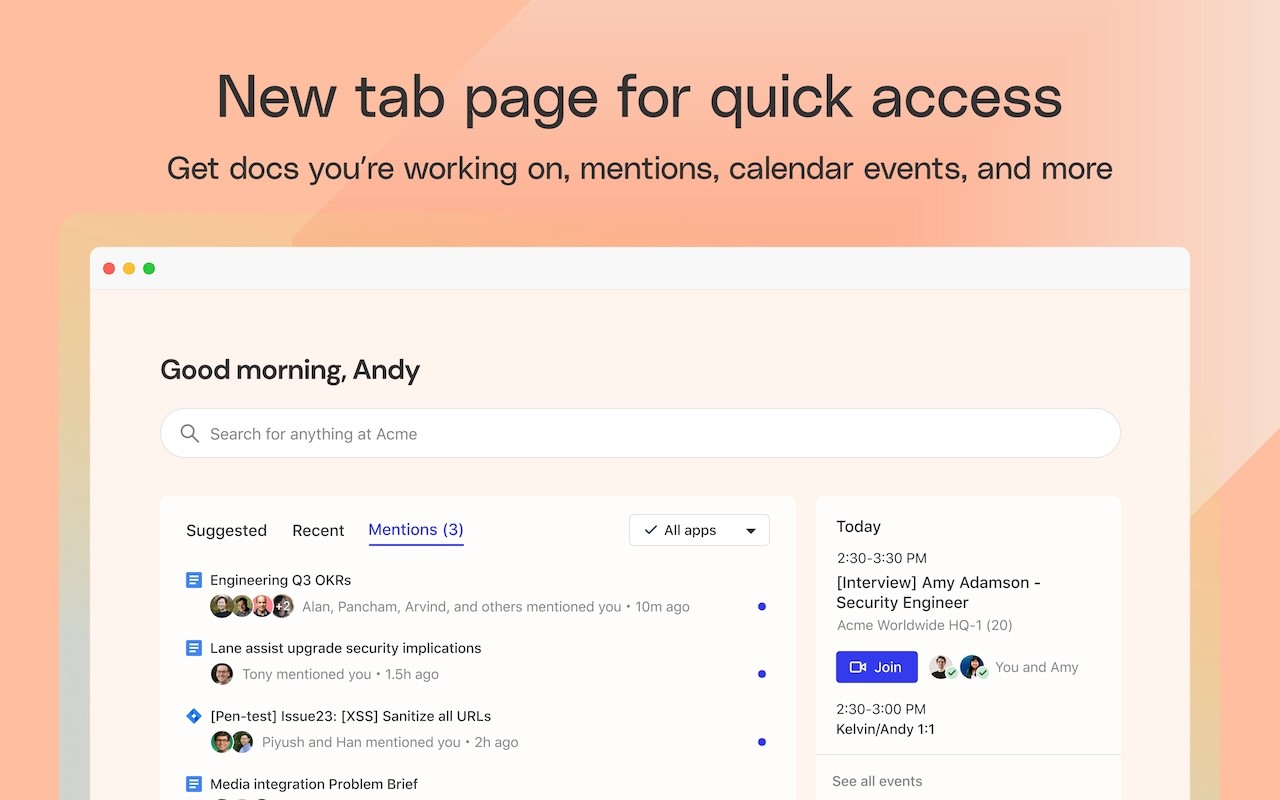
- Glean New Tab Page: The extension also enhances your new tab page, putting all of your company's knowledge at your fingertips. You'll see recommended documents, notifications from across various applications, and your upcoming calendar events, all in one place.
- Go Links: Use Glean's Go Links feature to access even the most complex URLs instantly. Instead of typing long web addresses, you can use memorable short links that Glean resolves for you, streamlining your navigation.
With support for dozens of popular workplace apps, Glean ensures that no matter which tools your company uses, you can access and interact with your knowledge base seamlessly. To use this extension, you need an account created by your company admin. If you have questions, visit https://help.glean.com or learn more about the extension's permissions at https://help.glean.com/en/articles/3643260-why-does-the-chrome-extension-ask-for-those-permissions.
Extensions that do the same job
Matched by what these extensions actually do, not by store category, and sorted so the ones asking for the least access come first.
| Extension | Site access | Permissions | Users | Rating |
|---|---|---|---|---|
| Glean — this page | Limited | 11 | 800K | 4.3★ |
| Fathom AI Note Taker for Google Meet | Limited | 4 | 500K | 4.9★ |
| NoteGPT: YouTube Summary, Chat with AI Assistant, ChatGPT DeepSeek Claude | Limited | 3 | 400K | 4.9★ |
| AI Code Finder, Alerts, Ask Questions about Papers: CatalyzeX | Limited | 3 | 50K | 4.8★ |
| Writetone: AI Writing Assistant & Grammar Fix | Limited | 4 | 1K | 4.8★ |
| Record, Transcribe & ChatGPT/Claude for Google Meet | All sites | 3 | 400K | 4.6★ |
| NotebookLM Web Importer | Limited | 5 | 300K | 4.7★ |
Want the same thing with less access? Fathom AI Note Taker for Google Meet, NoteGPT: YouTube Summary, Chat with AI Assistant, ChatGPT DeepSeek Claude, AI Code Finder, Alerts, Ask Questions about Papers: CatalyzeX ask for fewer permissions than this one.
Store data last checked August 14, 2026.