
Extension Guard - Manage and secure extensions
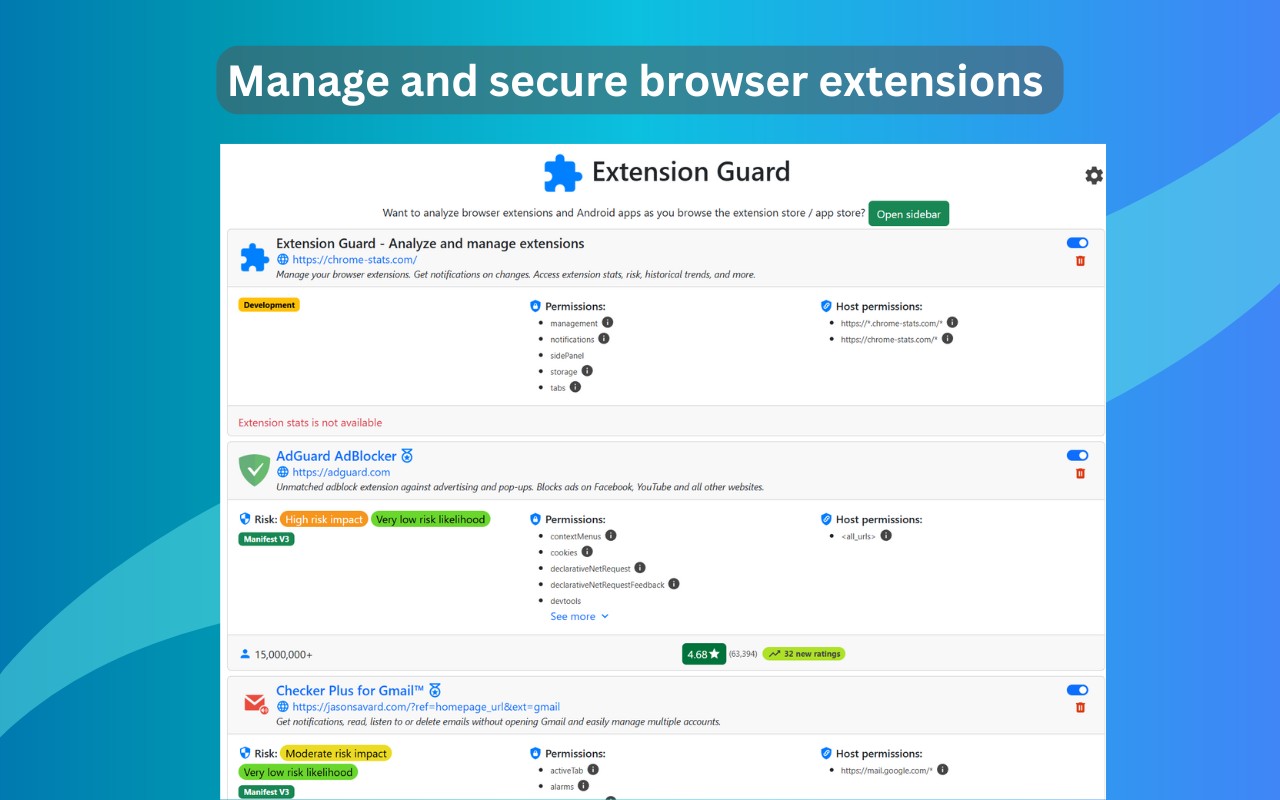
Manage and secure Chrome extensions with risk assessments, stats, and update alerts.
What it does
Permissions and access
Taken from the extension's own manifest file inside the package. The store listing does not spell this out, so it is worth reading before you install.
| Permission | What it allows |
|---|---|
alarms | Schedule background tasks |
management | See and manage your other extensions |
notifications | Show desktop notifications |
storage | Store its own settings and data |
tabs | See the addresses and titles of your open tabs |
Requests 5 permissions — extensions doing the same job average 7.0.
Technical details
Description
Extension Guard empowers you to manage and secure your Chrome extensions by providing detailed risk assessments, usage statistics, and timely notifications. Powered by Chrome-Stats data, it helps you make informed decisions about which extensions to trust and keep installed. Whether you are a privacy-conscious user or a system administrator, this tool gives you a clear overview of your extensions' behavior and reputation.
Key Features
- Risk Level Assessment: Each extension is assigned a risk level based on permissions requested, user ratings, install counts, and weekly trend data. This allows you to quickly identify potentially harmful or overly intrusive extensions without manually inspecting each one.
- Real-Time Notifications: Receive automatic alerts when a new extension is installed, an existing one is updated, or suspicious activity is detected. Notifications also cover changes such as publisher email updates, ensuring you stay informed about modifications that could affect security.
- Detailed Stats and Trends: View user ratings, total installs, and weekly trend arrows (up or down) for each extension. This helps you gauge community trust and popularity at a glance.
- One-Click Enable/Disable: Toggle extensions on or off with a single click directly from the Extension Guard interface. No need to navigate Chrome's settings menu.
- Instant Removal: Uninstall unwanted or bloatware extensions instantly. This saves time and reduces clutter, especially when dealing with multiple extensions.
- Notification History: Access a log of past alerts, so you can review changes or events that occurred while you were away.
- Customizable Icon Action: Choose whether clicking the Extension Guard icon shows the main interface or the Chrome-Stats popup. This flexibility lets you prioritize either management or statistics.
Note that Extension Guard and Chrome-Stats are now separate extensions. For viewing extension stats while browsing the Chrome Web Store, please install the dedicated Chrome-Stats extension. Extension Guard focuses solely on managing and securing your installed extensions, giving you a dedicated bodyguard for your browser.
Extensions that do the same job
Matched by what these extensions actually do, not by store category, and sorted so the ones asking for the least access come first.
| Extension | Site access | Permissions | Users | Rating |
|---|---|---|---|---|
| Extension Guard - Manage and secure extensions — this page | Limited | 5 | 4K | 3.7★ |
| Plugins | Limited | 3 | 400K | 3.8★ |
| L.O.C | Limited | 5 | 300K | 4.3★ |
| Open incognito tab | Limited | 4 | 200K | 4.6★ |
| Browser History Plus | All sites | 7 | 60K | 4.2★ |
| MEGA | Limited | 2 | 1M | 4.3★ |
| Open Multiple URLs | Limited | 3 | 700K | 4.7★ |
Want the same thing with less access? Plugins, MEGA, Open Multiple URLs ask for fewer permissions than this one.
Store data last checked August 14, 2026.