
Browser History Plus
Replaces Chrome's history with calendar view, advanced search, and customizable data cleaning.
What it does
Permissions and access
Taken from the extension's own manifest file inside the package. The store listing does not spell this out, so it is worth reading before you install.
| Permission | What it allows |
|---|---|
alarms | Schedule background tasks |
browsingData | Clear your browsing data |
cookies | Read and change cookies for the sites it runs on |
downloads | Manage your downloads |
history | Read and change your browsing history |
storage | Store its own settings and data |
tabs | See the addresses and titles of your open tabs |
Requests 7 permissions — extensions doing the same job average 7.0.
Technical details
Show all 18 languages
Keyboard shortcuts
| Shortcut | Action |
|---|---|
| Alt+E | Clear Data |
Description
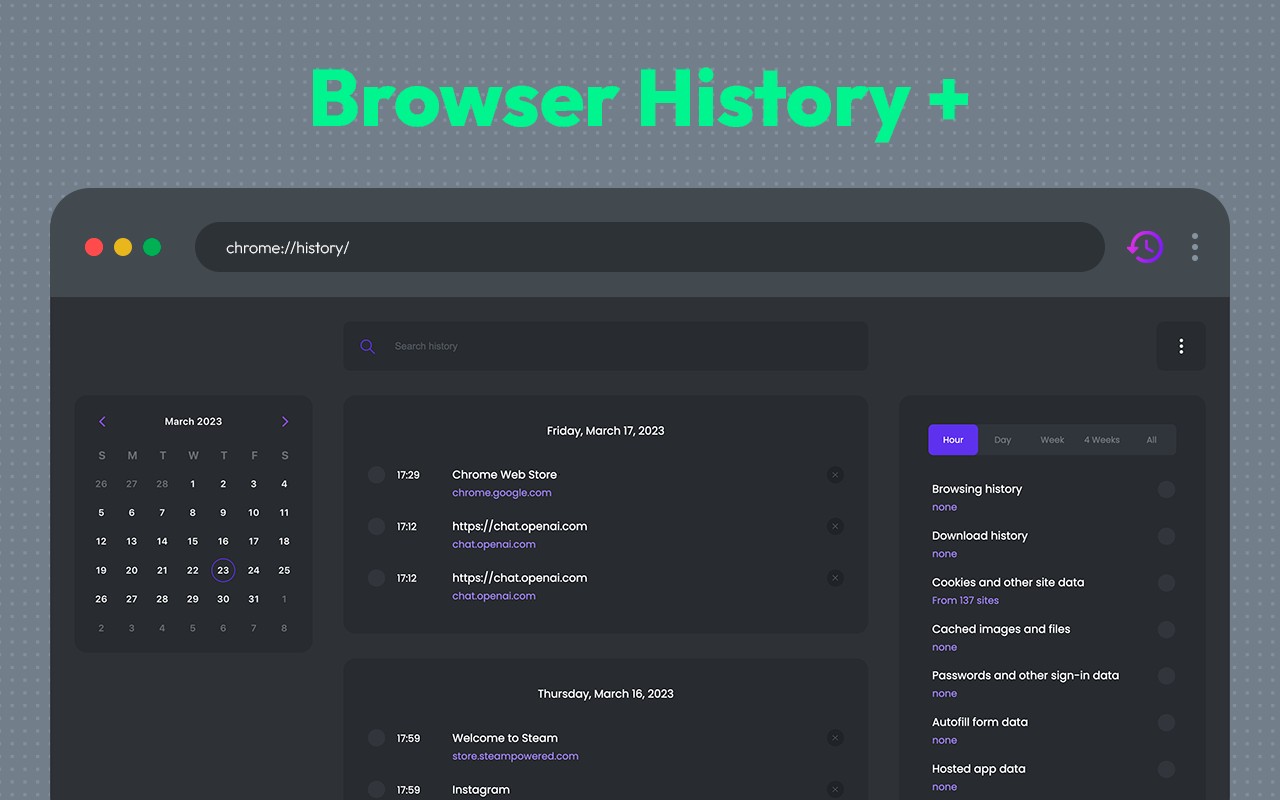
Browser History Plus is a Chrome extension that replaces the default history manager with a more powerful and intuitive interface. It is designed for users who accumulate large amounts of browsing data and need efficient ways to navigate, search, and clean their history. The extension provides a calendar-based view that lets you select any date and instantly see all websites visited on that day, making it easy to find a specific page from days or weeks ago without scrolling through endless lists.
Key Features
- Calendar View: Instead of the default chronological list, Browser History Plus displays your history in a calendar grid. You can click on any date to see a detailed list of sites visited that day. This is especially useful for recalling a site you visited on a particular day, such as a recipe from last Tuesday or a news article from a specific date.
- Advanced Search: The extension includes a powerful search bar that allows you to search your entire history using keywords or URLs. You can type a site name, topic, or partial URL, and it will instantly filter results. This is ideal for finding a site you visited weeks ago but only remember a few words from.
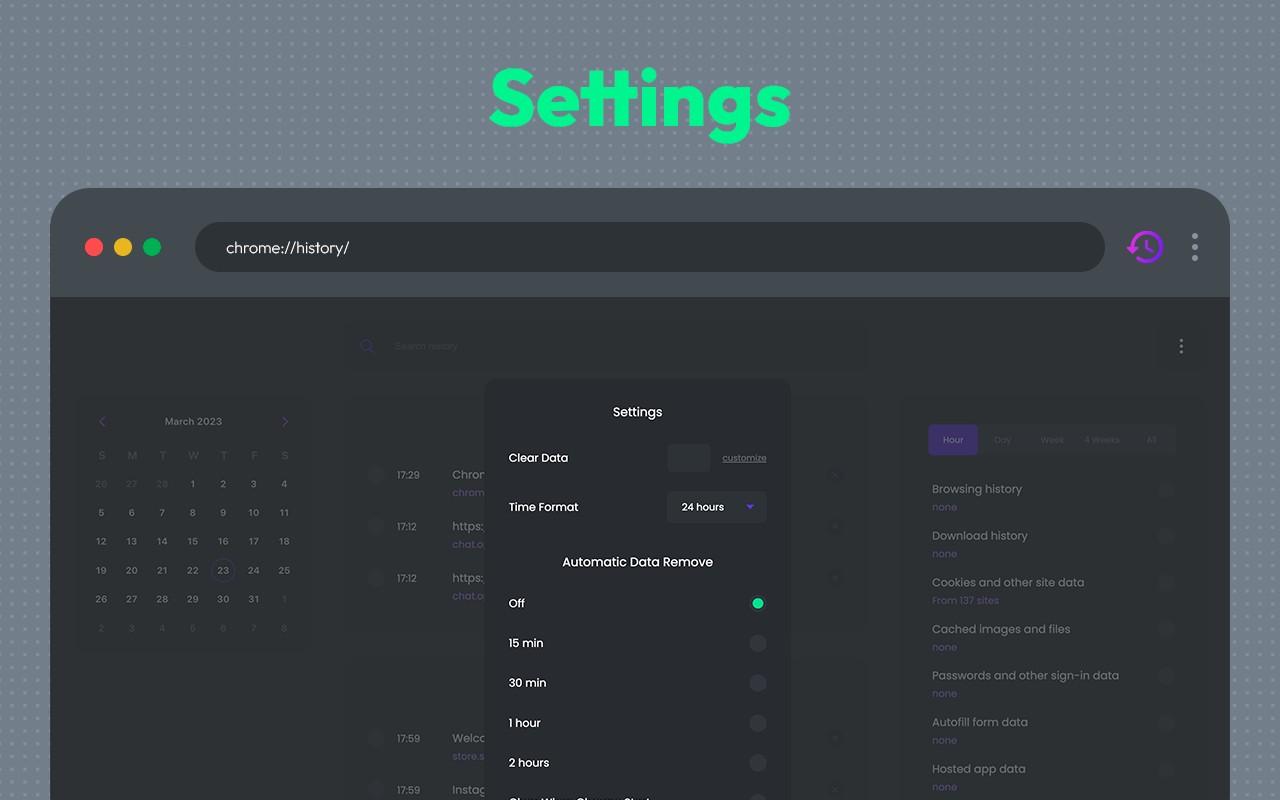
- Browsing Data Cleaner: A dedicated section lets you clear cache, history, downloads, cookies, and other Chrome browsing data with customizable options. You can choose to delete everything or only specific types of data (e.g., only cache or only cookies). This helps free up disk space, improve browser performance, and protect privacy by removing traces of your online activity. Use it regularly to prevent data accumulation and fix website loading issues caused by outdated cache.
- History Organization: The extension categorizes your browsing history, making it easier to navigate through large amounts of data. You can view history by day, week, or month, and quickly jump to any time period.
By combining these features, Browser History Plus gives you complete control over your browsing history. Whether you need to find an old bookmark, clean up sensitive data before sharing your computer, or speed up your browser by clearing cache, this extension provides a streamlined solution. It is a practical tool for anyone who values efficient history management and privacy protection.
Extensions that do the same job
Matched by what these extensions actually do, not by store category, and sorted so the ones asking for the least access come first.
| Extension | Site access | Permissions | Users | Rating |
|---|---|---|---|---|
| Browser History Plus — this page | All sites | 7 | 60K | 4.2★ |
| Plugins | Limited | 3 | 400K | 3.8★ |
| L.O.C | Limited | 5 | 300K | 4.3★ |
| Open incognito tab | Limited | 4 | 200K | 4.6★ |
| Online Security | All sites | 18 | 10M | 3.6★ |
| DuckDuckGo Search & Tracker Protection | All sites | 11 | 3M | 4.2★ |
| Ghostery AdBlocker for Privacy | All sites | 13 | 2M | 4.7★ |
Want the same thing with less access? Plugins, L.O.C, Open incognito tab ask for fewer permissions than this one.
Store data last checked August 14, 2026.